Crack the coverage number first, then ask where your content lives — how to pick an iTubeGo alternative
Most people searching for an iTubeGo alternative are holding the same doubt: the homepage shows a very large coverage number, yet for the one item they actually want to keep, they cannot tell whether it will work. What scares people about switching tools is not picking the wrong brand — it is comparing specifications at length while the step that jams stays jammed. This piece takes that big number apart and gives you a way to choose based on your content.
What iTubeGo is, and whether it is worth looking for an alternative
iTubeGo is a desktop downloader installed on your machine, and its official pages state the coverage number two ways: the top of the homepage says over 1,000 sites, while another spot on the same page says 10,000+ Websites. It belongs to the desktop-downloader category: install the software, paste in a link, wait for the file to be processed; the official listing also adds extras like audio extraction, which is how the official homepage presents itself.
People go looking for alternatives when doubt creeps in between two uses: the number looked huge, but on the one item they truly wanted to keep, the result did not match. Here is the conclusion first: that gap is mostly not a brand problem — there are several layers between a coverage number and your content. Reading the number before deciding whether to switch saves far more effort than switching brands outright.
Fair words first: for public videos, one pass straight through — and it is genuinely quick
For public videos on public pages, a desktop downloader with wide coverage really is the shortest path: install once, then paste a link, pick a format, and queue the file — the flow is smooth. Regular public video sites, grabbing an audio track as MP3, or saving a batch of unhurried public clips — that kind of work it handles, and the output formats the official list offers are enough for daily use.
This piece compares tool shapes and how to choose. It does not touch any brand's content policy or pricing tiers; version capabilities and quotas go by the current official page.
The big coverage number only makes sense when you read it in three layers
A coverage number tells you how many sites the vendor counted, not whether the item you want to keep can be saved — three layers sit between the two questions.
- The counting-method layer: when one page can state 1,000+ and 10,000+ at the same time, that tells you the figure is a marketing number — how it was counted and which sites went in, outsiders cannot verify. Read it as an order of magnitude, not a promise.
- Wide coverage is not deep coverage: public video sites are easy to count in bulk; the content you only see after logging in was never on the "supported" list — not left out, but impossible to count in.
- What "support" actually means: parsing one public address and keeping a picture that is playing are two different abilities. Our piece on how the free-quota math works made the same point — beyond the numbers, versions and quotas each have their own story; look at both before switching brands.

Where your content lives decides whether you need an alternative at all
Which layer your content lives in decides what shape of tool you need — this judgment beats any specification sheet.
- On public pages, viewable without logging in: the home ground of parsing desktop downloaders — iTubeGo and its peers are all good at it; the differences are in details, not capability.
- Behind a login wall (subscriptions, private messages, paid unlocks): the address does not carry your login credential, so a parsing tool's input is missing a link from the very start. Our the dual-track review covered "the credential does not travel with the address" thoroughly; one line here: for this kind of content, switching parsing brands changes nothing.
- Existing only while playing (live streams, temporary streams generated on the spot): there is no address to speak of — the picture exists only as far as it has played.
The last two layers are the shared boundary of the whole desktop-downloader category — that is the real dividing line behind the word "alternative": when the jam is here, switching brands is useless; what you need to switch is the shape.
Test with the one item you most want to keep — faster than any spec sheet
Spec sheets copy from each other; trials do not. Hand the one item you most want to keep to each candidate and run the full flow — the verdict is immediate.
- On the site you actually use, pick the most typical, most-wanted item;
- Let every candidate run the complete flow — from opening the page or pasting the link to the file landing on disk; ignore homepage demos;
- Note where it jams: no entry appears in the list at all — that is a page-side problem, covered in our piece on why nothing gets detected; a parsing error usually means the input is stuck; a file that lands but will not open, or lands incomplete, is yet another layer.
Where the jam lands tells you whether an alternative is worth it and what shape to switch to — the answer is written in your own test notes.
If you would rather keep content while watching, there is a path that counts no sites
The coverage number is useless on this path: the content plays in your own window, the save button sits next to the playback, and the site you are already using is the entire prerequisite. The tool for this path is a desktop video browser, in four steps:
Step 1: Download and install VidBrowser
VidBrowser is a desktop video browser for Windows and Mac with downloading and recording built in; installation takes a few minutes.
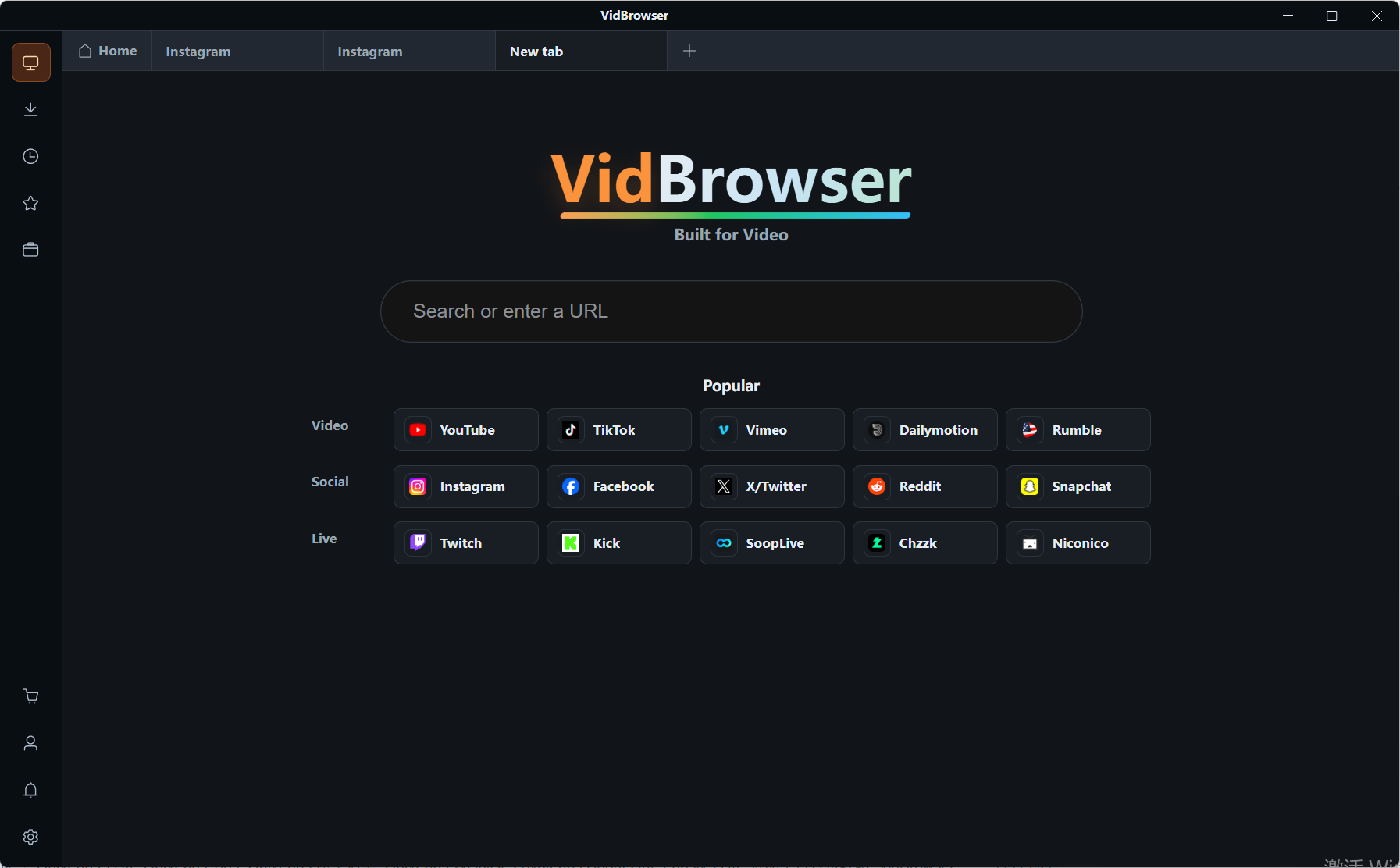
Step 2: Open the sites you follow, log in, and get the content playing
Then, inside VidBrowser, enter the site and log in as with any normal browser. No site count to check — if it plays, it is supported.
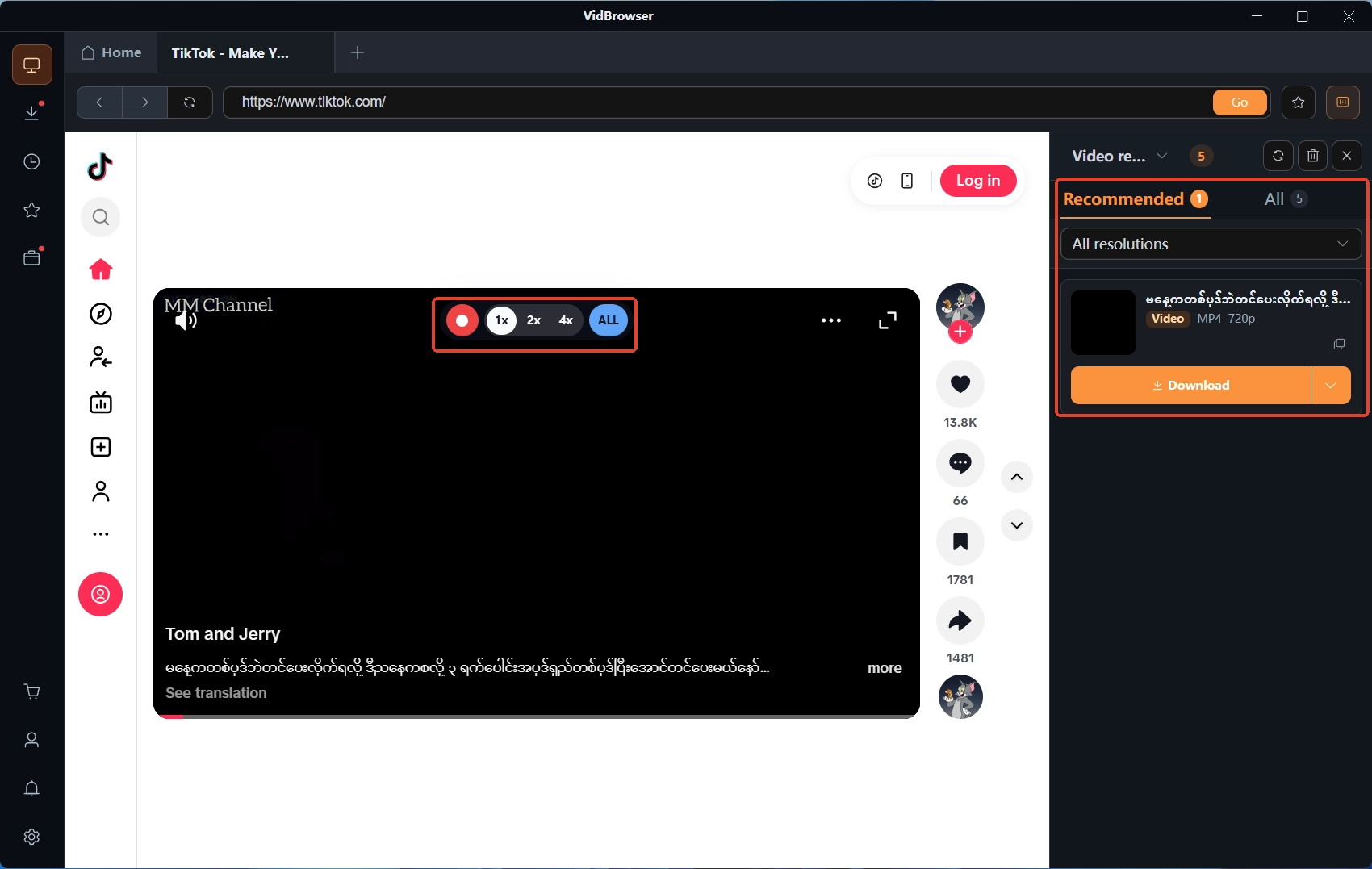
Step 3: Look at the video library on the right; what can be saved gets the orange button
Downloadable content is listed in the video library on the right, each entry with an orange Download button; pick the format, filter by resolution for quality, and save as MP4.
Step 4: What cannot be downloaded, record instead
Move the mouse over the picture and recording controls overlay it: choose 1x in real time, or 2x and 4x to finish faster, hit Record all to capture the whole run, and the record button on the left starts or pauses anytime; protected content takes this path. Every job is logged in the download history on the left, where file name, size and location can be checked afterwards.
FAQ
Does iTubeGo have a free version
There is a trial — which features it covers and for how long go by the current official page; prices likewise. This piece does not read or restate them for you.
Why does the same video fail to parse across several brands
Go back and check "where your content lives": behind a login wall, generated on the spot, or existing only during playback — a parsing tool's input is missing a link from the start. That is a category boundary, not a brand difference; the outcome is the same whatever the label.
When is switching tools actually worth it
Worth it when the jam is in the details: with the same content, another tool runs steadier and the flow feels smoother. Not worth it when the jam is in the shape: content behind a login wall or existing only in playback needs not another downloader but another way of saving.