
Best Browser for OnlyFans in 2026 (Tested and Ranked)
Most people don't think twice about which browser they use on OnlyFans. You open Chrome, go to the site, and scroll. But if you've ever dealt with ads interrupting your feed, a video that keeps buffering, a black screen when you try to record something, or content that disappeared before you could save it — the browser you're using matters more than you'd think.
We tested five browsers on OnlyFans in 2026: Chrome, Firefox, Edge, Safari, and VidBrowser. Same content, same connection, same account. Here's what we found.
What Actually Matters When Browsing OnlyFans
Before the rankings, here's what we evaluated — because "best browser" means different things depending on what you're doing.
Ad experience — OnlyFans itself doesn't run traditional display ads inside the feed, but the broader web around it does. The browser's built-in (or lack of) ad blocking matters when you're navigating around the site or following creator links.
Video playback quality — OnlyFans streams video through encrypted HLS. How well a browser handles adaptive bitrate streaming affects whether your video plays smoothly or stutters.
Privacy — What data does the browser send home? For a site like OnlyFans, a lot of users care about this.
Content saving — This is where browsers diverge dramatically. OnlyFans uses Widevine DRM on its video content, which means right-click-save does nothing, and most download tools fail completely.
Overall speed and stability — No one wants a crash mid-session.
Browser-by-Browser Breakdown
Google Chrome — The Default, With Trade-offs
Chrome is what most people use, and it works fine on OnlyFans in the basic sense. Pages load, videos play, navigation is smooth.
The problems start when you want more. Chrome sends significant telemetry data to Google. It has no built-in ad blocker, so you're either installing uBlock Origin separately or dealing with whatever ads appear on surrounding pages. And when it comes to saving OnlyFans content — Chrome offers zero native support, and third-party extensions that claim to work mostly don't, because OnlyFans uses DRM encryption that defeats them.
Verdict: Gets the job done. Nothing more.
Mozilla Firefox — Better Privacy, Same Limitations
Firefox is the privacy-conscious user's default alternative to Chrome. It doesn't report usage data back to a corporation the way Chrome does, it has better built-in tracker blocking, and it's genuinely faster on some pages.
On OnlyFans specifically: fine. Videos play, the feed scrolls normally, the interface works.
The limitation is the same as Chrome on the content side. Firefox actually has less Widevine DRM support than Chrome — it runs Widevine at the L3 software level rather than L1 hardware, which means some DRM content that Chrome can handle, Firefox can't. Saving videos is still not possible through the browser itself.
Verdict: Better privacy than Chrome. Same ceiling for content.
Microsoft Edge — Chrome with Microsoft on Top
Edge is Chromium-based, so its compatibility with OnlyFans is identical to Chrome. It has a built-in ad blocker (Tracking Prevention) and some added features like a sidebar and built-in Copilot.
For OnlyFans use specifically, there's nothing Edge does better than Chrome, and the constant Microsoft integration prompts can be distracting. The privacy picture is similar to Chrome — Microsoft collects its own telemetry.
Verdict: Chrome with different branding. Skip.
Safari — Only Matters If You're on Mac
Safari is fast and battery-efficient on Mac, and Apple's privacy policies are genuinely better than Google's or Microsoft's. For casual OnlyFans browsing on a MacBook, it's perfectly usable.
The catch: Safari uses Apple's own media stack, which means Widevine DRM is handled differently (often at L3), and some video content that plays in Chrome won't load properly in Safari. If you're on Windows, Safari isn't an option at all.
Verdict: Good for Mac-only casual browsing. Limited for anything beyond that.
VidBrowser — Built for Exactly This
VidBrowser is a desktop browser built specifically around video. It's Chromium-based, so OnlyFans works on it exactly like it does on Chrome — full compatibility, same rendering, same speed.
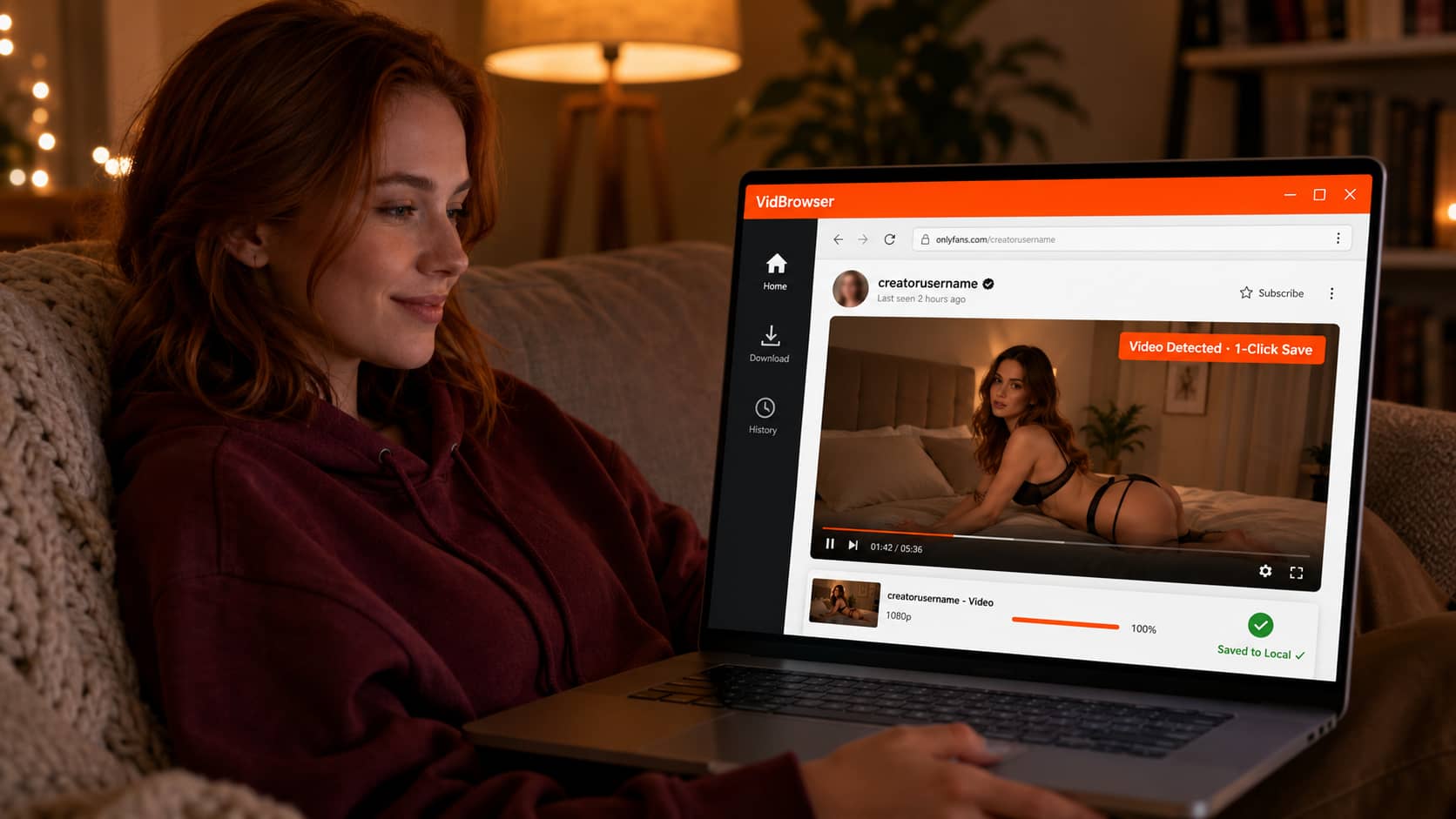
The differences are what it adds on top:
No ads, anywhere. VidBrowser blocks ads across the entire web by default. Not just on OnlyFans — on every site you visit. No extension required, no setup, just on.
One-click video saving. This is the big one. When you're watching an OnlyFans video, VidBrowser detects it and shows a download badge. Click it. The video saves to your local storage. This works because VidBrowser participates in OnlyFans' authorized playback flow — it handles the DRM decryption legitimately, as a full browser, rather than trying to grab an encrypted stream from outside.
This is what every other browser on this list cannot do. Chrome, Firefox, Edge, Safari — none of them have a path to saving OnlyFans content locally. VidBrowser does.
AI highlight detection. If you're watching a longer video and want to jump to the best moments, VidBrowser's AI automatically marks them. Useful when a creator posts a 20-minute video and you want to find the highlights fast.
Video clipping. Trim any video clip directly in the browser before saving. No separate editor needed.
Download VidBrowser free — the free version includes video saving so you can try it on OnlyFans content before committing.
Verdict: The only browser that solves the content-saving problem. Best overall for OnlyFans in 2026.
The One Thing Most Browsers Can't Do on OnlyFans
It's worth explaining why saving OnlyFans videos is so hard — because a lot of people assume they're doing something wrong when their download tool fails.
OnlyFans encrypts its video content using Widevine DRM, the same standard used by Netflix and YouTube Premium. When you watch a video, your browser requests a temporary decryption key from OnlyFans' license server. That key is tied to your account and session. The video stream itself is always encrypted — without the key, any file you grab from the network is unplayable garbage.
Screen recording doesn't reliably work either. On hardware that supports Widevine L1 (most modern PCs), the video is rendered in a protected layer that screen capture software can't access. You get a black rectangle in your recording.
VidBrowser's approach is different: it's a full browser that completes the DRM authorization cycle normally, and captures content at a point in the authorized playback pipeline where it has legitimate access. No exploits, no broken tools — just the browser doing its job.
Quick Comparison Table
| Browser | Ad Blocking | Video Playback | Privacy | OnlyFans Content Saving |
|---|---|---|---|---|
| Chrome | ✗ (extension needed) | ✓ | Poor | ✗ |
| Firefox | Partial | ✓ | Good | ✗ |
| Edge | Partial | ✓ | Poor | ✗ |
| Safari | ✗ | Partial | Good | ✗ |
| VidBrowser | ✓ Built-in | ✓ | Good | ✓ One-click save |
FAQ
Does VidBrowser work on both Windows and Mac?
Yes. VidBrowser has desktop apps for both Windows and Mac. The OnlyFans experience and video saving features work the same on both platforms.
Can I use my regular browser alongside VidBrowser?
Of course. VidBrowser doesn't replace your other browsers — you install it as an additional option. Many users keep Chrome for general browsing and use VidBrowser specifically for video-heavy sites like OnlyFans, YouTube, and Netflix.
Is it safe to log into OnlyFans in VidBrowser?
VidBrowser is a Chromium-based browser, which means it has the same underlying security architecture as Chrome. Logging into sites in VidBrowser is no different from logging in through Chrome.
Why does screen recording show a black screen on OnlyFans?
OnlyFans uses Widevine DRM with hardware-level protection on most modern PCs. Screen capture software can't access the protected video layer — it only captures a black frame. This isn't a problem with your recording software; it's working as designed by the platform. VidBrowser's local save feature is the practical solution.
Does VidBrowser work on mobile?
VidBrowser is currently a desktop application (Windows and Mac). Mobile browsers have more restricted access to DRM content saving, so the desktop app is where the video downloading feature lives.


