
Best YouTube Video Downloader for PC in 2026
There's no shortage of YouTube download tools. There are also no shortage of ones that install adware, stop working after a YouTube update, or simply can't handle the content you actually want to save. This is a breakdown of what's actually worth using in 2026, what each tool can and can't do, and which one fits your situation.
What to Look For in a YouTube Downloader
Most download tools get compared on the wrong things — speed and format options. What actually separates useful tools from frustrating ones:
YouTube Premium support. Most tools can grab a public YouTube video. Very few can handle YouTube Premium content, which is locked to the YouTube app. If you're a Premium subscriber and want to actually save content to your computer, this is the most important feature to check.
Download quality. Some tools cap at 720p. Others pull 1080p or 4K. Knowing the ceiling matters if you have a 4K monitor or TV.
Reliability after YouTube updates. YouTube regularly changes how it delivers video. Tools that work one month can break the next. Look for tools with active maintenance.
Safety. A lot of "free YouTube downloader" sites are designed to install junk software or redirect to phishing pages. The installer matters as much as the tool itself.
Ease of use. Command-line tools are powerful but require setup. Browser-based tools are simple but often limited.
The Best YouTube Downloaders for PC in 2026
VidBrowser — Best for YouTube Premium + Everyday Use
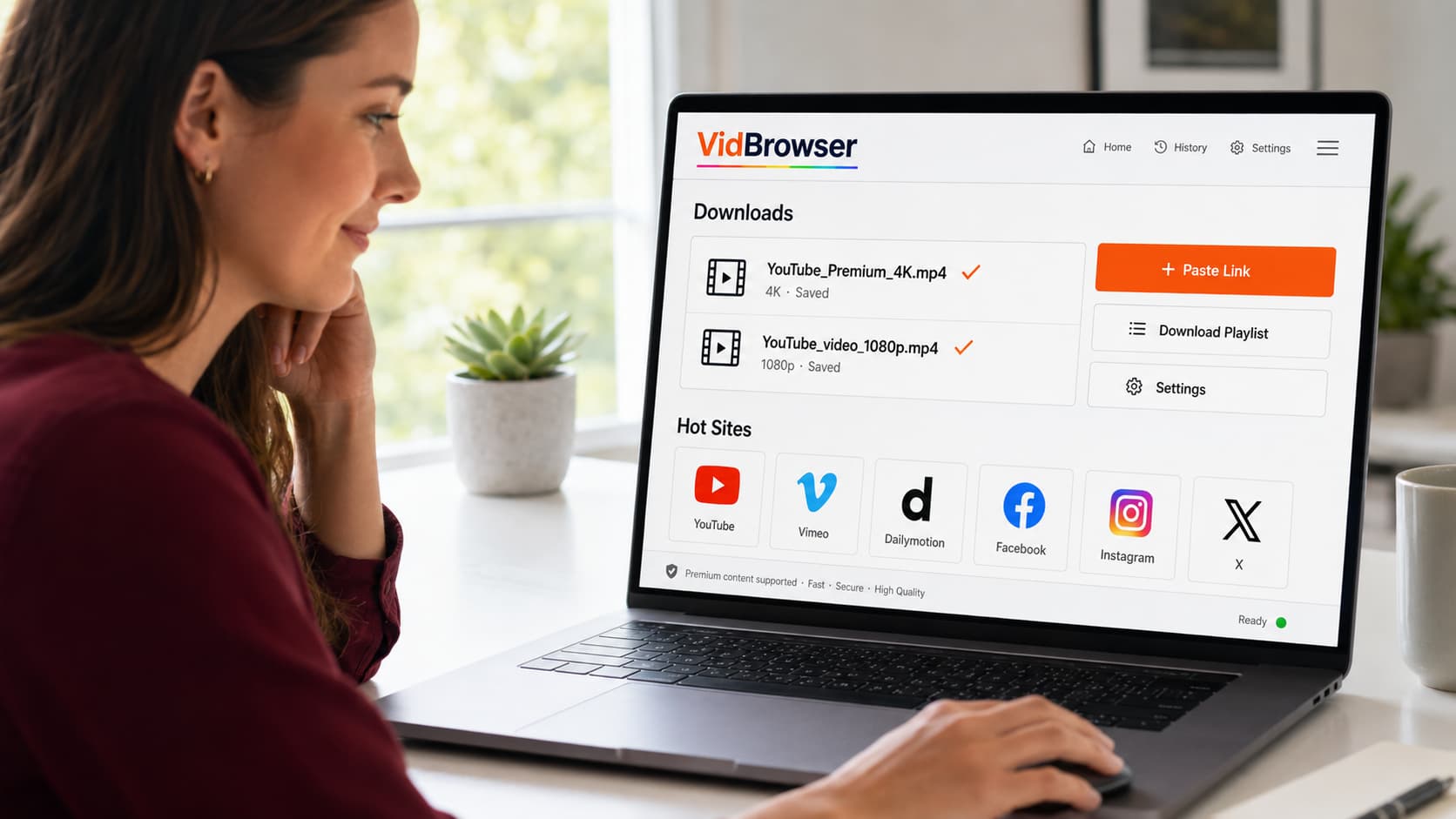
VidBrowser is a desktop browser built for video. Instead of a separate download tool, it's a full browser where every video you play has a one-click save option.
What it does well:
- Works on YouTube Premium content — the only category most tools miss entirely
- One-click save without copying URLs or switching apps
- Saves at full stream quality, including 1080p and 4K
- Built-in ad blocking, so YouTube loads without ads
- Works on 1,000+ platforms beyond YouTube — same browser, same process
- Clean installer, no bundled software
Limitations:
- Desktop only (Windows and Mac) — no mobile version
- Requires playing the video to trigger the save — can't batch-download a playlist in the background
Best for: Anyone with YouTube Premium, or anyone who wants a single tool that handles YouTube plus every other platform they use.
yt-dlp — Best for Power Users
yt-dlp is a command-line tool and the most capable free YouTube downloader available. It's actively maintained, handles the widest range of formats and quality options, and works on public YouTube content reliably.
What it does well:
- Handles virtually every quality option including 4K
- Playlist downloads, subtitle extraction, metadata preservation
- Highly configurable for specific use cases
- Free and open source
Limitations:
- Command line only — no graphical interface
- Requires Python and setup time
- Does not work on YouTube Premium content
- Breaks periodically when YouTube updates; requires yt-dlp updates to fix
- No built-in ad blocking or browsing capability
Best for: Developers, power users, and anyone comfortable with the command line who's downloading public YouTube videos at volume.
4K Video Downloader — Best GUI Alternative
4K Video Downloader is a desktop application with a graphical interface built around yt-dlp's capabilities. You paste a URL, choose quality, download.
What it does well:
- Clean interface, easy to use
- Handles playlists and channels
- Supports high-quality downloads on public videos
Limitations:
- Free version has limits on playlist downloads
- Does not handle YouTube Premium content
- Paid upgrade required for full functionality
- Occasional breakage when YouTube updates
Best for: Users who want yt-dlp's download capability without the command line, and are fine with public YouTube content only.
Online Downloader Sites (y2mate, savefrom.net, etc.)
Online YouTube download sites work by pasting a URL and downloading from their server. They require no software installation, which is their main appeal.
What they do well:
- Zero installation
- Quick for single videos you need occasionally
Limitations:
- Aggressive advertising — misleading download buttons are common
- Quality often capped at 720p
- No YouTube Premium support
- Reliability is poor — these sites frequently break or go offline
- Privacy concerns: your URL requests go through a third-party server
- Some sites bundle download managers in the file itself
Best for: One-off occasional downloads where you don't want to install anything and aren't concerned about the above.
Browser Extensions (Video DownloadHelper, etc.)
Browser extensions add a download button to YouTube in your existing browser.
What they do well:
- Integrated into your current browser
- Convenient for occasional downloads
Limitations:
- Most cap quality at lower resolutions
- Do not work on YouTube Premium content
- Quality detection is inconsistent
- Many popular extensions have been removed from Chrome Web Store for policy violations
- Extension permissions can be broad
Best for: Light casual use on public YouTube videos only.
Head-to-Head Comparison
| Tool | YouTube Premium | Max Quality | Ease of Use | Other Platforms | Price |
|---|---|---|---|---|---|
| VidBrowser | ✓ | 4K | Easiest | 1,000+ | Free |
| yt-dlp | ✗ | 4K+ | Command line | Many | Free |
| 4K Video Downloader | ✗ | 4K | Easy | Limited | Freemium |
| Online sites | ✗ | 720p | Easiest | YouTube only | Free |
| Browser extensions | ✗ | 720p | Easy | Limited | Free |
Which One Should You Use?
If you have YouTube Premium: VidBrowser is the only tool here that actually handles Premium content. Nothing else on this list saves YouTube Premium videos to your PC.
If you want to download public YouTube videos at volume with maximum control: yt-dlp is the most capable tool, assuming you're comfortable with command-line setup.
If you want a graphical interface for public videos: 4K Video Downloader does the job cleanly.
If you use other platforms besides YouTube: VidBrowser covers everything in one browser — YouTube, Netflix, OnlyFans, Fansly, TikTok, and 1,000+ more. No other tool on this list does that.
If you just need one video occasionally: An online site works, but watch out for the fake download buttons.
For most people — especially anyone with a YouTube Premium subscription — VidBrowser is the practical choice. It handles the cases other tools miss, it's free to start, and it's the only option that works across every platform you might actually use.
FAQ
Is yt-dlp better than VidBrowser?
For public YouTube downloads in bulk with maximum format control, yt-dlp is extremely capable. But it requires command-line setup, doesn't handle YouTube Premium, and only works on platforms it specifically supports. VidBrowser is simpler and handles Premium content — they serve different users.
Do any of these tools work on Mac?
VidBrowser, yt-dlp, and 4K Video Downloader all have Mac versions. Online sites and browser extensions work in any browser including Mac.
Can I download an entire YouTube channel or playlist?
yt-dlp and 4K Video Downloader both support playlist and channel downloads. VidBrowser currently saves one video at a time.
Why can't most tools handle YouTube Premium?
YouTube Premium content is delivered in a way that's locked to the YouTube app environment. External tools that grab content from YouTube's delivery system can't reach Premium content because it's not accessible to outside requests. VidBrowser works inside the browser playback process, where it has legitimate access during streaming.
Are these tools legal to use?
YouTube's terms of service restrict downloading outside their official feature. Whether personal offline saving of content you have access to creates legal risk depends on your jurisdiction and use case. None of these tools bypass authentication — they all require you to have access to the content.
What's the safest option to install?
VidBrowser and yt-dlp are the cleanest installs — no bundled software. Many sites offering "free YouTube downloaders" bundle adware in the installer. Always download from the official source.


