Purchased Fansly content lives behind an official hub, but the file never lands in your hands. See where the entry is, what to check when it is missing, and how to keep a local copy.
You open that unlocked video again and get a content-not-found notice. Before assuming the worst: purchased Fansly content does not live in your chat flow or on the creator page. It has a dedicated home. Not finding it usually means you took the wrong entrance. The bigger issue is another one: being able to watch it anytime and having the file in your hands are two different things.
Purchased Fansly content has an official hub, under Media Collection
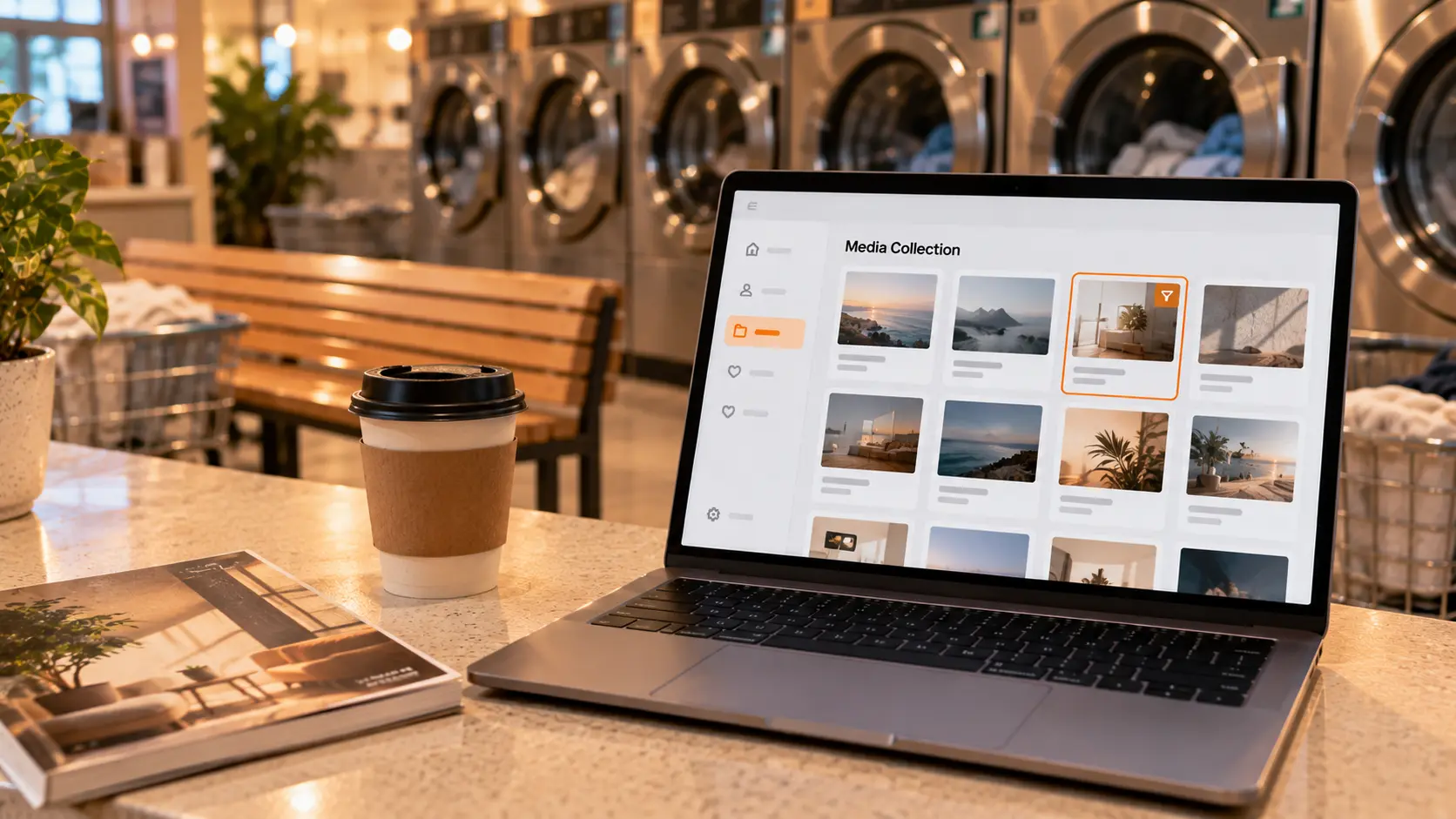
Fansly built an official hub for purchases, inside the avatar menu under Media Collection, where bought media is filed automatically into the Purchases collection. The official help page says paid unlocks are archived instantly and can be revisited anytime. The path: tap the avatar in the top right, pick Media Collection, switch to the Purchases tab. It is not fragments scattered across posts; it is a shelf that keeps its records.
This entrance covers media you paid for directly: unlocked posts, bought videos, custom one-off content. Subscription feeds and DM content sit outside this layer, so do not look there.
Repeat access and having the file are two different things
Fansly promises ongoing access on one page and states on another that media cannot be saved off-platform. Both statements hold at once, and that is the real situation of a Fansly purchase. The help center says buyers can revisit Media Collection anytime; the creator-side security page says media on the platform cannot be downloaded or saved outside it. Access hangs on your account, and the file stays with the platform.
The terms put it more bluntly: payment buys a limited, revocable, personal non-commercial access license, not ownership of that file. The situations that make content disappear, including creator deletion, copyright reports and account issues, are covered in the content removal piece. That one explains why things vanish; this one is about what to do while they are still here.
So "finding it back" splits in two: recovering the viewing entrance, which the official path always delivers, and recovering the file itself, for which the platform side offers no channel at all. Getting content into your own hands depends on saving it while access is still working.
Purchases missing? Run a three-layer check first
Most "but I definitely bought it" frustration can be located with a three-layer check. Go in order:
Layer one, confirm you are logged into the account that paid. Purchases bind to the paying account, so a second account or a different email shows an empty hub. Layer two, go to Media Collection, not the creator page. After a creator deletes posts, adjusts visibility or after a subscription ends, the page may show nothing while the Purchases collection stays a separate entrance, and the two do not always sync. Layer three, open the transaction history and check the type. Entries marked Media Purchase are real purchases; entries marked Tip are tips, and the official page says tip-based content carries no promise of continued access and may lapse when the creator adjusts settings. The boundary between tipping and buying is covered in more detail in the paid DM guide.
One more common mix-up: content unlocked inside DMs belongs to the DM side, with different expiry rules than post purchases. That troubleshooting path is covered separately in the DM video piece.
Not what was promised: the official two-step remedy
If the delivered content does not match what the creator promised, the official route is to contact the creator first, then platform support. Two steps. The help center states creators must honor their promises. Step one, message the creator directly; most misunderstandings end in one reply. If they do not respond or cannot fix it, step two, email official support at support@fansly.com and let the platform investigate, with refunds governed by the terms and the refund policy.
The official page adds one caveat: if the terms are violated, for example by misusing purchased content, refunds or disputes may be limited. The remedy channel exists for users who follow the rules.
While access works, save what matters to your own drive
What the hub guarantees is "you can come back and watch"; what it cannot do is hand you the file. Desktop fills that gap. Fansly states that platform media cannot be saved off-site and gives creators no open download switch, so saving runs on record first, download second, in four steps:
Step 1: Download and install VidBrowser
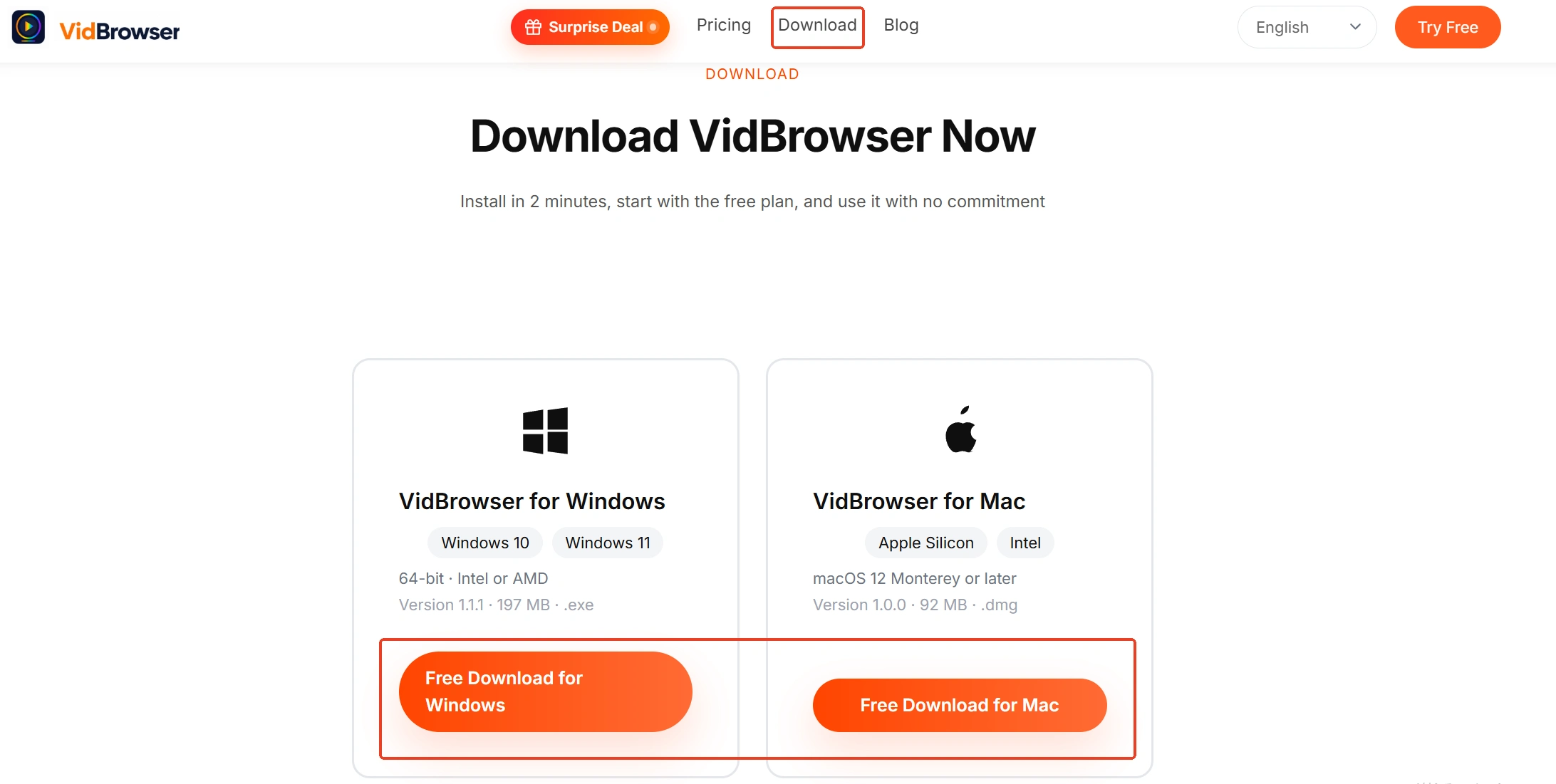
VidBrowser is a desktop video browser for Windows and Mac that watches video, cuts clips and saves files locally, with downloading and recording built in. Installation takes a few minutes.
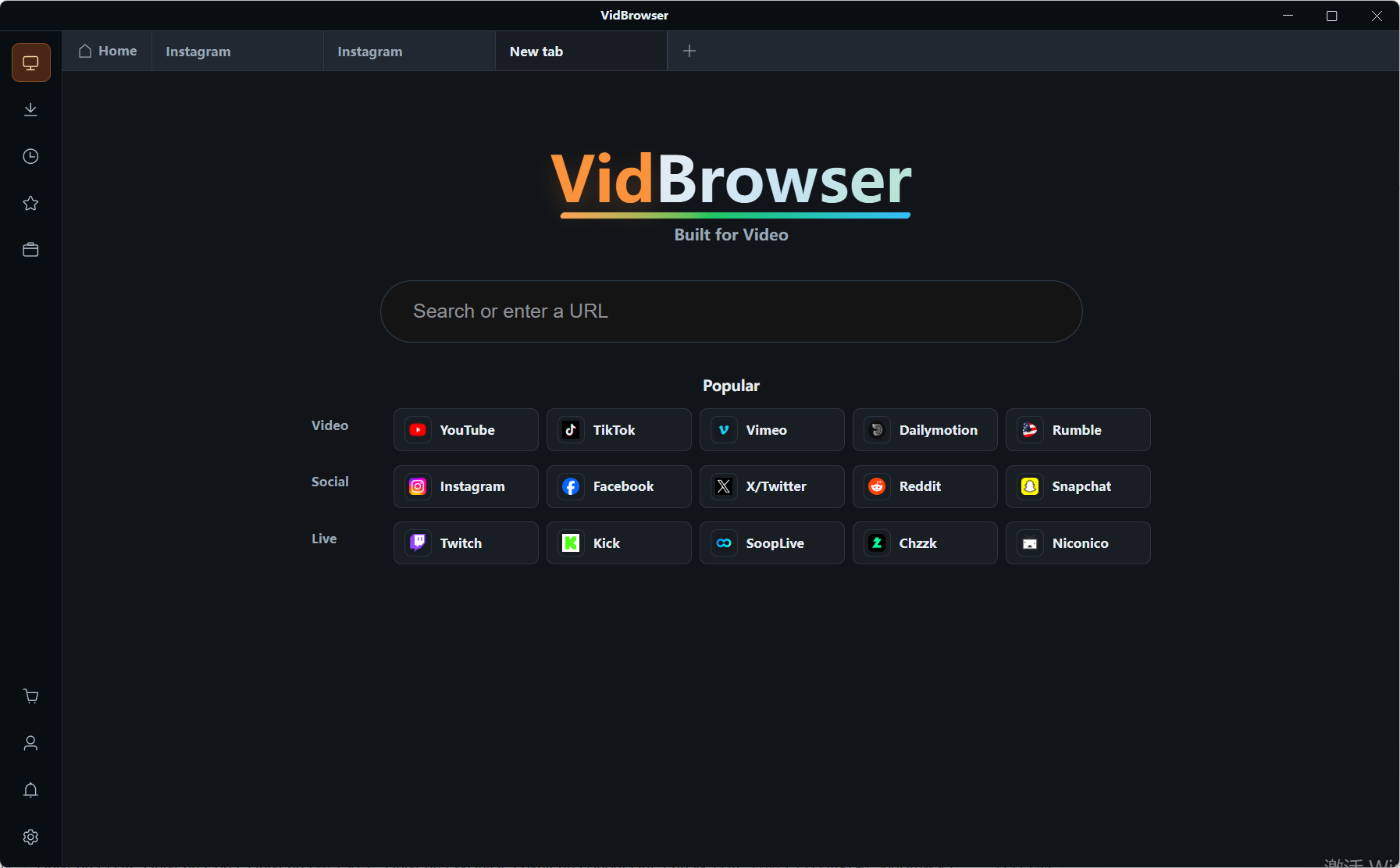
Step 2: Open Fansly in VidBrowser and sign in
Sign in with the paying account, open the Purchases tab and play what you want to keep.
Step 3: Use recording for protected content
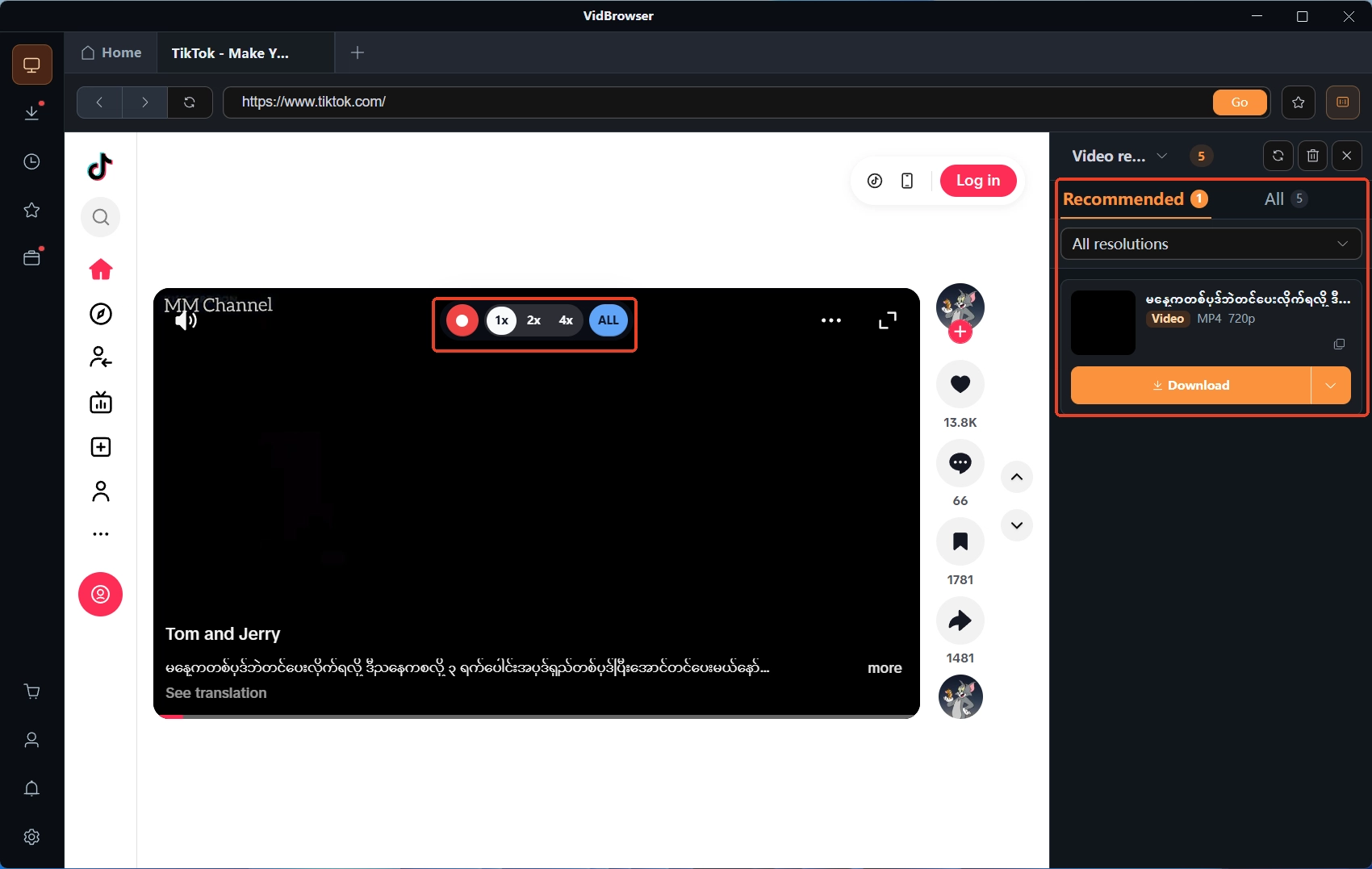
Videos on subscription platforms like Fansly are usually protected, so plain downloaders cannot grab them, and the recording feature is the most reliable way to save: move the mouse over the video and the recording overlay appears. Pick a recording speed (1x real time, or 2x and 4x to finish faster), click Record All to capture the whole video, and use the record button on the left to start or pause at any time; anything that plays can be recorded. If a video is directly downloadable, the Video Media panel on the right lists it with an orange Download button, and one click saves it as MP4 (resolution can be picked first).
Step 4: Verify the file in download history
Open download history from the clock icon in the left navigation and check the file name, size and save location.
In summary
The way back to purchased Fansly content is clear: avatar menu, Media Collection, the Purchases tab, and Media Purchase labels in the transaction history. Keep the other side in view too: the ongoing access hangs on your account, and the file is not in your hands. Saving what you care about to your own drive while access is healthy beats any hope of "finding it later".
FAQ
Will purchases survive a new device or a reinstall?
Yes. Purchases bind to the account, not the device. On a new device or after reinstalling, sign into the same account and open Media Collection to reach everything again, as long as the account itself is in good standing.
Can I still watch purchases after my subscription ends?
Yes. Fansly keeps buying and subscribing on two layers: a purchase is a single piece of content you paid for directly and stays revisit-ready in the Purchases collection; an expired subscription affects the subscription-period feed.
Does content a creator sends after a tip count as purchased?
No. In the official wording, tips and purchases are different transactions: media obtained through a tip carries no promise of continued access and may stop working when the creator adjusts settings. For purchase-level assurance, the official advice is to buy directly, even in small amounts.