Whether a missed Chzzk live still has a full replay is not decided on your side
You follow streamers on Chzzk (Naver's Korean live platform), and nothing stings like heading to a channel right after a stream ends: some channels line up a neat row of replays, others have none at all. The difference is not on your side — a Chzzk replay (VOD) is generated per stream at the streamer's discretion, and the official side has never published a unified retention window; whether one shows up and how long it stays is not the viewer's call. This guide walks through the mechanism, the entry points, and the full way to keep a copy locally.
How Chzzk replays (VOD) work: a per-stream switch decides whether one exists
Chzzk's on-demand content comes in two types, replays (다시보기) and clips (클립); whether a replay is generated is decided per stream by the streamer, and even when it is, the platform promises no retention window.
According to the write-up compiled by a third-party tool for Korean creators, replays are switched on per stream in the broadcast settings — many streamers turn replays off for subscriber marathons or sponsored sessions they do not want fully rewatched; if the switch is off when the stream ends, that live session leaves no full recording on Chzzk's side. Even with replays on, retention has a ceiling: older streams get rotated out, and streamers delete past sessions themselves.
Two things follow for viewers: whether a channel has replays, ask the streamer; whether one is still there, ask the calendar. Every session you can still open is a window you can act on. There is also a plain observation trick: the oldest-dated entry in a channel's replay list is the proven retention floor for that channel — however many days it has survived, the channel's replays live at least that long. The other half, the live itself, can only be kept by recording — the Chzzk live recording guide covered the full steps, so this one stays on the replay side.
Where replays live: the channel replay list holds full sessions, the clip area keeps moments
Full sessions sit in the replay list on the channel page; the clip area collects short moments cut by viewers, and the two cannot stand in for each other.
- Replay list: open the streamer's channel page and look for "다시보기 (replay)" or the video list — full sessions are lined up here by date;
- Clip area (클립): fragments viewers cut from highlight moments, tens of seconds to a few minutes, good for revisiting famous scenes;
- Hours-long subscriber marathons or full tournaments cannot be stitched back from clips — clips preserve moments, replays preserve the whole run.
The self-check takes one move: open the channel and scroll the replay list. An empty list usually does not mean deletion — the streamer may never have turned replays on; if the list has stock, the older the publish date, the sooner you should act.
The Twitch Korea precedent: platform policy can also shut replays off
Beyond the streamer's switch sits another variable: the platform's own policy changes can make content still sitting on servers unwatchable.
According to the Wikipedia entry on CHZZK, before Twitch left the Korean market in 2024 it had already capped Korean-region stream quality at 720p and shut down VOD replays — a batch of Korean viewers lost access to their replay libraries inside a policy change. Those files were not deleted; they still sit on servers, but the door that belonged to viewers closed first.
Setting Twitch's current rules side by side makes the point sharper: 7 days for regular accounts, 14 for Affiliates, 60 for Partners, deleted from servers at expiry — details unpacked in the Twitch VOD save guide. Put the two together: Twitch's three-tier countdown is at least written in official docs, while Chzzk does not even publish a number — the less a platform promises, the more you should treat everything as ready to vanish. Nothing on the platform side is fit to be a long-term copy; the local copy is the one you control.
Keeping a Chzzk replay locally: download replays, record only live streams
A replay is standard on-demand video — if it plays normally, download it directly; only a running live stream needs recording. Two kinds of content, two roads.
The whole operation takes four steps:
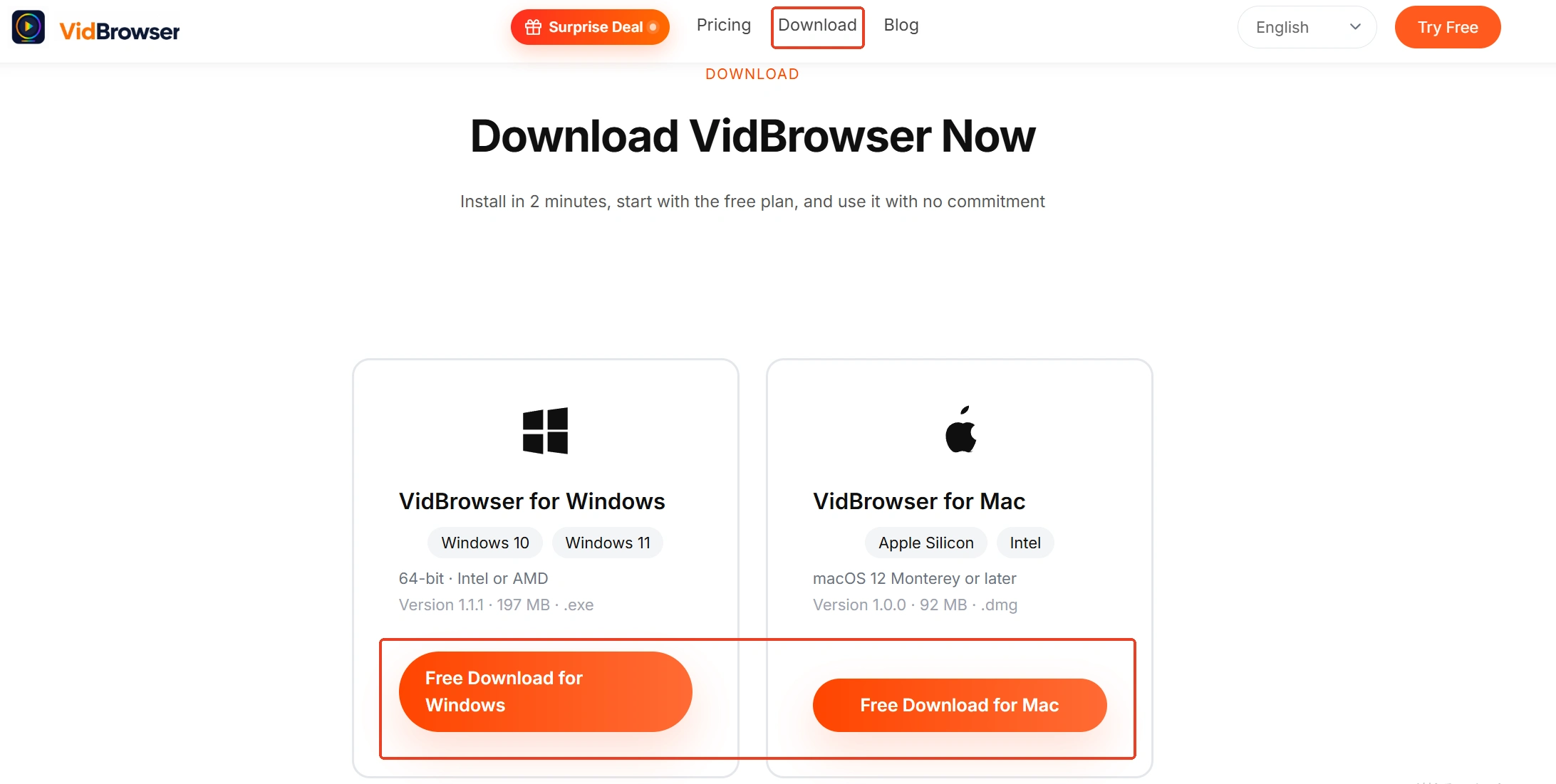
Step 1: Download and install VidBrowser
VidBrowser is a desktop video browser for watching and saving live streams and videos on Windows and Mac, with downloading and recording built in as its two core functions; installation takes a few minutes.
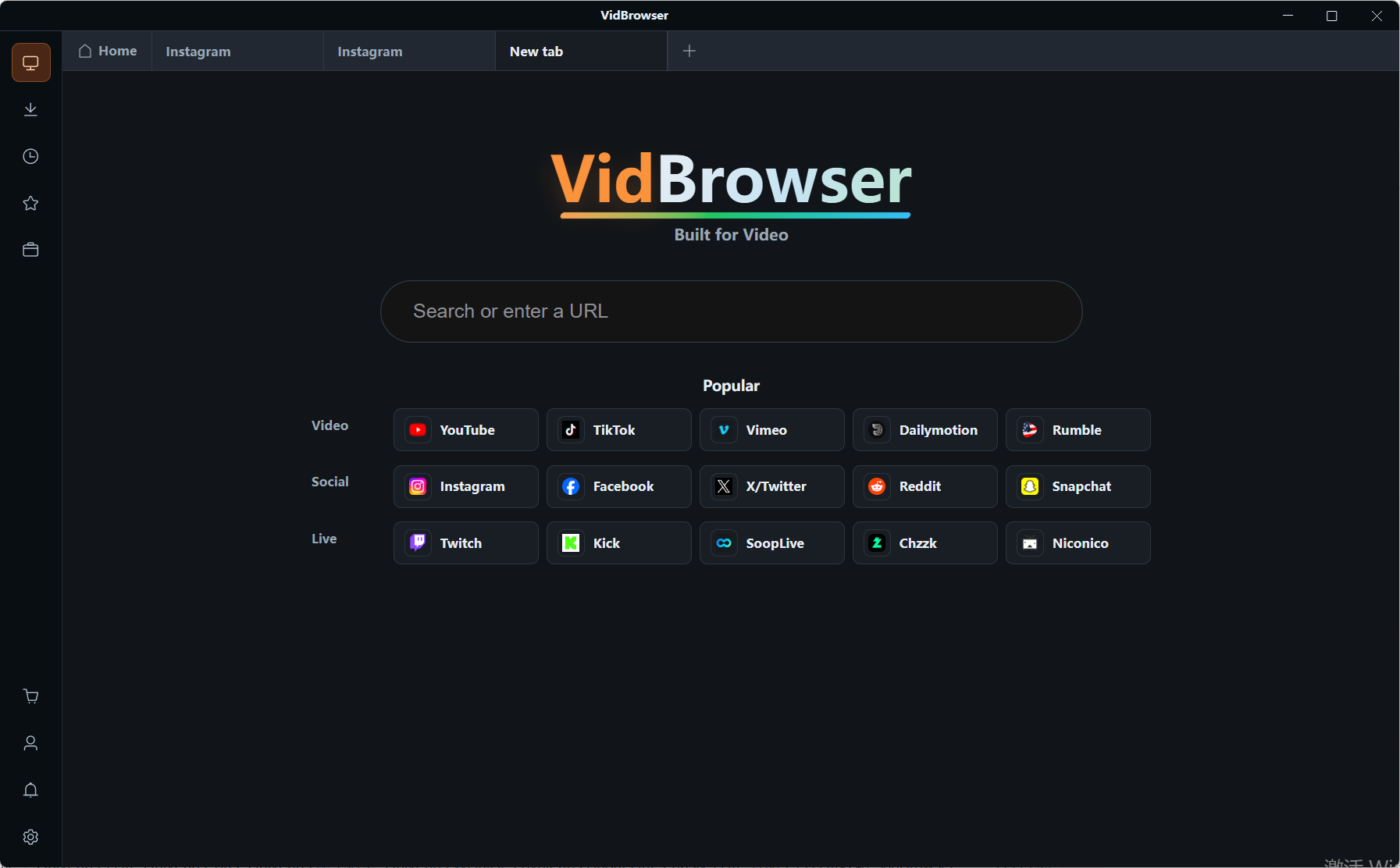
Step 2: Open Chzzk and sign in
Open chzzk.naver.com inside VidBrowser and sign in with your own account — subscription content requires an account with an active subscription, and some replays only open after login, so confirm the page plays normally before saving.
Step 3: Open the target replay from the channel's replay list
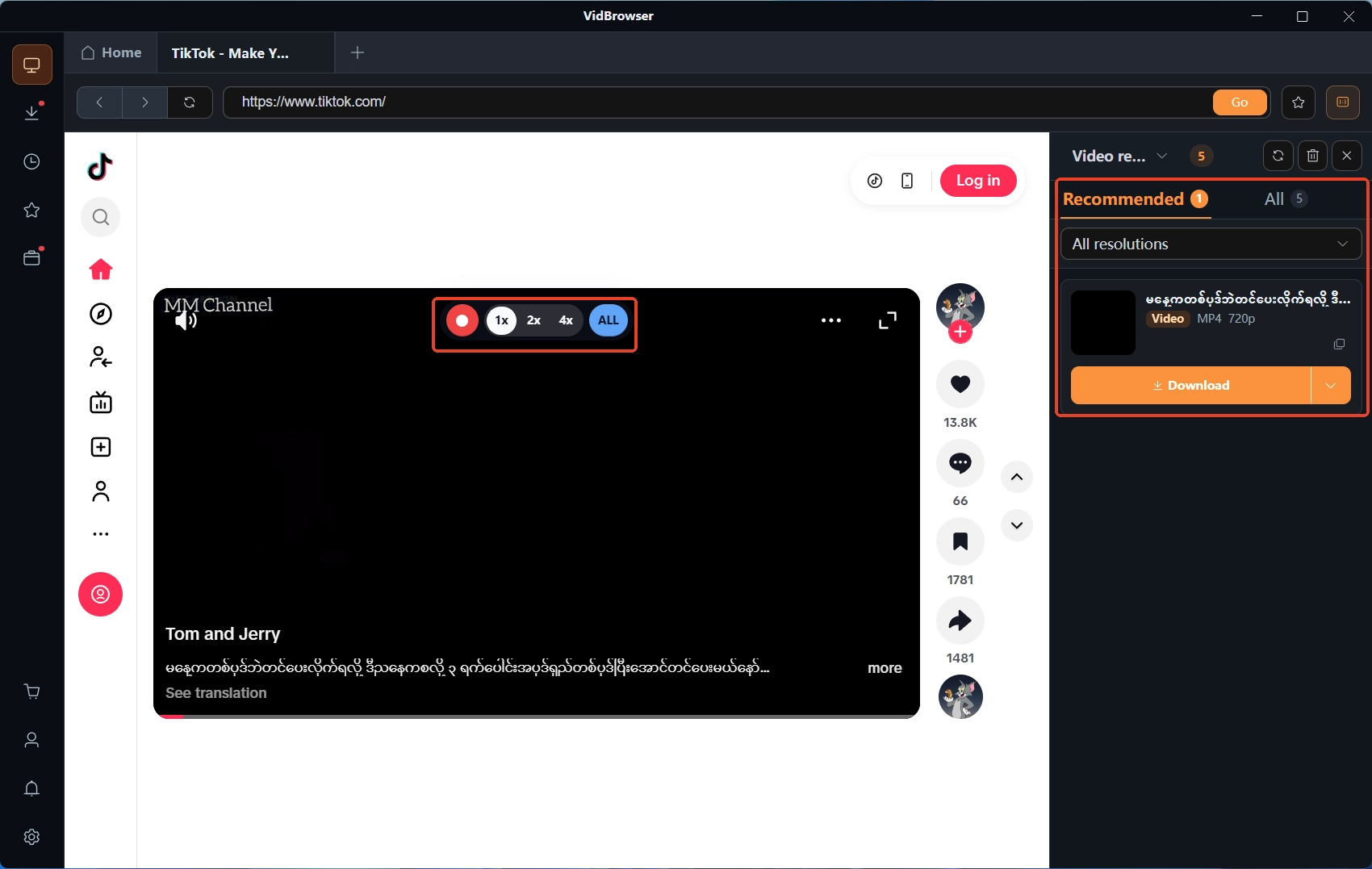
Switch to the replay list on the streamer's channel page, open the entry you want to keep, let it play normally for a few seconds, and set the quality first.
Step 4: Download the replay directly; record only what cannot be detected
The "video media library" panel on the right lists detected videos, each with an orange download button — one click saves it as MP4 (you can pick the resolution first). If a replay fails to load or no savable source is detected, move the mouse over the player and recording controls overlay on the video — choose a recording speed (1x real time, 2x or 4x to finish faster), click "record all" to capture the rest of the video from the current position, and the record button on the left can start or pause at any time.
When the save finishes, check the clock icon in the left navigation for download history — the file is already local. To keep processing it, the toolbox's video converter and video cutter both take this file directly.
Summary
A Chzzk replay is the stack of two variables — the streamer and the platform; whether one exists and how long it stays are never the viewer's call. Two conclusions you can act on: for streamers you care about, walk the channel's replay list regularly and handle the oldest publish dates first; download any replay you can open on the spot, and record while the stream is live — never stake full viewing on "there will be more later".
Frequently asked questions
Will Chzzk replays be deleted later?
That happens. The write-up from third-party creator tools mentions older streams being rotated out and streamers deleting past sessions themselves; the official side offers no long-retention promise. A replay present after a stream ends is not a replay guaranteed to stay.
The downloaded replay will not open in another player — what now?
First confirm the file is complete, then check player compatibility — playback failures are mostly container and codec issues, so try a player with broader support; the handling order is laid out in the video format and playback compatibility guide.
Can I save replays inside subscription channels this way?
Any replay that plays normally can be saved through the four steps above, as long as your subscription is valid. Saving happens on your machine; unsubscribing affects whether you can see new replays later, not the files you already saved.