Every moving image you save from X is actually a silent video file
You spot a moving image on X, save it, and find an MP4 video file sitting in your folder instead — the download tool did nothing wrong, because that GIF never existed on X's servers. This piece explains why the conversion happens, how to tell the two post types apart, and what else the format has in store once the file lands on your drive.
GIFs on X become MP4 the moment they are uploaded
Every moving image in your timeline is a looping silent MP4. When you upload a GIF to X (formerly Twitter), the platform transcodes the original file into video and hosts that instead — the official data dictionary labels this media type animated_gif, so the label says GIF while the storage format is H.264-encoded MP4. Upload limits differ by device: the official help center puts web uploads at 15 MB per GIF, mobile apps at 5 MB, dimensions at up to 1280×1080, and one GIF per post.
In other words, GIF works as an entry identity on X. The file is swapped for video once it reaches the servers, and what loops on the timeline has always been the transcoded MP4. Your download comes out as MP4 because the original GIF no longer exists on the platform.
A 1987 format cannot carry a 2026 timeline
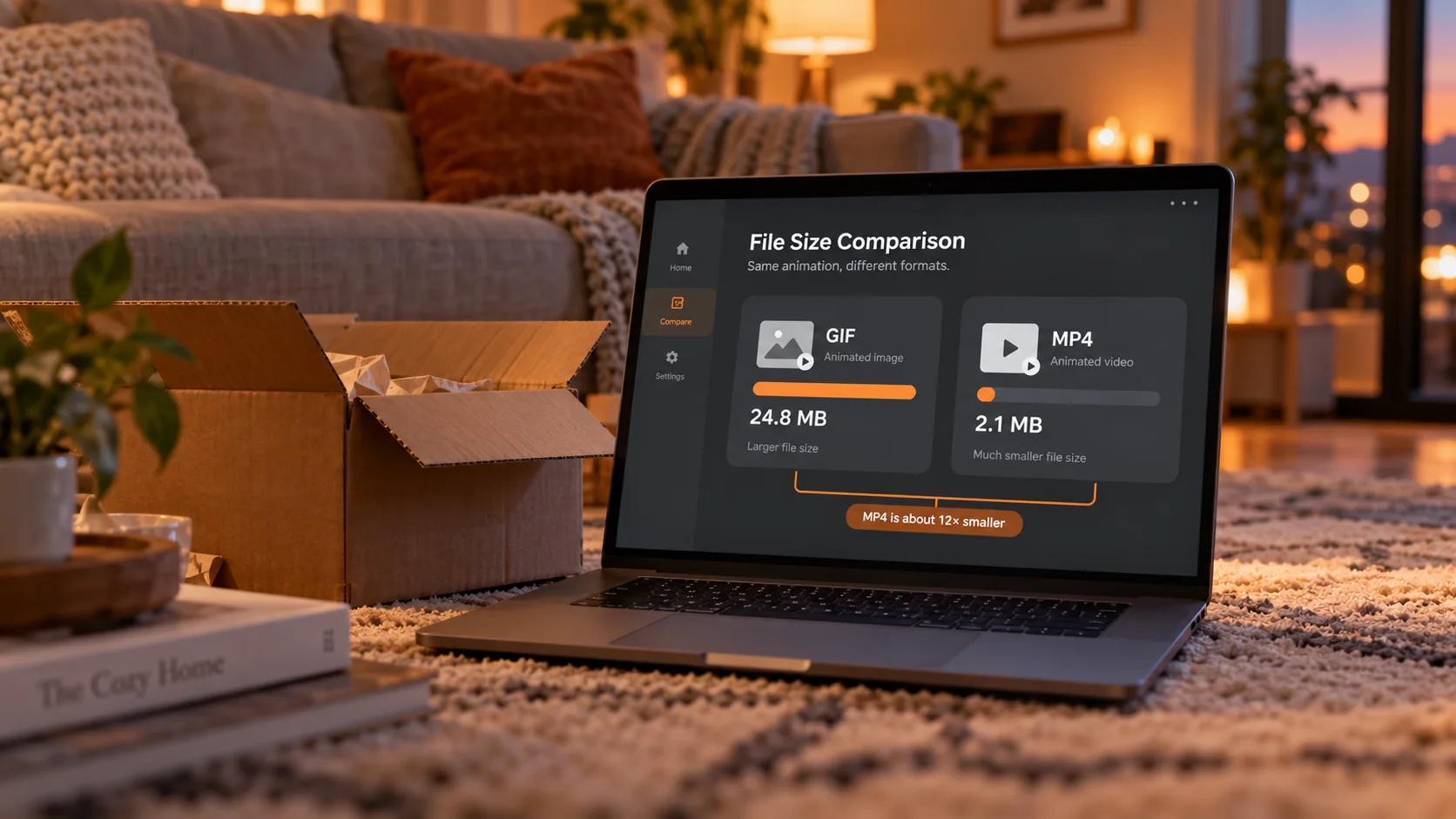
The motive is size: the same animation as MP4 is usually several to dozens of times smaller than as GIF. GIF dates back to 1987 as an image format; per the MDN image formats documentation, each frame carries at most 256 colors, frames are compressed independently, and nothing in the design saves bytes for "part of the picture moves." H.264-style video coding mostly records what changes between frames — the less that moves, the more it saves.
The scale is easy to feel: an 8 MB hand-drawn loop often shrinks to a few hundred KB as an MP4 at the same resolution, a cut of 80 to 90 percent. One refresh loads dozens of media items, and that gap decides whether scrolling stutters and how fast data burns. Reddit, Imgur and Discord run the same conversion; X was among the first to build it into the product — users never notice, because they still see "a moving image."
Telling GIF posts from video posts: check three things
They look alike, but the player state differs, and where a moving image lives depends on this call.
- Check the badge: a GIF post carries a small GIF tag in the corner of the media; a video post has no tag but shows duration and a progress bar.
- Check the controls: a GIF post has no volume button and no playback progress, looping forever; a video post can be scrubbed and muted, and shows a replay button when it ends.
- Check the sound: the GIF format has no audio channel by design, and the transcoded MP4 stays silent — anything with sound on the timeline was posted as video.
The right-click menu is another clue. Right-click a GIF and you get the video player menu, with no "save image as"; only platforms like Tumblr, which host GIFs as multi-frame images, give you the direct-save privilege — which is why saving moving images takes completely different paths on the two kinds of platforms.
Saving a moving image locally: grab the stream while it plays
A moving image on X is an ordinary video stream in the timeline, and you can take the file while it plays. Four steps:
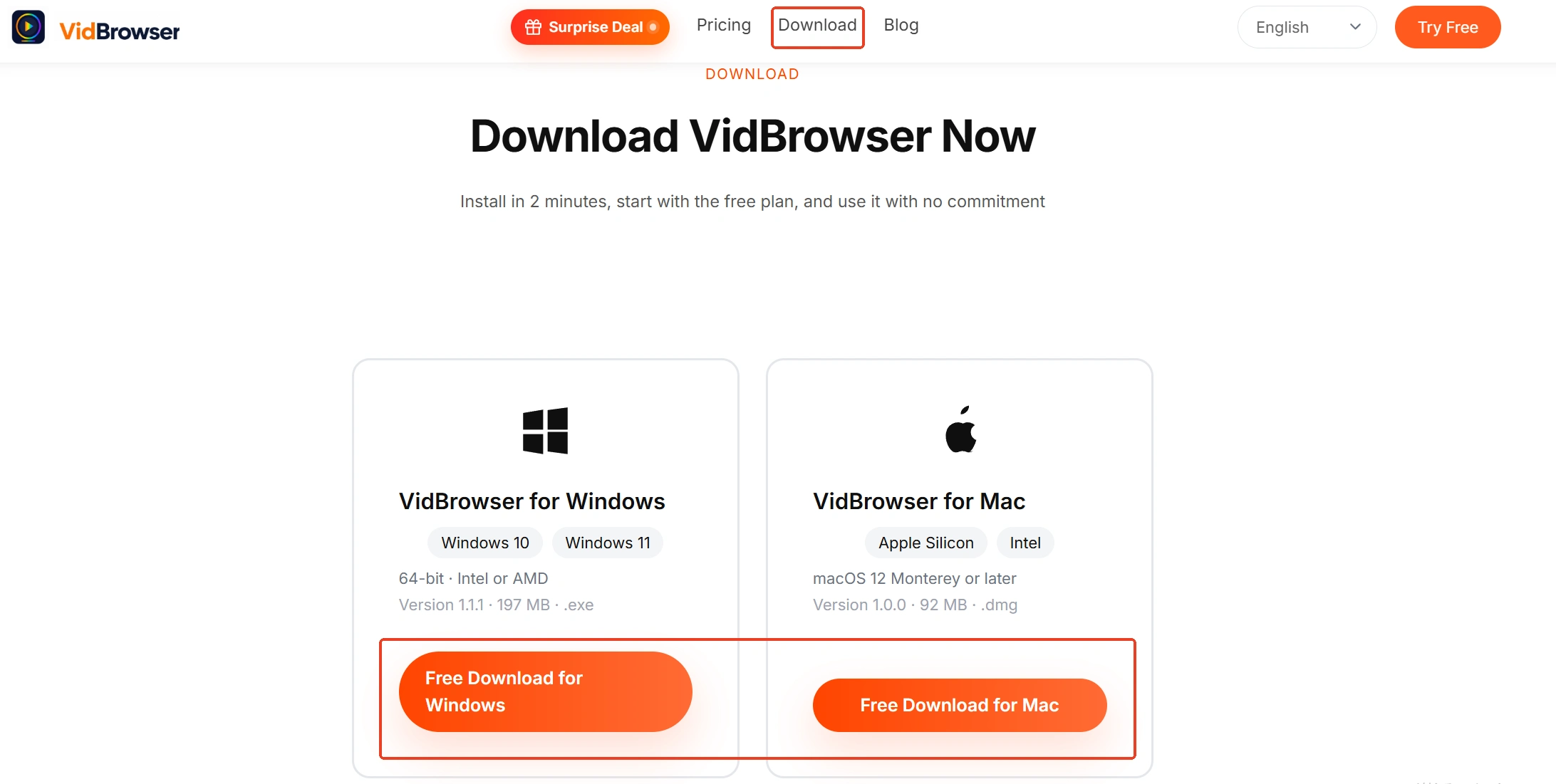
Step 1: Download and install VidBrowser
VidBrowser is a desktop video browser built for watching videos, clipping segments and saving files on Windows and Mac, with download and recording as its two core features — a few minutes to install.
Step 2: Open X inside VidBrowser and sign in
After signing in, refresh the page; loading and playback behave as usual. The public-content boundary covered in X video download applies here too: a moving image is publicly posted media, and saving it for personal offline viewing is the scope to stay within.

Step 3: Play the moving image and let the stream load
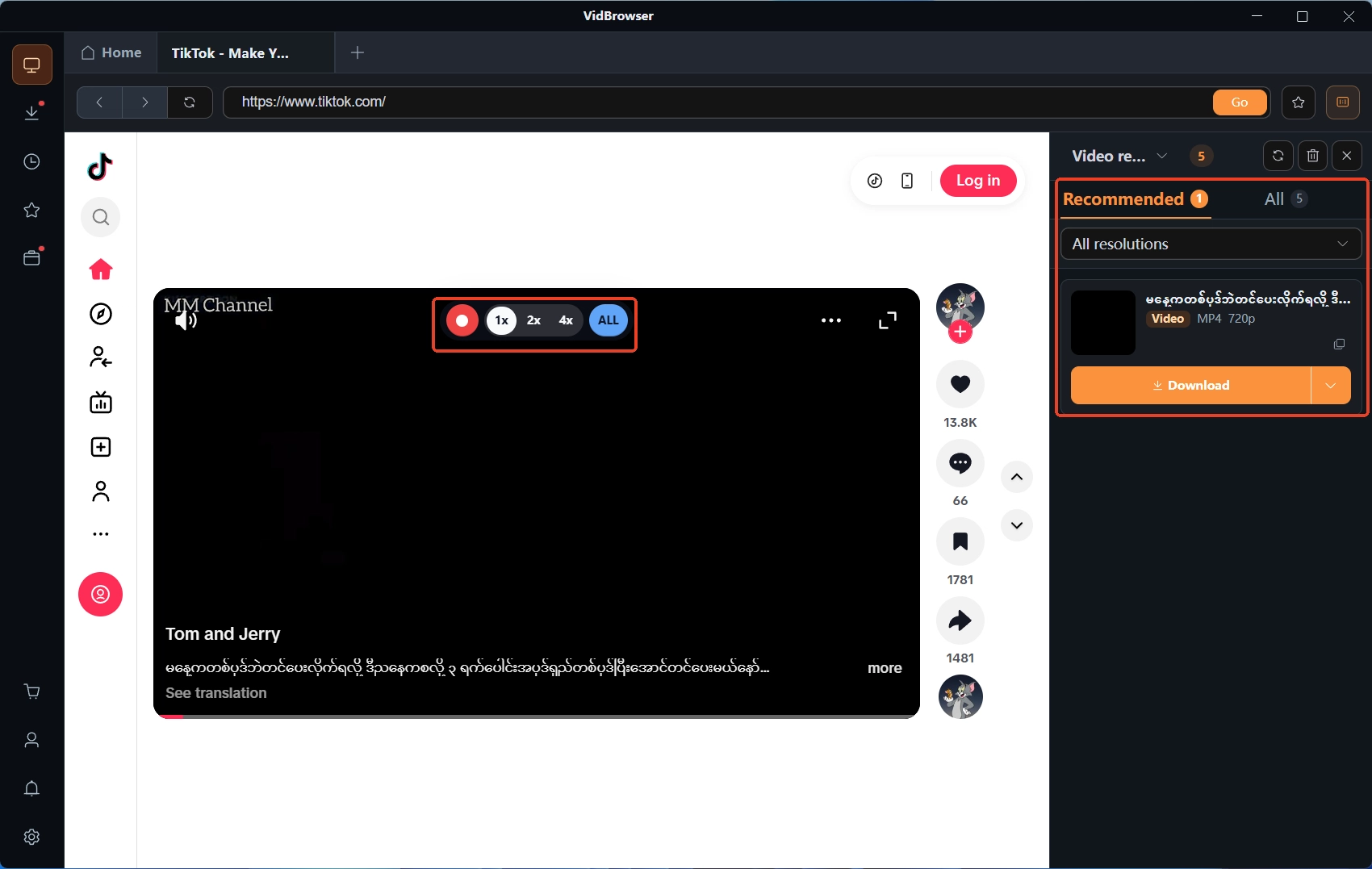
A GIF post loops automatically; once playback starts the stream is in place, and the detection result appears in the right-side panel.
Step 4: Download or record — two ways to keep it
The video library panel on the right lists detected entries, each with an orange download button that saves the MP4 in one click; you can also pick a resolution first. A GIF post's stream has no audio track and is a plain video file, so downloading takes the whole thing; when loading misbehaves or no entry shows up, recording is the fallback — move the mouse over the player, the recording overlay appears, pick a speed (1x real time, 2x or 4x to finish faster), hit record-all to capture the entire video, and the record button on the left can start or pause anytime. Both download and recording history live under "Download History" (clock icon) in the left navigation.
When the saved MP4 needs to become a GIF again
Most of the time you do not need to convert; a few scenes leave no choice — and the file will grow. Play the file locally and you will notice one difference: GIF loops by nature, while MP4 loops only if the player turns it on — in many players the saved file simply stops at the end, and the file is not broken. Send it through a chat app or platform that supports video and the recipient gets automatic looping, indistinguishable from a GIF.
What truly demands a real GIF file is another set of scenes: some email clients refuse to load video attachments for security, and some older forums and emoji panels only accept .gif. Converting the MP4 back means re-encoding, and the price is size — the same animation as a GIF usually weighs several to a dozen times more, with the clarity ceiling back at 256 colors. The video format conversion in the VidBrowser toolbox outputs MP4, MKV, WebM and MOV, and does not include GIF, so this step goes to a dedicated converter. Whether to convert and where to send is up to the scene: keeping it archived locally, MP4 saves space; for places that insist on GIF, convert just that one copy.
FAQ
Why does a moving image saved from X have no sound?
The GIF format has no audio channel by design, and X had no audio track to keep during transcoding. Nothing went wrong with your download — looping content with sound on the timeline was posted as video.
Why does right-clicking a moving image show no "save image as"?
That spot on the page holds a video element, not an image element, so the browser naturally serves the video menu. Take the file through the video-stream download path — which is also why web tools do X GIF downloads by "extracting the video address."
Why did the file get bigger after converting back to GIF?
Because the compression X did for you was reversed: the bytes video coding saved have to be paid back frame by frame by GIF's 256-color-per-frame scheme. Converting back is worth it mainly for "the recipient does not accept video," with the size cost accepted.