Saved a folder full of Tumblr posts, so why did that video play yesterday and not today
You scroll past a Tumblr video you want to keep, open the right-click menu, and sometimes there is a "Save video as" entry and sometimes just a list of options that have nothing to do with video. Same action, two outcomes — and the browser is not the problem. Where that post keeps its video is.
Tumblr has been a "short blog" site since 2007, and one post can hold text, images, GIFs and video at the same time; its visibility is not a public-or-private switch either, but a stack of toggles.
Tumblr Video Saving Starts With Where the Post Keeps Its Video
A Tumblr video post is built one of two ways: the file is uploaded, or an external player is embedded. Uploaded files sit on Tumblr's own servers; embedded ones (YouTube, Vimeo) are not in Tumblr's hands at all — and that decides whether any tool can reach them.
Check whose player it is:
- Natively hosted: a clean player, and the right-click menu sometimes offers "Save video as".
- Embedded YouTube or Vimeo: the frame carries the other site's branding, clicking offers "Watch on YouTube", and right-click opens that site's menu.
Why this distinction matters: with an embedded video the request never passes through Tumblr, so anything aimed at "downloading from Tumblr" cannot reach it — not because the tool is weak, but because the file is not on this site.
Native hosting is not a guarantee either: Tumblr serves media through a CDN, and the player receives a time-limited address. We walked through that mechanism in why streaming videos cannot be downloaded.
The Same Tumblr Video: One Saves, the Other Has No Option at All
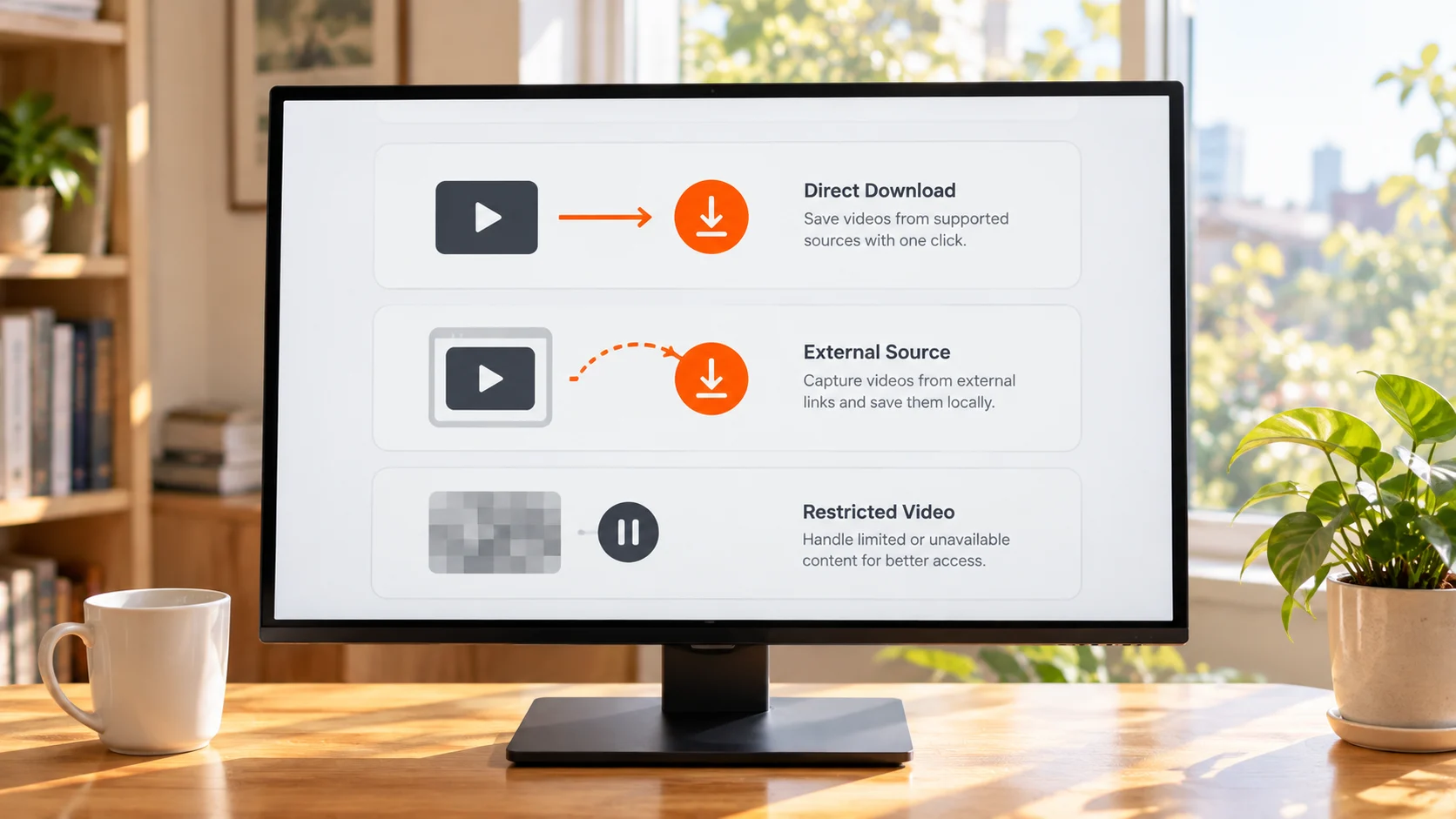
Whether you can save directly comes down to two things: whether the video is natively hosted, and how the blog's visibility is set. If either one fails, no save entry appears in the right-click menu.
- Natively hosted on a public blog: right-click usually offers "Save video as", and what you get is normally an MP4.
- Embedded YouTube or Vimeo: right-click only shows the other player's menu, with no local save.
- GIFs: Tumblr is where GIF culture runs deepest, and a GIF is really a multi-frame image, so "Save image as" just works. Saving an animated image is far easier than saving a video — and that contrast is why plenty of people assume videos should work the same way.
Two mistakes come up constantly: screenshotting instead of saving throws away the motion and the sound, and system screen recording is locked to 1x, so a five-minute video costs five minutes.
Nothing Was Deleted, Yet It Will Not Open: Tumblr's Two Visibility Layers
Tumblr's visibility works on two levels, blog and post. Both are toggles rather than deletions — the content is still there, it just stopped being visible to you.
The three blog-level switches all live under Visibility in settings:
- Hide (blog name).tumblr.com: logged-out visitors cannot see the blog at all.
- Hide (blog name) from search results: neither on-site search nor Google and Bing will show it; Tumblr notes that a cached copy may still sit in search engines.
- Password protect this blog: only secondary blogs can take a password, not a primary one; a password-protected blog cannot be followed, and its posts cannot be liked or reblogged.
At post level it is Community Labels, launched in September 2022, in four categories: Mature (the default), Violence, Drug and Alcohol Addiction, Sexual Themes. A labelled post is filed under Mature automatically; on the viewer's side there are three states — shown, blurred, fully hidden — and accounts under 18 cannot turn the filter off.
The system also labels posts and blogs on its own. Tumblr's own documentation states that automatic mature-content detection has rolled out across Android, iOS and the web, and the same page carries another line — content from blogs you follow is not filtered any further. So the same video can be visible to you and invisible to somebody else.
Tumblr Reversed Its Rules Twice, and Hidden Content Does Not Come Back on Its Own
Platform rules can be walked back, and each reversal is paid for by users — in the 2018 one, flagged content was not deleted, only turned private.
On 17 December 2018 Tumblr banned adult content outright. Content judged to violate the rules was converted to private across the board, leaving only the blog's creator able to see it; public figures showed page views on the platform dropping by roughly a third. Nearly four years later, on 1 November 2022, the company updated its Community Guidelines to welcome nudity back, with community labels required; the same guidelines state that "visual depictions of sexually explicit acts" remain banned.
You do not get to vote on the rules, and you do not get to decide who a piece of content is visible to. As long as the content only exists on the platform, your right to watch it hangs on the platform's rules and the state of one account, and both can change at any time.
How to Save a Tumblr Video to Your Own Machine
The idea is simple: open the post, let it play, and the video stream gets detected and listed in the right-hand panel; anything with an orange Download button saves straight away, and recording is the fallback when no source file can be caught.
Step 1: download and install VidBrowser
VidBrowser is a desktop video browser for watching videos, trimming clips and saving them locally on Windows and Mac, with downloading and recording built in, and it installs in minutes.
Step 2: open the Tumblr post in VidBrowser and start playing
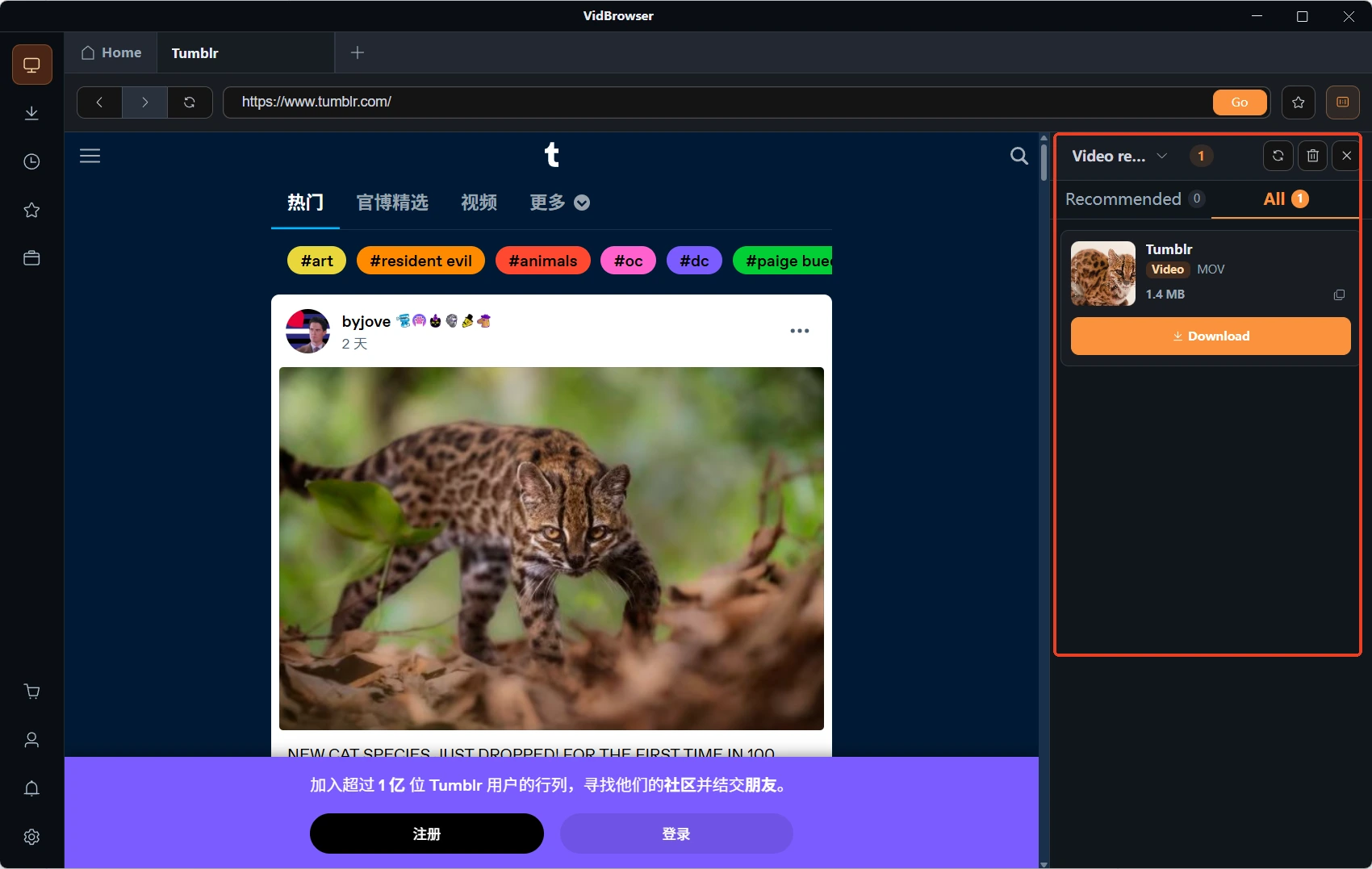
Tumblr is a public platform and most content plays without logging in. After a few seconds of playback VidBrowser detects the video stream on the page and lists the savable entries in the Video Library panel on the right.
Step 3: try a direct download first
Any entry with an orange Download button in the panel saves as MP4 in one click, and you can pick a resolution first. Most natively hosted videos get this far.
Step 4: switch to recording when no source file can be caught
Moving the mouse over the video brings up the recording controls — choose a recording speed (1x real time, or 2x and 4x to finish faster), hit Record All to capture the whole video, and the record button on the left starts or pauses at any point; anything that plays can be recorded.
Step 5: find the file in your download history
Once saving or recording finishes you can open it from the folder you chose, or check the download history through the clock icon in the left navigation and watch it in any player afterwards.
A Tumblr post often holds more than one video, with image sets and GIFs mixed in; if you want the whole post, the batch web image downloader in the toolbox gets there faster.
One boundary to close on: keeping a copy for yourself and passing it on are two different things. Tumblr content belongs to whoever published it, and re-uploading, re-posting or commercial use goes past personal use; this companion piece measures that line in more detail.
Common Questions
Does Tumblr Have an Official Video Download Button?
No. Images and GIFs both have a direct way to save, but video never got a single download entry — natively hosted clips can sometimes be saved through right-click, and embedded players cannot.
The Tumblr Video I Downloaded Will Not Open or Has No Sound — Why?
Start by working out which kind it is. Embedded YouTube and Vimeo files are not on Tumblr, so what gets caught is often a fragment of the stream, and an incomplete join will not open. Playing but silent usually means the stream carries only a video track, and saving it once more another way fixes it.
Can Videos on a Password-Protected or Mature-Labelled Blog Be Saved?
Only if you can play them normally. A password-protected blog has to be opened first, and a mature-labelled blog may be closed to accounts under 18. Note too that a Tumblr "private post" is visible only to the blog's owner, yet anyone you send the link to can still open it — it controls where something appears, not who can get hold of it.