Why Streaming Videos Won't Download: Segments, blob, Expiring Links
You click save on a video, the downloader spins for ages and spits out a broken file — or simply says "no video detected." Here is the conclusion up front: most streaming videos can't be downloaded not because the tool is bad, but because streaming never gives you "one complete video file" to download in the first place. Walk through the three mechanisms — segmentation, links, bitrate — in the order playback happens, and you can judge for yourself which case your video falls into and how it should be saved.
The root cause: a streaming video was never a single file
The essence of streaming is "play while downloading": the video is cut into small segments a few seconds long, delivered piece by piece over ordinary web requests, and assembled in real time by the player — there is no ready-made big file to download.
According to the official Apple developer documentation, its HLS protocol cuts the video into segments a few seconds long and distributes them over HTTP one by one — which is also the underlying transport for a huge number of video platforms. The "one video" you see in the player is actually hundreds of segments seamlessly stitched together in playlist order:
- The playlist file (such as m3u8) records the address and order of every segment;
- The player pulls segments in order, decodes, and plays them;
- A downloader looks for "a single video file," so naturally it finds nothing.
This is the most common reason for "no video detected": it's not that the video is hidden deep, it's that the file simply doesn't exist on the page. For tool-level troubleshooting, we covered what to do when your video downloader fails before — no need to repeat it here.
What a blob link is: why "copy video address" doesn't work
The video address you copy with a right-click is often a memory reference starting with blob:, pointing to no file on any server.
According to the official MDN documentation, a blob link is a one-time reference to data held in memory: the player downloads segments into memory and assembles them in real time, then hands the assembled result to the playback tag under an in-memory address. That means:
- The address is valid only on the current page — refresh or close it, and it's gone;
- Send it to a friend or another device, and it won't open;
- No matter which downloader parses that address, the result is the same.
The common misconception is "having the address means having the video" — a blob address is just a bookmark inside memory, not the file itself; a bookmark is useless once it leaves that book.
Expiring links and adaptive bitrate: grabbing the address isn't grabbing the video
Even if you bypass blob and get the real server address, two more dynamic mechanisms are waiting: the link expires, and the quality switches on its own.
- Expiring signatures: the playlist addresses platforms hand to players mostly carry a signature and a validity window — minutes to a few hours — and once expired, access is refused outright. Copy the address to a friend, and all they get is an error.
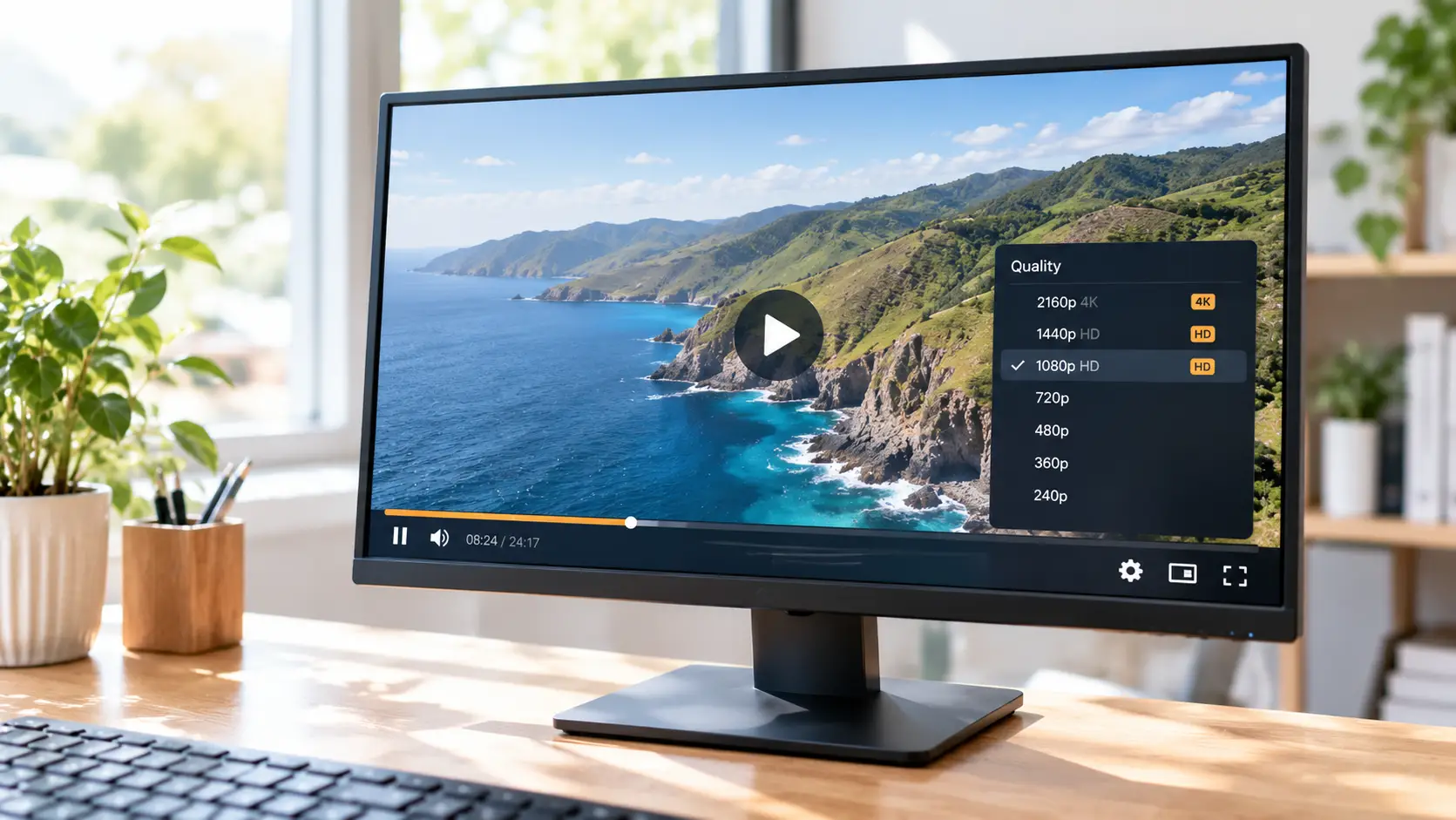
- Adaptive bitrate: protocols like MPEG-DASH (the international standard defined in ISO/IEC 23009-1) build the same video into a dozen-plus quality tiers plus multiple audio tracks, and the player switches tiers segment by segment based on your current bandwidth. Static grabbing often catches only a small piece of one tier; seconds later the tier switches and what you grabbed has changed.
- The assembly barrier: even with every segment grabbed, you still have to merge them in playlist order and align audio with video — things the player does in real time, and practically impossible by hand.
So "address analysis tools" are mostly helpless against streaming: they can find the playlist, but they can't get past expiry, tier switching, and assembly.
The third lock: segments of protected content are encrypted
The mechanisms above explain "no file to find," but subscription-platform videos add one more: the segments themselves are encrypted, so even grabbed, they won't play.
We went deep into this encryption and licensing machinery in a previous technical piece; here is just the conclusion: segment data is encrypted, and the decryption key is issued temporarily during playback and bound to the current device — grabbed segments won't open, and hard-recording with screen-capture software hits a black screen when the protection is strong (for why black-screen files happen and how to handle them, see our black screen fix guide). Videos on subscription platforms like OnlyFans and Fansly mostly fall into this category: playable but not savable is the norm — not a malfunction, but design.
Different streams, different ways to save
The saving method follows the mechanism: direct download for standalone files, recording for segmented and protected streams — a desktop video browser covers both.
With VidBrowser, it takes four steps:
Step 1: Download and install VidBrowser
VidBrowser is a desktop video browser for Windows and Mac for watching videos, clipping moments, and saving them locally, with built-in download and recording. Installation takes minutes.
Step 2: Open the video page in VidBrowser and play it
Launch VidBrowser, visit the site hosting the video (log in first if needed), and play the video you want to save.
Step 3: If it can be downloaded directly, use the download button
VidBrowser automatically detects video resources on the page; when it identifies a downloadable standalone file, it lists it in the "Video Library" panel on the right — click the orange "Download" button to save it as MP4 (you can also pick the resolution in the filter dropdown first).
Step 4: If it can't be downloaded, save it with recording
Segmented streams have no standalone file, and protected content can't be grabbed as a complete stream — for both, use recording: hover over the video and the recording controls appear; pick the speed (1x real-time, or 2x/4x to finish faster), click "Record All" to capture the whole video, and the record button on the left can start or pause at any time. The recorded video is saved at the quality the page actually plays and can be watched offline in any player. (For the full download-plus-recording workflow, see our recording and downloading guide.)
FAQ
Why can some videos be downloaded with one click while others never work?
It comes down to the transport method: if the page itself hosts a complete video file, a downloader can grab it directly; segmented streams, blob playback, and protected content have no ready-made file, so the only way is recording inside the playback pipeline.
Can I share a grabbed m3u8 address with someone else?
Basically no: such addresses mostly carry signatures and a validity window — some expire within minutes — and the other person also needs a tool that supports segmented playback and audio/video assembly. To share, save a complete local file first.
How good is the quality of a recorded save?
Recording saves at the quality the page is actually playing — whatever tier the page serves is what gets recorded. For higher quality, manually switch the player to its highest tier before recording.