y2mate Video Downloader: One Name, Several Sites, Different Limits
If you opened y2mate in your browser this week, you didn't get the site you used two years ago. The original y2mate.com closed on 14 October 2025, and a handful of unrelated sites now use the name.
That's the short version. The longer one matters if you're halfway through a download and something keeps going wrong.
y2mate Video Downloader: What You Are Actually Opening Now
The y2mate video downloader most people remember no longer exists. Open a site with that name today and you get one of several unrelated services, each with its own owner, limits, and idea of free.
IFPI, the body that represents the recorded music industry, announced the closure on 14 October 2025. y2mate.com went down with eleven other stream-ripping sites. Together they drew more than 620 million visits in the previous twelve months. Check the notice and the rest follows: 13 countries had already blocked the name, and it kept showing up on the USTR Notorious Markets Report and the EU Counterfeit and Piracy Watchlist.
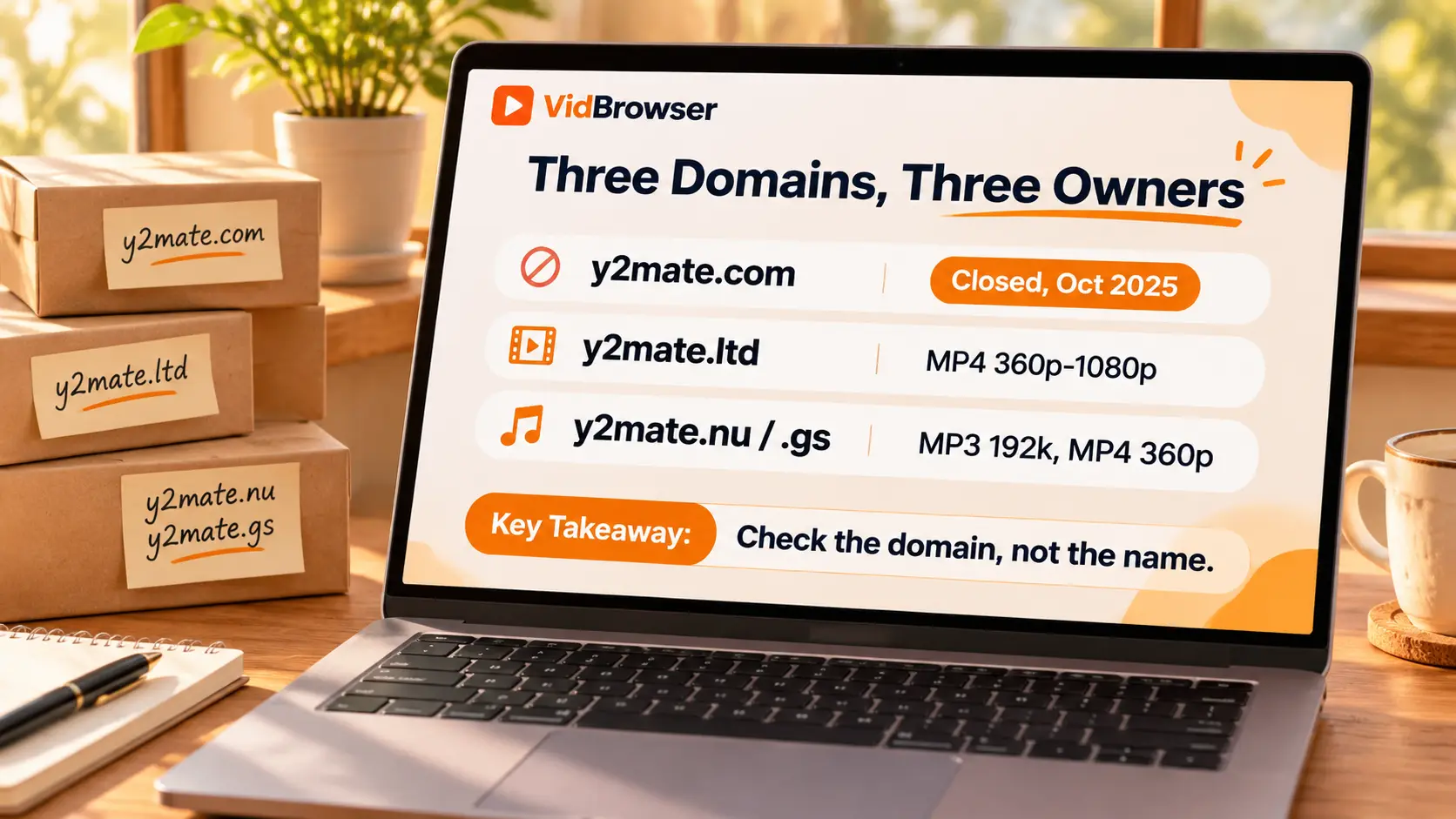
The operator agreed to shut the sites down for good, and most of the domains now sit with IFPI, including y2mate.com, yt1s.com, utomp3.com, tomp3.cc and y2mate.gg. You can't use any of them as a converter now.
So if a search result still puts y2mate.com near the top, don't read the ranking as a sign it works. It reflects years of traffic, not a live converter. Open the page. You'll find it's a different tool.
The Domains Still Using the y2mate Name Are Not One Company
Several sites trade on the y2mate name, and they don't share an owner, a codebase, or a rulebook. Check the domain before you pick one, because treating them as a single product is where most of the confusion starts.
Here's what the publicly documented ones say about themselves:
- y2mate.ltd offers MP4 from 360p up to 1080p, sometimes higher when the source allows, and suggests you keep videos under two hours.
- y2mate.nu and y2mate.gs offer MP3 at 192 kbps and MP4 at 360p, with MP3 capped around 150 minutes and MP4 around 30 minutes, so keep long files for another tool. A daily limit may apply.
- y2mate.is isn't reliably documented. Try it and you're guessing about who runs it.
Those aren't options you pick from a menu. They're what each site claims about itself, and they conflict. A 1080p promise on one domain says nothing about the next one.
Here's where people get caught. You read a guide that says y2mate handles 4K, you open a domain, and the only choice is 360p. Nothing broke. You picked a different site than the guide described.
Why a Paste That Used to Work Now Fails
A conversion usually fails for reasons that have nothing to do with how carefully you copied the link. The video decides most of it. So does what the site can reach.
The documented failure cases are consistent:
- Private videos, where you can't get a public stream to fetch.
- Age-restricted videos, which the service may not be able to process.
- Region-restricted videos, where access depends on where the request comes from.
- Truncated or malformed links.
There's a deeper reason too. A YouTube watch page doesn't hand over a video file. It hands over a manifest and a run of short segments, and the player stitches them together as you watch. Pasting that link into a converter asks someone else's server to do the stitching for you, which is why the result depends on what that server can reach. Why streaming videos resist a simple download goes further into the mechanics.
If a link worked last year and fails today, look elsewhere. The link is rarely the problem. The endpoint changed, or the domain did.
When a page loads but the button does nothing, the failure is on the page rather than in the file. A short checklist for a downloader that will not start covers that side of it.
The Clone Sites Are the Real Risk, Not the File Format
A finished MP3 or MP4 isn't where the danger sits. The page you land on before the download starts is.
Users and testers report the same pattern. It shows up across clone domains. A download button opens a new tab. No file starts. Pop-ups sit over the real control. Then come notification requests, which have nothing to do with converting a video.
A few habits cover most of it:
- Use the control next to the input box, not a button that appeared somewhere else on the page.
- Close new tabs. The real download usually starts on the page you were already on.
- Decline notification requests from a converter. There's no reason for one to alert you.
- Don't install an extension, codec, or helper app a converter offers. The conversion happens on its server, not yours.
None of this is unique to sites using the y2mate name. Use the same habits on any ad-funded converter that changed hands or borrowed a name people recognise.
Saving a Copy You Have the Right to Keep, Without a Browser Tab
If the video is yours, public domain, Creative Commons, or something you have permission to keep, a desktop tool takes the domain question off the table.
A browser converter asks you to trust whoever runs the site that day. A desktop app runs on your machine. The page you open stays on your computer, there's no ad layer between you and the file, and no site gets to decide what quality you're allowed today.
VidBrowser is a desktop video browser for Windows and Mac. It puts a browser, a video detector, a downloader, and a recorder in one window, so you can open the page, play the video, and decide what to do with it without switching tools.
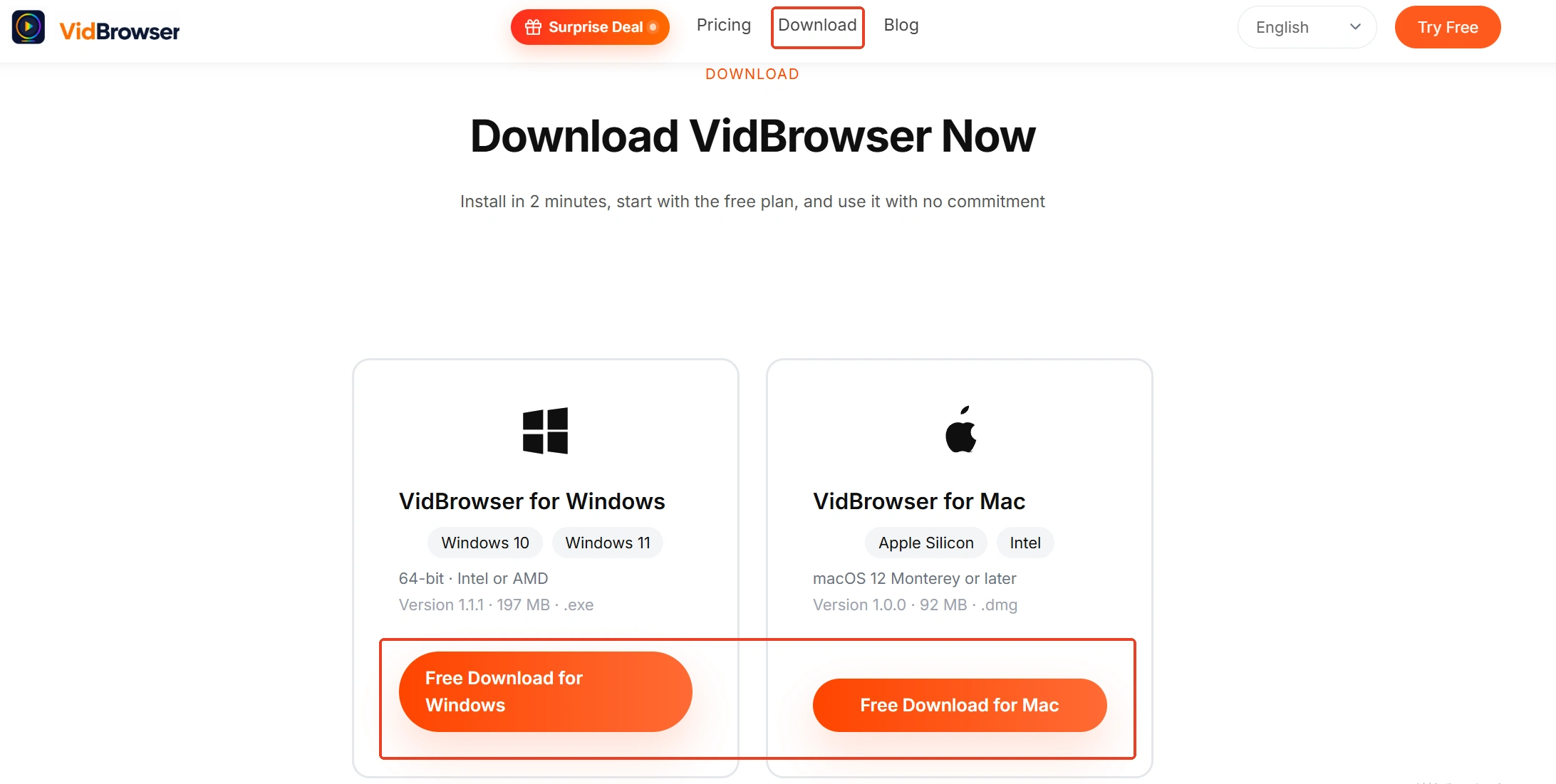
Step 1: Install the desktop app. It runs on Windows and Mac.
Step 2: Open the video page inside VidBrowser and start playback. The browser is built in, so there's no link to paste into a separate site.
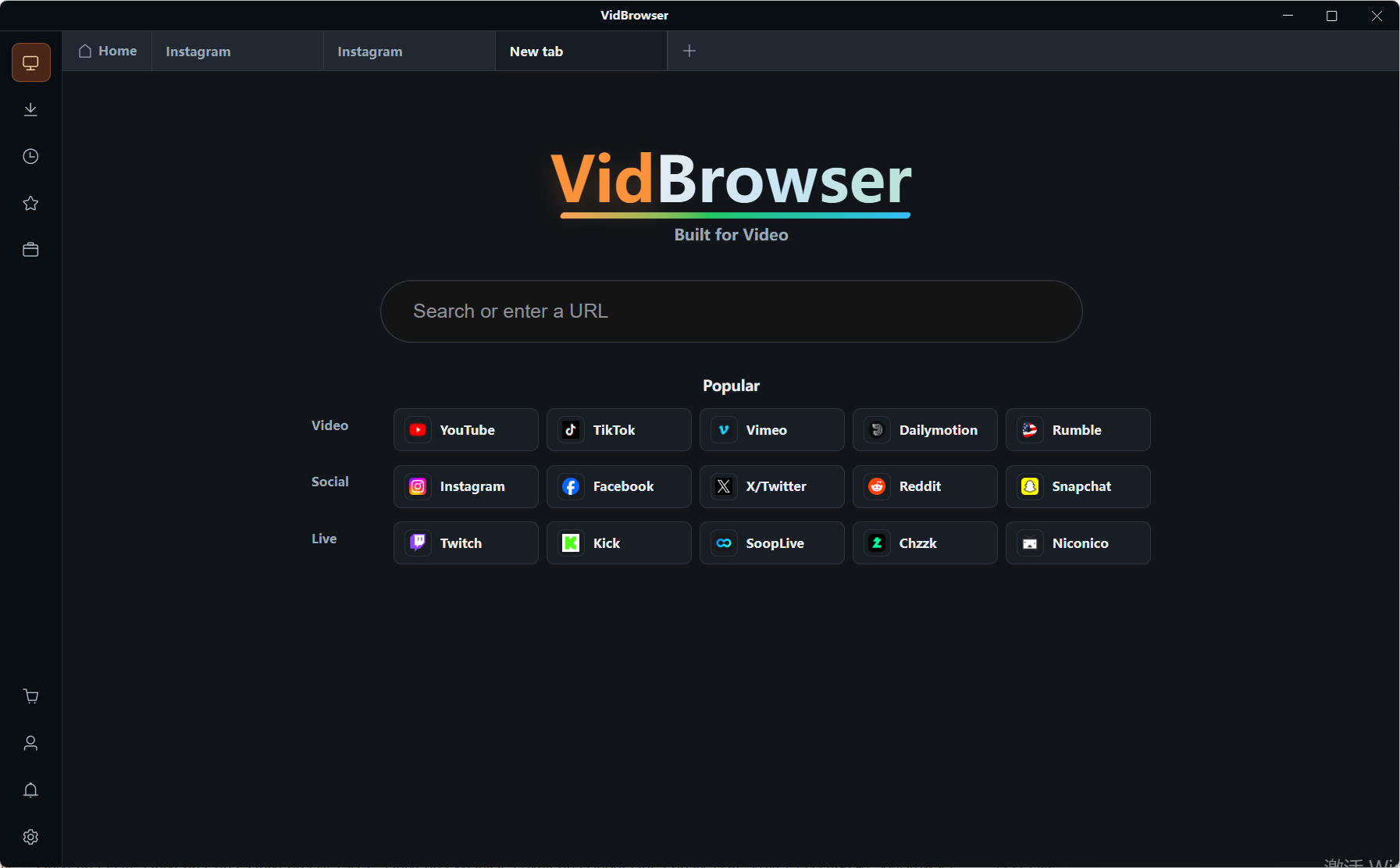
Step 3: Choose download or recording. Detected videos appear in the Video Library panel on the right, each with an orange Download button. If a file is available, click it, and pick a resolution first if you want one. If the video is protected content, or the page won't hand over a file, hover over the video and the recording controls appear on top: 1x real-time, 2x or 4x to finish faster, Record All to capture the whole thing, and a button on the left to start or pause.
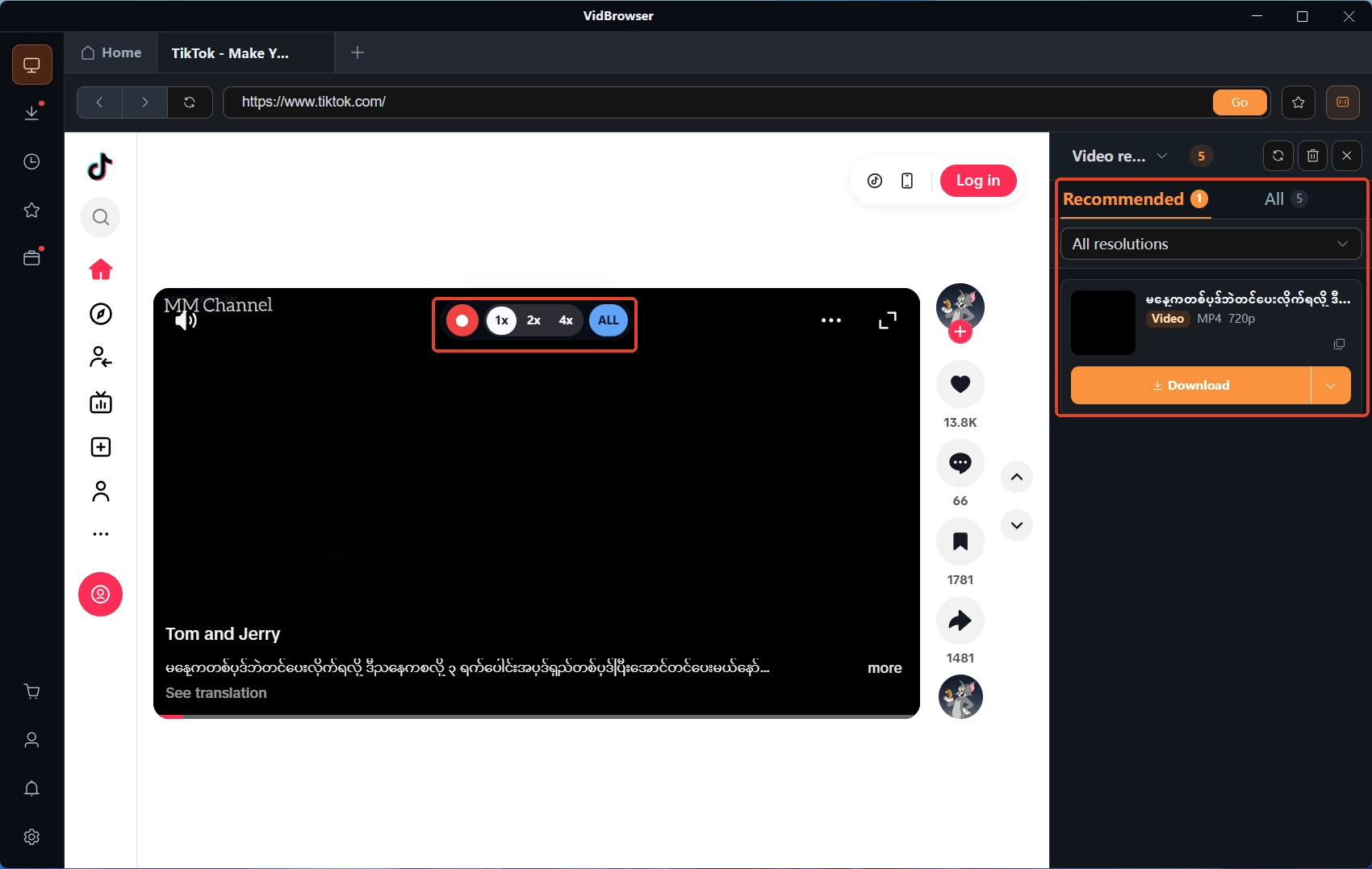
Step 4: Find the file later. The download history on the left lists the name, size, time, and where each file was saved.
That covers the case a browser converter can't touch. The video plays, but no file ever appears. Recording works from the picture, so it doesn't need the site to offer a download link.
What to Check Before You Type y2mate Into the Address Bar
The name no longer tells you what you're getting, so check three things before you paste a link.
One, the domain. If it isn't the one you meant to open, stop. Two, the formats and limits the page shows for that specific video, not what a guide promised. Three, whether you have the right to keep the file at all.
If the answer to the third one is no, skip the tool and read the licence instead. Keeping your own uploads, public-domain material, or Creative Commons work within its terms is a different situation from pulling down a commercial release. YouTube's terms are the usual starting point, and the line between saving and redistributing is worth reading once, because it doesn't move when a site does.
What to Keep in Mind Next Time
What changed isn't the tool. It's the name, which used to point at one product and now points at whoever took the traffic. That's why a guide written in 2023 and a page that loads today can both be honest and still disagree about what y2mate does. Judge each result on what it shows you rather than on what the name has meant, and most of the confusion goes away.
Frequently Asked Questions
Is y2mate still working in 2026?
Not the original. IFPI announced the closure of y2mate.com on 14 October 2025, along with eleven other sites. Domains that still use the name are run by other teams and may work one day and fail the next.
Why does y2mate only show 360p?
Because the domain you pick caps MP4 output there. One documented domain lists 360p as its ceiling; another lists up to 1080p. Check the options the site shows for that video, not what the name promises.
Is it safe to use a y2mate site?
The file format isn't the risk. The page is. Fake download buttons, redirects, and notification prompts are the common problems on clone domains. Use the control next to the input field, close extra tabs, and don't install anything a converter asks you to add.