ABEMA and U-NEXT lock official downloads in their mobile apps; on desktop, save a copy another way
Binge-watching J-dramas, following anime, or keeping an ABEMA-exclusive fight broadcast company is most comfortable on a computer — until the "save it" step, where the path ends: no download button on the page, no save option on right-click. It is not that you missed an entry point. ABEMA and U-NEXT, the two mainstream Japanese streaming platforms, both keep their official download features inside the mobile app, while the desktop browser plays everything as a stream from start to finish. This article takes apart the official download rules of both platforms, then gives desktop users a path to keep a copy that actually works.
Both ABEMA and U-NEXT put official downloads in the mobile app
Both platforms offer an official offline feature, but the entry point sits in the phone and tablet apps; computers and TVs get no download.ABEMA is an internet TV station built on free channels plus paid membership, with anime, variety shows, fight sports and live news as its signature; downloads have been offered since 2018 as a paid-member benefit, and the free tier has none of it. U-NEXT is a veteran Japanese subscription platform at 2,189 yen a month, whose movie, drama and anime catalogs rank near the top in Japan; subscribers can cache a large share of titles offline directly in the mobile app.
Both platforms give exactly the same answer to "where can you download": the official app on phone and tablet. Log in through a desktop browser and playback, episode selection and subtitles all work — only the download button does not exist; TV sets and boxes are the same. So hunting for a download entry on the computer was never going to lead anywhere: the official road was never opened on the web.
Even after downloading, what you get is not a file
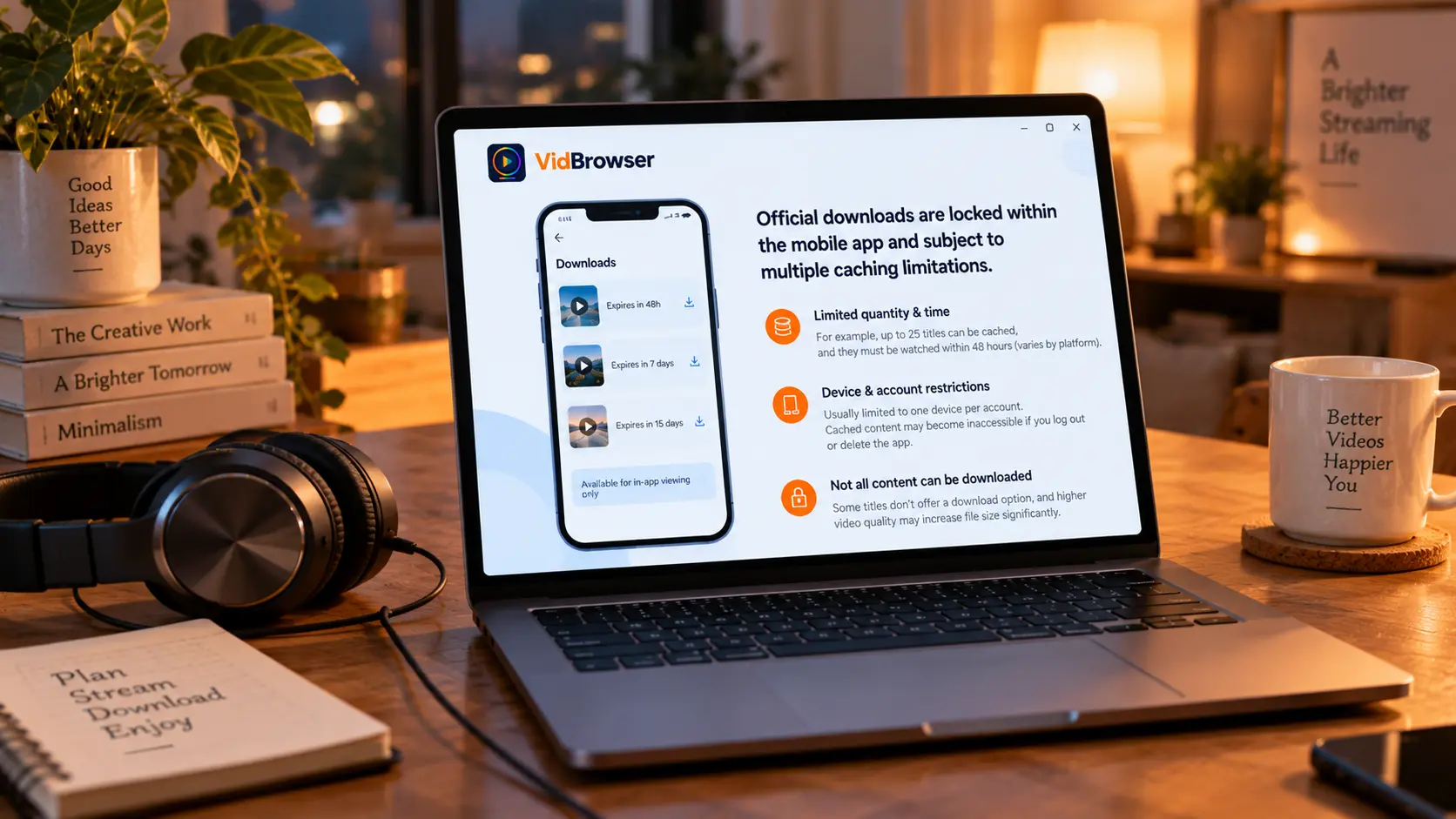
The official download is temporary cache inside the app, wrapped in a stack of limits — and it is not the same thing as "saving the video as a local file".Take U-NEXT as the example: at most 25 titles cached at once, watched within 48 hours of downloading, downloads tied to a single device per account, some titles offering no download button at all, and once you log out or delete the app, everything cached disappears with it. You can pick a higher quality tier, but storage grows to roughly four times.
ABEMA's rules come from the same source: members can cache 25 programs, and the cache follows the streaming window — when fewer than 15 days remain, a countdown appears on the page and the content expires when it hits zero; the first playback needs an online check, after which offline viewing unlocks; and once the membership lapses, the cache can no longer be watched. In other words, what the official "download" buys you is peace of mind on a commute or a weak connection — not a file you can keep yourself or play on another device.
The reason the limits are so dense is not hard to see: users buy the right to "watch within a window", and the platform has no intention of handing over a copy; the cache merely moves the viewing experience from online to offline, and ownership stays with the platform. One more thing that is easy to miss: U-NEXT asks you to pick a subtitle or dubbing version before downloading, and once the cache is done you cannot switch back and forth — choose wrong, and you delete and download again.
The conclusion that "cache is not a file" is a general rule across streaming platforms; the mechanism behind it is a topic of its own, covered in why streaming videos cannot be downloaded. What sets Japanese platforms apart is that they turned official caching into a member benefit — without stepping outside the "inside the app" boundary either.
On a computer, what you can rely on is the playback itself
With no download entry on the web, playback becomes the starting point of saving — a picture that plays normally can be kept with a recording.ABEMA has one category that even the official mobile cache does not cover: its free channels are essentially 24-hour linear broadcasts, and fight events, music shows and live news are real-time streams; the official download feature has been aimed at on-demand content since launch, and live streams have no "download" to speak of. To keep a copy of a live broadcast on your own side, recording is the way there is.
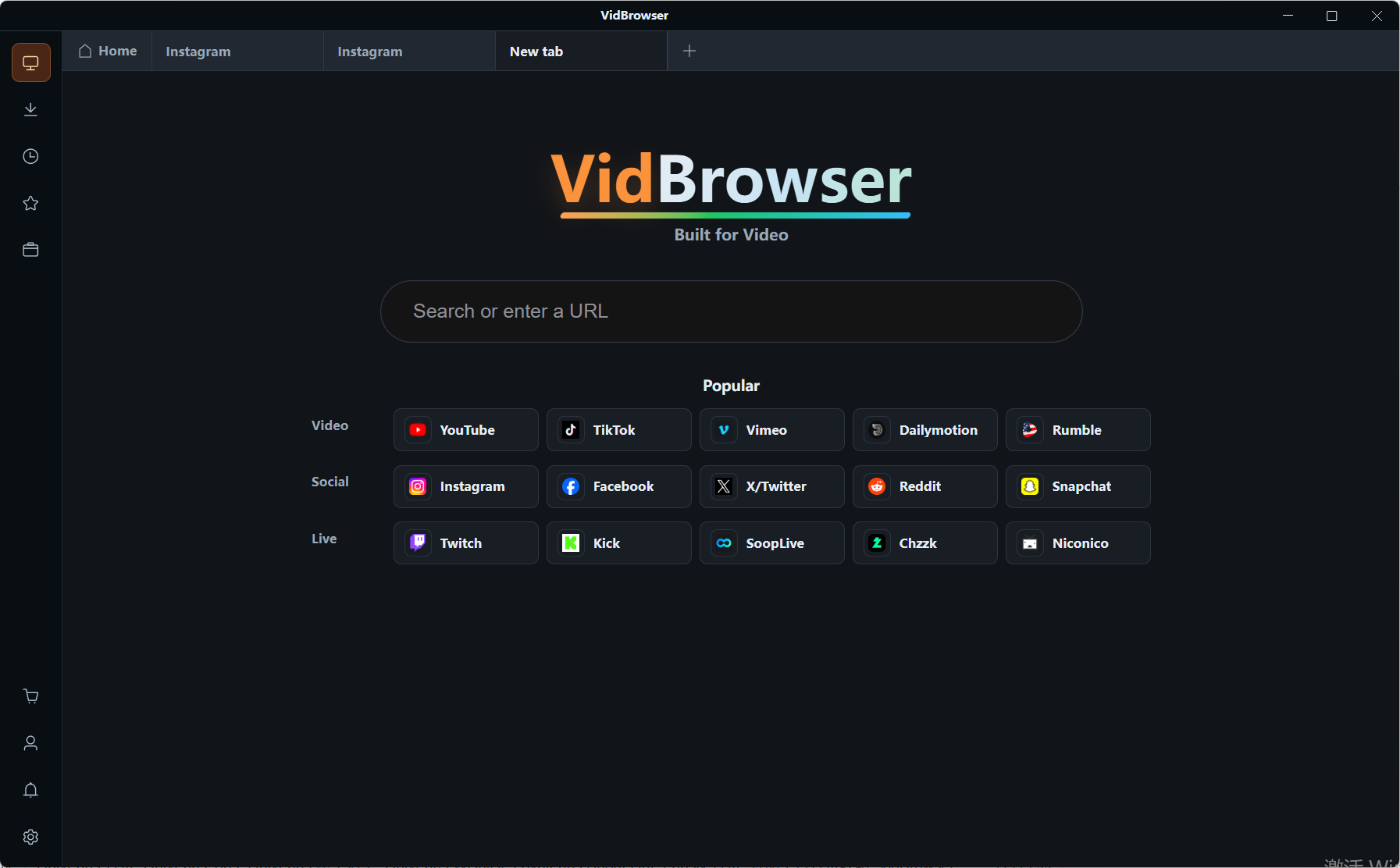
VidBrowser is a desktop video browser with downloading and recording built in, made for watching videos on Windows and Mac, trimming clips and saving them locally. The steps are as follows:
Step 1: Download and install VidBrowser
Visit the VidBrowser website, download the Windows or Mac version and finish the installation — it takes a few minutes.
Step 2: Open the ABEMA or U-NEXT web version in VidBrowser and log in
Use the built-in browser to open the platform's web version and sign in to your own account. ABEMA's free channels play directly; U-NEXT needs an active subscription. Find what you want to keep and let it play normally.
Step 3: Save with the recording feature (first choice for protected content)
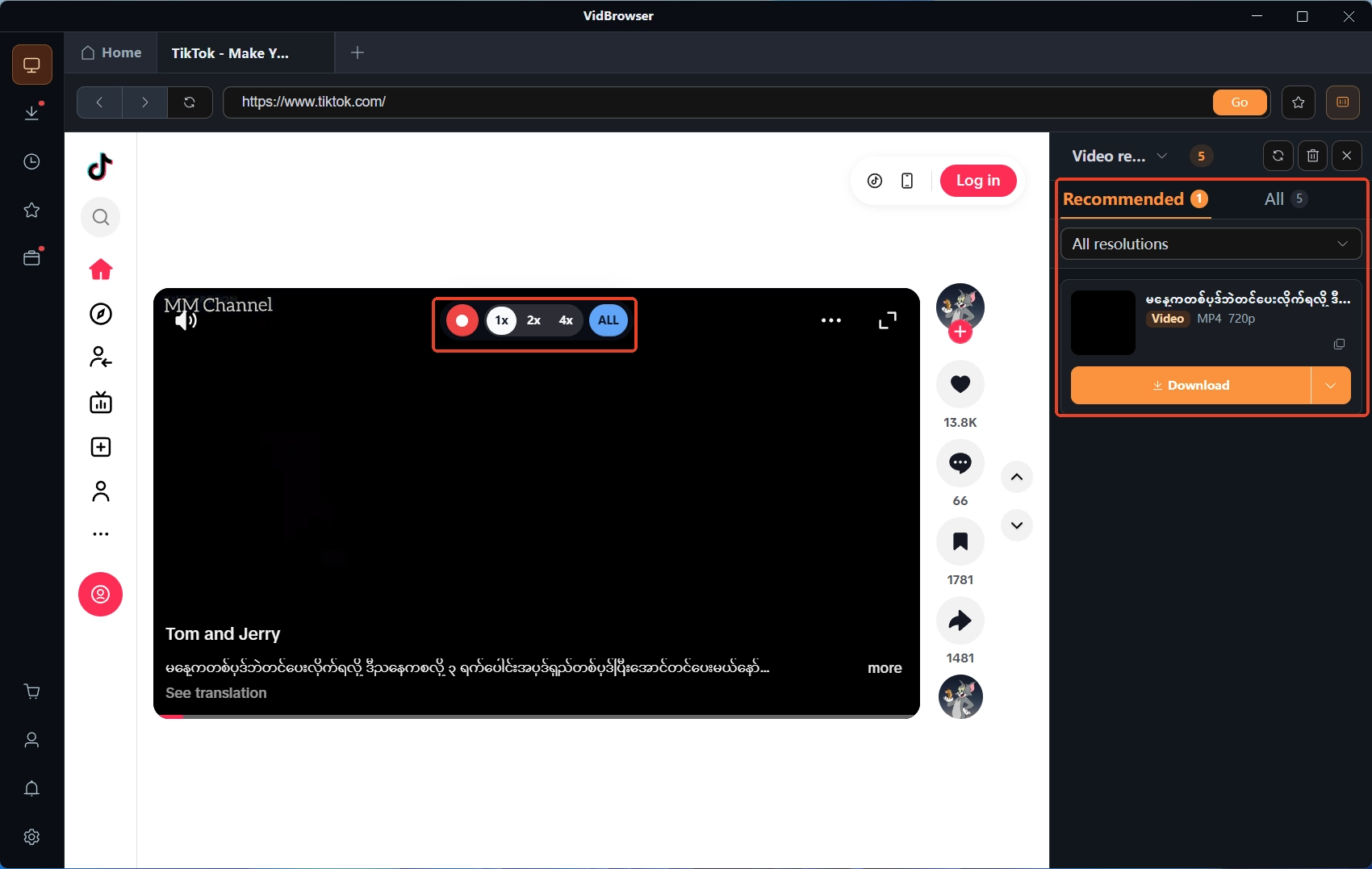
Content on both platforms is copyrighted and counts as protected content; ordinary download tools cannot get the complete file, so recording is the most dependable way: move the mouse over the video and the recording controls overlay appears — pick a recording speed (1x real-time, or 2x / 4x to finish faster), press Record All to record the whole video, and use the button on the left to start or pause at any time.
Step 4: Check the result in the download history
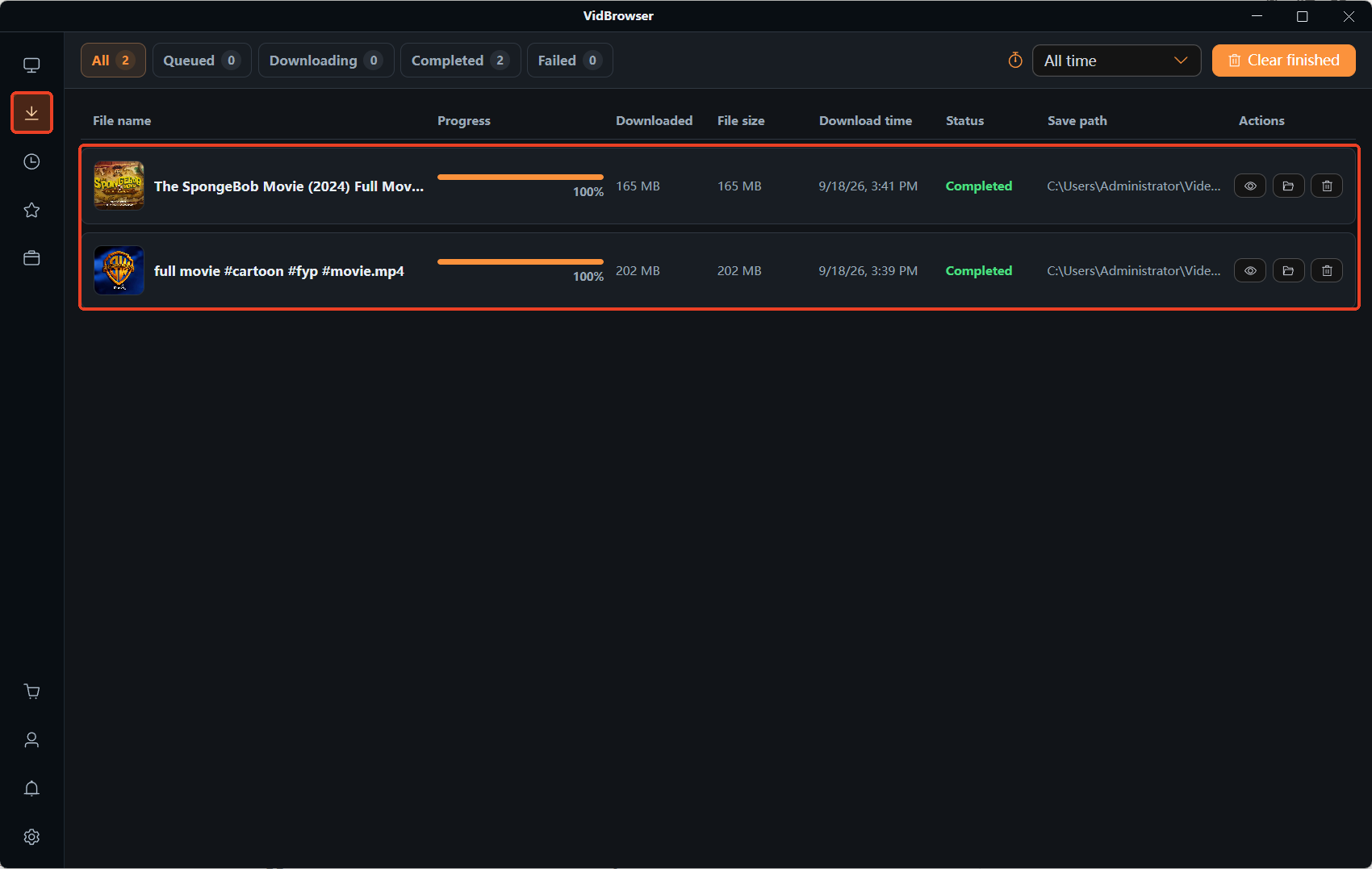
When the recording finishes, click the clock icon in the left navigation to open the download history and check the file name, size and save location, confirming the file is complete and plays normally. For the occasional entry that can be downloaded directly on the web, the Video Library panel on the right also lists resources with an orange Download button — use them as needed. Keep your saving within content you legitimately subscribe to and can play; reposting or commercial use crosses a different line, and the boundary is laid out in the legal boundaries of subscription-content downloads.
FAQ
Can ABEMA / U-NEXT content downloaded on the phone be transferred to a computer?
No, not directly. The official download is cache inside the app, bound to the app and the account; it produces no copyable video file, and switching devices, logging out or uninstalling the app invalidates the cache. To keep a copy on the computer, the path is the recording in Step 3 above.
Is downloading free on ABEMA? Does U-NEXT charge extra?
ABEMA's download feature is limited to the paid member tier; the free tier has none. U-NEXT includes downloads in the subscription at no extra cost, but each account can download on one device only, and some titles are excluded. Both platforms cap the cache at 25 items, so you may need to delete old content before storing new.
Is the recorded video the same quality as the original playback?
Recording follows the actual playback quality: whatever resolution the player is set to is what gets recorded, so pick the highest tier your connection allows before recording. File size scales with duration — leave enough disk space before recording something long.