
How to Download JustForFans Videos in 2026
You found a video on JustForFans you want to keep. Maybe it's content you paid for, maybe it's something a creator might remove, maybe you just want offline access without relying on a platform staying up. Whatever the reason, you've probably already tried the obvious approaches and hit a wall.
Here's what's actually happening and how to fix it.
Why Standard Download Tools Don't Work on JustForFans
JustForFans delivers video through a protected player that locks content to the platform. When you try to save with a browser extension or download manager, the tool can see that video is playing but can't reach the actual file 鈥?the platform blocks access at the delivery layer.
This isn't a technical glitch. It's intentional platform-level protection. The video is streaming to your screen, but the file itself is wrapped in a way that external tools can't extract.
The result: browser extensions, download managers, and "video grabbers" all fail. They either return an error or download a broken file that won't play.
Does Screen Recording Work on JustForFans?
No. This is the other common attempt, and it fails for a different reason.
JustForFans protects its video output at the system level. When you run a screen recorder 鈥?OBS, QuickTime, Bandicam, any of them 鈥?the platform detects that a screen capture is running and replaces the video area with a black screen. Your recording captures everything else on your screen but shows a black rectangle where the video was playing.
This is a platform protection that kicks in specifically during video playback. It's not a setting you can turn off or a permissions issue you can work around by running the recorder differently.
How to Download JustForFans Videos (Step by Step)
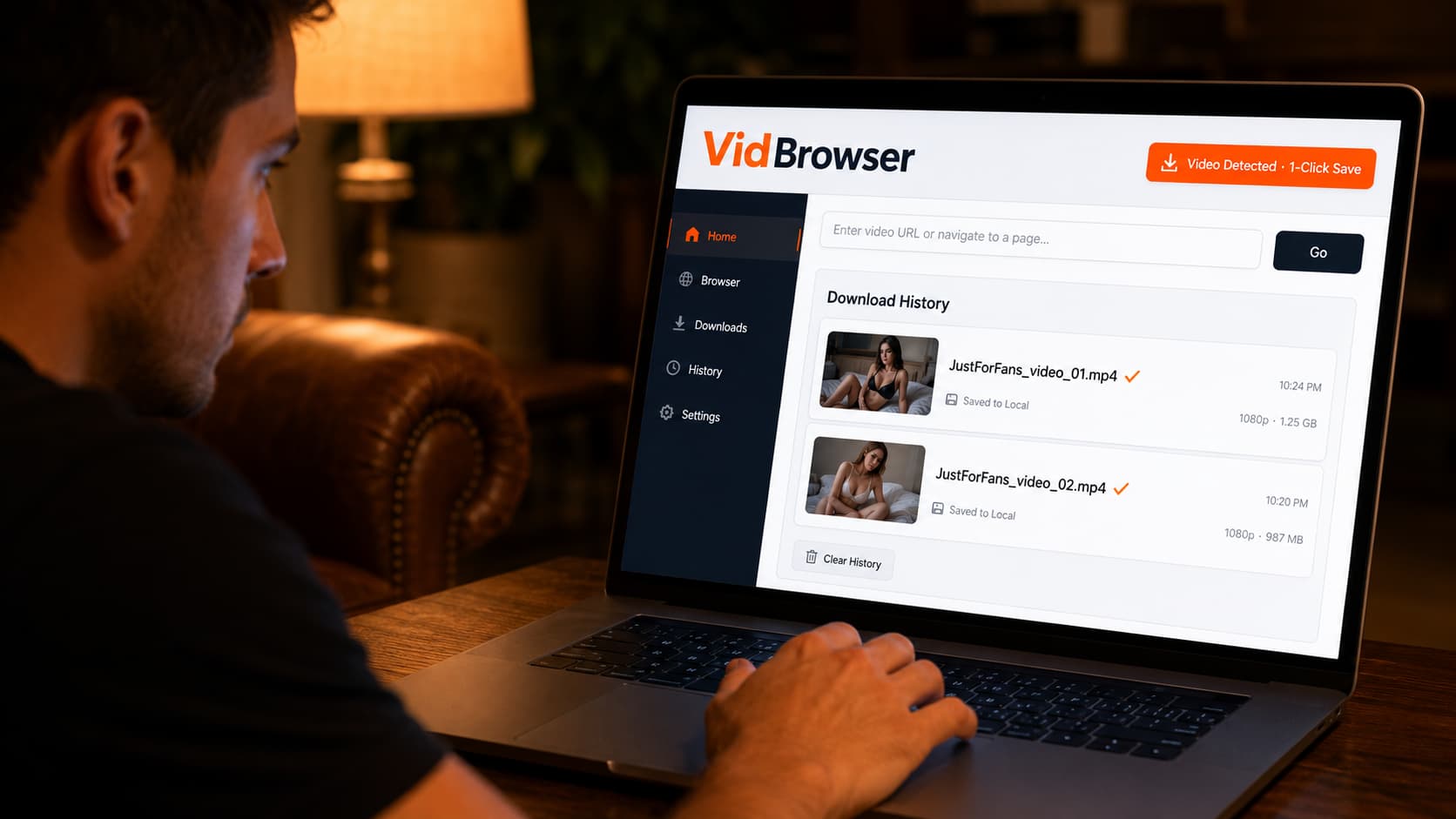
The method that works: VidBrowser. It's a desktop browser built specifically for video 鈥?it includes built-in video detection that works on JustForFans, OnlyFans, Fansly, and 1,000+ other platforms.
The reason it works where other tools don't: VidBrowser operates as a full authorized browser. When you log into JustForFans through VidBrowser and play a video, VidBrowser has legitimate access to the video during playback 鈥?the same access the platform's own player has. No extraction, no workaround, just a browser that also knows how to save what you're watching.
Step 1: Download VidBrowser
Download VidBrowser free and install it on Windows or Mac. Takes about two minutes.
Step 2: Open JustForFans inside VidBrowser
Launch VidBrowser and go to justforfans.com. Log in with your JustForFans account the same way you would in any browser.
Step 3: Navigate to the video you want to save
Browse to a creator's page and open the video post. Start playing the video.
Step 4: Click the orange badge
As soon as video starts playing, an orange "Video Detected 路 1-Click Save" badge appears in the top-right corner of the browser. Click it.
Step 5: Done
VidBrowser downloads the video to your local storage as a standard MP4 file. No account required to watch it later, no expiration, no black screen.
That's the entire process. There's no configuration, no settings to adjust, no extra software to install.
What You Get When You Save a JustForFans Video
The downloaded file is a standard MP4 鈥?full quality, same resolution as the original, playable in VLC, Windows Media Player, QuickTime, or any media app.
You keep it locally: it doesn't expire, it doesn't disappear if the creator deletes the post, and it doesn't require an internet connection to watch. If JustForFans goes down, your saved videos still play.
VidBrowser keeps a download history panel so you can see everything you've saved, organized by platform and timestamp.
Does VidBrowser Work on Other Platforms?
Yes 鈥?the same one-click process works across 1,000+ platforms. Practically speaking, any video platform you open in VidBrowser and play a video on will trigger the orange badge.
That includes OnlyFans, Fansly, LoyalFans, Fanvue, SubscribeStar, Patreon, YouTube (including YouTube Premium), Netflix, Twitch, Reddit video, Twitter/X video, and hundreds more. One browser, every platform.
The setup is identical: open the platform, log in, play a video, click the orange badge.
FAQ
Does VidBrowser work on Mac and Windows?
Yes. VidBrowser is available for both Windows and Mac. There's no mobile version 鈥?it's a desktop-only application.
Does VidBrowser require a JustForFans subscription?
Yes. You need to be logged into your JustForFans account through VidBrowser to access content you've subscribed to. VidBrowser gives you a way to save content you've already legitimately paid for 鈥?it doesn't bypass subscriptions.
What video quality does VidBrowser save?
VidBrowser saves the video at whatever quality the platform streams to your browser. For most platforms this is the highest quality available to your account.
Can I save JustForFans photos with VidBrowser?
VidBrowser is optimized for video. For photos, standard right-click save in any browser works fine since photos aren't subject to the same playback protection as videos.
Is VidBrowser safe to use?
Yes. VidBrowser is a legitimate desktop browser, not a browser extension or third-party plugin. It runs as a standalone application on your computer.
Does the orange badge always appear?
On supported platforms, yes. The badge appears when VidBrowser detects video playback. If you're on a page and the badge doesn't appear, make sure the video is actually playing 鈥?sometimes it takes a second or two after playback starts.
Does VidBrowser work on the JustForFans mobile site?
VidBrowser is a desktop browser (Windows and Mac). If you're on a Mac or Windows PC accessing justforfans.com through VidBrowser, the platform is accessed through the desktop browser experience, which works the same way.


