
How to Download Reddit Videos with Sound (2026)
You download a Reddit video. You open the file. The video plays fine — but there's no audio. Complete silence.
This isn't a bug with your media player. It's not a corrupted file. It's a Reddit infrastructure quirk that has been tripping people up for years, and most download tools still don't handle it correctly.
Here's why it happens and the straightforward fix.
Why Reddit Videos Have No Sound When You Download Them
Reddit hosts its native videos through its own video delivery system at v.redd.it. The way Reddit stores these videos is unusual: the video track and the audio track are separate files stored at different URLs.
When you watch a Reddit video in your browser, the Reddit player quietly fetches both streams and combines them during playback. You hear sound because your browser is doing the merging work in real time. But the files themselves are separate on Reddit's servers.
When a basic download tool tries to save a Reddit video, it grabs the video stream URL — the one it can find easily — and downloads that. The audio URL is at a different address that the tool doesn't look for. Result: a video file with no audio track.
This is why the problem is so consistent. It's not random. Every tool that only grabs one stream will always produce a silent video. It's a structural issue, not a fluke.
Methods That Don't Fully Work
Right-click and save
Reddit's video player doesn't expose a direct download link. Right-clicking gives you browser options, not a video file. Even if something appears to download, it's typically the video-only stream with no audio.
Online Reddit video downloaders
Search for "Reddit video downloader" and you'll find dozens of sites. Some work — but inconsistently. The ones that handle audio correctly have to fetch both streams and merge them server-side before sending you the file. Many don't bother, and just send you the video stream alone.
Even the ones that work have limits: they slow down on longer videos, sometimes fail on videos above a certain file size, and you're sending Reddit URLs to a third-party service whose privacy practices you don't know.
Browser extensions
Similar problem as online tools. Most extensions detect video streams, not the audio+video combination Reddit uses. They grab what's visible on the page — the video URL — and miss the audio.
yt-dlp
yt-dlp handles Reddit videos correctly. It knows about the separate audio stream and merges them automatically. The command is simple: yt-dlp https://www.reddit.com/r/subreddit/comments/xxxxx/post_title/
It downloads both streams and combines them into a single file with audio. yt-dlp is the best free command-line option for this.
The barrier is setup — installing Python, pip, keeping yt-dlp updated, running commands in a terminal. For anyone not already using it, there's real friction.
The Easiest Fix: VidBrowser
VidBrowser handles the Reddit audio problem automatically, without any command line.
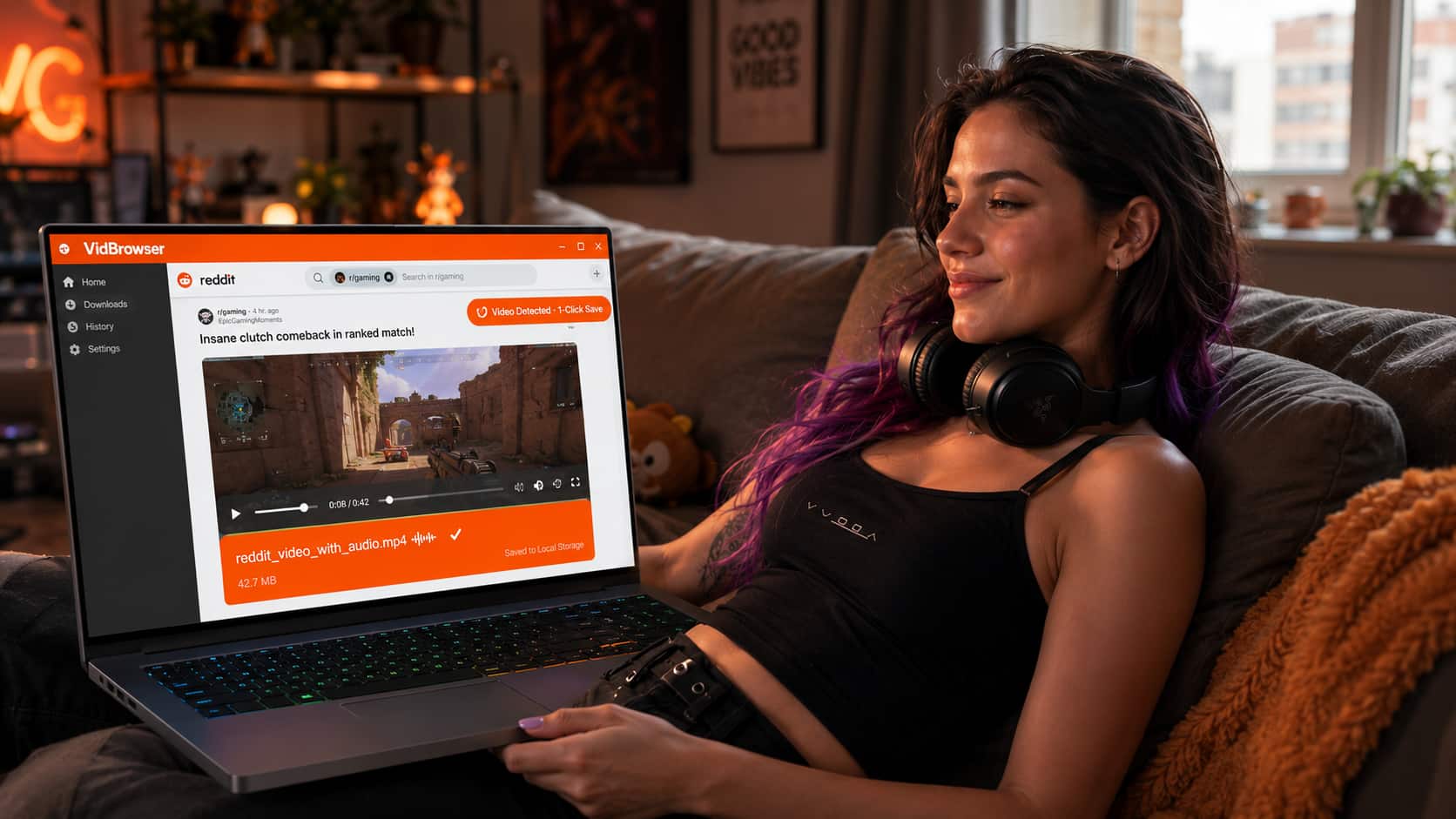
When you open a Reddit post with a video in VidBrowser and let it play, VidBrowser detects both the video stream and the audio stream. The orange "Video Detected · 1-Click Save" badge appears. Click it — VidBrowser downloads and merges both streams into a single MP4 file with full audio.
No setup, no commands, no separate tools for merging. You get a video file that plays with sound in any media player.
Beyond Reddit, VidBrowser works the same way on 1,000+ platforms — Twitter, TikTok, Instagram, Twitch, YouTube, and more. And it blocks ads across every site by default, which matters on Reddit where third-party ad networks can be aggressive.
Download VidBrowser free — Windows and Mac both supported.
Step-by-Step: Save a Reddit Video with Sound
Step 1: Find the Reddit video you want to save
Navigate to the Reddit post containing the video. Make sure it's a native Reddit video (hosted at v.redd.it) — the process is the same for videos embedded from YouTube or other platforms, but those have their own handling.
Step 2: Open the post in VidBrowser
Open VidBrowser and navigate to the Reddit post URL, or paste it into the address bar directly.
Step 3: Play the video
Click play on the video in the Reddit player. Let it start — VidBrowser needs to see the video playing to detect it.
Step 4: Click the download badge
The orange "Video Detected · 1-Click Save" badge appears. Click it, choose your save location, and confirm.
Step 5: Check your file
Open the downloaded file in VLC or Windows Media Player. Audio and video both present. Done.
What About GIFs and Crossposted Videos?
Reddit GIFs — Reddit converts many GIFs to silent MP4s automatically. If a post is labeled as a GIF, there may genuinely be no audio track — the silence is intentional, not a download error.
Crossposted videos — If a Reddit post embeds a YouTube, Twitter, or TikTok video rather than hosting it natively on v.redd.it, VidBrowser handles those the same way it handles those platforms directly. YouTube videos on Reddit are downloaded from YouTube; Twitter videos from Twitter. Audio is included in all cases.
Gallery posts — Reddit posts with multiple images or videos in a gallery format are handled differently. VidBrowser detects individual videos within the gallery when you play them.
FAQ
Why does the Reddit video play with sound in my browser but download without it?
Your browser is merging the separate audio and video streams during playback. A basic download tool only grabs one stream — usually the video — and misses the audio URL entirely. VidBrowser and yt-dlp both detect and merge both streams.
Does this work on Reddit videos that are marked NSFW?
The download process is the same for NSFW-marked content. Reddit requires you to be logged in to view NSFW content, so you'd need to be logged into your Reddit account in VidBrowser. Once you can view it, you can download it.
Can I download Reddit videos on mobile?
VidBrowser is a Windows and Mac desktop app. For mobile, the Reddit app has a built-in save feature for some videos, but it saves to Reddit's own offline system rather than your device's local storage. For true local downloads with audio, the desktop VidBrowser route is the reliable option.
The video I want is from a crosspost — the original post was deleted. Can I still download it?
If the video itself is still loading and playing in the crosspost, yes — VidBrowser downloads whatever is currently accessible. If the original video source has been deleted and the player shows an error, there's nothing to download.
How do I find the original video URL on Reddit?
You don't need to. Just navigate to the Reddit post normally in VidBrowser and play the video — VidBrowser finds the streams automatically from the page itself.


