
How to Download YouTube Videos in 2026
YouTube has over 800 hours of video uploaded every minute. Somewhere in that pile is content worth keeping — a tutorial you'll need offline, a video essay you want to watch on a plane, a creator's upload you're worried might get taken down. YouTube's own platform doesn't make this easy, and most tools that claim to help fall short in one way or another.
Here's what actually works in 2026.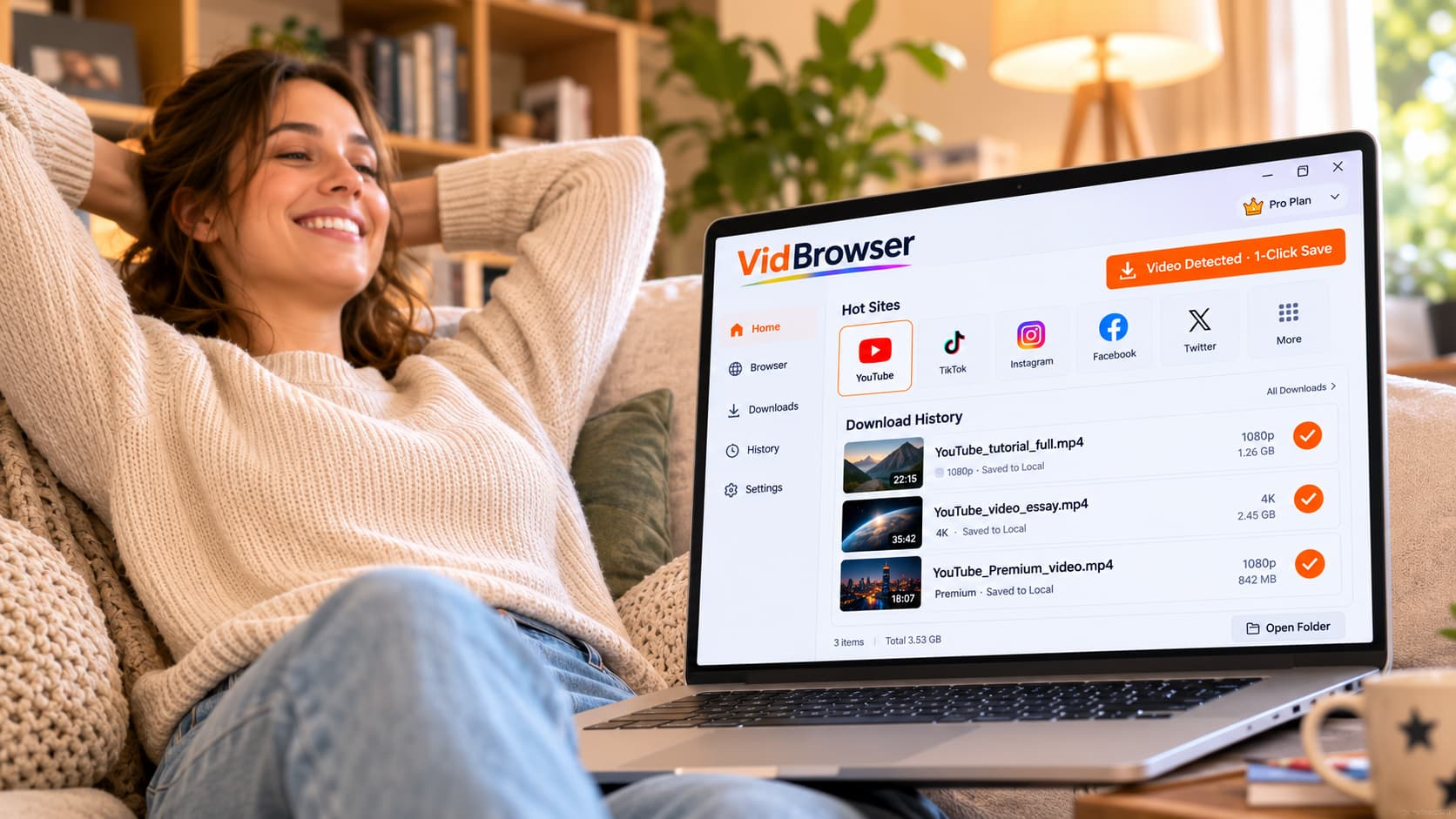
Can You Download YouTube Videos Officially?
Technically yes, with conditions.
YouTube Premium offers a download feature — but it only works inside the YouTube mobile app. Downloads are locked to the app, expire if your subscription lapses, and can't be transferred to a computer or any other media player. If you're on a laptop or desktop, the download option doesn't exist at all.
YouTube's "Save offline" feature is the same thing: app-only, subscription-required, temporary.
For most people watching YouTube on a computer — which is still the majority of YouTube's desktop audience — there's no official download path. You're streaming only.
Why Common Download Tools Fall Short
Browser extensions and online "YouTube downloader" sites have been around for years. Some still work for standard public videos. But they come with real limitations:
They don't handle YouTube Premium content. YouTube Premium videos — content locked to subscribers — can't be reached by external tools. The platform protects that content so it's only accessible inside the YouTube app. Browser extensions can't see it.
Quality caps. Many free download tools top out at 720p even when 1080p or 4K is available. If you paid for Premium to get higher quality, you're not getting it through a workaround downloader.
Reliability. YouTube regularly updates its delivery systems, and third-party tools break without notice. A downloader that worked last month may return errors today.
Ad-supported or bundled junk. Many online downloader sites monetize through aggressive advertising, misleading download buttons, or bundled software in installers.
How to Download YouTube Videos with VidBrowser
VidBrowser is a desktop browser built specifically for video. It works on both regular YouTube and YouTube Premium content — the same one-click process either way.
Step 1: Download and install VidBrowser
Download VidBrowser free for Windows or Mac. Install takes a couple of minutes.
Step 2: Open YouTube in VidBrowser
Launch VidBrowser and go to youtube.com. If you have a YouTube or YouTube Premium account, log in.
Step 3: Play the video you want to save
Navigate to any YouTube video and start playing it. VidBrowser works on any YouTube video you have access to — public videos, unlisted videos, and YouTube Premium content if you're subscribed.
Step 4: Click the orange badge
As soon as playback starts, an orange "Video Detected · 1-Click Save" badge appears in the top-right corner. Click it.
Step 5: Done
VidBrowser saves the video locally as an MP4 file — full quality, no expiration, playable in any media app. VLC, QuickTime, Windows Media Player, your TV's USB input — it plays everywhere.
The download history panel shows everything you've saved, organized by date. No account required to watch saved videos later.
YouTube Premium Downloads: What's Different
YouTube Premium content is locked to the YouTube mobile app — the platform protects its video output so the content stays inside the app environment. Screen recording attempts on Premium content produce a black screen for the same reason.
VidBrowser handles this because it operates as a full authorized browser. When you're logged into your YouTube Premium account through VidBrowser and play a video, VidBrowser has the same legitimate access to that content that the YouTube app has during playback — it just also knows how to save it locally as a permanent file instead of a temporary, expiring download.
The result: YouTube Premium subscribers can actually save content to their computer in real quality, not just the app-only temporary download YouTube offers.
What to Save and When
YouTube videos disappear more often than most people realize. Creators delete content, channels get terminated, videos get claimed and taken down. A few situations where saving locally makes sense:
Tutorials and how-tos: Technical guides, cooking videos, fitness routines — content you'll want to reference offline or repeatedly without burning data.
Long-form video essays: Documentary-style content that takes serious time investment. Worth keeping in case it disappears.
Travel and research content: Videos you're using for trip planning or research that you want access to without internet.
Creator content you subscribe to: If you're paying for a creator's Premium content, saving a local copy means you keep it even if the creator leaves YouTube or the video gets removed.
Anything before a trip: Road trip, flight, or anywhere with spotty internet — download before you leave.
Does VidBrowser Work on Other Platforms?
Yes. The same one-click process works on 1,000+ platforms — Netflix, Hulu, TikTok, Instagram, Twitter/X, OnlyFans, Fansly, Twitch, and hundreds more. One browser, any platform.
Every platform is the same workflow: log in through VidBrowser, play a video, click the orange badge.
FAQ
Does VidBrowser work on Mac and Windows?
Yes, VidBrowser is available for both Windows and Mac. It's a desktop-only application — no mobile version.
Can I download YouTube Shorts with VidBrowser?
Yes. YouTube Shorts play in the same browser, and the orange badge appears the same way.
What resolution does VidBrowser save YouTube videos at?
VidBrowser saves at the highest quality streaming to your browser. For YouTube Premium users, this can include 1080p and 4K depending on the video.
Do I need a YouTube account to use VidBrowser?
For public YouTube videos, no. For YouTube Premium content, you need to be logged into your Premium account through VidBrowser.
Is it legal to download YouTube videos?
YouTube's terms of service restrict downloading outside of their official download feature. Whether personal offline use of content you have access to is an issue depends on context. VidBrowser gives you legitimate browser-level access to content during playback — it's not scraping or bypassing authentication.
Does VidBrowser have ads?
VidBrowser includes built-in ad blocking, so YouTube (and every other site) loads without ads.
Can I download playlists or multiple videos at once?
Currently VidBrowser's one-click save works per video. Play a video, click the badge, move to the next.


