
How to Save SoopLive Streams: Keep LCK Matches and Streamer Content in 2026
The Korean streamer you follow is live on SoopLive, and LCK matches stream there too — you want to save them for your archive, but there's no download button on the web player, and whether a stream stays watchable after it ends depends on whether the streamer kept a replay. As the long-standing leader of Korean streaming, SoopLive has the richest content, yet saving it is anything but hassle-free.
This article explains what SoopLive is, which streams are worth archiving, and a method that actually works in 2026.
What Is SoopLive? The Old Money of Korean Streaming
SoopLive (Soop) is South Korea's largest live-streaming platform. It started as AfreecaTV, founded in 2005, and was officially renamed Soop in 2024. Its status wasn't built on hype but on twenty years of accumulation:
- The holy ground of Korean esports streaming: LCK and other Korean pro leagues have long streamed on AfreecaTV/Soop, making it the first stop for esports fans watching matches.
- A one-of-a-kind BJ culture: streamers are called BJs (Broadcast Jockeys), and entertainment, cam shows, mukbang, and talk streams have shaped a uniquely Korean streaming ecosystem.
- A mature gifting system: virtual gifts like Star Balloons are a signature Soop feature, with a deep culture of interaction between streamers and viewers.
After Twitch left Korea, Soop and Naver's Chzzk became the two major platforms (for choosing between them, see our guide to saving Korean live streams) — but when it comes to history and esports content, Soop is the one you can't skip.
Which SoopLive Streams Are Worth Archiving
- LCK matches: esports matches are great to watch live, but reviewing them is a hassle — replays are limited, and if you want to rewatch a classic match, you have to keep your own copy.
- Streams from streamers you follow: a live stream is real-time; miss it and it's gone. Whether a replay exists and how long it stays depends on the streamer.
- Special content moments: birthday streams, anniversary streams, and launch events — these once-only streams are the ones worth archiving in advance.
In short: don't wait for content worth keeping to become a replay — saving it while the stream is live is the safest move.
Where Archiving Gets Hard for Viewers
- No official download button: neither Soop's web player nor its app offers a "download this stream" option — viewers can only watch.
- Limited replay retention: whether a VOD exists after the stream and how long it lasts is decided by the platform and the streamer; miss the window and it may be gone.
- Generic downloaders can't keep up: live streams are delivered in real time as segmented HLS; generic downloaders often cut off mid-stream or end up with a corrupted file.
How VidBrowser Saves SoopLive Streams
The approach is the same: let the browser record the live stream while you're watching it.
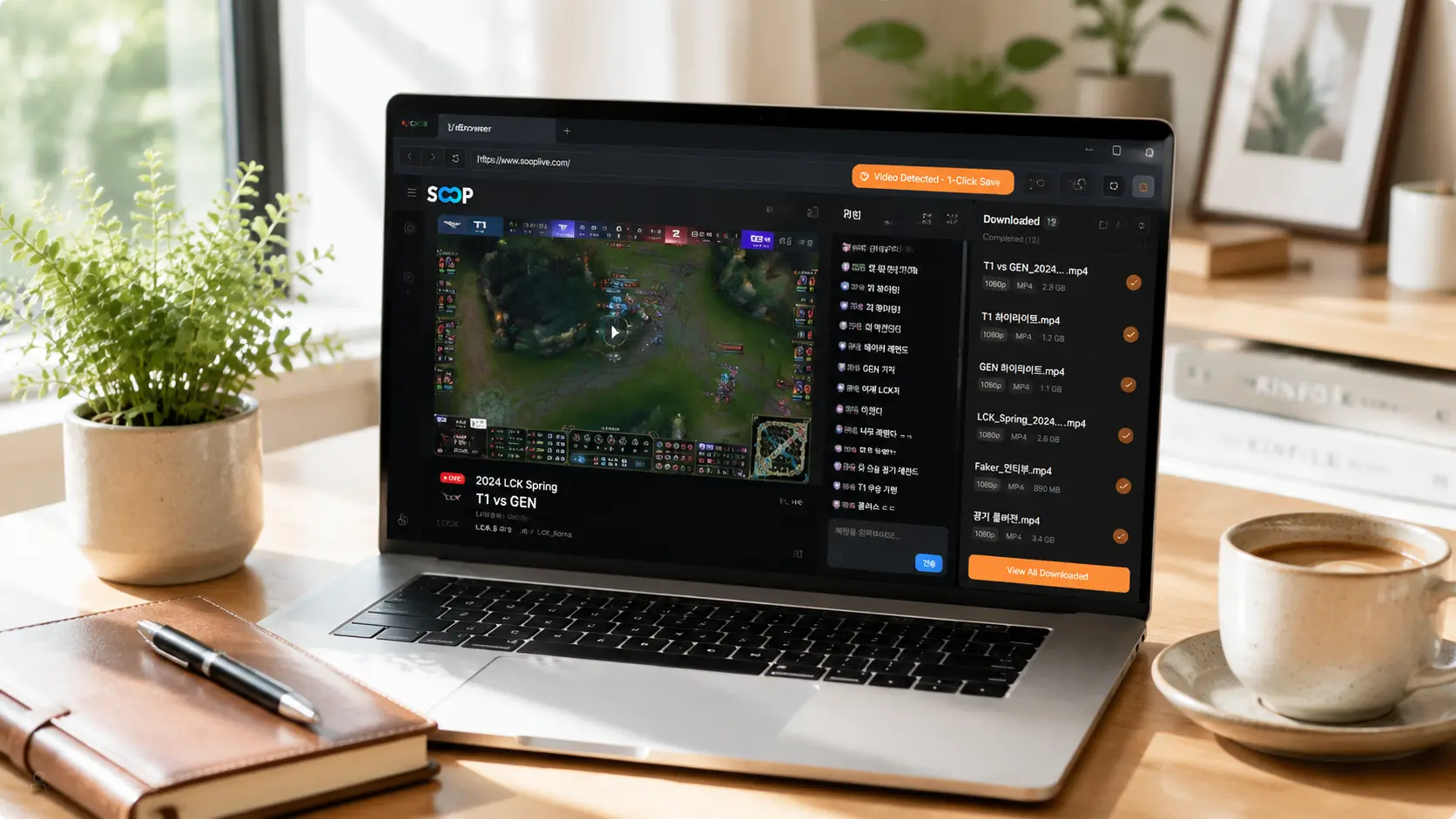
VidBrowser is a desktop browser built for video, available on Windows and Mac. Open sooplive.co.kr normally and enter the stream room; once the stream starts playing, use VidBrowser's recording feature to record the live stream you're watching — a live stream is a real-time stream and can't be downloaded directly like a video; recording is the only way to save it.
While recording, you can pick a speed in the media library panel (1x real-time, 4x to finish faster), click "Record All" to record the entire stream, and the record button on the left lets you start or pause anytime.
It only takes a few steps:
Step 1: Download and install VidBrowser
VidBrowser is a desktop video browser for watching live streams and videos, clipping segments, and saving them locally on Windows and Mac. Installation takes just a few minutes.
Step 2: Open SoopLive in VidBrowser and log in
Launch VidBrowser, go to sooplive.co.kr, and sign in with your own account as usual. Once logged in, you can watch streams and chat normally.
Step 3: Enter the stream room you want to archive and let the stream play
Enter the stream room and let the stream play for a few seconds. VidBrowser automatically detects video resources on the page in the background, and once it identifies the live stream, it lists it in the Video Media Library panel on the right.
Step 4: Download replays directly, record live streams
Content on live platforms comes in two kinds, and each is saved differently:
- Replays and videos (VOD): can be downloaded directly. Find the video in the Video Media Library panel and click the orange Download button to save it as an MP4.
- Live streams: a live stream is a real-time stream and can't be downloaded directly — use recording instead. Pick a recording speed (1x real-time, 4x to finish faster), click "Record All" to record the entire stream, and the record button on the left lets you start or pause anytime.
Once the stream ends (or for replay content), the video is saved completely on your device.
Step 5: Find the files in your media library
When saving is done, you can open the file from the folder you selected, or find it in VidBrowser's download history. After that, watch it offline anytime with compatible players like VLC or QuickTime.
One Bottom Line to Remember
The footage, music, and commentary in SoopLive streams each belong to their respective owners. Saving them for your own offline viewing or personal study is fine; republishing, reposting, or commercial use is infringement. Keep what you save for yourself and respect content creators.
FAQ
How long are SoopLive stream replays kept?
Replay retention is decided by the platform and the streamer's settings — there's no stable "permanent replay" guarantee for viewers. If you want to archive something, don't wait for the replay; saving during the live stream is the safest way.
Can I save LCK matches on SoopLive?
Yes. As long as you can play it normally in your browser, you can get the file by saving the video stream. Save esports matches while they're live and review them anytime later.
Will saving SoopLive streams notify the streamer?
No. Soop has no notification mechanism for stream saving. VidBrowser saves videos to your local device, never sends any save record to the platform, and it doesn't affect your account.


