
Is OnlyFans Worth It? How to Actually Get Your Money's Worth
Honest question with an honest answer: it depends entirely on what you're subscribing to and what you do with it.
OnlyFans has a reputation problem on both ends. Some people oversell it ("the content is incredible, totally worth it"). Others write it off entirely ("it's a scam, everyone's using recycled content"). The reality is messier and more individual than either of those takes.
This is a breakdown of when an OnlyFans subscription makes sense, when it doesn't, and — if you're already subscribing — how to actually protect the money you're spending.
What You're Actually Paying For
Understanding the value proposition starts with understanding the model.
OnlyFans is a subscription platform. You pay a monthly fee for access to a creator's feed — their posts, photos, and videos from that subscription period. Most creators also sell additional locked content (pay-per-view messages, exclusive videos) on top of the subscription.
What you're not paying for: permanent access, a library you can revisit indefinitely, or any guarantee that the content will still exist tomorrow. A subscription is access, not ownership. The moment a creator deletes a post or deactivates their account, that content is gone — whether you paid for it or not.
This is the fine print most people don't think about until it's too late.
When OnlyFans Is Worth It
You follow a specific creator who posts consistently
The clearest value case. If there's a creator whose content you genuinely enjoy, who posts regularly, and whose subscription price is reasonable relative to how much you actually watch — that's a straightforward yes.
The math: if a subscription costs $15/month and you watch several videos a week, that's comparable to or cheaper than most streaming services. If you subscribe, check it twice, find nothing new, and forget about it for three weeks — that's a poor value.
The free tier doesn't cut it
Many creators offer free accounts with teaser content and funnel you toward paid subscriptions or locked posts. If you've spent time on a free account and found the content genuinely worth more, subscribing makes sense. If the free content already satisfied your interest, the paid tier may not add much.
You're interested in creator interaction
Some creators are genuinely responsive to subscribers — DMs, custom content, requests. If that's part of why you're subscribing, factor it into the value calculation. If you just want to watch videos passively, those features don't matter.
When It's Probably Not Worth It
Subscribing to a large number of creators at once
Ten subscriptions at $10-15 each adds up to $100-150/month fast. Most people who subscribe to many creators at once find they don't actually have time to watch everything, let alone engage with it. You end up paying for access to content you never see.
Creators who post infrequently or recycle content
Some creators post once a week; others barely post once a month. Before subscribing, check if the creator has any public posts showing their cadence. A beautiful page with three posts from six months ago is a warning sign.
Impulse subscribing without a clear reason
If you're subscribing because an ad or a tweet showed you something compelling, wait 24 hours. Impulse subscriptions to creators you don't actually follow regularly tend to get forgotten, then auto-renewed, then regretted.
5 Ways to Get More Value From Your Subscription
If you're already subscribed — or you've decided it's worth it — here's how to make the most of it.
1. Be selective: fewer subscriptions, more engagement
One or two subscriptions you actually follow beats ten you ignore. Concentrate your spending on creators whose content you consistently come back to. Cancel anything you haven't actively watched in three weeks.
2. Check the back catalog on day one
Most creators have months or years of posts. When you subscribe to someone new, don't just look at the recent feed — scroll back. You're paying for access to everything they've posted, not just the last few weeks.
3. Look at post frequency before you subscribe
Many creators show their recent activity on their public profile. A creator who posts 4-5 times a week is a fundamentally different value proposition than one who posts twice a month.
4. Factor in locked content costs honestly
Some creators price their subscriptions low to pull you in, then charge for every individual piece of content. Before you subscribe, look at whether locked posts in their feed have extra prices attached. The total cost may be higher than the subscription fee suggests.
5. Save content you want to keep — permanently
This is the one most subscribers skip, and it's the most important. Anything you want to access more than once should be saved locally. Not screenshotted. Not screen-recorded (that doesn't work reliably on OnlyFans due to DRM encryption). Actually saved to your device.
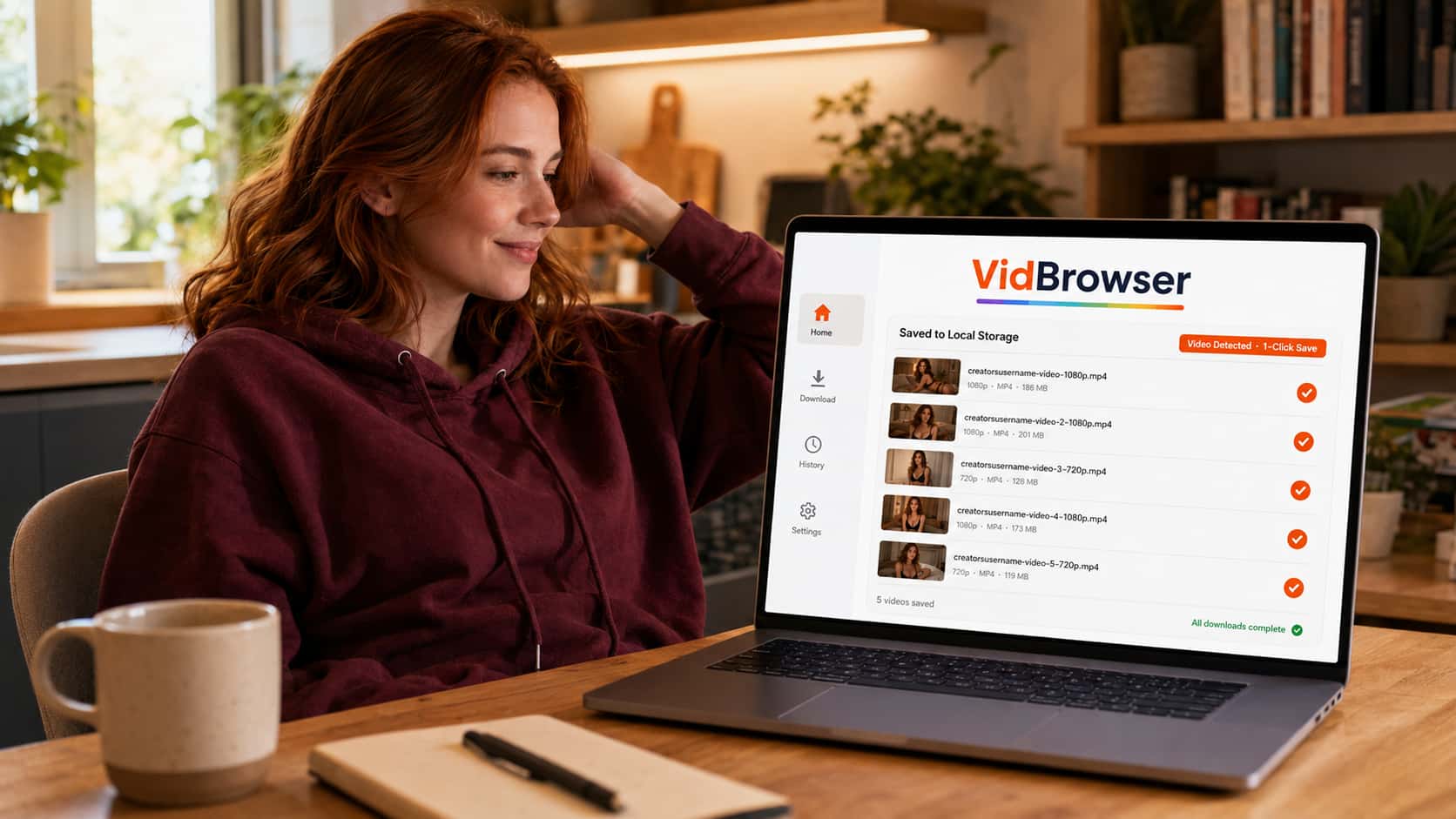
VidBrowser makes this a one-click process.
Protect the Money You've Already Spent
Every dollar you've paid to OnlyFans buys you access, not a permanent file. Creators delete posts. Accounts disappear overnight. Subscriptions expire and the feed goes dark. The content you paid for can vanish at any point — and OnlyFans won't give it back.
The practical fix: save to local storage.
VidBrowser is a desktop browser with video download built in. When you're watching an OnlyFans video, an orange badge appears: "Video Detected · 1-Click Save." Click it. The video saves to your computer as a standard video file — playable in VLC, Windows Media Player, or any media app, with no internet connection required, no subscription needed, no expiration.
This matters especially for:
- Content you've paid extra for — locked posts, PPV messages, custom content. You paid a premium; don't risk losing it to a creator's whim.
- Back catalog content — posts from a creator you've just subscribed to. Older posts get deleted more often than recent ones.
- Creators with small audiences — smaller creators are more likely to leave the platform, deactivate temporarily, or delete content without notice.
OnlyFans uses Widevine DRM to encrypt its video content — the same standard Netflix and YouTube Premium use. Standard download tools and screen recorders fail on this for technical reasons. VidBrowser works because it operates as a full authorized browser, handling decryption through the legitimate playback flow rather than trying to grab an encrypted stream from outside.
Download VidBrowser free — the free version includes video saving, so you can try it on your existing subscriptions before spending anything.
The Honest Bottom Line
OnlyFans is worth it when you're subscribing to creators you actually follow, at a price that makes sense for the content volume, with realistic expectations about what a subscription means (access, not ownership).
It's not worth it when you're subscribing impulsively, stacking up too many subscriptions you'll never fully engage with, or assuming the content will always be there when you want to come back to it.
The variable you control: save what matters. Your subscription fee buys you the window of access. What you do with that window determines the actual value you get.
FAQ
Can I pause an OnlyFans subscription instead of canceling?
OnlyFans doesn't offer a native pause feature. You can cancel and resubscribe later, but there's a risk the creator changes their subscription price, or that content posted between your cancel and resubscribe dates won't be accessible unless you go back and download it.
Do OnlyFans prices change often?
Creator-set prices can change anytime. Some creators run promotional rates to attract subscribers, then raise prices after a period. If you find a creator at a lower price, subscribe sooner rather than later — there's no guarantee the rate holds.
What happens to locked content I paid for if I unsubscribe?
Locked posts (pay-per-view content) you've individually purchased should remain accessible even after your subscription ends — but only if the creator hasn't deleted them. If the creator deletes the post or deactivates their account, that paid content disappears regardless of your purchase history.
Is it worth subscribing to free OnlyFans accounts?
Free accounts give you feed access at no cost, but most locked content still requires individual purchase. They're worth checking to evaluate a creator before committing to a paid subscription. Treat the free account as a preview.
How do I cancel an OnlyFans subscription?
Go to the creator's profile, click the subscription button, and select "Turn Off Auto-Renew." Your access continues until the current subscription period ends. Nothing is deleted; you just won't be charged again.


