
OnlyFans Content Disappeared? Here's Why It Happens (And How to Never Lose It Again)
You go back to watch a video you remember. It's gone. The creator's page looks different — posts are missing, or the account is just gone entirely. You paid for a subscription. You paid for locked content. And now it's like none of it ever existed.
This happens more often than OnlyFans will tell you, and there's almost nothing you can do after the fact. But there's a lot you can do before it happens.
Here's exactly why OnlyFans content disappears, what you can and can't recover, and the one habit that makes the whole problem irrelevant.
Why OnlyFans Content Disappears
There isn't one cause — there are five. Knowing which one applies to you matters, because they have different implications.
1. The creator deleted the content
Creators have full control over their own posts. They can delete individual videos, photo sets, or entire batches of content at any time, with no notice to subscribers. This is the most common reason content vanishes.
Why would they do this? Lots of reasons: they're rebranding, they want to re-sell the content elsewhere, they're cleaning up their page, or they had a bad day and hit delete. Their content, their choice. Your subscription gave you access — not ownership.
2. The creator deactivated or deleted their account
When a creator leaves OnlyFans — voluntarily or not — their entire account disappears. Every post, every video, every message thread. Gone. Creators sometimes announce this in advance; often they don't. Accounts that go inactive for long enough can also be removed by the platform.
This is the scenario that hits hardest, because it's not just one video — it's everything.
3. OnlyFans removed the content
OnlyFans enforces content policies, and when something gets flagged and removed, it disappears from your feed too. The creator may or may not know why. You definitely won't be notified.
Policy enforcement has gotten stricter over the years, and content that was fine to post in 2022 has gotten removed in 2024 and 2025.
4. You unsubscribed or your subscription lapsed
This one's on you — and it catches more people than you'd expect. OnlyFans subscriptions are access-based. When you're subscribed, you can see the feed. When you unsubscribe, that access goes away. Locked posts you paid for individually are an exception — those should remain accessible — but free posts in the feed disappear from your view.
If your card expired and the renewal charge failed, same result.
5. Technical issues and platform glitches
Less common, but it happens. OnlyFans has had incidents where content appeared missing temporarily due to server issues. If everything on a page is gone suddenly and it seems broader than one creator, check OnlyFans' status page and wait a few hours before assuming the worst.
Can You Recover Disappeared OnlyFans Content?
Honest answer: almost never.
OnlyFans doesn't offer any way for subscribers to request content recovery. If a creator deletes something, there's no "restore" option. If an account is gone, it's gone. There's no archive, no backup system, no appeal process for subscribers.
You can contact the creator directly if they're still reachable on another platform — some will reshare content on request, especially if you were a long-term subscriber. But this depends entirely on whether they're still active, whether they remember you, and whether they still have the original files.
OnlyFans support won't help. They'll acknowledge the situation and explain that content management is entirely the creator's responsibility. Technically accurate. Completely unhelpful.
The brutal reality: once it's gone from the platform, your options are essentially zero.
The Only Real Solution: Save It Before It Disappears
This is the shift in mindset that changes everything. You can't recover content after it's gone. You can absolutely keep it safe before it disappears.
Treating OnlyFans like a permanent library is the wrong mental model. Think of it more like a live stream — you either catch it or you miss it. The creators you follow could delete everything tomorrow. The only way to guarantee you keep something is to save it locally when you have access.
This is exactly what VidBrowser is built for.
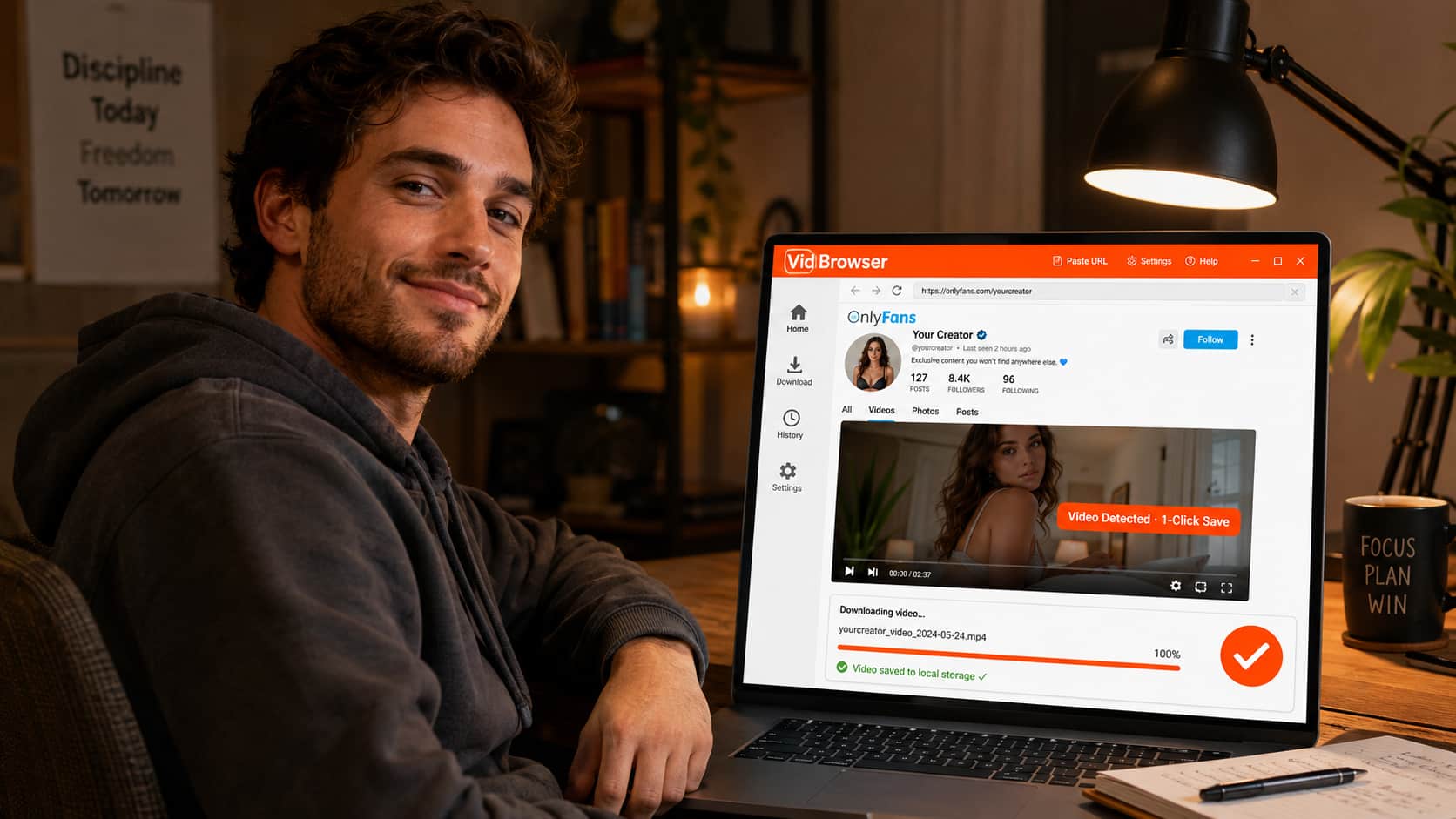
VidBrowser is a desktop browser with video download built directly into it. When you're watching an OnlyFans video, the browser detects it automatically and shows an orange badge: "Video Detected · 1-Click Save." You click it. The video downloads to your local storage. Done.
No export, no screen recording (which doesn't work on OnlyFans due to DRM encryption), no third-party tools. Just the video saved to your computer, playable forever with any standard media player, completely unaffected by whatever happens to the creator's account.
The DRM side matters here. OnlyFans encrypts its video content with Widevine, the same system Netflix and YouTube Premium use. Most download tools grab an encrypted file they can't decrypt — you end up with a file that won't play. VidBrowser handles this as an authorized browser that participates in the full playback flow, so what you save is an actual playable video.
How to Save OnlyFans Content with VidBrowser
Step 1: Download and install VidBrowser
Go to vidbrowser.net/download and install it — free, available for Windows and Mac.
Step 2: Open OnlyFans in VidBrowser
Use VidBrowser as your OnlyFans browser going forward. Log in with your account the same way you would in Chrome.
Step 3: When you find a video you want to keep, play it
VidBrowser automatically detects videos on the page. As soon as one loads, you'll see the orange "Video Detected · 1-Click Save" badge appear.
Step 4: Click save, choose your folder
Click the badge, select where you want to save the file, and let it download. The file saves in a standard format — MP4 or similar — that plays in VLC, Windows Media Player, or any other video app.
Step 5: Make it a habit
The mindset shift: anything you don't want to lose, save it when you first watch it. Don't assume it'll be there later. Creators delete content constantly, often without warning. Your local copy is the only permanent version.
FAQ
OnlyFans says I still have access to locked content I paid for — why can't I see it?
Locked posts you paid for individually should remain accessible even if you unsubscribe. If they're gone, the most likely cause is that the creator deleted them or deactivated their account. OnlyFans support can confirm which, but can't restore the content.
Can I get a refund if a creator deletes their account?
OnlyFans has a refund policy for subscription charges if a creator deactivates within the subscription period. For individual locked content purchases, refunds are handled case-by-case. Contact OnlyFans support — they'll sometimes issue credits. It's not guaranteed.
Does VidBrowser work on iPhone or Android?
VidBrowser is currently a Windows and Mac desktop app. Mobile browsers have more restricted access to DRM content, so the video saving feature lives on desktop.
If I save a video locally, do I still need to be subscribed to watch it?
No. Once a video is saved to your local storage, it's a standard video file. You can watch it offline, without an OnlyFans account, without an active subscription — it's completely independent from the platform.
Is saving OnlyFans content I paid for legal?
OnlyFans' terms of service prohibit downloading content. From a legal standpoint, personal use of content you paid for falls into a gray area in most US jurisdictions — the legal risk for personal, non-commercial use is generally low, while redistribution is a much more serious matter. This isn't legal advice; consult a lawyer if this matters for your specific situation.
How do I know VidBrowser won't disappear too?
Fair concern. VidBrowser saves files to your local storage — your computer's hard drive or wherever you choose. Once downloaded, the file is yours and exists independently of VidBrowser, OnlyFans, or any internet connection.


