
OnlyFans Free Trial: How It Works (and How to Keep the Content)
OnlyFans free trials are one of the best ways to check out a creator before committing to a paid subscription — but they come with a time limit, and most people don't realize that anything you see during the trial can disappear the moment it ends.
Here's exactly how free trials work on OnlyFans, what you actually get access to, and the one thing worth doing before your trial runs out.
How OnlyFans Free Trials Actually Work
OnlyFans free trials are set up by individual creators — the platform doesn't run them universally. A creator can offer a trial period (typically 7 or 30 days) that lets new subscribers access their content without paying the monthly subscription fee.
Here's what that means in practice:
You still need a payment method on file. OnlyFans requires a valid credit or debit card to activate a free trial, even though you won't be charged during the trial period. When the trial ends, your subscription automatically renews at the creator's full monthly rate unless you cancel before the renewal date.
You get the same access as paying subscribers. During the trial, you can see everything in the creator's feed that their paid subscribers see — posts, photos, and videos going back through their history. Pay-per-view locked content is separate and still requires individual purchase even during a free trial.
The trial is tied to your account, not your card. You can't run multiple free trials on the same creator by using different cards. OnlyFans tracks trial usage per account.
Where to Find OnlyFans Free Trials
Creators don't advertise free trials on OnlyFans itself — the platform has almost no discovery features. Instead, creators share their trial links through:
- Their Twitter/X profiles
- Reddit posts in relevant communities
- TikTok or Instagram bios
- Link-in-bio tools like Linktree
If you're looking for a specific creator's free trial, checking their social media profiles is the fastest route. Some creators run trials permanently; others use them for short promotional windows.
What Happens When the Free Trial Ends
This is where most people get caught off guard — in two ways.
Your subscription auto-renews. When the trial period ends, OnlyFans automatically charges your card at the creator's full subscription rate. If you don't want to continue, you need to cancel before the trial expires. Go to the creator's profile → tap the subscription button → select "Turn Off Auto-Renew." Your trial access continues until it expires; you just won't be charged after.
The content doesn't stay with you. Everything you saw during the trial — posts, videos, photos — was streamed content that lived on OnlyFans' servers. Once your subscription ends (whether at trial expiration or after canceling a paid subscription), you lose access to the feed. Content you didn't save is gone from your perspective.
This matters more than people realize. Creators also delete posts independently of your subscription status. Something in a creator's feed today may not be there when you come back tomorrow, regardless of whether you're subscribed.
How to Keep Content From Your Free Trial
If you find a creator whose content you want to keep beyond the trial window, the only reliable way is to save it locally while you still have access.
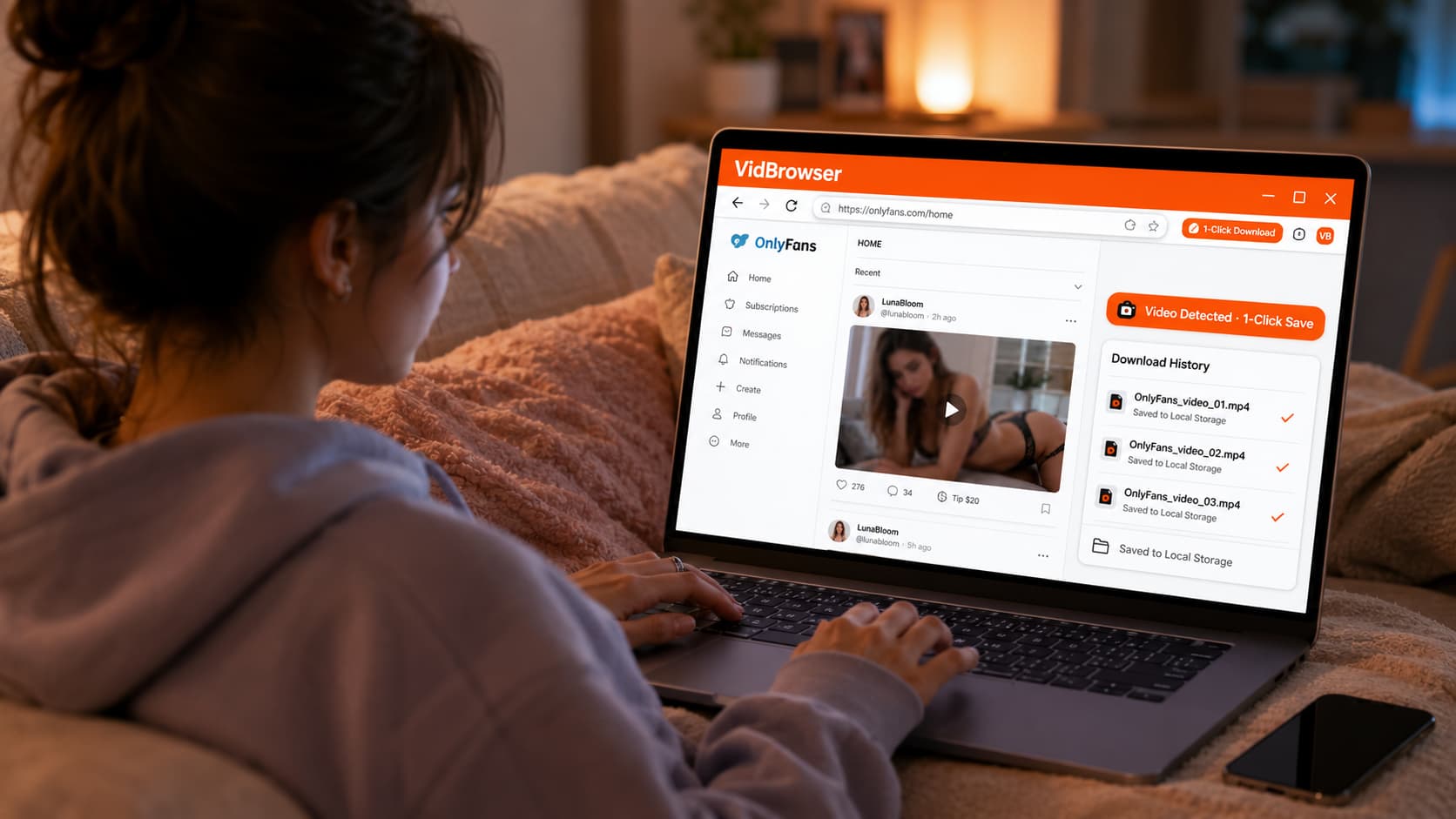
VidBrowser makes this a one-click process. It's a desktop browser built for video — open OnlyFans inside VidBrowser, play a video, and an orange "Video Detected · 1-Click Save" badge appears. Click it. The video saves to your computer as a standard file that plays in any media player, with no OnlyFans account required and no expiration.
The reason standard approaches don't work: OnlyFans locks its videos to its own player — screen recording captures a black screen on most modern computers, and typical download tools can't save the content. VidBrowser works because it operates as a full authorized browser with legitimate access to the content during playback, not as an external tool trying to grab something it's not supposed to.
Practically speaking: during your free trial, browse the creator's back catalog. Save what you want to keep. By the time the trial ends, your local copies are already on your hard drive — unaffected by subscription status, creator deletions, or anything else.
Download VidBrowser free — available for Windows and Mac.
Tips to Get the Most From an OnlyFans Free Trial
Check the back catalog first, not just recent posts. Most people start scrolling the recent feed. Scroll back. Creators with longer histories have months or years of content — that's what you're actually getting access to during the trial.
Watch for the auto-renewal date. Set a calendar reminder for one day before the trial ends if you don't plan to continue. Missing the cancellation window means paying for a full month.
Look for creators with consistent posting history. A creator who posts twice a week is a different value proposition from one who posts twice a month. Check their posting frequency before you start the trial — it tells you what a paid subscription would actually look like.
Don't expect locked content to be included. Pay-per-view posts require individual purchase even during a free trial. The trial covers the subscription feed, not everything on the creator's page.
Save what matters while you have access. Content disappears. Creators delete posts, leave platforms, or restructure their pages. Anything you want to keep should be saved during the trial, not after.
FAQ
Can I get a free trial on any OnlyFans creator?
No — free trials are creator-optional. Many creators don't offer them at all, especially those with large established audiences who don't need promotional tools. Smaller or newer creators use them more frequently to attract subscribers.
Will I be charged if I forget to cancel?
Yes. OnlyFans auto-renews at the full subscription price when a free trial ends. Set a reminder before the trial expiration date if you want to avoid the charge. Canceling after the renewal has processed is harder — OnlyFans' refund policy for subscription charges is limited.
Can I do a free trial more than once with the same creator?
No. Free trials are one per account per creator. Once you've used a trial for a specific creator, you can't access another trial on the same account.
Does a free trial give access to all of a creator's content?
Free trials give you the same access as a standard paid subscriber — their subscription feed going back through their post history. Pay-per-view locked content still requires individual purchase. Some creators keep a portion of their content behind additional paywalls even for subscribers.
What's the best way to find OnlyFans free trials?
Check the creator's social media profiles — Twitter/X, Reddit, TikTok, Instagram. Creators typically share trial links there. Some creators link directly in their bio; others post limited-time trial offers periodically.
If I save content during a free trial using VidBrowser, does the creator know?
No. From OnlyFans' and the creator's perspective, VidBrowser is a browser playing a video — the same activity as watching. There's no notification or flag generated by saving content locally.


