What Is Fanvue? AI Creators, Subscription Tiers and Disclosure Rules Explained
In the subscription-platform crowd you've heard OnlyFans and Fansly to death, but the fastest-growing name of the past year is a new face — Fanvue. According to figures published by the platform, its annualized revenue passed $100 million in early 2026, with about 17 million monthly active users, more than 250,000 creators, and over twenty thousand new creators joining each month. More importantly, it is the only mainstream subscription platform that writes "AI creators" into its official rules. This article explains how it works, its subscription mechanics, and how it differs from the older platforms, all in one place.
What is Fanvue: the subscription platform that officially welcomes AI creators
Fanvue is a social subscription platform for creators worldwide, where both human and AI creators can run paid content. According to the Fanvue official help center, the platform's mission is to let "every kind of creator — human or AI — create, share and monetize in a safe, low-censorship environment."
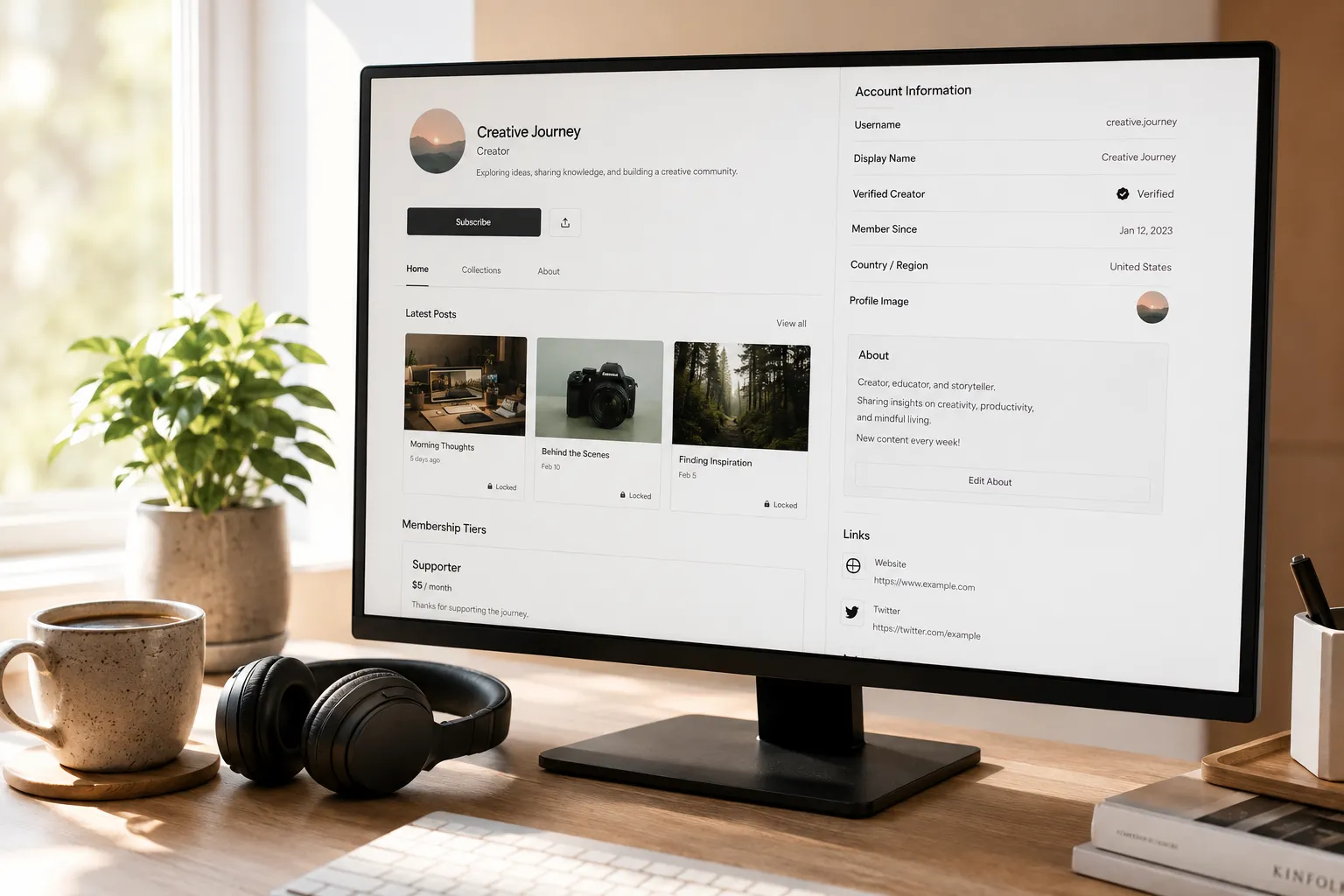
The basic play is straight out of the OnlyFans playbook: fans can follow for free, while full content and DM interaction require a paid subscription; the subscription price is set by the creator and billed monthly. The difference is that Fanvue has treated AI as a core direction since its founding in 2020 — alongside human influencers, athletes and fitness bloggers, the platform hosts fully AI-generated virtual creators. In 2024 it even held the first "Miss AI" pageant, won by a Moroccan-origin AI virtual influencer.
For subscribers, Fanvue's content menu is wider than the older platforms': behind-the-scenes from real people, fitness coaching, paid diaries from sports stars, and virtual-persona accounts that openly say they're AI.
Subscriptions from $3.99 to $100: what a free follow gets you, and what stays behind the paywall
Fanvue subscription prices are set by creators, and the officially allowed range is $3.99 to $100 per month. The line between free following and paid subscription is spelled out fairly clearly in the official help center:
- Free follow: you see the posts and previews the creator marks public — think "storefront";
- Paid subscription: unlocks exclusive posts and DM access with the creator — the core value of paying;
- A-la-carte spending beyond the subscription: tips, pay-per-view content (PPV messages and individually sold posts), voice calls and voice notes — bought separately by choice, not bundled into the subscription fee.
The midpoint of the price range is actually not high: the platform has published an average subscription price of about $12.5/month. Many creators also offer 3, 6 and 12-month bundles, with discounts typically between 10%–50% — if you plan to follow one creator long-term, a bundle beats monthly billing by a wide margin, and the mechanism resembles LoyalFans' bundles.
How Fanvue differs from OnlyFans
The core subscriber experience is similar on both; the differences concentrate in content ecosystem and discovery. Revenue-split rules for creators are nearly identical on the two sides (both 80/20, with Fanvue offering new creators 85/15 for the first 30 days after KYC) — what actually shapes your experience as a subscriber are these three points:
- A completely different stance on AI creators. OnlyFans requires every monetizing account to be a multiply-verified human, and removes purely AI accounts; Fanvue officially admits AI creators, and even built a dedicated rating system and annual awards for them;
- An on-site Discover page. OnlyFans has no on-site recommendations — you find new creators through external links; Fanvue has a social-media-style Discover page you can browse by category, and new accounts get organic exposure;
- A more mixed content catalog. Beyond the usual adult and lifestyle content, knowledge products like fitness coaching, programming courses and music production are growing on Fanvue, and a single video tutorial can be bought outright.
If you're hesitating over how to split a budget across platforms, the earlier subscription platform comparison is a good reference — treat Fanvue as the "fourth option": for following real people, the older platforms have deeper libraries; for virtual personas or knowledge content, Fanvue clearly has more supply.
How to tell AI creators apart: the platform's transparency rules
Fanvue allows AI creators but requires AI content to be clearly disclosed — posing as a human is not allowed. This is the rule most worth knowing before subscribing, and the answer to the high-frequency search "are Fanvue creators real?"
Specifically: AI accounts must check the "AI / Virtual Model" identity at registration, and the KYC identity verification in the back office is completed by the real person operating the account — uploading genuine ID and a selfie to prove "this virtual persona is mine to manage." The avatar and content fans see can be 100% AI-generated, but the platform requires AI content to be labeled in the bio, captions or watermark, and content must pass the platform's review standards — misleading or harmful AI content gets banned.
So telling them apart isn't hard: check the profile bio and verification labels — compliant AI accounts state their virtual identity openly; the ones to watch out for are those hiding it or posing as human, and those can be reported directly. Payouts go through the operator's verified account, with the same settlement channels as human accounts.
Want to keep what you subscribed to: record and save it with VidBrowser
The most reliable way to save Fanvue content is the recording feature of a desktop video browser like VidBrowser. Videos on subscription platforms are mostly protected — online grabbers can't fetch them and screen recorders are clumsy — VidBrowser puts "watch" and "keep" in the same browser, and it takes only a few steps:
Step 1: Download and install VidBrowser
VidBrowser is a desktop video browser for Windows and Mac with built-in download and recording — you can download it directly from the official site.
Step 2: Open Fanvue in VidBrowser and log in
Open Fanvue as you would in a normal browser, log in to your account, and go to the creator page you've subscribed to. What you can see is decided by your subscription, and saving applies only to content you're allowed to view.
Step 3: Open the video you want to keep
Open the video or livestream replay you want to keep and let it play normally.
Step 4: Save with the recording feature (first choice for protected content)
Videos on subscription platforms like Fanvue are mostly protected, so ordinary download tools can't grab them — VidBrowser's recording feature is the most reliable way to save: hover over the video and recording controls appear on top — choose a recording speed (1x real time, or 2x/4x to finish faster), hit "Record All" to capture the whole video, and the record button on the left starts or pauses at any time. Anything that plays can be recorded. If a video can be downloaded directly, the "Video Media" panel on the right also lists it with an orange "Download" button — one click saves it as MP4 (you can pick a resolution first).
Files land in the local download history; history and favorites are in the left navigation, so you can reopen them anytime — no more worrying about deleted posts or subscriptions expiring.
Frequently asked questions
Is Fanvue safe? Is it a legitimate platform?
Yes, it's a legitimately operated subscription platform. Registration and payouts require real-person KYC, payments go through standard channels, the payout threshold is $20 with 3–7 business days to arrive; the platform completed a $22 million Series A in 2026 and its company information is publicly verifiable. As a subscriber, watch two things: register and pay only on the official site, and report AI accounts that pose as human.
Are all Fanvue creators AI?
No. Human creators are still the majority — athletes, fitness bloggers and musicians are all there; AI creators account for roughly one to two tenths of platform transactions. AI accounts must state their virtual identity, visible in the bio and labels, so they don't get confused with human accounts.
Can you download videos after subscribing to Fanvue?
The platform itself offers no download entry — videos can only be watched on-site. To keep local files, use VidBrowser's recording feature: log in to your account, play the video, and save through the recording controls (1x real time, 2x or 4x available), for personal offline viewing only — no redistribution or resale. The MYM.fans saving guide covers similar logic.