
Do You Need a VPN for OnlyFans? Privacy, Picks and Usage Explained
After subscribing to OnlyFans, a practical privacy question sits in front of you: your internet provider can see that you visit this site, browsing on public WiFi may be sniffed, and even a shared home network is not necessarily private. So "should I use a VPN" becomes a real dilemma — using one feels like a hassle, not using one feels exposing.
This article explains the real value of a VPN for OnlyFans users, six criteria for picking one, a comparison of three types of VPNs, and a content-privacy solution that goes beyond VPNs. One premise first: a VPN's value is privacy protection, and region-restricted content should follow platform rules — that is the tone of this whole piece.
Why OnlyFans Users Use a VPN: Three Real Reasons
The short answer: the core motivation is privacy protection — shielding your traffic from the provider, staying safe on public WiFi, and hiding your real IP — nothing else. The three reasons one by one:
- Block provider-level browsing logs: without a VPN, your internet provider can see that you visited onlyfans.com (though not the specific content). As widely understood in the cybersecurity industry, HTTPS encryption protects the content itself, but the domain information of "which site you visited" is visible to the provider — a VPN encrypts and wraps the entire connection, so the provider only sees that you are using a VPN.
- A security layer for public WiFi: the public WiFi in cafes, hotels and airports is a high-risk environment for traffic sniffing, and as security agencies consistently warn, attackers on the same network can intercept unencrypted traffic — when accessing any account site in these places, a VPN is standard safety gear.
- Hide your real IP: an IP address roughly locates your network exit. A VPN replaces your real IP with a server IP, removing one layer of traceability — for privacy-minded subscribers this ranks alongside "leaving no browsing history" as a need.
In one sentence: a VPN solves network-layer privacy, so the very act of visiting is not exposed to prying eyes.
Six Criteria for Picking a VPN: What Reviews Should Look At
"The best VPN" differs from person to person, but the review criteria are universal. Check these six when choosing and you will filter out ninety percent of unreliable options:
- Privacy policy (the most important): whether it has a strict no-log policy that has been independently audited — a VPN that does not record your behavior is the foundation of privacy protection.
- Encryption standard: mainstream AES-256 encryption is the industry baseline; anything below it is out of consideration.
- Speed and stability: a VPN inevitably costs some speed (usually 10%-30%), and smooth video playback is a hard indicator — per widespread user feedback, VPNs with more server nodes perform noticeably more stable.
- Server coverage: the wider the node coverage, the more options you have and the less they get crowded at peak hours.
- Simultaneous connections: a plan that covers phone, computer and tablet at once is easier, and mainstream products support five or more devices.
- Price and refund policy: annual plans usually cost less than half of monthly, and a 30-day no-questions refund is standard among major brands — trial first, no loss.
Three Types of VPNs Compared: Premium Brands, Budget Picks, Free Options
VPNs on the market fall into three groups by price and positioning, each with a clear audience — the verdict first: if budget allows choose a premium brand, on a tight budget choose an affordable annual plan, and treat free options as temporary stopgaps only.
- Premium brands (first-tier names like NordVPN, ExpressVPN, Surfshark): privacy policies independently audited, nodes across the globe, stable speeds, multi-device support. The downside is a higher price ($8-13/month, with big annual discounts). Best for users who treat privacy as a necessity and will pay for it — these brands are regulars on security-industry review lists with years of tested reputation.
- Budget picks (second-tier paid brands): features close to the premium brands at 30%-50% less. The key is vetting: confirm it has a no-log policy and third-party audits — quality varies widely in this tier; choose right and the value is excellent, choose wrong and the money is wasted.
- Free options: recommended only as a temporary fallback. According to repeated investigations by security research organizations, many free VPNs profit by selling user data, and some have been found bundled with malicious code — you use it for privacy while it sells your privacy; that is the great irony of free VPNs. Free options also commonly suffer speed caps, data limits and few nodes, making daily use a poor experience.
One-line summary: this is not the expense to cut — a VPN protects your entire network activity, not just the act of watching videos.
Three Things to Watch When Using a VPN with OnlyFans
Used right, a VPN is a privacy layer; used wrong, it adds trouble. Three practical notes:
- Stick to one node for access: frequently switching nodes (especially across countries) may trigger the platform's risk verification or even force re-login — pick one stable node and keep using it, balancing stability and privacy.
- Accept some speed loss: a 10%-30% slowdown is normal for VPNs. If video stutters, first check whether the node is overloaded — switching nodes usually fixes it.
- Follow platform rules: for content restricted in specific regions, platform rules prevail — a VPN is not a tool for bypassing rules but for protecting privacy; with that positioning straight, you can use it with peace of mind.
Beyond VPN: The Last Piece of the Content-Privacy Puzzle
A VPN protects the process of access, but there is one layer of privacy it cannot touch: the content you subscribed to and browsed still sits on the platform's servers — the moment anything happens to your account, that data is exposed to risk on the platform side. Saving the content you like as local files — no login needed, no browsing records — completes privacy at the content layer.
Saving with VidBrowser is simple:
Step 1: Download and install VidBrowser
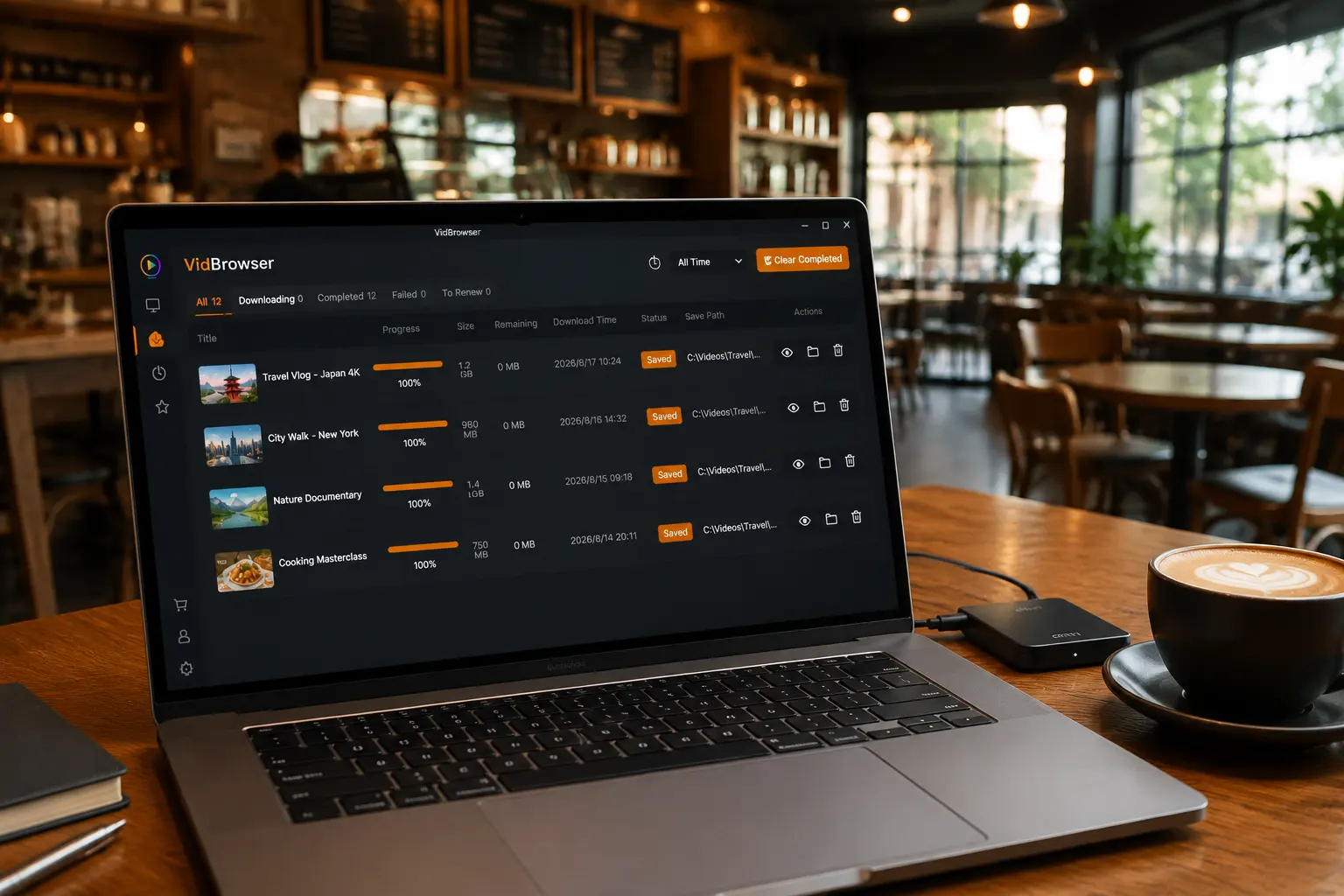
VidBrowser is a desktop video browser (Desktop Video Browser) for Windows and Mac — watch videos, capture clips and save them locally, with both download and recording built in. Installation takes only a few minutes.
Step 2: Open OnlyFans in VidBrowser and log in
Launch VidBrowser, go to onlyfans.com and log in with your own account. Your existing subscriptions and permissions work exactly as in a normal browser, and the VPN can keep running alongside.
Step 3: Play the video you want to save
Open subscribed content or an unlocked video and play a few seconds. VidBrowser automatically detects video resources on the page and, once it identifies a savable stream, lists it in the video library panel on the right.
Step 4: Use recording to save (first choice for protected content)
Videos on subscription platforms like OnlyFans are mostly copyright-protected, so ordinary download tools cannot grab them — VidBrowser's recording feature is the most reliable way to save: move your mouse over the video and the recording controls appear — choose the recording speed (1x real time, 2x or 4x to finish faster), click Record All to capture the entire video, and the record button on the left starts or pauses at any time. Anything that plays can be recorded.
If a video can be downloaded directly, the video library panel on the right also lists it with an orange Download button — one click saves it as MP4 (you can pick the resolution first).
Step 5: Find the file in the library
Once saved or recorded, open the file from your chosen folder, or find it through VidBrowser's download history. Then watch offline anytime with VLC, QuickTime and other players — a VPN protects the process of access, local files protect the content itself, and only together is privacy complete. (For account and billing protection, see our OnlyFans privacy and billing security guide.)
FAQ
Will using a VPN with OnlyFans get my account banned?
Not with normal use. Many users access subscription platforms through VPNs long-term; the platform's routine risk controls target abnormal behavior (account theft, bulk operations), not privacy protection. Stick to one stable node and avoid frequent cross-country switching that could trigger verification.
Are free VPNs usable?
Not recommended for daily use. According to repeated investigations by security research organizations, some free VPNs profit by selling user data, and a few have even bundled malicious code — using one for privacy hands your privacy over instead. Free options are only for temporary emergencies.
Does a VPN slow down video playback?
There is some loss (usually 10%-30%), a normal cost of encrypted transmission. Choose a well-reviewed paid plan with many nodes, and keep your node in a low-load region — streaming playback is basically unaffected.
Will saving an OnlyFans video notify the creator?
No. VidBrowser saves videos to your local device; from the platform's and the creator's perspective it is just normal viewing — no save records or notifications are sent, and neither your account nor your subscriptions are affected.


