
Fansly Payment Failed? From Card Type to Authorization Holds, a Full Checklist
You tap subscribe on Fansly, the card has money on it, yet the page throws up "payment declined" — in most cases that has nothing to do with your balance. When a Fansly payment keeps failing, check card type first, then address verification and authorization holds, and only then contact support. Go through the steps below in order and most declines can be fixed on your own.
The five-layer check: work out which layer said no
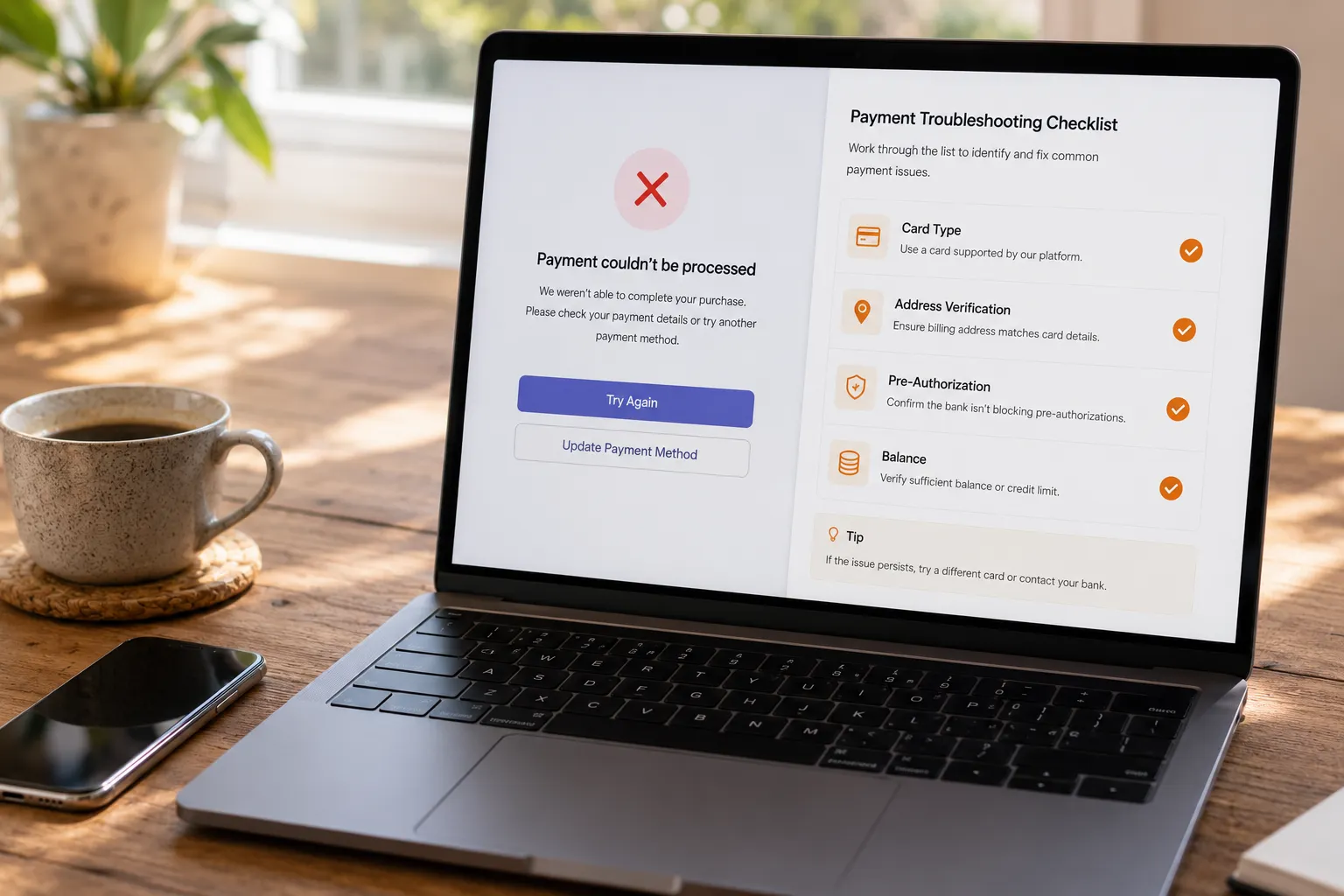
A subscription charge passes five independent checks: card type, address verification, 3D Secure, authorization hold and available balance — the official "accepted cards" list is only layer one. According to Fansly's official Accepted Payment Methods, the platform accepts most credit, debit and reloadable cards (Visa, Mastercard and Discover included), but being on the list doesn't guarantee the charge goes through: any single layer can stop it.
- Card type (BIN range): processors read the first 6-8 digits to identify the issuer and card type; some ranges are declined outright, before your balance is even checked;
- AVS address verification: the name, billing address and ZIP you enter must match what your bank has on file;
- 3D Secure verification: if you abandon the verification step your bank pops up, the transaction fails immediately;
- Authorization hold: the merchant freezes an amount before settling, and the hold isn't always equal to the sticker price;
- Available balance: money already tied up by older holds doesn't count as available.
Don't retry blindly — think about which layer is most likely: a brand-new card usually trips address verification, a freshly issued virtual card usually trips card type.
Fansly takes credit, debit and reloadable cards — one-time cards can't survive auto-renew
Subscriptions run on a "store the card, charge it every cycle" mechanism, so the card has to be a reloadable one you can keep using — even if a one-time card passes the first payment, it will be declined on renewal day. This is the most commonly overlooked rule: plenty of people pay month one with a temporary virtual card, then watch the subscription "mysteriously" lapse next month. The platform didn't charge wrongly — that card was designed to stop working before the next billing date.
The consequences of a failed renewal are more direct than you'd think: a failed renewal charge usually means the subscription is terminated outright — not paused until you top up — and resubscribing may not restore your original price. Two more common misconceptions while we're here: Fansly does not support PayPal, so stop hunting for it at checkout; and gift-card-like or single-use payment methods are fine for buying one piece of content, but they rarely survive a second billing cycle as a subscription.
Money on the card but still declined? Authorization holds and AVS are the two hidden reasons
The most common cause of "enough balance, still declined" is an authorization hold — the frozen amount can exceed the subscription price, so a card funded to the exact cent will fail. When a payment is authorized the merchant freezes the authorized amount first and settles days later; the money is untouchable in the meantime, and releasing a hold takes time too — until an old hold clears, new transactions get declined as well. Practical rule: keep $5–10 of headroom on the card instead of funding the exact price.
AVS is the other silent blocker: cards bought at a convenience store or spun up online often have no billing address registered at all, leaving verification with nothing to match. Most issuers let you add a registered address after the fact, and once it's on file, the card that "never works" often goes straight through. Enter it exactly as your issuer has it — not a single character different.
Payment went through? Save the content you paid for
Once the money has left your account, remember that subscription content lives on the platform and can change at any time — archiving the pieces you care about while your subscription is active is the safe move. Videos on subscription platforms like Fansly are mostly protected, so ordinary download tools can't grab them — VidBrowser's recording feature is the most reliable way to keep a copy.
Step 1: Install and open VidBrowser
VidBrowser is a desktop video browser for Windows and Mac with built-in download and recording. The free tier gives you 5 downloads a day and recordings up to 5 minutes each — you can keep using it without paying.
Step 2: Open Fansly in VidBrowser and sign in to your own account
Type the address in the URL bar and log in as usual — browsing feels exactly like a normal browser.
Step 3: Use recording to save (first choice for protected content)
Hover over the video and recording controls appear on top — pick a recording speed (1x real time, or 2x/4x to finish faster), hit "Record All" to capture the whole video, and use the record button on the left to start or pause at any time. Anything that plays can be recorded.
Step 4: For videos that can be downloaded directly, use the panel's download button
The "Video Media" panel on the right lists detected videos — pick a resolution, then hit the orange "Download" button to save as MP4; your download history stays in "History" on the left. Only save content you have permission to view, for personal keeping — don't redistribute or resell.
Don't retry in a row: what to do after risk controls kick in
Hammering the retry button after a failed payment can trigger temporary risk controls that decline even the cards that would have worked. Most payment systems behave the same way: a burst of failures in a short window looks like abnormal behavior, and further transactions get temporarily limited. The right move is to stop after two or three failures, wait half a day to a day, and finish your checks in the meantime.
While you wait, here's what to do:
- Try a different environment: clear the cache, use an incognito window, or switch browsers and devices;
- Call your bank: confirm it's not a block on their side, and that international online payments and 3D Secure are enabled on the card;
- If it still fails, contact Fansly support: the official help center explicitly recommends reaching out to them for card or payment issues — paste the exact error message from the page and it gets resolved faster.
OnlyFans users can reuse the same troubleshooting logic — details are covered in the site-wide guide on OnlyFans payment methods; and for when Fansly runs discounts or how a first-month offer saves you money, see the Fansly discounts and free trial guide.
FAQ
Does Fansly support PayPal?
No. Fansly officially accepts most credit, debit and reloadable cards (Visa, Mastercard, Discover and more); the platform has no PayPal integration and no direct crypto payments. For anything else, go through the official support team — and don't trust third-party "top-up" services.
Does Fansly automatically retry a failed renewal?
It usually retries within the billing cycle, but a failed retry means the subscription is terminated, and resubscribing may not restore the old price — don't count on "it'll fix itself next month." Failed renewals mostly come from expired cards, insufficient funds or holds eating the balance; keeping headroom on the card before renewal day is the simplest prevention.
Can you use virtual cards and prepaid cards on Fansly?
Depends: a reloadable virtual card from a legitimate issuer, with a registered billing address and 3D Secure enabled, can work; single-use temporary cards and prepaid cards with no registered address may fail AVS on the very first payment, let alone auto-renewal. One test: can this card be held long-term, topped up repeatedly, and charged on schedule?


