
How to Snag Fansly Discounts and Free Trials: Know Your Offers First
Seeing "limited-time 50% discount" on Fansly and impulsively subscribing, only to find the content at the discount price is far from what you imagined — this is a trap many subscribers have fallen into. According to Fansly's official Help Center, limited-time discounts and free trials are two separate subscription promotion tools in the creator dashboard, with different uses and different pitfalls. Those who know how to work the system spend half as much; those who do not waste money. The difference is not luck, it is knowing how to tell them apart.
This article explains how Fansly limited-time discounts and free trials work: where offers come from, when to strike, and how to spot real deals and avoid bait tactics in 2026. For the similar mechanism on OnlyFans, see our article on saving money on OnlyFans.
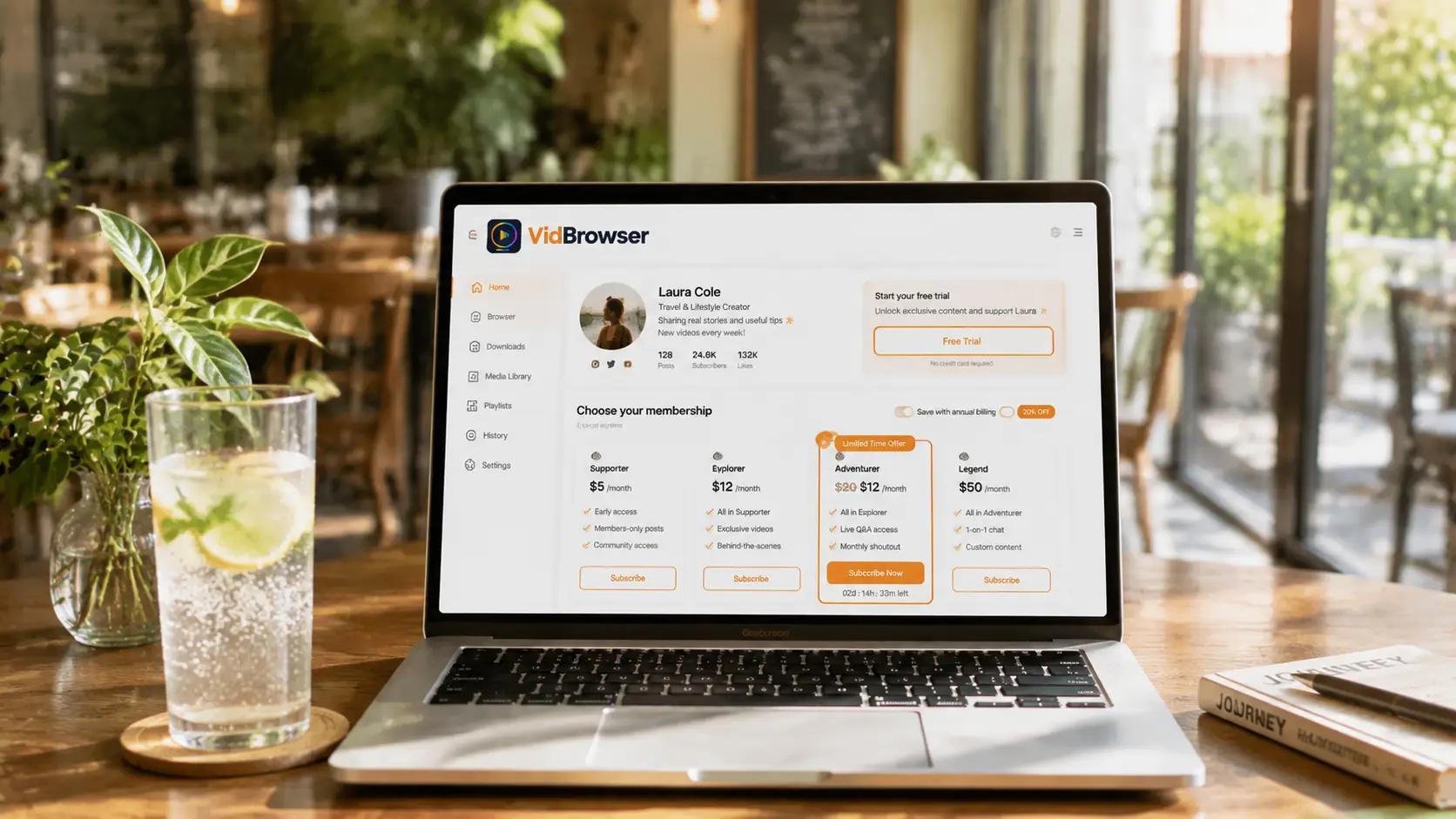
Fansly Discounts and Free Trials: Know the Two Offer Types
Fansly limited-time discounts and free trials are two separate tools; creators can use either one or both in the dashboard. The differences:
- Limited-time Discount: the creator discounts the subscription price of a tier for a set period (like "50% off for new subscribers"), then the price returns to normal — common for new account launches, milestone celebrations, and comeback promotions. According to Fansly's official Terms of Service, the discount price is set by the creator in the dashboard and reverts automatically when it expires.
- Free Trial: the creator issues trial access so you can subscribe to a tier free for a period (usually 3-7 days); when it ends it converts to paid automatically — used to let new fans "try before buying". According to Fansly's official Help Center, subscribers can disable auto-renewal in settings before the trial ends to avoid conversion charges.
One directly cuts the price, the other gives a free experience — different uses, different pitfalls. Because Fansly uses a multi-tier structure, discounts and trials often apply to only one tier — easier to misread than single-tier platforms. According to Fansly's public mechanics, creators can set offers for one tier or several at once; always check which tier an offer applies to before subscribing.
Quick comparison of the two offers
| Offer type | Typical duration | How it saves | Best for |
|---|---|---|---|
| Limited-time Discount | Creator-set (1-30 days common) | Tier subscription 30%-70% off | Long-term subscriptions, lower monthly cost |
| Free Trial | Usually 3-7 days | Free during the period, converts to paid | Try before buying, zero-cost testing |
How to Snag Limited-time Discounts: New Accounts and Milestones Are Golden
Fansly limited-time discounts hit hardest at three moments; subscribers should watch for the first two:
- New account launch: to build subscriber numbers and buzz, new creators often run big discounts in the first weeks — subscribing then is cheapest, and you watch the content grow from little to much. Based on observed platform mechanics, new account discounts typically range from 30% to 70%, set by the creator.
- Follower milestones: at 10k followers, anniversaries, and similar milestones, creators often discount everything to celebrate — follow their social accounts (X, Reddit) to catch these.
- Comeback promotion: creators returning after a break use discounts to pull back old fans.
An easy-to-miss detail: a Fansly discount may apply to only one tier (for example, only the $40 top tier gets 50% off while the $7 entry tier does not). Before subscribing, check which tier the discount applies to and what the discounted price is — do not get pulled in by the big "50% off" banner when the discounted tier is not the one you wanted.
According to Fansly's official rules, a discounted subscription is billed at the discount price and does not increase when the offer expires mid-subscription; it renews at full price when the subscription period ends. So "subscribe now, enjoy later" is the right way to work a discount — but watch the subscription length (1 month vs a longer plan) so renewal does not jump back to full price.
Free Trial Links: The Right Way to Test at Zero Cost
According to Fansly's official Help Center, a free trial is a limited-time free subscription set by the creator in the dashboard, giving full tier access during the trial. Use it in three steps:
- Find the link: creators often post free trial links on social accounts and limited-time events; some send trial access to longtime fans by DM. Per the platform's public notes, creators can set the trial link's validity period and applicable tier.
- Test: during the trial, focus on three things — content update frequency (decides if a long-term subscription is worth it), the quality of content behind the paywall (decides if your tier choice is right), and how well it matches your taste. Worth it? Convert. Not worth it? Let it lapse.
- Watch the expiration: the trial converts to a paid subscription automatically when it ends, so turn it off early if you do not want it — "free trial" turning into an auto-charge is the most common trap.
Filtering creators with free trials is far more reliable than watching previews and ads — you only know the content is good by trying it. Per Fansly's official mechanics, the platform emails a reminder 24-48 hours before the trial ends, and subscribers can turn off conversion in settings in advance. Decide as soon as you see the reminder; do not wait until the last day.
Spotting a "Real Deal" vs "Bait Tactics"
According to industry research (creator economy reports), roughly 30%-50% of limited-time discounts on subscription platforms are "raise the price first, then discount" bait. Three signals help you tell them apart:
- Check the pre-discount price: some "limited-time discounts" are just inflated original prices marked down, so the real price is about the same as usual. When you see a discount, convert to the real price first; do not only look at the percentage. A simple way to verify: check the creator's historical pricing on their profile or third-party price-trend sites, and compare whether the discounted price is really below the recent average.
- Check what the tier includes: if the discounted tier is just the entry tier (least content access), even a big discount may not be worth it — first confirm what the tier includes (for tier choice, see our Fansly multi-tier guide). Per Fansly's multi-tier mechanics, the $20 entry tier covers most content while the $40 top tier unlocks everything plus custom perks. If the discount only applies to the entry tier, the content access is very limited.
- Check the creator's posting habits: a creator who already rarely posts will only give you old content on discount — an offer cannot fill the gap of scarce content. Based on creator operation experience, discounts from creators posting 1-2+ times a week hold more value; discounts from monthly posters are basically inventory clearing.
In short: a discount means "buying cheaper", not "buying better" — whether the content itself is worth it always matters more than the discount number.
Quick check: three signals for real vs fake discounts
| Signal | Real deal | Bait tactic |
|---|---|---|
| Pre-discount price | Discounted price < recent average by 10%+ | Discounted price ≈ recent average (raised then cut) |
| Discounted tier | Higher tiers on sale ($20/$40 range) | Only the $7 entry tier |
| Creator updates | Weekly or more | Monthly or stopped (clearing stock) |
Snagged Deal Content Is Even More Worth Saving
Content subscribed at a discount or through a free trial should not just be watched and forgotten — most content on subscription platforms like Fansly is protected, and ordinary download tools cannot grab it; when creators delete posts, downgrade tiers, close accounts, or your subscription expires, content can disappear. Per Fansly's platform mechanics, creators can adjust tiers, delete content, and close accounts at any time; subscribers cannot control content longevity. Content bought at a discount is even more worth keeping a copy of early.
Saving with VidBrowser is simple:
Step 1: Download and install VidBrowser
VidBrowser is a desktop video browser for Windows and Mac to watch videos, capture clips, and save them locally, with both download and recording functions built in. Installation takes a few minutes.
Step 2: Open Fansly in VidBrowser and log in
Launch VidBrowser, visit fansly.com, and log in with your own account. Your current tier access looks exactly the same as in a regular browser.
Step 3: Play the video you want to save
Open a video your current tier can watch and play it for a few seconds. VidBrowser automatically detects video resources on the page in the background and lists recognized streams in the "Video Library" panel on the right.
Step 4: Save with the recording function (first choice for protected content)
Most videos on subscription platforms like Fansly are protected and cannot be grabbed by ordinary download tools; VidBrowser's recording function is the most reliable way to save them: move your mouse over the video and a recording control appears — choose the recording speed (1x real time, or 2x or 4x to finish faster), click "Record All" to record the whole video, and use the recording button on the left to start or pause anytime. Anything that can play can be recorded.
If the video can be downloaded directly, the "Video Library" panel on the right also lists items with an orange "Download" button — click it to save as MP4 (you can also pick the resolution first).
Step 5: Find the file in the library
After saving or recording, you can open the file from your chosen folder or find it in VidBrowser's download history. Then watch offline anytime with players like VLC or QuickTime, without depending on your account or subscription. (For the detailed Fansly saving process, see our Fansly video download guide.)
FAQ
Does a Fansly limited-time discount return to full price when it ends?
Yes. According to Fansly's official Terms of Service, a limited-time discount is a time-limited offer set by the creator in the dashboard, and the system restores the original price automatically when it expires. If you spot a discount from a creator you like, subscribing during the offer period is the best value.
Does a Fansly free trial auto-charge when it ends?
Yes. Per Fansly's official Help Center, an email reminder is sent 24-48 hours before the trial ends; subscribers can turn off conversion in settings in advance to avoid "free trial" becoming an auto-charge. If you do not want it, act before the trial ends.
How do I tell if a Fansly discount is a real deal?
Per industry data, roughly 30%-50% of limited-time discounts on subscription platforms are "raise then discount" bait. Check three things: the real pre-discount price (to avoid inflated prices), the content access of the discounted tier (avoid low-value tiers), and the creator's update frequency (an offer cannot fill the gap of scarce content).
Does saving Fansly videos notify the creator?
No. VidBrowser saves videos to your local device and sends no saving records to the platform or creators, and your account and current tier are unaffected.


