
Fansly Wallet: How to Top It Up, Spend It, and What Never Comes Back
Anyone who has topped up a Fansly wallet runs into the same two oddities, pointing in opposite directions: the balance is sitting right there, and yet a subscription still comes off the card; and when you want to pull out what you have not spent, you are told it stays on the platform. Both come from one rule — the wallet balance and the linked payment card are two independent paths, and which one gets used when is spelled out in detail in the terms almost nobody opens.
The Fansly wallet is prepaid funds, not a credit line
A Fansly wallet is money paid into the platform in advance, usable for subscriptions, pay-per-view (PPV) content and tips; it and your linked payment card are two paths that never touch each other. According to the Wallets section of the Fansly official Terms of Service, a user can "prepay funds into the wallet" to spend on subscriptions, PPV, tips and the like. It is a different thing from the earnings wallet in a creator's dashboard — that one takes money in and pays it out, and balances cannot be moved between the two.
The top-up entry point is the wallet balance icon in the top navigation; you can also add a payment method under Profile → Add Payment Method and then move money into the wallet. Cards dominate: credit, debit and reloadable. Cryptocurrency is mentioned in the terms but not promised — whether it is open, and for how long, is at the platform's own discretion, so do not treat any one coin as a dependable way to top up.
The advantage of prepaying is not just convenience: the money goes into the wallet first, and every purchase afterwards draws on the balance, so the only entry that appears on your card statement is the top-up — rather than one more line every time you subscribe to someone. For anyone who does not want a statement full of small charges, that is more practical than the saved hassle.
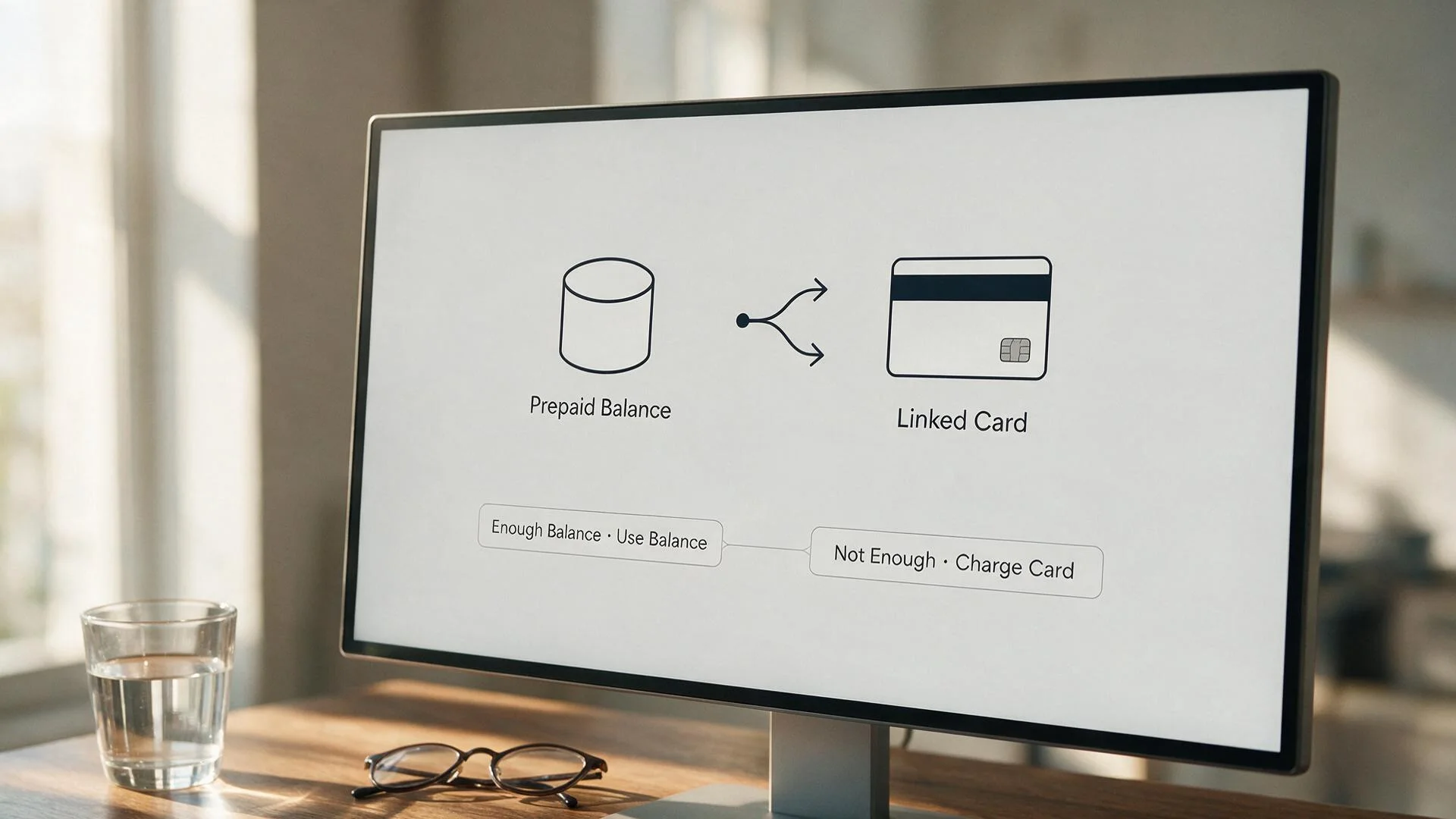
Fall short of that balance and the whole purchase goes on the card
A Fansly wallet cannot split a payment: the moment a purchase costs more than the balance, the entire amount is charged to the card and the balance sits there untouched. The terms put it plainly — you may not divide the cost of purchases between your wallet and traditional payment methods — and they state that when the cost exceeds the balance, the platform may take the full amount from the linked card.
The counter-intuitive result: a balance of $8 and an item costing $10 does not mean "take the balance, then put $2 on the card" — it means the $10 goes entirely on the card. For the balance to be of any use, it has to sit consistently higher than whatever you are buying, not "roughly enough".
Whether the balance is used comes down to the option you pick at checkout: when the balance covers the cost it can be deducted directly; for larger purchases such as a subscription or a bundle you have to actively choose the wallet balance in the payment method section of the checkout page, where the default is usually the card you have saved. One extra glance before paying saves you the reconciliation afterwards. An insufficient balance also means the purchase does not take effect and the content stays locked, and that side of the billing check is covered in troubleshooting Fansly videos that will not play.
Where refunds stop: three lines, and the second is the one people misread
Fansly draws three lines around wallet refunds: the top-up itself is not refundable, only the unspent part can possibly go back to the original card, and approved refunds for subscriptions and PPV come back as in-platform balance. The three come from different sources and cover different situations:
- The top-up is not refundable: the official refund article says it outright — "Wallet balance top-ups are final and non-refundable" — so once the money is in the wallet it is not a deposit you can withdraw at will
- Only the unspent part can go back to the card: the same page carries the key sentence for this line — where part of the wallet has already been used, only the remaining balance can be returned to the original card, and how quickly it lands depends on the payment processor. What has already been spent is not on this path
- Subscription and PPV refunds come back as balance: if a claim on content purchases is approved, what is returned is in-platform balance rather than the original card — a point where Fansly differs from OnlyFans and LoyalFans, and one that matters a great deal to anyone planning to leave for good. Tips count as voluntary payments, and the official position is that they are not refundable
If you do claim, the evidence matters more than the wording: find the order number for the transaction in the wallet's Transaction History (fansly.com/settings/payments) and submit it together with the date and amount — far more effective than writing "please refund this". A failed charge follows a different logic altogether; compare the order to work through a failed Fansly payment and first work out whether the problem is the card or the balance.
Leave it idle for 12 months and $5 comes out every month
An account that has not been logged into for 12 consecutive months is classed as inactive, after which $5 is taken from the account balance every month until the balance hits zero. This sits in the Inactive Status section of the Terms of Service, and the wording adds two more things: the charge comes only out of the balance already in the account and never goes on a credit card (even when the balance is already zero); and logging in at any point stops it, but what has already been taken is not returned.
For anyone in the habit of "top up once and spend it slowly", this is an easy exposure to overlook — the balance will not go back on its own, and left alone it gets shaved down month by month. The fix is simple: log in every so often and the charge never starts.
Whatever the balance buys, get it onto your own drive early
Whether you unlock with balance or subscribe with a card, what you get is viewing rights for the life of the subscription — the content is not yours, and it does not travel with the balance. Videos on platforms like Fansly are mostly copyright-protected, ordinary download tools cannot reach them, and screen recording often comes out black. Saving with the recording feature in VidBrowser is more dependable: move the mouse over the video and the recording controls appear on top — choose the recording speed (1x real time, or 2x and 4x to finish sooner), click "Record all" to capture the whole video, and the record button on the left starts or pauses whenever you like. Anything that plays can be recorded.
It takes only a few steps:
Step 1: Download and install VidBrowser
It is a desktop video browser with downloading and recording built in, available for Windows and Mac, and it is set up in a few minutes.
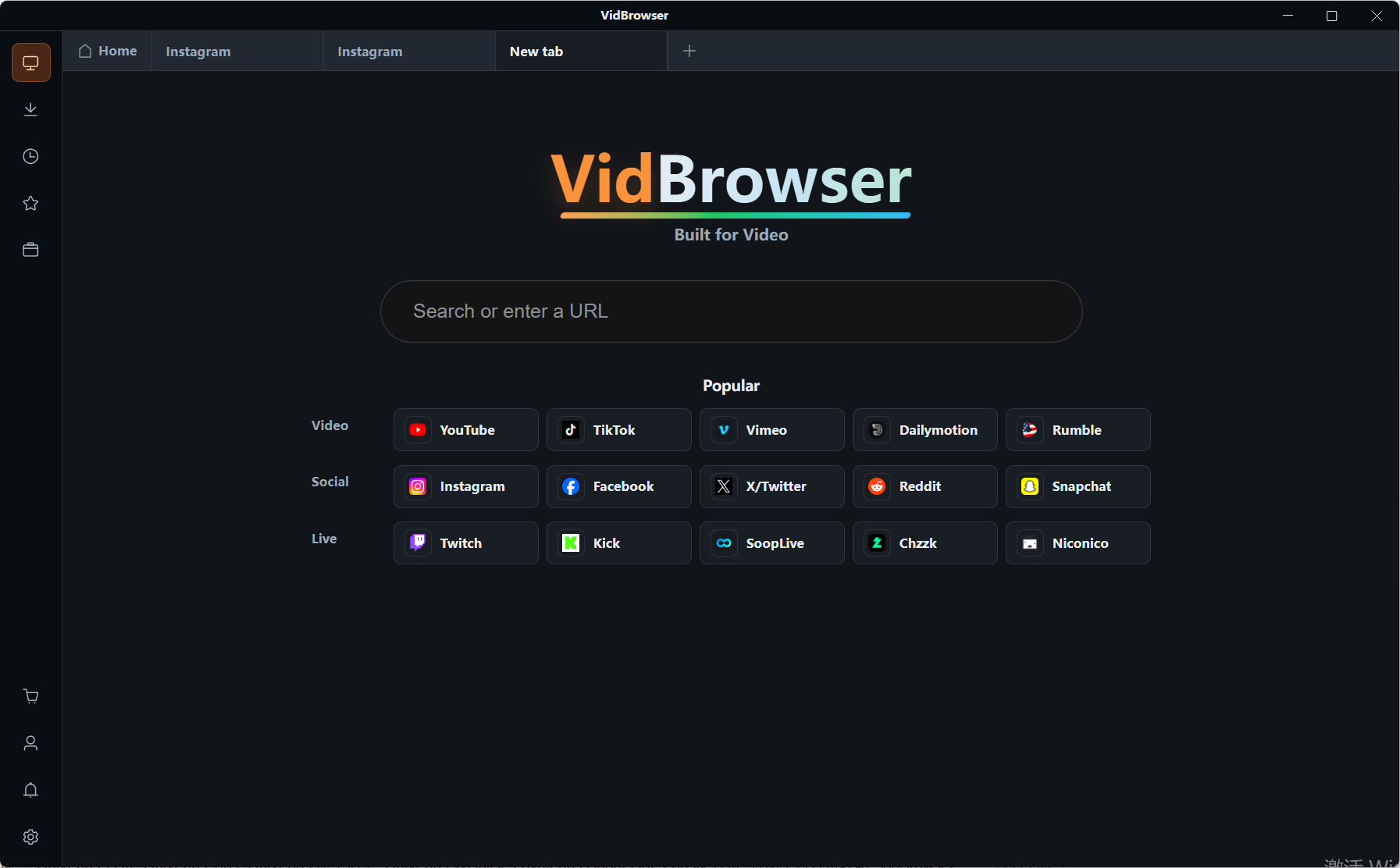
Step 2: Open Fansly in VidBrowser and log in
Log in the way you normally would and go to the page of a creator you subscribe to, or to the content page itself.
Step 3: Open the content you want to save and play it
A subscription post, paid content in a direct message, or a live replay — anything that plays can be saved.
Step 4: Save it with the recording feature (first choice for protected content)
For protected content, recording comes first. Entries that can be downloaded directly are also listed in the "Video Library" panel on the right, each with an orange "Download" button — one click saves it as MP4, and you can pick a resolution before downloading. The complete walkthrough is in the full method for saving Fansly videos.
FAQ
Can the money in a Fansly wallet be refunded?
The top-up itself cannot. Only the part you have not yet spent may, if a claim is approved, go back to the card by the original route, and how long that takes depends on the payment processor; amounts already spent fall outside the refund scope.
There is still a balance in the wallet, so why did payment go on the card?
Because Fansly does not allow one purchase to be split into "balance plus card". Once the total exceeds the balance, the whole amount goes on the card and the balance stays exactly as it was. For the balance to be used, it has to be higher than the price of what you are buying.
What happens to the balance if the account just sits unused?
12 consecutive months without a login marks the account inactive, after which $5 a month comes out of the balance until it is empty; the charge touches only the balance and never a credit card. One login during that time stops it, but what has already been taken is not returned.


