
Facebook "Save Video" Is Just a Bookmark? How to Actually Download to Local in 2026
You scroll Facebook and find a video you want — a tutorial, a live performance, a family gathering clip, or even a product demo. You tap “Save” and it goes into your collection; tap Download and there’s no such button on the web version; switch to the mobile app and only a few videos have a download option. When it comes to actually getting the file, Facebook is more convoluted than most platforms.
This article explains clearly what can and can’t be saved on Facebook: why “Save” isn’t a download, which videos can’t be downloaded at all, and the methods that actually work in 2026.
Facebook’s “Save” Isn’t Download — It’s Just a Bookmark
This is the most common mistake people make. Facebook’s “Save Video” feature is essentially adding to a collection, not downloading to your device:
- Saved videos can’t be watched offline — they still need a network connection.
- If the publisher deletes the video or their account, the saved content disappears with it.
- Collections are tied to your account — switch devices or deactivate your account and they’re gone.
So “I saved it” and “I downloaded it” are completely different things. The former is a bookmark; the latter is an actual file.
Which Facebook Videos Can Be Downloaded and Which Can’t
Whether a video can be downloaded mainly depends on its visibility and the publisher’s settings:
- Public videos: downloadable, provided the publisher has enabled the “Download” option (a download icon appears below the video on mobile).
- Friends-only or group videos: you can only save them if you can see them, but this type of content is more sensitive for both tools and platforms, and download paths are limited.
- Copyright-restricted content: live music, sports events, TV content, etc. — Facebook restricts extraction, and no tool can get a clean version.
- Reels and Watch: the process is the same as regular videos, but still subject to the three rules above.
A simple rule to remember: videos you can play normally and that the publisher allows to be downloaded are the ones you can get. Recognizing this first saves you a lot of wasted effort.
Common Download Methods and Why They Fail on Facebook
- Online download sites: Facebook’s video URL structure changes frequently; many parsing sites work today and die tomorrow, and even when they work you may get compressed quality. (For the common reasons download tools fail, see our video downloader not working guide.)
- Screen recording: recording re-captures the picture, degrading quality; live content requires keeping your machine running the whole time, and any network fluctuation causes stutter.
- Tools that demand authorization: tools that ask you to authorize your Facebook account or install a plugin expose your profile, friends, and messages — the risk far outweighs the benefit.
These methods all work from outside the player, but Facebook video content simply isn’t designed for downloading.
How to Get What Can Be Downloaded: Save the Video Stream Inside Your Browser
The idea is still the same: as long as a video plays normally in your browser, it can be saved.
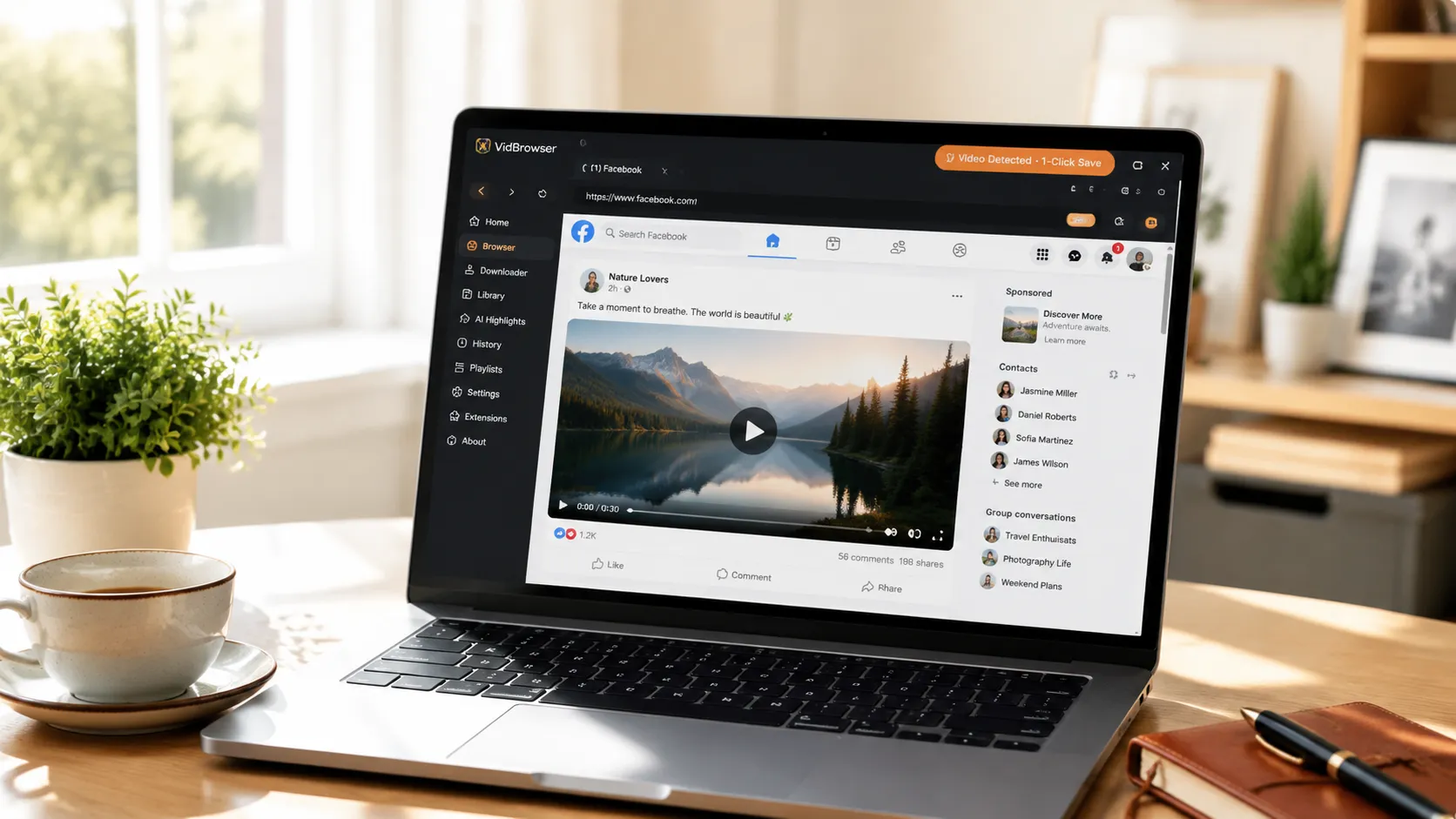
VidBrowser is a desktop browser designed for video, supporting Windows and Mac. Open facebook.com normally, log in with your account, and play the video you want to save. Once playback starts, an orange one-click save indicator appears in the top-right corner — click it and the video is saved as an MP4 file.
It takes just a few steps:
Step 1: Download and Install VidBrowser
VidBrowser is a desktop video browser for watching videos, trimming clips, and saving them locally on Windows and Mac. Installation takes just a few minutes.
Step 2: Open Facebook in VidBrowser and Log In
Launch VidBrowser, visit facebook.com, and log in with your own account as usual. After logging in, the browser remembers your credentials (you can also choose “remember password”), so you don’t have to re-enter them next time you open Facebook.
Step 3: Open the Video and Play It
Go to the post video or Reels you want to save and let it play for a few seconds. VidBrowser automatically detects video resources on the page in the background; once it identifies a savable video stream, it lists it in the “Video Library” panel on the right.
Step 4: Save from the Video Library on the Right
Once playback starts, the “Video Library” panel on the right lists all videos detected on the page, each with an orange “Download” button. Click the “Download” button of the video you want and it saves as an MP4 file containing the original stream, with no re-encoding.
Step 5: Find the File in Your Library
After saving, you can open the file from the folder you chose, or find it through VidBrowser’s download history. Then watch it offline anytime with compatible players like VLC or QuickTime.
It does nothing out of bounds: it saves the stream of the video you have permission to see and that is currently playing, at the same quality you see when playing, with no re-encoding. What you see on screen is what you get in the file. For Reels, timeline videos, and content in groups you’re part of that can be played, the process is exactly the same.
Two Bottom Lines Before You Download
The first is privacy. Only save content you personally have the right to access — public videos are fine; for friends-only or group videos you save, keep them strictly for personal use and don’t spread them.
The second is copyright. Videos on Facebook belong to their publishers. Personal offline saving is understandable; republishing, reposting, or commercial use is infringement. Save for yourself and respect the content creators.
FAQ
Why can’t I watch my “saved” Facebook videos offline?
Because “Save” bookmarks the video — it doesn’t download the file. It still depends on the network and on the original video existing; if the publisher deletes the video or deactivates their account, the saved content disappears too. To watch offline, you need to actually download the video as a file.
Can I download videos set to “friends only” by others?
It depends on whether you can normally see and play them in your account. As long as they play, saving is possible; but this type of content is more private — after downloading, keep it strictly for personal use and don’t share it.
Does downloading a Facebook video notify the publisher?
No. Facebook has no download notification mechanism. VidBrowser saves the video to your local device, sends no save records to the platform, and doesn’t affect your account.


