
LoyalFans PPV: Worth Buying or Not? Three Checks Before You Pay
You are scrolling on LoyalFans when a locked post catches your eye — the preview looks great, it is priced at $10, and opening it means paying separately. This is PPV (Pay-Per-View): money on top of your subscription. Most subscribers have been there — unlocking a post on impulse and regretting it, or ending up spending more on PPV in a month than on the subscription itself. So how do you buy PPV without wasting money?
This guide breaks down how LoyalFans PPV works, how to judge whether it is worth it, and how to avoid the traps — so in 2026 every unlock is money well spent.
What LoyalFans PPV Is: The Second Bill Beyond Your Subscription
The short answer: PPV is locked content billed separately from your subscription — it is not included, and opening it costs extra, making it the most common add-on expense on subscription platforms. On LoyalFans, PPV usually appears in three forms:
- Locked posts: posts with a lock icon in the feed — the preview is visible, the content is locked, and you pay per unlock.
- Paid DMs: paid content a creator sends through direct messages; you are charged on acceptance (or pay before viewing).
- Exclusive or custom content: content a creator makes for an individual fan, priced per item.
By the standard mechanics of subscription platforms, PPV pricing is set entirely by the creator — anywhere from a few dollars to dozens per post, with no platform-wide standard. The key thing to understand: your subscription buys access to regular posts, while PPV is the creator selling select content separately — neither includes the other.
Keep this structure in mind and judging whether something is worth it becomes simple: the subscription is a fixed cost, PPV is a variable cost — and the variable part is where budgets blow up.
Is a PPV Worth Buying: Three Hard Checks
Whether a PPV is worth it should not depend on how tempting the cover looks, but on three hard checks. Run through them before every unlock:
- Look at the quality of free posts: how often a creator posts for free, and at what production level, is the most reliable reference for paid quality — creators who are lazy with free content rarely deliver better behind the paywall.
- Do the subscription math: if a creator releases 2-3 PPVs a month at $10-15 each, your monthly PPV spending already exceeds the subscription price — subscribing (or upgrading a tier) is usually cheaper than buying one by one. For creators with few PPVs it is the opposite: the occasional single buy beats a month of subscribing.
- Check the content type is what you actually want: many PPVs are specific in style or theme, and may not be the kind of content you enjoy in the regular feed. Confirm it is what you want before unlocking — do not let the cover decide.
A PPV that passes all three checks, buy. Miss any one of them, leave it for two days — most impulses are gone by then.
Three Common PPV Mistakes
Most wasted PPV money is not because the content was bad — it is because three things got mixed up before buying:
- Mistake one: assuming a subscription includes everything. A subscription buys access to regular posts; locked content is always billed separately — that is the platform design, not creator stinginess. Budget only for the subscription and the month-end bill will overshoot.
- Mistake two: assuming unlocking means owning forever. Under standard subscription-platform rules, how long unlocked PPV content stays available depends on platform policy and creator settings — on some platforms access is tied to your subscription status, and content may become unviewable after you cancel. In other words, what you bought may be viewing rights for a period of time, not a permanent file. That is exactly why the saving section below matters.
- Mistake three: letting your guard down with paid DMs. Paid DMs are the easiest place to spend on impulse — the chat warms up and $20 is gone. Treat paid DMs exactly like post unlocks: run the three checks first, then decide whether to pay.
(PPV aside, subscriptions themselves have their own math — see our real breakdown of one month of OnlyFans costs; the budgeting logic applies just as well to LoyalFans.)
Controlling PPV Spending: Two Simple Habits
The danger of PPV is small amounts piling up relentlessly — two habits are enough to keep it in check:
- Set a monthly PPV allowance: say $20 at most per month, and check what is left before every unlock — when the allowance runs out, wait for next month. This one rule blocks 80% of impulse spending.
- Keep a purchased list: note what you unlocked (creator, date, price) and review it once a month — you will see clearly which purchases earned their keep and which were pure impulse, and your judgment sharpens month after month.
A real example: a subscriber with a $20 monthly PPV budget unlocks three $10 posts in one week — the allowance is gone instantly. The old habit says keep going, but with an allowance in place he waits for next month. At the month-end review, only one of the three posts got rewatched while two were barely opened — an allowance does not stop you from watching content; it pushes your budget toward the posts you actually want.
PPV You Already Paid For Deserves to Be Saved
PPV is money you spent beyond the subscription, and the easiest money to lose — access to unlocked content can vanish when a creator deletes a post, an account closes, or platform rules change. If you do not save it, you basically bought nothing.
Saving it with VidBrowser is simple:
Step 1: Download and install VidBrowser
VidBrowser is a desktop video browser (Desktop Video Browser) for Windows and Mac — watch videos, capture clips and save them locally, with both download and recording built in. Installation takes only a few minutes.
Step 2: Open LoyalFans in VidBrowser and log in
Launch VidBrowser, go to loyalfans.com and log in with your own account. The PPV content you have unlocked appears exactly as it does in a normal browser.
Step 3: Play the unlocked PPV video
Open the unlocked content and play a few seconds. VidBrowser automatically detects video resources on the page and, once it identifies a savable stream, lists it in the video library panel on the right.
Step 4: Use recording to save (first choice for protected content)
Videos on subscription platforms like LoyalFans are mostly copyright-protected, so ordinary download tools cannot grab them — VidBrowser's recording feature is the most reliable way to save: move your mouse over the video and the recording controls appear — choose the recording speed (1x real time, 2x or 4x to finish faster), click Record All to capture the entire video, and the record button on the left starts or pauses at any time. Anything that plays can be recorded.
If a video can be downloaded directly, the video library panel on the right also lists it with an orange Download button — one click saves it as MP4 (you can pick the resolution first).
Step 5: Find the file in the library
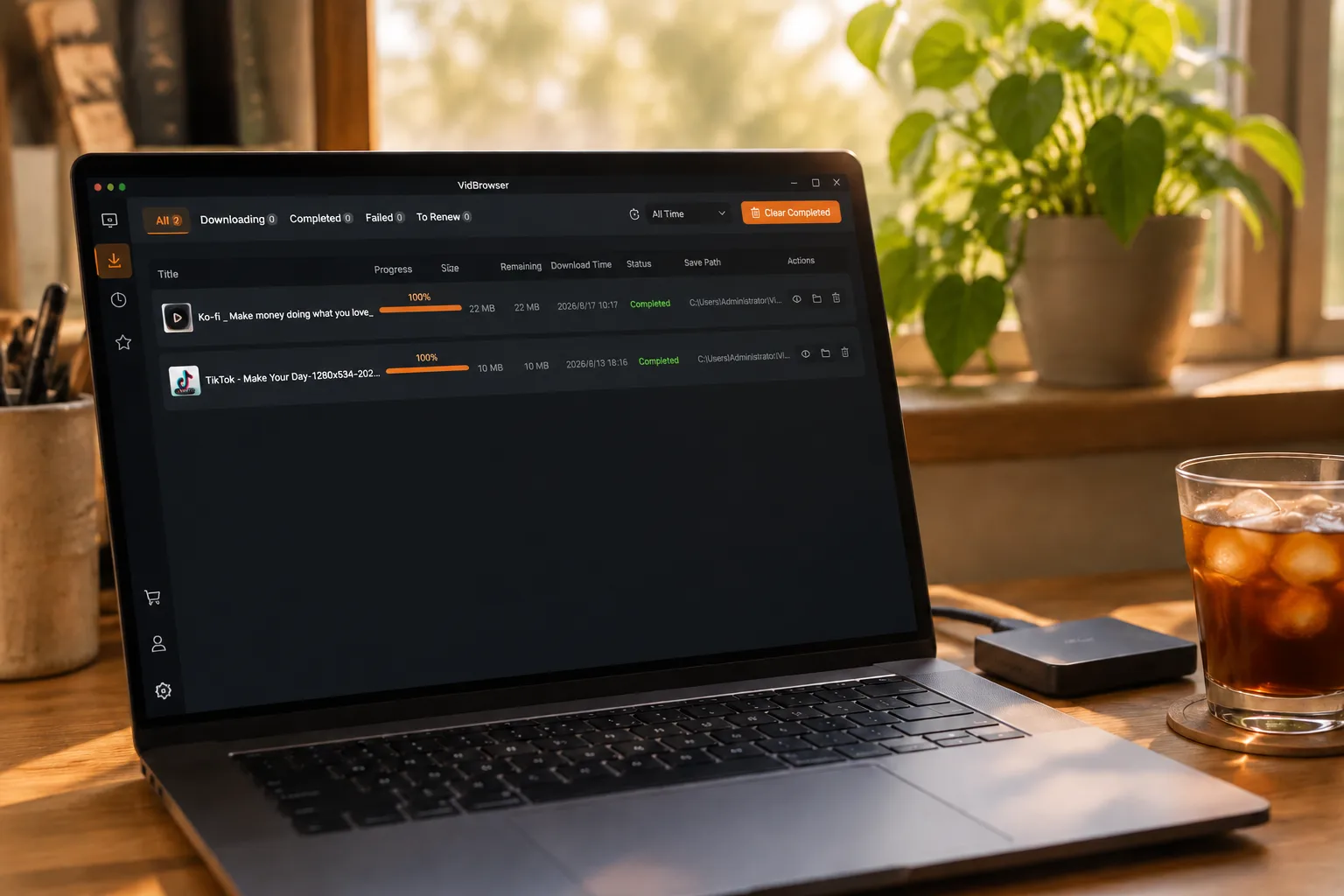
Once saved or recorded, open the file from your chosen folder, or find it through VidBrowser's download history. Then watch offline anytime with VLC, QuickTime and other players — the money is already spent; the saved file is the part that is truly yours.
FAQ
Does a LoyalFans subscription include PPV content?
No. PPV is locked content billed separately, and the subscription only covers access to regular posts. When you see a lock icon, expect to pay extra.
Does unlocked PPV content stay available forever?
It depends on platform rules and creator settings — on some subscription platforms access to unlocked content is tied to your subscription status, and it may become unviewable after you cancel. The safe move is to save it locally soon after unlocking; do not bet purchased content on long-term platform retention.
With PPV-heavy creators, is subscribing or buying singly better?
Do the math: if a creator releases 2-3 PPVs a month at $10-15 each, monthly PPV spending exceeds the subscription price — subscribing directly is the better deal. For creators with few PPVs, the occasional single buy beats a month of subscribing.
Will saving a PPV video notify the creator?
No. VidBrowser saves videos to your local device; from the platform's and the creator's perspective it is just normal viewing — no save records or notifications are sent, and your account is unaffected.


