
How Much Does OnlyFans Cost a Month? The Real Bill, Broken Down (2026)
The subscription fee doesn't look expensive, but the monthly bill ends up way beyond expectations—that's a real puzzle for many OnlyFans users. The subscription price is only a bit over $10, yet at month's end you find you've spent two or three times that: individually unlocked videos, quick tips, paid DM replies—all land on the same bill. Budgeting only by the subscription price is like looking at just the tip of the iceberg.
This article breaks down the real monthly cost of OnlyFans: where the money goes, what a real bill looks like, and how to keep monthly spending within budget in 2026.
The Real Monthly Cost of OnlyFans: More Than the Subscription Fee
Bottom line first: your monthly OnlyFans cost = subscription fee + PPV unlocks + tips + paid DMs, and the subscription fee is usually only about half of it.
- Subscription fee: set by the creator, commonly $5-$50/month, most in the $10-$20 range—the only "clearly priced" part, and the part people most often budget for alone.
- PPV unlocks: on top of the subscription, creators price some videos individually, from a few to tens of dollars, and you only see them after paying—the number one source of bill overruns.
- Tips: voluntary, any amount, and you might tip several times on one piece of content.
- Pay-to-Message: some creators charge for sending DMs or unlocking DM replies.
Add all four together and that's your real monthly spending. So "my OnlyFans cost" has no single answer—the difference mainly comes from how much you spend beyond the subscription.
Subscription, PPV, Tips: Where Exactly the Money Goes
The four spending types differ completely in controllability. First tell which is "fixed" and which is "impulse":
- Subscription fee (fixed): charged automatically each month unless you cancel. Each creator you subscribe to is one fixed expense—the only stable number in your budget.
- PPV (impulse-prone): every unlock is a separate charge, most easily driven by a "just this once" mindset, and over a month it often adds up to more than the subscription.
- Tips (optional but addictive): you tip when you're excited, small amounts but high frequency—money that slips away "without noticing".
- Paid DMs (low-frequency): usually triggered only when you really want to interact, small cost but entirely extra.
In one sentence: the subscription fee is what you can calculate in advance; the other three are the real roots of bill overruns. To control spending, focus on PPV and tips.
What a Real OnlyFans Monthly Bill Looks Like
Here's a typical example of how money piles up into an "overrun":
- 2 creator subscriptions: $12 + $15 = $27
- 3 PPV video unlocks: $8 + $12 + $15 = $35
- 2 tips: $5 + $5 = $10
- 1 paid DM: $5
- Total: $77/month
When this user made the budget, they only counted the $27 subscription fee. The real cost was almost 3x the budget—that's the price of only watching the subscription price.
(To judge whether the subscription itself is worth it, see our is OnlyFans worth it guide; this article only covers "how much" and "how to control".)
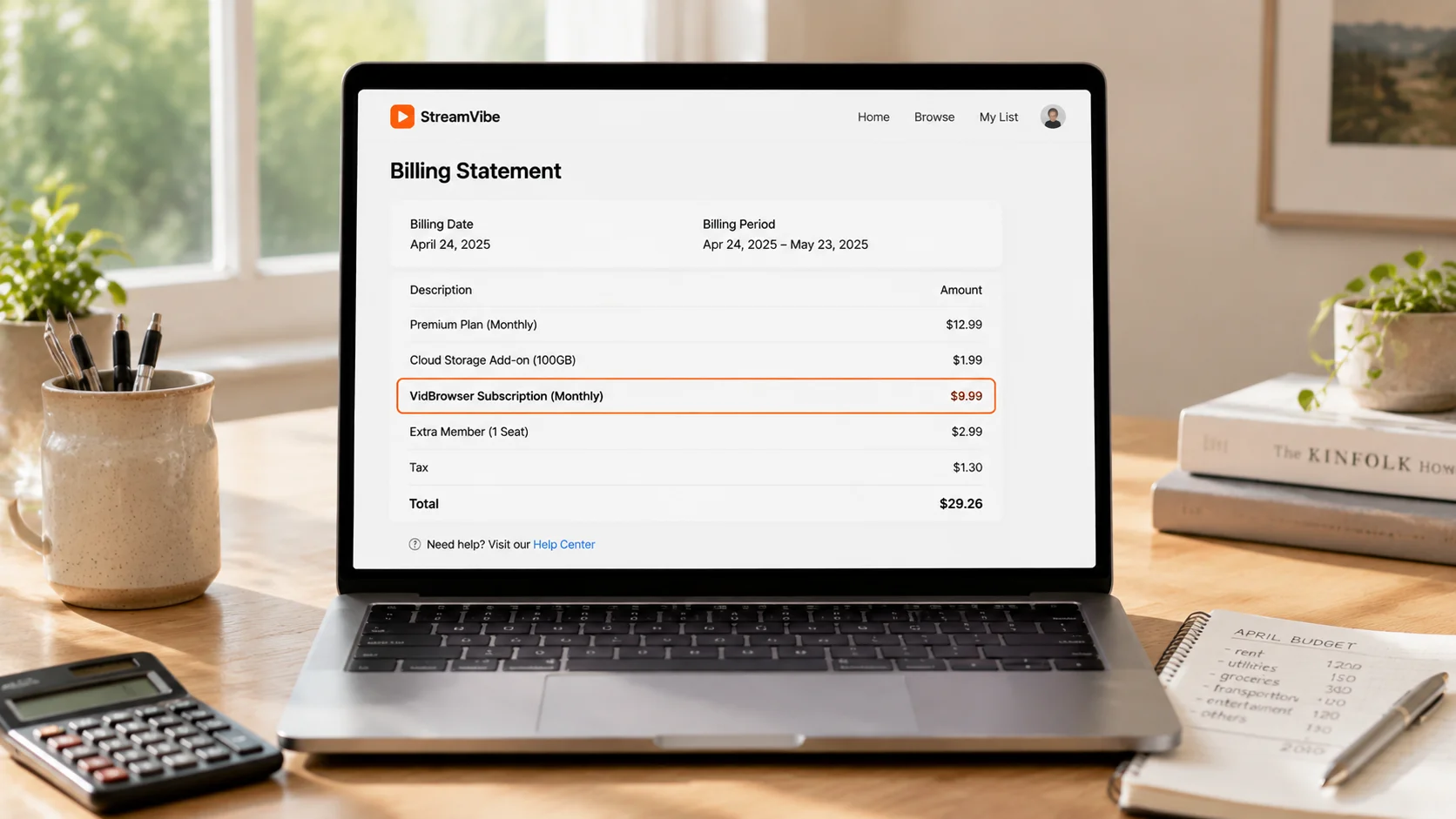
Four Ways to Keep Monthly Spending Under Control
Budget overruns mostly aren't about "subscribing to too much" but "not keeping count". Do these four in order for the best effect:
- Set a monthly cap first: decide "the most I'll spend on OnlyFans each month", say $30—subscriptions, PPV, and tips combined stay under it, and if you hit it, wait until next month.
- Only subscribe, skip PPV: the subscription shows most content; PPV is usually just incremental perks. Resist the "just one more" impulse and the bill shrinks by half.
- Trim your subscription list: most people subscribing to 5-6 creators don't have time to watch it all (for managing too many subscriptions, see our OnlyFans free vs paid subscription guide)—cut to the 2-3 most worthwhile; same quality, half the cost.
- Turn off auto-renewal and review regularly: disable auto-renewal, and before each month's renewal ask yourself "do I still want to see this this month?"—if not, let it go, instead of letting money quietly keep draining.
The core of budget control isn't "don't spend", it's "every charge is a conscious decision".
Content You Paid For Deserves Saving
After getting the budget under control, there's one thing more important than saving money: don't let the content you paid for disappear. Content on subscription platforms like OnlyFans is mostly copyright-protected and ordinary downloaders can't grab it; creator deletions, closed accounts, and expired subscriptions make your money evaporate—PPV and tips hurt most, and the pricier the content, the more worth keeping a copy early.
Saving with VidBrowser is simple:
Step 1: Download and install VidBrowser
VidBrowser is a desktop video browser for Windows and Mac: watch videos, capture clips, and save them locally, with built-in download and recording. Installation takes just a few minutes.
Step 2: Open OnlyFans in VidBrowser and sign in
Launch VidBrowser, visit onlyfans.com, and sign in with your own account. Your existing subscriptions and purchases work exactly as in a normal browser.
Step 3: Play the video you want to save
Open a subscribed post or an unlocked video and let it play for a few seconds. VidBrowser automatically detects video resources on the page and lists detected streams in the "Video Library" panel on the right.
Step 4: Save with the recording feature (first choice for protected content)
Most videos on subscription platforms like OnlyFans are copyright-protected and ordinary downloaders fail on them; VidBrowser's recording is the most reliable way to save: hover your mouse over the video and recording controls appear—pick a speed (1x real-time, or 2x/4x to finish faster), click "Record All" to capture the whole video, and the button on the left lets you start or pause anytime. Anything that plays can be recorded.
If a video can be downloaded directly, the "Video Library" panel lists it with an orange "Download" button—one click saves it as MP4 (you can also pick the resolution first).
Step 5: Find the file in your library
After saving or recording, open the file from your chosen folder or find it in VidBrowser's download history. Play it offline anytime with VLC, QuickTime, or any player—no account or subscription required. (For the full OnlyFans workflow, see our OnlyFans subscriber beginner's guide.)
FAQ
How much does OnlyFans typically cost per month?
It depends on usage. Subscribing only, without extra purchases, is usually $10-$40/month (1-3 creators); if you frequently unlock PPV and tip, $50-$100+/month is common. The difference mainly lies in spending beyond the subscription.
Is PPV an extra charge on top of the subscription?
Yes. PPV (pay-per-view content) is charged separately from the subscription fee—you pay to open it, and being a subscriber doesn't make it free. It's the biggest source of bill overruns.
How do I avoid an out-of-control OnlyFans bill?
Set a monthly cap first, then cut the impulse items: skip PPV, trim subscriptions to 2-3, and turn off auto-renewal for a monthly review. The core is making every charge a conscious decision instead of a habitual deduction.
Does saving OnlyFans videos notify creators?
No. VidBrowser saves videos to your local device and sends no save records to any platform or creator, and it doesn't affect your account or subscription.


