
Pay monthly or pay once? Ask how long you will actually use it
Software pricing pages usually show two buttons: "$9.95 per month, cancel anytime" and "$119 once, yours for good". Which one saves you money is not something you can read off the price tag — a subscription feels light spread over months, a one-time purchase feels heavy the day you pay. The answer lies not in the sticker but in how you use it.
A subscription and a one-time purchase are not buying the same thing
A subscription buys the right to use something for a period of time; a one-time purchase buys a long-term license to the current version — the two save money in completely different ways. Subscribing is like renting: pay for a month, use it for a month, lose access the day you stop paying, and switch whenever it stops fitting. Buying is like furniture: pay once and it stays yours, but once it is in your home, whether it still works for you is on you.
Use it briefly and the flexibility of subscribing is the saving — pay for three months and walk away, the loss stays capped. Use it for years and the low-frequency billing of buying is the saving — pay once and one line disappears from every monthly bill. The trouble is the middle ground: most people cannot say how long they will keep using it, and underestimate how fast they forget it.
Beyond the sticker price, a subscription hides three layers of cost
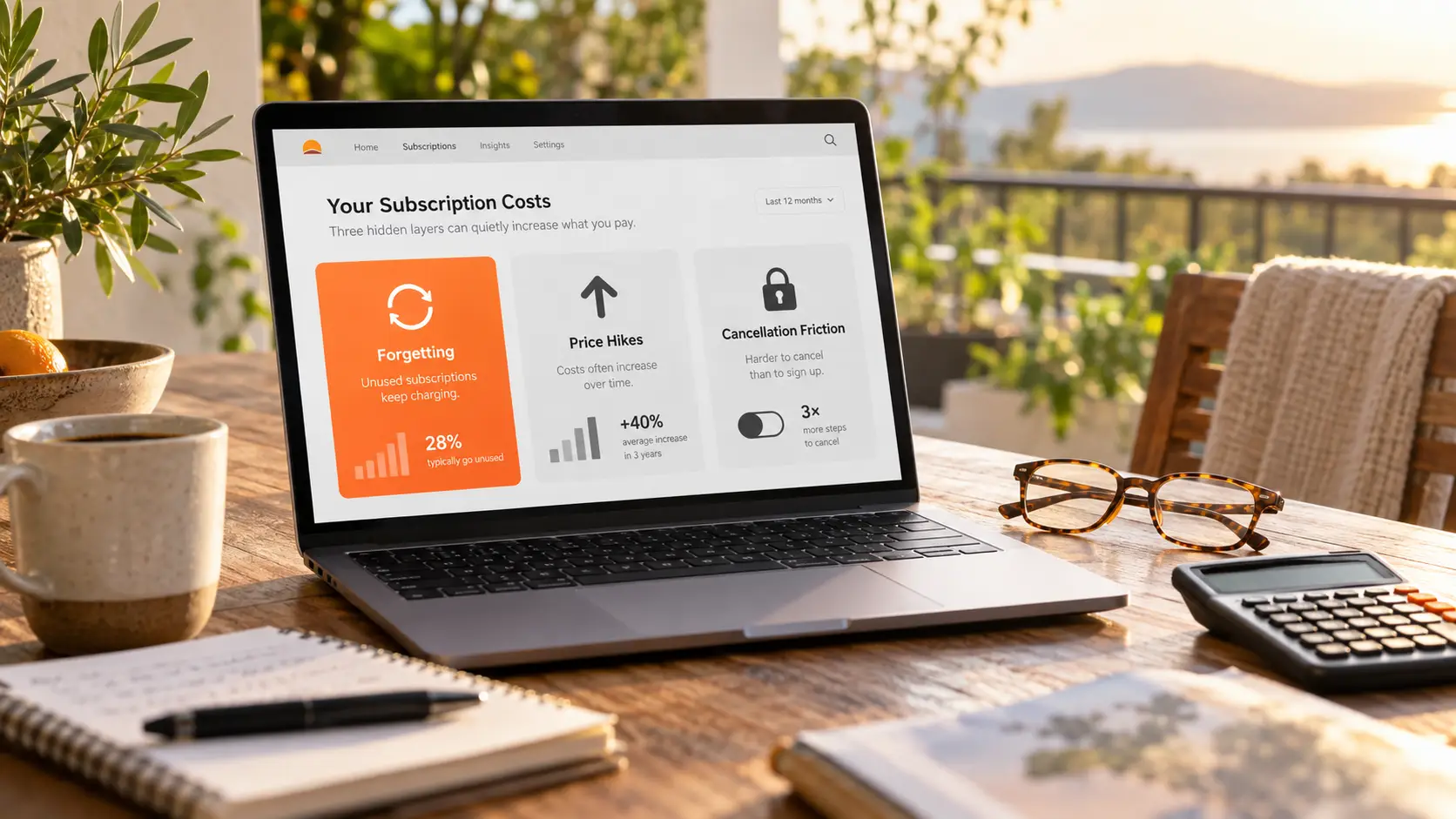
The real cost of a subscription runs well above the monthly number, and the gap hides in three places. The first layer is forgetting. A 2022 survey by C+R Research asked US consumers to estimate their monthly subscription spend — the average answer was $86; checked line by line against statements, the real average was $219, a 2.5x gap, and 42% admitted they were still paying for subscriptions they could not remember. West Monroe's survey is blunter: 89% of consumers underestimate their subscription spending. For how to dig out the forgotten ones, the multi-platform subscription management guide lays out a ledger plus periodic review.
The second layer is price hikes. A subscription price is not locked once signed — over the past two years streaming services and software have raised prices one after another, and existing users often meet the new price inside the billing notice. The third layer is cancellation friction. The US FTC finalized its "click to cancel" rule at the end of 2024, requiring unsubscribing to be as easy as subscribing; in July 2025 the Eighth Circuit Court of Appeals struck the rule down on procedural grounds. ROSCA, which governs automatic renewals, and state laws such as California's remain in force, and the FTC has restarted its rulemaking. Regulation keeps tightening, and the initiative is still in the user's hands.
A purchase is not unconditional: check license scope and company survival first
Two hidden premises sit beneath a purchase saving money: the license scope is written clearly enough, and the company behind the software lives long enough. License scope first: what you buy is the right to use the current version, and whether later updates are included — and up to which generation — makes a huge difference. Some lifetime licenses bundle basic updates; others lock the current version and charge separately for major upgrades. Also separate the software types: fully local software travels with its installer; software that leans on cloud services dies with the servers, and that kind of "lifetime" comes discounted.
On company survival, the downloader world has its cautionary tale: one lifetime-license tool stopped development and shut down, leaving users' licenses with nowhere to go. The dedicated clauses on update windows and expiry disclaimers are broken down in the tool-switching methodology guide — read through those four before buying lifetime software. The bigger backdrop is that selling out is getting rarer: in May 2013, Adobe announced CS6 would be the last perpetual-license release, and moved the whole line to Creative Cloud subscriptions. When you do meet a purchase with clear licensing and a dependable company, it is genuinely worth the math.
Do the payback math: one division plus two adjustments
Subscription or purchase compresses into one division: purchase price divided by monthly fee gives the payback months, then compare with how long you expect to use it. A $10 monthly fee and a $120 purchase set the payback point at 12 months; expect to use it beyond a year and buying wins, fall short of that and subscribing wins.
Do not skip the two adjustments. First, discount your usage forecast: software abandonment runs far higher than intuition suggests — plans that were "definitely going to get daily use" are rarely still open months later; multiplying the expected time by sixty or seventy percent before comparing is steadier. Second, subscriptions usually come with a free trial or a free tier and purchases do not — use the free quota to measure your real frequency first; that beats guessing against a price table.
The free tier is the third path: measure your real usage frequency first
A free-plus-paid quota combination covers the decision blind spot of "no idea how long I will use it". Take VidBrowser and its three plans: the free tier costs $0 with 3 saves per day; the Flagship plan is a subscription, billed monthly or yearly, unlocking unlimited saves and batch work; the Lifetime plan is one payment, unlocked for good. Run the free tier for a week or two: two or three saves a week may be all you need; if you are on it daily, then do the payback math between subscribing and buying.
The itemized account of the three plans — what yearly billing comes to per month, after how many years buying wins — is broken down in the plan comparison guide, so it is not repeated here. One addition: go by the prices shown on the official checkout page at the time, since promotional prices change — the method of judging does not.
Once the payment model is set, get both saving routes working
After the payment model is settled, get the saving pipeline working first — that is what makes the money well spent. Four steps:
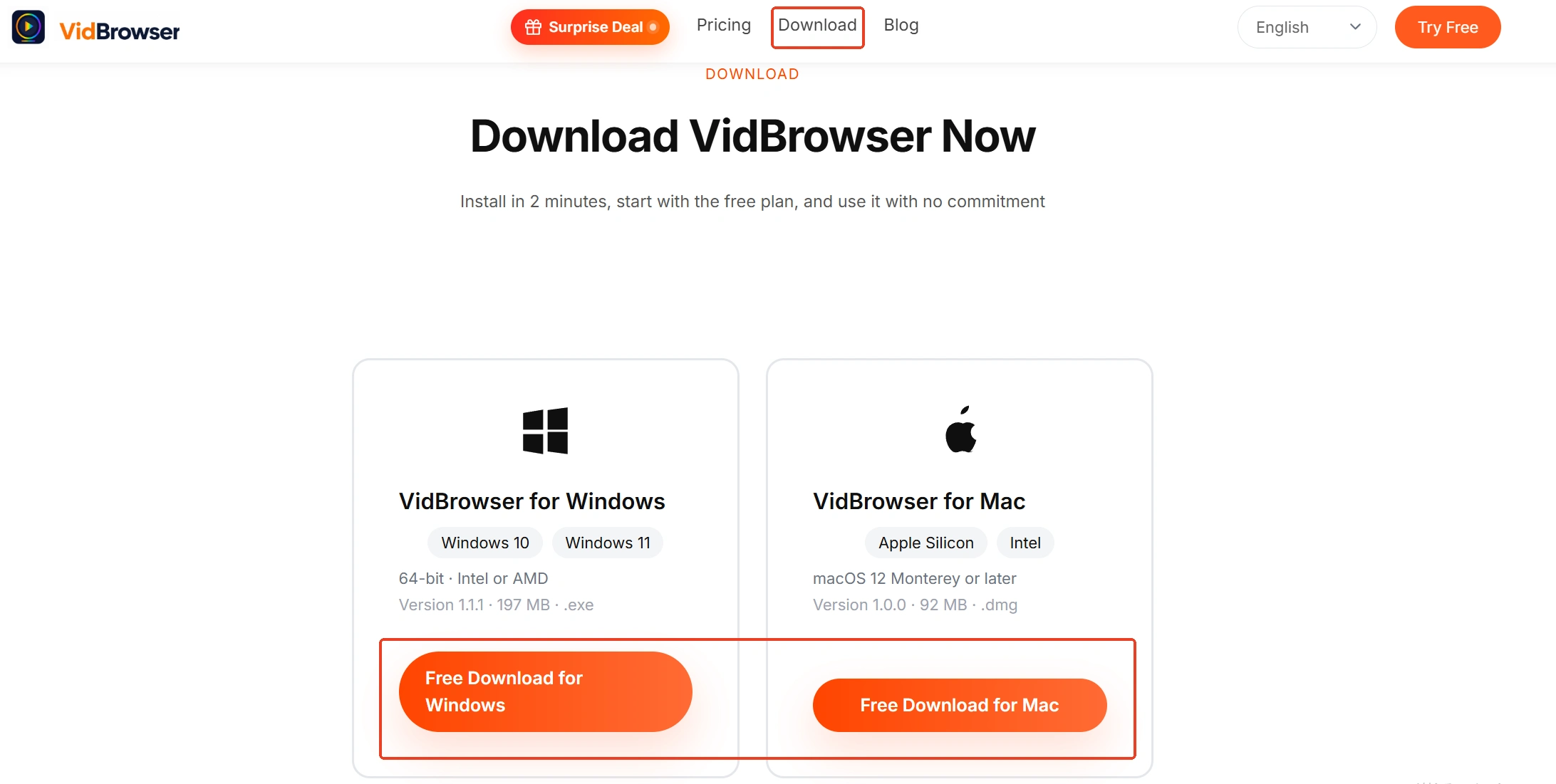
Step 1: Download and install VidBrowser
VidBrowser is a desktop video browser for Windows and Mac that plays videos, trims clips and saves them locally, with download and recording built in — installation takes a few minutes.
Step 2: Use the free quota to measure your real frequency
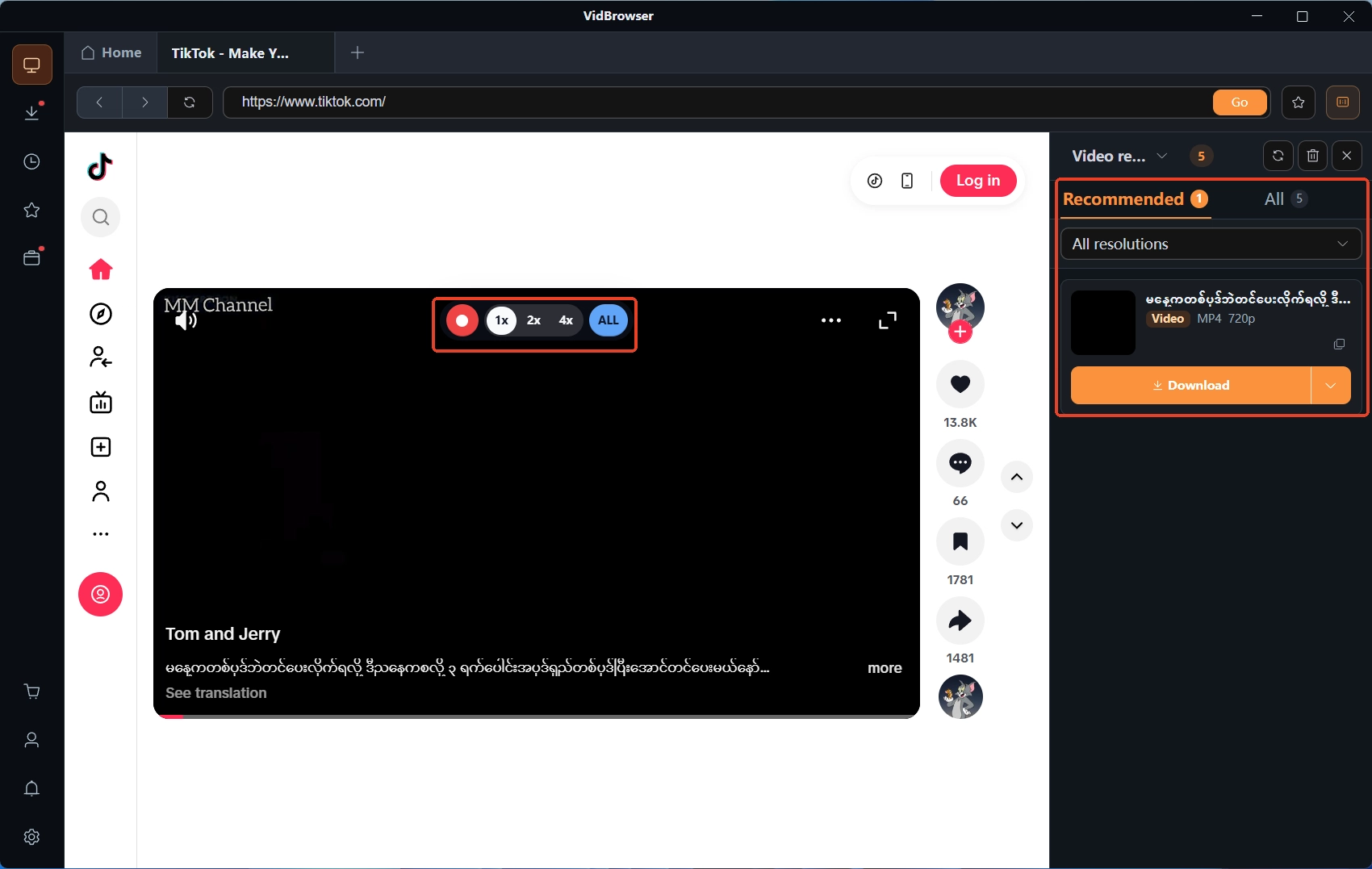
Open a video page you visit often; the video library panel on the right lists the detected video resources. The free tier allows 3 saves a day — exactly enough to see how many times a week you actually save.
Step 3: Save direct downloads with the orange button
Every item in the video library carries an orange download button; click it to save as MP4. To pick the quality, choose in the resolution filter first, then download.
Step 4: Save protected content with recording
For content ordinary download tools cannot grab, move the mouse over the picture and the recording controls overlay appears: pick a recording speed (1x real time, 2x or 4x to finish faster), press record-all for the whole video, with the pause button on the left. Everything is logged in the download history on the left — this whole pipeline can be fully verified before you pay anything.
FAQ
I forgot to cancel — can I get the charged money back?
Most services bill per cycle, and what has already been charged is usually not refunded; cancelling takes effect on the next cycle. For a recent charge you can appeal to platform support or your card issuer — whether it comes back depends on their policies.
Does a lifetime license include future major updates?
Read the terms: some bundle basic updates, with major upgrades billed separately; where the purchase page is vague, get written confirmation from support before paying.
If the free tier is enough, is paying still necessary?
Let frequency decide: two or three light uses a week is very likely covered by the free quota; paid tiers start saving you money once batch tasks or higher concurrency enter the picture.


