
Video Downloader Comparison 2026: Pros and Cons of Five Tool Types, Explained Once
Want to download a video? Search it on any search engine and dozens of "video downloaders" pop up: online download sites, free software, browser extensions, screen recorders... all with flashy names and overhyped ads. Pick the wrong tool and you get low quality, failed parsing, or an error halfway through — a whole afternoon wasted. More tools aren't better; what matters is choosing the right type.
This article explains video download tools by category: what each of the five types can do, where they fall short, and how to pick by use case in 2026.
There Are Really Only Five Types of Video Download Tools
Don't let dozens of brands dizzy you — at heart, they all fall into one of these five types:
- Online download sites: paste a video link into a webpage and it parses it. No install, no download — fine for the occasional public video.
- Desktop download software: local programs (including command-line tools like yt-dlp). Powerful and batch-capable, but they need installation and setup, and many platforms aren't supported.
- Browser extensions: plugins that live in your browser — click to download while watching. Convenient, but many cost money, demand permissions, or break often.
- Screen recorders: record whatever is on your screen — they can "capture" anything, but quality drops, everything is manual, and special content records as a black screen.
- Video browsers: a browser in itself — you watch and save videos in one place, no extra plugins needed, broad platform support. The all-in-one approach that's popular these years.
Every type has a reason to exist and an obvious weakness — what matters is what content you're downloading.
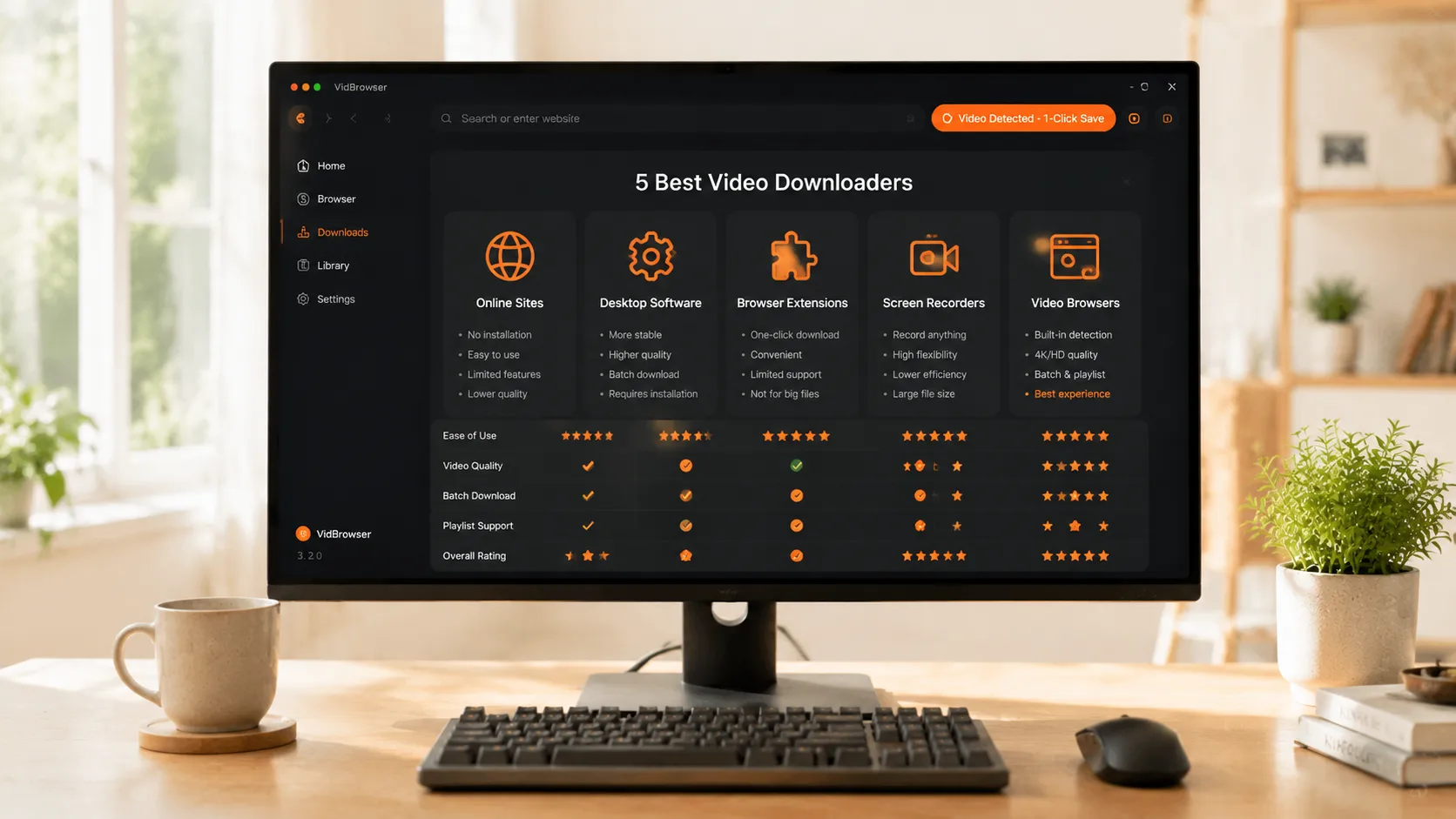
Five Dimensions to See Through the Differences
Five dimensions are enough to judge whether a tool is worth using:
- Parsing success rate: can it reliably identify video addresses? Online sites and extensions do okay on popular platforms (like YouTube) but often fail on niche ones (for common reasons download tools stop working, see our what to do when a video downloader stops working).
- Special content capability: can it handle login-only, region-locked, or paid content? Most tools stop here — only video browsers cover it with "if you can play it, you can save it".
- Batch capability: can it process multiple videos or playlists at once? Desktop software and some video browsers can; online sites basically go one by one.
- Security: does it need account login or unknown plugins? Tools demanding permissions are the riskiest — you're handing over your account data.
- Quality preservation: can it get the original quality? Online sites often give compressed versions, and recording loses a lot.
Cross-reference these five dimensions and the right use case for each tool becomes clear.
Pick by Use Case, Don't Walk One Path to the End
- Occasionally downloading a public video or two: an online download site is enough — paste the link, click, done.
- Batch-downloading playlists: desktop software or a video browser with batch support fits better — queue them all at once.
- Saving live streams: a live stream is a real-time stream and can only be saved by recording — other tools can't touch it.
- Special content (login/region/paid): only video browsers can handle it — provided you can play it normally.
- Original quality required: a video browser lists the versions and lets you choose — no sneaky compression.
Figure out which scenario your need falls into first, then pick the tool — the efficiency difference is severalfold.
Why the Video Browser Is the All-Purpose Safety Net
If you only install one tool, a video browser is the most balanced choice. Video browsers like VidBrowser put "watch" and "save" in the same software: it's a full browser, you open any platform and play normally, videos are detected and listed automatically — click the orange download button for regular content, and use the recording feature as a fallback for special content (for how record-and-download works, see our guide to record-and-download).
It goes against the old model of "install a pile of download tools": no extra extensions, no command line, no hunting for a platform-specific tool — one piece of software covers most download scenarios.
Three Misconceptions to Avoid
- Free online sites = a free ride? Online sites need servers to parse; many "free" ones either cap quality, run ads, or even push you into authorizing — don't hand over your account to save a step.
- yt-dlp = all-powerful? It's genuinely powerful, but it only works on some platforms, can't touch special content, and the command-line setup is unfriendly to regular users.
- More tools = more stable? Quite the opposite — more tools means more mess: each supports different platforms and formats, and when something breaks you don't know who to blame. One tool that covers most scenarios beats ten half-baked ones.
FAQ
Are free online download sites safe?
They can be used, but don't use them carelessly. Some online sites push you into authorizing accounts, installing plugins, or hide parsing tasks in ads. Fine for the occasional public video; for anything involving account login, use reputable software.
Why can't yt-dlp download some videos?
yt-dlp depends on updates for each platform's adaptation. Popular platforms are well supported, but niche platforms and special content (login, region, paid) often break when updates lag. It's a command-line tool with a setup barrier too.
Do I need to install many tools?
No. Pick one or two by use case: an online site for the occasional download, a video browser for complex needs — one piece of software covers public videos, batches, and special content, and it's far less hassle.


