Why Do Some Creators Only Post on Fansly and Not OnlyFans? 2026 Subscriber Guide
You search for a creator's account on OnlyFans and find nothing; you click the link on their social profile and it lands on Fansly — a platform you've heard of but never really used. Your first reaction is usually suspicion: Fansly only, no OnlyFans — is that even legit? In reality, more and more creators are "Fansly only" in recent years. It's not an accident; it's a deliberate choice a growing group of creators are making.
This article explains why creators choose Fansly over OnlyFans, and how, as a subscriber, to judge whether a "Fansly-only" creator is worth following.
First, Get This Straight: Creators "Choose" Fansly, They Don't "Have to" Use It
Many subscribers have a misconception: they think OnlyFans is the "main platform" and everything else is a "fallback," and that creators who only post on a fallback are probably struggling. The reality is the opposite — Fansly hosts plenty of high-quality creators who deliberately chose to make Fansly their main platform.
The tell is simple: look at how the creator promotes themselves on other social platforms. If they only link Fansly on X (Twitter) and Instagram and update consistently over the long term, Fansly is their operating home base, not a temporary stop. Creators don't gamble with their livelihood — if they chose Fansly, they have reasons that make sense to them.
Four Real Reasons Creators Choose Fansly
- More lenient content policy: Fansly's content restrictions are more open than OnlyFans'. Content that's hard to post on OnlyFans or easily flagged as violating rules can be posted normally on Fansly. For creators, this directly determines "what they can post."
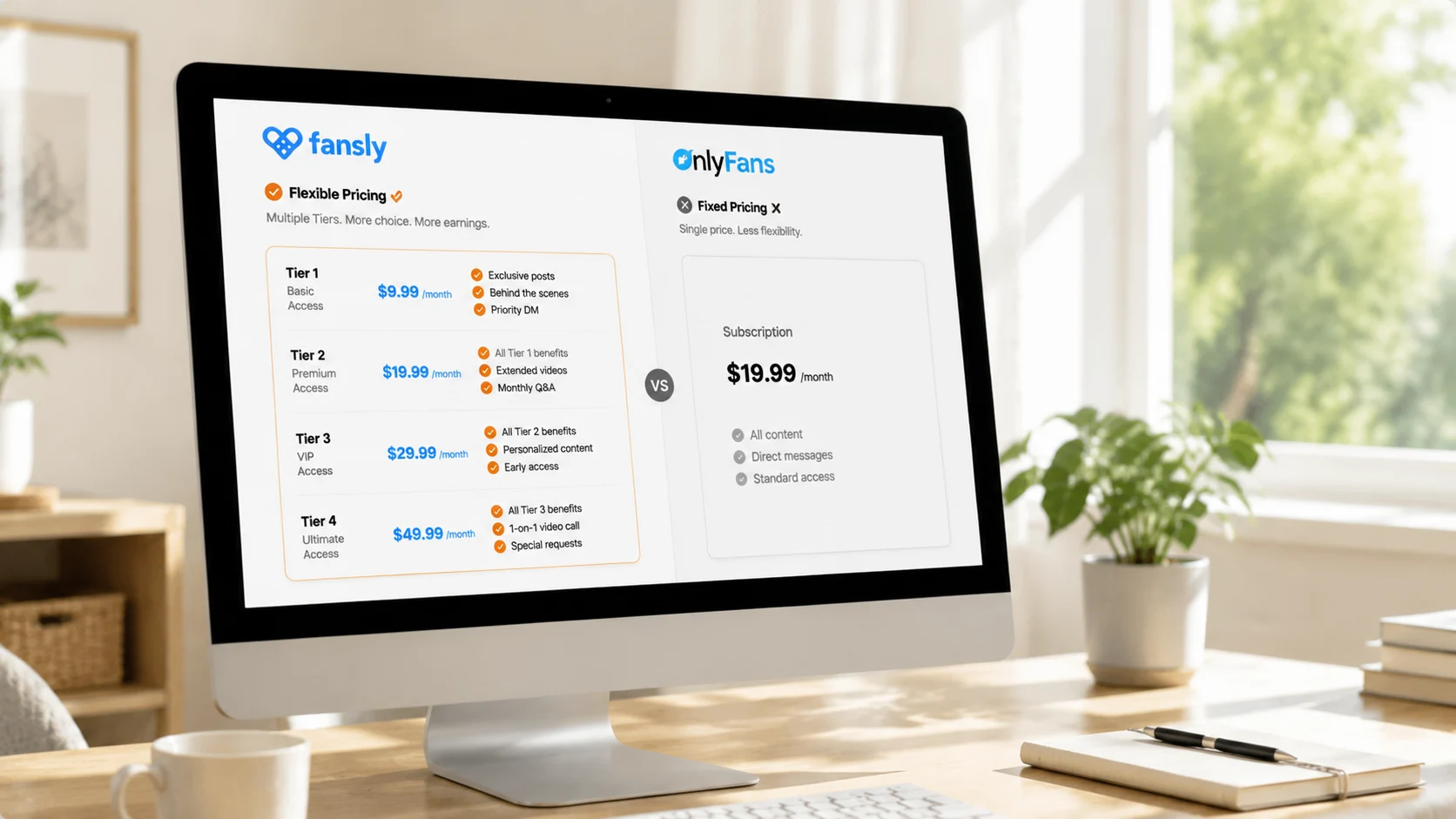
- More flexible multi-tier monetization: Fansly supports tiered subscriptions (low tier from $7, high tier $40 for everything), letting creators serve fans of different value separately — loyal fans pay more, casual fans pay less, and overall income is actually higher.
- Better on-platform discovery: Fansly has real search, category browsing, and recommendation mechanisms, so creators don't rely entirely on external traffic to be found by new fans — totally different from platforms where "you can only pull people through outside social accounts."
- Escaping big-platform policy risk: OnlyFans briefly announced banning adult content in 2021 and then reversed it, leaving many creators wary. Fansly absorbed a wave of creators migrating during that policy turmoil (for the differences between Fansly and OnlyFans, see our LoyalFans vs Fansly comparison), so choosing it carries a "more stable" consideration in itself.
In one line: Fansly gives creators "a more lenient content space + a more flexible income structure + better chances of being discovered" — real advantages for people who make a living from content.
How to Judge Whether a "Fansly-Only" Creator Is Reliable
Before following, run through these signals — they matter far more than "whether they have an OnlyFans":
- Posting frequency: is the profile updated consistently recently? An account that's been silent for months isn't worth subscribing to, no matter the platform.
- Free content quality: Fansly creators usually showcase their content level through free posts — check the free part first to judge whether the paywalled content is worth it.
- Social platform activity: a creator's daily activity and fan engagement on X/Instagram reflect, from the side, whether they're running things seriously.
- Subscription reviews and engagement: comment sections and fan interaction are more honest than any promotion.
Reliability has never been about "which platform" but about "whether the creator runs things seriously and produces content consistently."
When Subscribing on Fansly, Watch These Points
Fansly's subscription mechanics are broadly similar to OnlyFans (free/paid accounts, auto-renewal, separate PPV charges all work alike — to judge which is better value, free or paid, see our OnlyFans free vs paid subscription guide), but there's one Fansly-specific thing to note:
On tier selection: Fansly is a multi-tier subscription, so don't jump straight to the highest tier. Start with a mid or low tier and see whether the content is worth upgrading — many creators' high tiers only add a few extra perks that may not matter to you. Picking the wrong tier and overpaying is the most common mistake among Fansly beginners.
Save the Content You Like
Like OnlyFans, Fansly content only exists on the platform: creators may delete posts, adjust tiers, or close their account, and content can disappear at any time. For videos you genuinely love and want to rewatch, saving them locally is the most reliable approach.
Using VidBrowser is simple:
Step 1: Download and install VidBrowser
VidBrowser is a desktop video browser for watching videos, capturing clips, and saving them locally on Windows and Mac, with built-in download and recording features. Installation takes just a few minutes.
Step 2: Open Fansly in VidBrowser and log in
Launch VidBrowser, go to fansly.com, and log in with your own account. Your existing subscriptions and permissions work exactly the same as in a regular browser.
Step 3: Play the video you want to save
Open the video and let it play for a few seconds. VidBrowser automatically detects video resources on the page in the background and, once it finds a savable video stream, lists it in the "Video Library" panel on the right.
Step 4: Download or record — two ways to save
The "Video Library" panel on the right lists all detected videos, each with an orange "Download" button — click to save as MP4. You can also choose a resolution before downloading: higher for quality, lower to save space.
If you run into content that can't be downloaded (some protected content, special content that fails to parse), use the recording feature as a fallback: hover over the video and recording controls appear — choose a recording speed (1x real-time, 2x or 4x to finish faster), click "Record All" to record the whole video, and the button on the left starts or pauses anytime. Anything that can play can be recorded.
Step 5: Find the file in your library
After saving or recording, you can open the file from the folder you chose or find it in VidBrowser's download history. Then watch offline anytime with players like VLC or QuickTime, without depending on your account or subscription status.
FAQ
Are creators who only post on Fansly less high-quality than OnlyFans creators?
No. Platform choice reflects a creator's content strategy, not content quality. Fansly's lenient content policy, multi-tier subscriptions, and better discovery make some creators run it seriously as their main platform. Judge content quality by posting frequency and free content, not by the platform name.
Is it normal that I can't find a creator on OnlyFans?
Yes. Many creators only run Fansly (or LoyalFans, JustForFans, and other platforms) and never open an OnlyFans account. Follow the links on the creator's social profile and you'll find their real home base.
Is the highest Fansly tier always better?
Not necessarily. High tiers usually just unlock a few extra pieces of content or perks. Starting from a mid or low tier and deciding whether to upgrade after seeing the content is cheaper than buying the top tier right away.