
How to find a full esports match VOD: the complete search-and-save guide
You want to rewatch yesterday's match, so you search the team name — and the front page is wall-to-wall highlight cuts of a few minutes each. Esports replays don't live in one place, and that is the biggest difference from ordinary videos. From the moment a match starts it settles into several channels at once: one copy sits on the official event site's schedule, one is archived by the organizer's channel, and another belongs to streamers who picked up co-broadcast rights. To find the full game, knowing which layer it lives on beats cycling through keywords.
Where can you watch esports replays? The four main sources first
A full match VOD usually lives on one of four layers: the official event site, the organizer's official channel, co-streamer channels, and regional channels split by language. Each layer keeps content under its own rules, and how long a copy survives differs too. If what you want is a five-second solo kill or a signature play, that path is a different one — the piece on official clips and community cut channels already covered it; this one is about the full game.
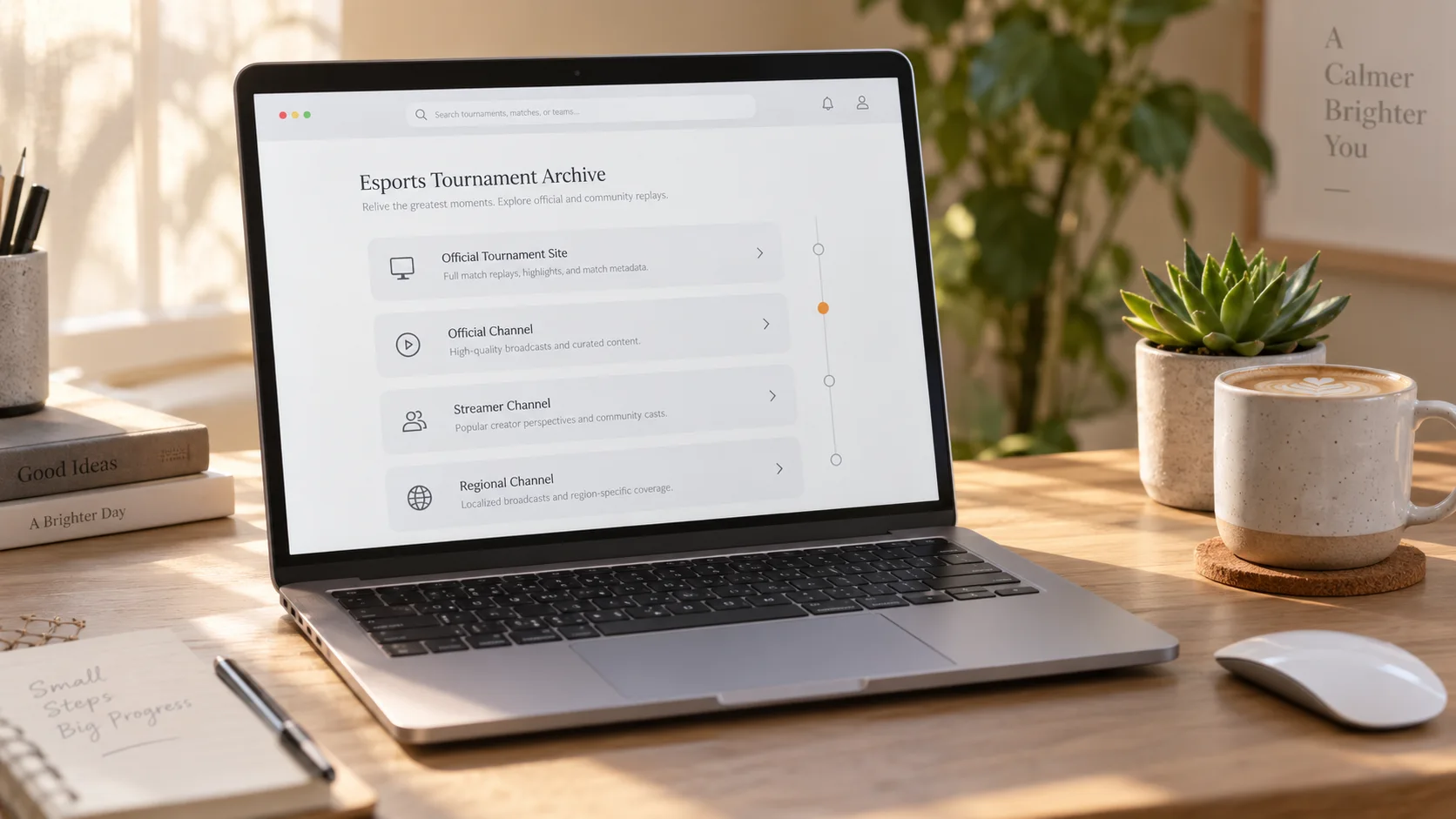
How do you find a full match replay on official event sites?
The first stop is the official event site: the schedule is grouped by date, and finished matches get a VOD entry one by one. Take the official website of the League of Legends esports circuit — its front page is the schedule, grouped into Today and Yesterday, with scores sitting right in the grid and a VOD link beside them; the official Valorant esports site uses the same structure. Finding the match by its date beats searching the whole web by team name.
One detail to watch for: on both schedule pages you will see cells where the score is recorded but no VOD entry is offered — the organizers do not keep a replay for every finished match. When you hit one of those, stop refreshing the schedule and go to the organizer's channel archive, covered in the next section.
Official channels versus co-streamer replays — what's the difference?
The footage is the same match; what differs is who archives it and who casts it: official channels keep the long-term archive, while a co-streamer's replay lives on the streamer's own channel, each governed by its own rules. The organizer's official channels on the major platforms archive the full broadcast, and one event often has several official channels split by language — look for the verified badge when you search. Each year the circuit also authorizes a group of streamers to co-broadcast with their own commentary, and those replays land on the streamer's channel, with retention tied to the streamer's account — the three Twitch retention tiers are broken down in the VOD saving guide.
Event streams on YouTube deserve an extra note: the auto archive that appears after a live stream follows its own rules, and extra-long streams are not guaranteed to be kept — the ways a replay can disappear are listed in the piece on saving YouTube Gaming replays.
Can't find an esports replay? Try these two search moves
First, search the combination of event name, team names and date; second, go back to the official schedule panel and locate the match by date. Search a team name alone and the front page is almost entirely fan-made content — the ones with the team in the title, a few minutes long, with subtitles and background music, are highlight cuts, not the original game. A real VOD is easy to recognize: its length matches the actual game, thirty or forty minutes at the minimum. Combine these two moves with the four-layer ownership from the first section — place the layer first, then search — and you can lock onto that match in two minutes.
How long do esports replays stay up? How do you keep one from expiring?
There is no single answer to how long a replay survives: it depends on each platform's retention policy, the event organizer's arrangements and the channel owner's settings, so don't carry one platform's experience over to another. Archive videos on organizer channels usually stay up longer, but they get tidied up as event cycles turn; co-stream replays follow the streamer's account and vanish when the timer runs out. Bookmarking a link is not the same as saving the video — matches with no VOD entry on the schedule and past events taken down in a cleanup are beyond what any bookmark folder can rescue. When you have decided to keep a match, turn it into a local file while access lasts; that beats remembering to "watch it later". Co-streamer lineups change every season, and the channel that cast for you this season may not be here next season.
How do you download and save a full esports match VOD?
Most public replays can be downloaded directly, but whether you can and what format you get depends on each platform's page settings and the video source; in some cases recording is the fallback:
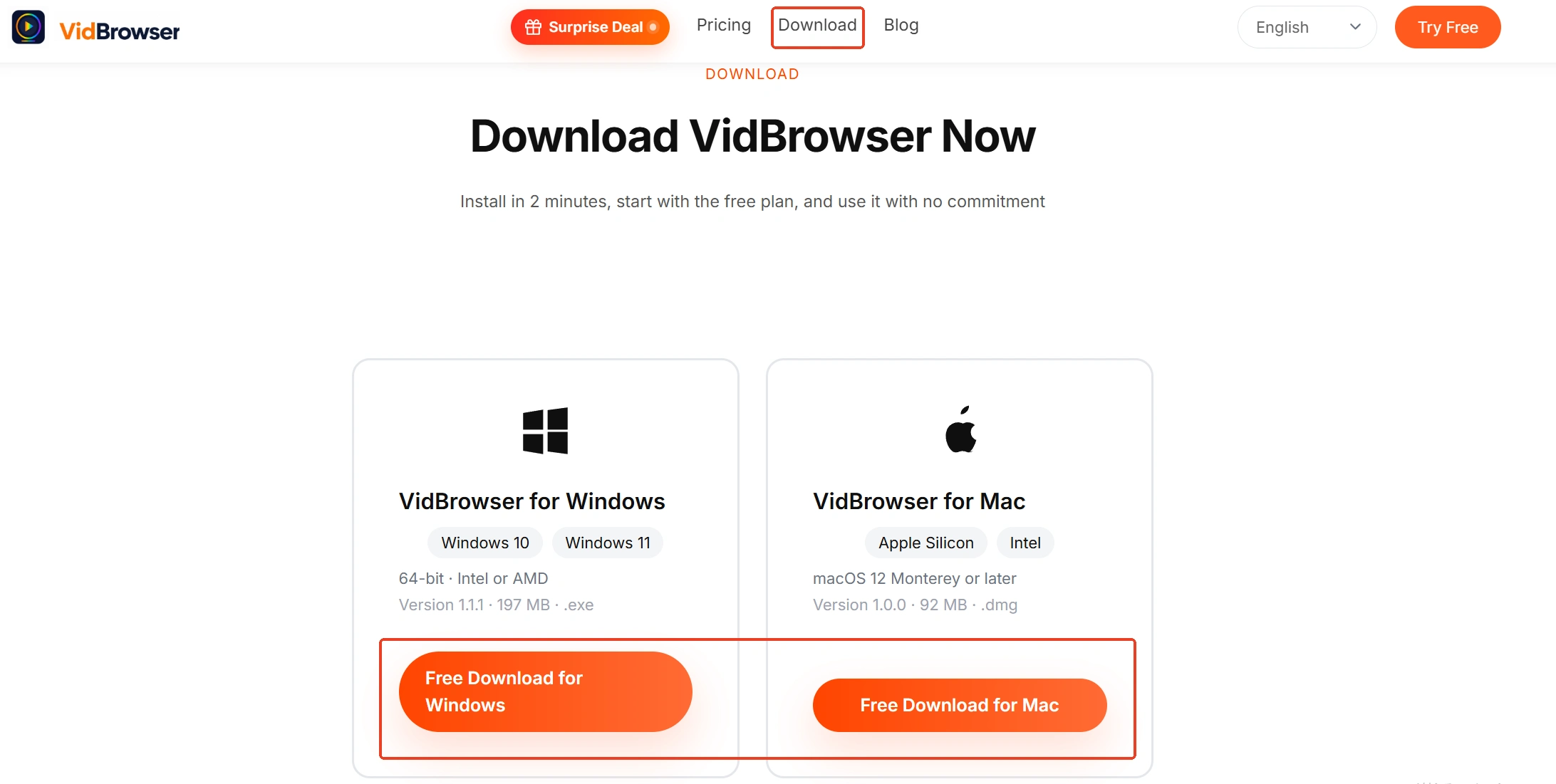
Step 1: Download and install VidBrowser
VidBrowser is a desktop video browser for Windows and Mac built for watching and saving videos, with downloading and recording on board — installation takes a few minutes.
Step 2: Open the replay page in VidBrowser
Type the address of the VOD page on the official event site, or of the replay inside a channel, into the address bar. Public replays usually need no account; if a platform requires a login or restricts a match by region, open it first in an environment where you have access.
Step 3: Download straight from the video media library
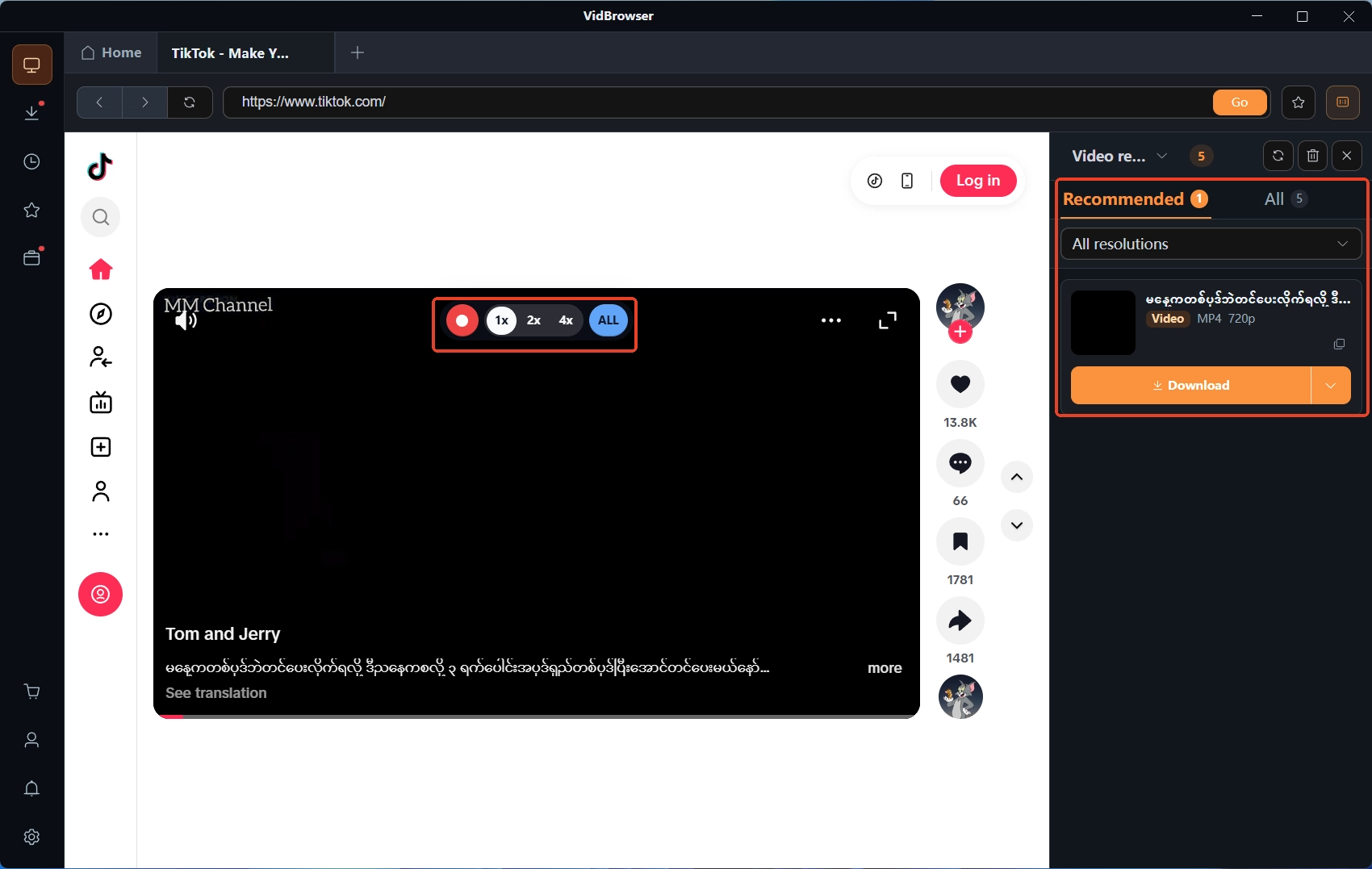
Once the replay starts playing, the video media library panel on the right lists the detected items, each with an orange download button — click it to save as MP4; to control the file size, pick a tier in the resolution filter before downloading.
Step 4: Switch to recording when a download won't move
Some replay pages are protected content, or the page offers no video stream you can download directly; when the download button won't respond, fall back to recording: move the mouse over the video and the recording controls appear, pick a recording speed (1x real time, or 2x and 4x to finish faster), click record-all to capture from start to finish, and the record button on the left can pause at any time. Afterwards, check the download history under the clock icon in the left navigation — file name, size and save location are all listed.
Esports replay FAQ
Why do some matches on the official schedule have no replay to open?
Both event sites have schedule cells where the match finished but no VOD link is attached — the organizers do not keep an entry for every match. Try the fallbacks in order: the organizer's official channel archive, the regional channels split by language, and the channels of streamers who held co-broadcast rights — at least one place still has the match.
How is a co-streamer's replay different from the official archive?
The footage is the same match; the difference is the commentary: language, camera view and whether ads are inserted are all up to the streamer, and some cut the halftime break into a shorter version. For the complete game, the official archive is the baseline; co-stream versions suit moments when you want a particular caster.
The match is live right now and I want to keep the whole thing — what do I do?
That is a different workflow for a live event, and the approach is nothing like hunting a replay after the fact: a live stream has no file you can wait for, so you have to save it as it plays. How to save a Twitch stream while it is live is covered in the piece on saving Twitch live streams — follow the same route.


