
Fansly geo-blocked? How it differs from LoyalFans, explained
You open a Fansly link a creator posted on X and the page tells you it is not available in your region; switch to LoyalFans in the same browser and everything loads fine. Same connection, same machine, two completely different outcomes — and behind it sits a fact most people never notice: Fansly has two sources of regional restriction, while LoyalFans normally has only one.
Fansly's regional blocks come in two layers; LoyalFans has only one
There are two completely different reasons Fansly will not open: one is a geo-block a creator set in their own dashboard, the other is a blanket block at the platform or local regulatory level. LoyalFans's mechanism is simpler — it only has the creator layer (that breakdown lives in the LoyalFans geoblocking guide).
The first layer is the same on both platforms: Fansly lets a creator hide their page by country or region, a feature that went live back in 2020. So on the same platform, with different creators, you can open A and be shut out of B — that is not a fault.
The second layer is what this article is about: Fansly gets blocked wholesale in some countries, with nothing to do with any individual creator. No personal setting can switch this off — changing creator, changing browser, clearing your cache all do nothing, because the block happens before the data ever reaches the platform.
Keeping the two layers apart is genuinely useful: if it is the first, there is little you can do but the direction is clear; if it is the second, agonising over your own account is pure wasted time.
Four mechanical differences between Fansly and LoyalFans
Short answer first: on "who can block, how granularly, why, and who gets caught up in it", the two platforms do not answer the same way. Point by point:
- Where the block comes from: LoyalFans blocks come only from a creator's own settings; Fansly, beyond creator settings, also sees platform- or regulator-level blanket restrictions.
- Who runs it: Fansly is operated by US entities such as Select Media LLC, so its compliance mostly follows US rules; LoyalFans is a Canadian company. Faced with the same foreign law, the two can react in opposite directions — one complies, the other may simply pull out of that market.
- How granular the block is: both support country-level blocking. At the finer state or province level, community accounts do not agree, and whether a creator can actually set that today depends on the options in their dashboard right now — do not copy from old tutorials.
- How content is protected: Fansly automatically stamps uploaded content with the creator's username watermark and does some content protection server-side. That logic is a separate matter from geoblocking, but it explains why some content on Fansly is harder to copy and spread.
In one line: a regional problem on LoyalFans is basically "the creator's choice"; a regional problem on Fansly can also be "the platform's or the regulator's choice".
How a government-level block actually happens: France this round
The clearest recent example is France — a batch of adult platforms was blocked outright there, and Fansly was among them. The driver was France's Digital Space Safety and Regulation Act (SREN), passed in May 2024, plus the age-verification standard the regulator ARCOM then put in place.
A few key dates and numbers:
- From 11 January 2025, platforms offering adult content in France have to enforce effective age verification;
- Self-declaration such as "tick to confirm you are an adult" was explicitly ruled out; platforms must integrate an independent third party and meet "double anonymity" — the platform knows your age but not who you are, the verifier knows who you are but not which site you visited;
- The cost of not complying: fines of up to €150,000 or 2% of turnover, and ARCOM can require ISPs to enforce a block within 48 hours (per ARCOM's official statement).
Faced with those demands, some platforms chose "do not offer service in France" rather than roll out verification. What French users see is simply not being able to reach the platform from the network level — exactly Fansly's situation locally. In the same France, LoyalFans, with a different operating entity and legal judgement, need not respond the same way; do not assume the two are tied together.
The practical takeaway for subscribers: if you cannot open Fansly in France, the problem is not your account and not the creator you follow — it sits in the layer between the regulator and the platform. Registering a new account, switching browsers, clearing cache — none of it changes the outcome.
Three steps to tell which layer is stopping you
All of it looks like "it will not open", but the causes sit on two different layers. Run three comparisons in order and you can usually pin it down:
- Try a different creator. Under the same Fansly account, A's page opens and B shows region unavailable — that is a creator-level block, nothing to do with the platform.
- Try a different network or device. Mobile data and a friend's connection both fail, and every creator is equally out of reach — more likely a platform- or ISP-level block.
- Read the wording of the message. "Not available in your region" usually means a creator block; a browser error like "this site can't be reached", "connection timed out" or "DNS resolution failed" points to a network-level block.
If what is stuck is playback — the page loads but the video spins or goes black — that is a different class of fault; the guide to fixing Fansly videos that will not play walks through it item by item.
While you can still get in, save what you want to keep
Regional restrictions are not fixed: creators can change settings at any time, and laws and platform responses keep shifting, so what you can watch today may be out of reach tomorrow. Rather than scrambling later, keep a copy while access still works.
A video browser such as VidBrowser does exactly this, along the same lines as offline saving for subscription content.
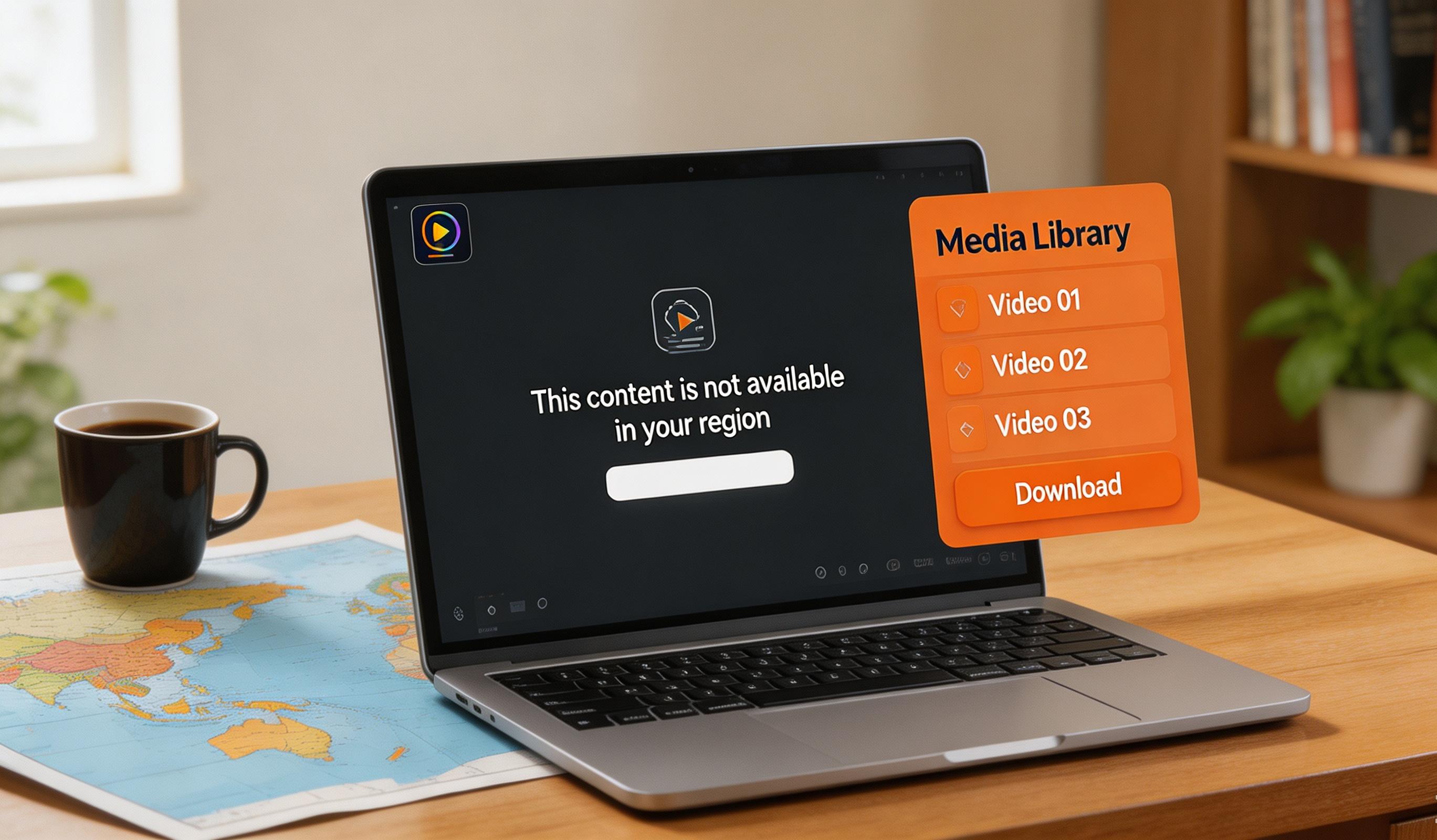
Videos on subscription platforms like Fansly are mostly protected by copyright, and ordinary downloaders cannot grab them, so recording is the most reliable way to keep them. Open Fansly in VidBrowser, log in and play a video; move the mouse over the picture and the recording controls overlay — at 1x real time, 2x or 4x speed you finish faster, hit "Record All" to capture the whole thing, and the button on the left lets you start or pause at any point. Anything that can play can be recorded. If a particular video can be downloaded directly, the "Video Library" panel on the right also lists entries with an orange "Download" button — one click saves it as MP4.
The key point: once those local files are saved, regional blocks no longer affect them. After that, a creator changing settings or a platform going offline in some country cannot touch the files on your drive.
FAQ
Fansly shows "not available in your region" — is that the creator or the platform blocking me?
Both are possible. Try another creator: if only a few are unavailable, it is the creator's geo-block; if none of them load, it points more to a platform- or regulator-level block. The wording helps too — "region unavailable" leans to the former, a browser-level connection error to the latter.
Would a VPN just open Fansly for me?
It depends on the case, and it is not a master key. A VPN only makes your connection appear to exit in another region, which can get around some IP-based restrictions; but if the block is at the government level, using a VPN may break local law, and that risk is yours to weigh. The steadier approach: use normally whatever is reachable, and support the creator through the channels they publish on elsewhere for the parts you cannot reach.
Does a regional restriction affect content I have already saved locally?
No. A regional restriction governs "can you reach the platform", not the files on your drive. Videos saved while access still worked will not stop working when a creator changes settings or a platform goes offline in some country — that is the whole point of saving ahead.


