
LoyalFans Free vs Paid: How to Pick a Subscription in 2026
Opening a LoyalFans creator page, the Follow button is free, yet scrolling down everything is locked; the next creator charges $4.99 a month, with 3-month and 12-month bundle prices below that. The hard part of LoyalFans free vs paid is that two decisions are tangled together: the content boundary is unclear, and the billing cycle gets picked first. This article takes them apart: what free and paid actually get you, then a pre-purchase checklist before you commit.
What separates LoyalFans free follows from paid subscriptions
The essential difference: free shows you the storefront, paid gets you inside the shop. According to third-party review roundups, LoyalFans monthly fees are set by creators, in a range of $1–$50; a free account can follow any creator right after signing up, but only sees their free feed. A paid subscription unlocks the regular content inside your tier, while locked posts, paid DMs and tips are separate charges under the LoyalFans official Terms of Service — a subscription does not include them.
So the value of a free page is not how much you can see, but that it is the only zero-cost way to test the waters: how often they post, whether the style suits you, and whether fan interaction is genuine — the free feed tells you all of it. The real dividing line is whether you will pay monthly for tier content. As for buying PPV outside a subscription and whether it is worth it, our LoyalFans PPV guide already ran the numbers, so we will not repeat it here.
Three things to check on a creator's page before you pay
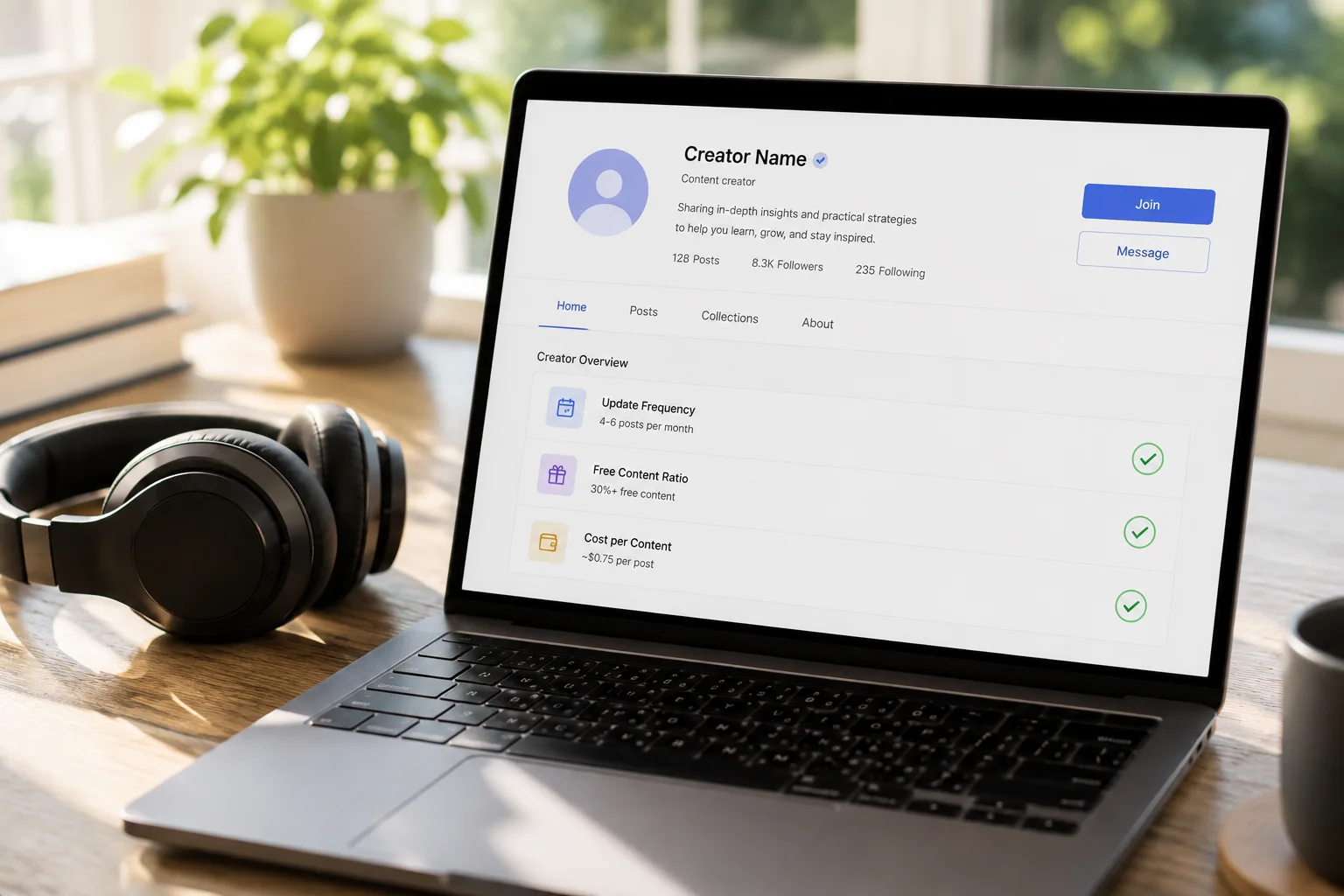
To judge whether a subscription is worth it, check three metrics: update frequency, free content ratio, and cost per post.
- Update frequency: open the subscriber-visible timeline and count how many posts went up in the last month. For a monthly product, a missed month is a wasted month — frequency is the first gate.
- Free content ratio: some creators put plenty of daily content in the free feed while paid content stays thin — for those pages, just follow free and observe; a subscription is not worth it.
- Cost per post: divide the monthly fee by the number of posts you would actually watch. At $9.99 a month with 20 posts where only 5 suit your taste, each watched post costs $2; a free page where nothing appeals is a waste at any price.
All three checks take about five minutes and beat any promo banner. Undecided? Wait — LoyalFans makes it easy to subscribe this month and drop next month, so do not let a limited-time discount force an on-the-spot decision.
Monthly, 3-month or 12-month: pick your billing cycle by certainty
LoyalFans bundle discounts are real: most creator pages list bundle prices of roughly 15% off for 3 months, 30% for 6 months and 40% for 12 months. That is one of its biggest differences from the OnlyFans single monthly model — the longer the commitment, the lower the unit price.
Which to choose depends on how certain you are about how long you will keep watching:
- First subscription is always monthly: however much you like the page, start with one month to verify update frequency and quality over one or two full billing cycles.
- Two satisfied months, then take the 3-month bundle: 15% is a modest discount, but trial-and-error cost is already zero, so locking a short term is pure gain.
- The 12-month bundle only for pages you are certain about: 40% is the best discount, but only if you accept the money is non-refundable — more on that below.
Some creators also run first-month discounts (say 60% off as a promotion). These suit a low-cost trial of a new page, but note the renewal returns to full price — never budget long term on the first-month rate.
Trial for free, archive what you pay for: saved content counts
Subscription money clears out every month; content you keep is what you actually own — the shared endgame of free and paid. During the free trial stage, save videos worth rewatching; after subscribing, archive what you like while access lasts.
Step 1: Install and open VidBrowser
VidBrowser is a desktop video browser for Windows and Mac with built-in download and record functions. The free plan gives 5 downloads a day and recordings up to 5 minutes, usable forever without paying.
Step 2: Open LoyalFans in VidBrowser and sign in to your own account
Enter the site from the address bar and log in normally; from then on browsing feels like any other browser.
Step 3: Use the record function (first choice for protected content)
Videos on subscription platforms like LoyalFans are mostly copyright-protected, which ordinary download tools cannot grab. VidBrowser's record function is the most reliable way to keep them: move the mouse over the video and the record controls overlay appears — pick a record speed (1x real time, 2x or 4x to finish faster), click "Record All" to start recording the whole video, and the record button on the left can start or pause at any time. Anything that plays can be recorded.
Step 4: For videos that download directly, use the panel's download button
The Video Media Library panel on the right lists detected videos; pick a resolution first, then click the orange "Download" button to save as MP4. Download history stays in "History" on the left for review, and pages you visit often can be pinned to favorites.
Only keep content you have permission to view, for personal collection — never redistribute or resell. The same boundary applies to free content.
Auto-renewal and refund rules deserve a read before the price
LoyalFans bills on a 30-day prepaid cycle; subscriptions can be cancelled anytime, but under the official Terms of Service, paid subscriptions, single purchases and tips are non-refundable. Cancelling does not cut access immediately: content in the current paid cycle stays visible until the end date, and only then does subscription access expire.
That rule directly shapes two actions:
- Decide on cancelling early: with no refund safety net, an impulsive subscription is money gone — which is why monthly-first observation above is not penny-pinching, it is your exit.
- Archive before expiry: if next month is a no, save the content before the current cycle ends; after expiry, viewing again means subscribing again.
Chain the billing cycle, renewal rules and saving action together and the free-vs-paid decision is complete: read the free feed for signals, verify quality with a monthly sub, lock long term with bundles, and archive to prevent supply cuts. Subscribing to many creators or platforms? Our multi-platform subscription budget guide helps keep the total in check.
FAQ
How much can a LoyalFans free follow actually see?
You can see the creator's public free feed: some photos, video previews and daily posts. Quality varies hugely between creators — some are generous on free, some only post teasers. That is exactly why a free follow is the best judgment tool: register a free account and observe page by page.
Can I cancel a LoyalFans subscription anytime? Can I still watch after cancelling?
Yes, cancellation happens in the subscription management page and stops the next charge only. Within the current paid 30-day cycle, subscription content stays accessible until the cycle ends. That is why we say archive before expiry — once the cycle passes, access requires paying another month.
Can LoyalFans subscription charges be refunded?
Per the LoyalFans official Terms of Service, subscriptions, single purchases and tips are all non-refundable; only in rare cases such as undelivered content or serious misdescription can you appeal to platform support. With no refund safety net, validating through the free feed and a monthly sub before paying beats chasing money afterwards.


