
Patreon Creator Quit or Deleted: Where Your Money and Content Stand
Your favorite creator suddenly stops posting: the page is still there and membership fees keep charging; or one day you open the page and it is simply gone. What happens to your money and your content? Patreon spells this road out more plainly than most platforms in its official policy: going quiet, the creator deleting the account, and a platform takedown are three different events with different outcomes — and "content gone, refundable" is written right into the official list.
Going quiet, deleted accounts, takedowns: three different things on Patreon
When something happens on the creator side, what decides your access and your refund outcome is who pulled the trigger. The official refund policy splits the paths into three by whoever acted:
- Going quiet: the page stays as usual, the membership relationship is untouched, and billing keeps its original rhythm;
- Creator deletes posts or the account: you lose access to paid content, and the official refund list marks this case as refundable;
- Platform takedown: either deletion after a 28-day grace period, where the content stays watchable during it, or immediate deletion — both allow a refund request.

Quiet but not deleted: billing continues, and the official wording says non-delivery is not a breach
As long as the creator has not deleted anything, the membership keeps billing normally — the official refund help page states that creators are responsible for benefits and content delivery, and that although discouraged, a creator not delivering promised benefits does not violate the terms.
Read the other way around, the sentence means this: your monthly fee buys access to the membership library, not a promise of constant updates. For subscription-billed and start-of-month prepaid members, charges keep landing on schedule during a quiet spell; pay-per-post billing is the exception — the official page settles it on the 1st of each month for paid posts actually published in the previous month, so a month with no paid posts produces no per-post bill. Before deciding whether to keep paying through a quiet spell, check which billing type this creator uses.
A quiet spell also has an extreme endpoint with an official mechanism: a creator page with no logins for a long time gets unpublished, disappearing from membership lists and search, and the charges stop with it. To judge whether someone is resting or leaving, the recent rhythm of charges in the billing history tells you more than the page does.
Deleted posts, deleted accounts and takedowns: the official list marks refunds and two grace paths
The digital goods section of the official refund policy lists creator deletes a product, creator deletes the page, and creator takes the page offline as refundable cases, and the reason field reads exactly "buyer lost access to purchased content".
The same list draws the non-refundable boundary: when a creator hides a product, your access stays in place and that is not a refund reason; a creator switching from 18+ to all-ages content is equally non-refundable. A platform-initiated page deletion has two endings — deletion with a 28-day grace period, during which you can still access purchased content until it expires, and immediate deletion, where access ends on the spot. Both made it onto the refundable list.
This is the exact opposite of what our OnlyFans creator deleted account piece recorded as "all purchases are final": Patreon treats "content gone" as an appealable cause, not a loss-acknowledgment clause.
Refund requests: a 60-day self-service window, official support beyond it
Web purchases are self-served in the billing history, with a 60-day window after payment; the request goes to the creator for approval or denial first, and Patreon keeps the power to step in at its discretion.
- Web purchase: billing history → the three-dot menu next to the payment → Request refund → pick a reason, add a note, then wait for the creator to process it;
- Beyond 60 days: bring evidence that benefits were not delivered as promised and contact Product Support; Patreon investigates and decides, and the money comes out of the creator balance;
- iOS in-app purchases: the route is the Apple refund channel, which does not connect to the on-site flow;
- Pay-per-post billing: the self-service channel does not cover it; contact official support directly.
After approval the money generally arrives in 7 to 10 business days, with some cases taking up to 28 days. The full walk-through is on the official refund request help page.
Deletions come without warning: save membership content while access lasts
A refund settles the money, not the content — the official side handles account deletion as "buyer lost access", and there is no recovery entrance for subscribers anywhere on the site.
Rescue it with VidBrowser, in four steps:
Step 1: Download and install VidBrowser
VidBrowser is a desktop video browser for Windows and Mac to watch videos, clip segments and save them locally, with downloading and recording built in; installation takes a few minutes.
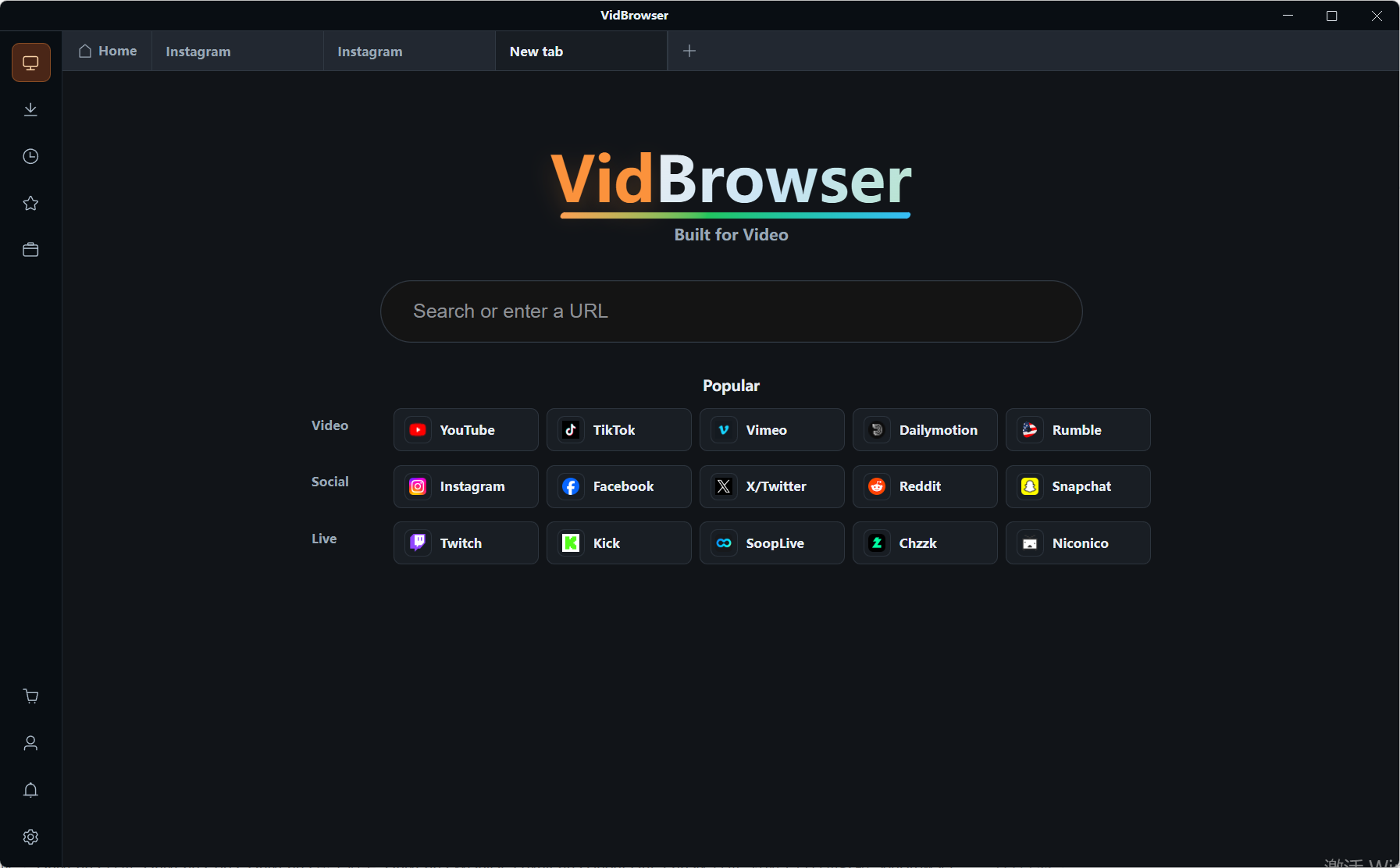
Step 2: Open Patreon in VidBrowser and sign in
Enter the creator page from your membership list; permissions match an everyday browser.
Step 3: Play through the videos you want to keep
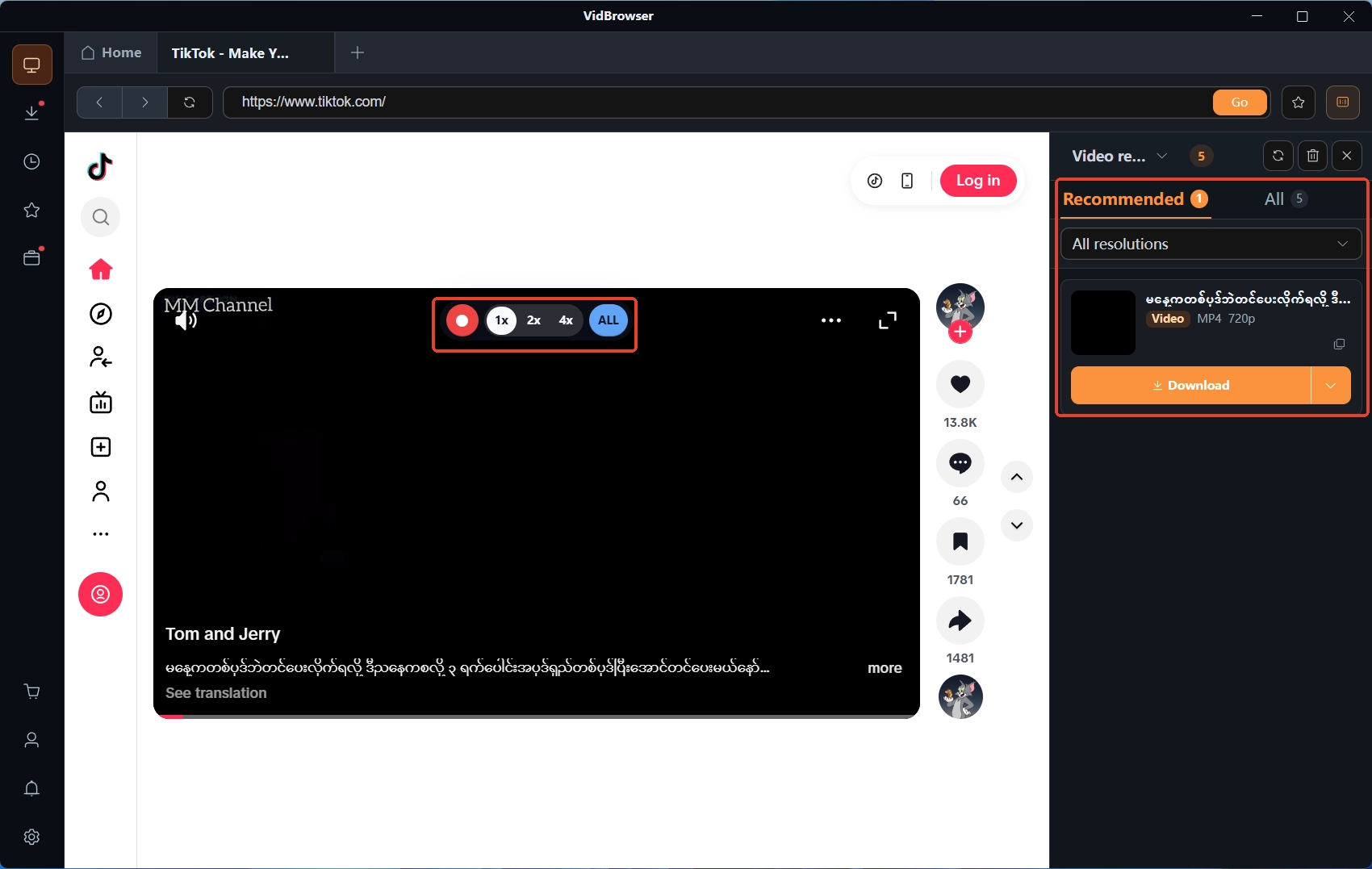
Start from pinned posts and recent sections; played videos land in the video media library panel on the right.
Step 4: Choose download or recording per item
Items that allow downloading carry an orange Download button — one click saves the MP4, and you can filter by resolution first; for protected content without a download option, record: move the mouse over the frame and the recording controls overlay, pick a speed (1x real time, 2x or 4x to finish faster), press Record All to start, and the recording button on the left pauses any time. The records live in the download history under the clock icon on the left; a finer walk-through is in the Patreon video download guide.
For the best timing to save content, the when to save content piece gives a general rule; access limits after you cancel by yourself follow another set of billing rules, and the Patreon membership cancellation piece lists a comparison table by billing model.
Creator inactivity or deletion: common questions
A creator has not updated for a long time — should I keep paying?
It depends on the billing type: subscription and prepaid monthly buy access to the membership library, not an update promise — cancel if it no longer feels worth it; pay-per-post billing settles when the creator publishes a paid post, so a quiet spell produces no per-post bill. When unsure, open the billing history; the recent charge rhythm says it all.
After a creator deletes the account, can paid membership fees be refunded?
The official refund list marks creator page deletion as a refundable case; within 60 days of payment you can self-serve from the billing history; the creator approves or denies first, and the platform keeps discretionary power to step in. Beyond 60 days, bring evidence and contact Product Support for an official investigation and decision.
Can posts a creator deleted be recovered?
There is no subscriber-facing recovery entrance on the site, and the official refund policy likewise handles account deletion as "buyer lost access". Creator-side data export will not help you; treat the still-accessible window as your saving window and get everything onto your own disk early — that is the real backstop.


