
Why Twitch Deletes Your VODs: The Truth About Streams You Cannot Keep
Key takeaway: A Twitch VOD gets deleted through only two completely different paths. One is the clock running out — to save on storage, the platform caps VOD retention at 7, 14 or 60 days, and once that is up the file is deleted, no exceptions. The other is a copyright hit — the audio recognition system flags a track that someone else owns, or a rights holder files a DMCA notice, and the VOD gets muted, taken down, or wiped entirely. The first is only a matter of time; the second can drag your channel down with it. What both have in common: once the content leaves Twitch, you are left with nothing.
The two paths to a deleted VOD: expiry and enforcement
Most people treat a disappearing Twitch VOD as one single thing. It is actually two separate mechanisms, with different handling and different consequences.
The first is retention expiry. A Twitch VOD (video on demand) is not permanent storage. The default 14-day tier is only open to Affiliates and Partners; for ordinary creators it was cut to 7 days on 1 September 2022; the 60-day tier depends on a higher subscription level. When the clock runs out the system deletes the file — the streamer sees no recycle bin and viewers cannot click in. It is a pure storage-cost policy: live platforms position themselves as a stage, not a library.
The second is copyright enforcement. If a VOD contains copyrighted music, match footage or film clips, Twitch's audio recognition system may flag it. At best the affected section is muted; at worst the whole VOD or clip is deleted. If a rights holder sends a formal DMCA (Digital Millennium Copyright Act) takedown notice, it escalates to the channel level — enough of them and the account is terminated.
The point of telling the two apart is this: expiry is certain, so the only thing you control is beating the clock; copyright deletion is random, it is not up to you, and it can happen minutes after a VOD goes live.
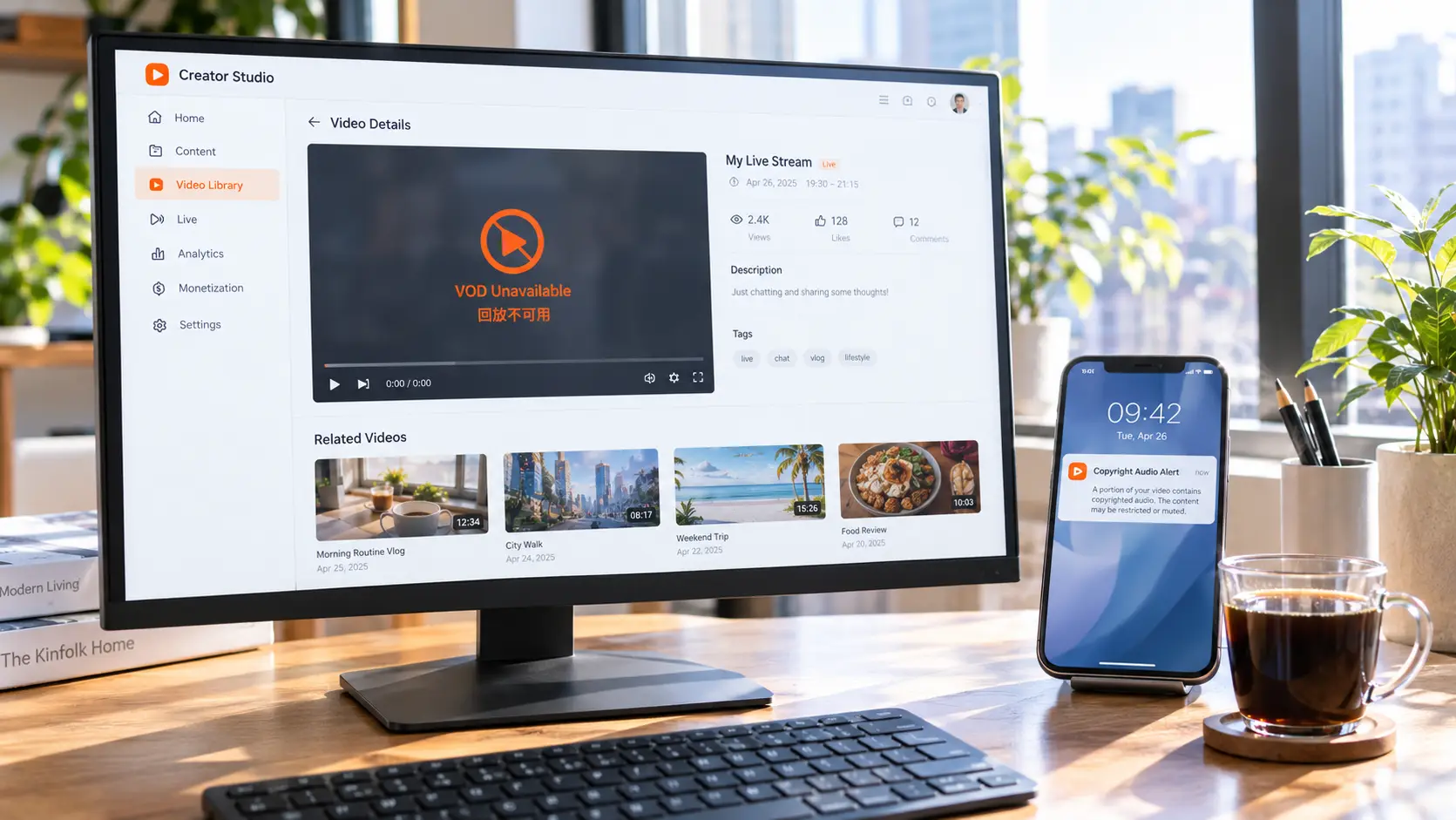
How VOD muting happens, and why muting is not a penalty
Start with the point that gets misread most often: a muted VOD does not mean you have been penalised. For how to check a VOD's retention window and what to do before it runs out, the self-check steps in the Twitch VOD download guide cover that ground.
Twitch runs an automated audio recognition system that scans every uploaded VOD and clip against its music rights database. On a match it mutes the affected audio rather than deleting the whole item. The official wording on the music and copyright page is that they "may mute VODs and delete Clips where our audio recognition system detects copyrighted audio in them" — muting VODs, deleting clips: two different levels of force.
After a mute the streamer usually gets a notification in the dashboard, but that is not the same thing as a formal copyright audio warning. Repeated matches accumulate into warnings, and above warnings sit strikes. The ladder is worth memorising:
- Muting: the content is altered, the account is fine
- Copyright audio warning: a notice after repeated matches — still not a strike
- DMCA strike: a formal notice from a rights holder, counted toward the three-strike tally
- Channel termination: 3 strikes within 90 days and the account is closed
The key point is that muting is a content-level action and is not recorded against you. Once it reaches strike level, what is at stake is the survival of the whole channel. Plenty of streamers see a muted VOD and assume it is over, when in fact that layer can still be handled by appealing or removing the disputed track — what is genuinely dangerous is a DMCA notice sitting behind the mute.
DMCA takedown waves: one notice can wipe out a large number of VODs
What makes copyright deletion so hard to anticipate is that it arrives in bulk.
In 2020 Twitch went through a large-scale wipe. Rights holders fired off DMCA notices en masse and huge numbers of older VODs were cleared out at once; some streamers lost years of archive overnight. The backdrop was pressure from the music industry on how live platforms handle copyright compliance — the platform was forced to respond within a very short window, with no time to draw fine distinctions.
That also explains a phenomenon people often miss: your VOD can vanish on a day you never streamed. Not because of anything you did, but because a rights holder filed notices that day. Deletions follow the notice waves, not the order things went live.
For viewers, a saved link can turn into a 404 at any moment. For streamers, there is no such thing as a safe archive on Twitch — as long as the content sits on the platform, it is permanently one cleanup away from gone. If you want it to survive outside the platform, the steadier approach is to land the content on your own device. And if your concern is capturing a stream while it is still live, see how to save live streams — that article walks through the watch-and-record workflow end to end.
If you cannot keep it, put what you want to watch on your own drive first
Once you see the two deletion paths, the practical answer is obvious: whether a VOD survives depends on whether it landed on your own hard drive before it was deleted.
VidBrowser is a desktop video browser that makes detecting page video automatic: open a Twitch page and the save controls appear on the player itself, with no need to dig through source code or hunt for third-party sites. For content that serves a video stream directly, such as VODs, the flow is short:
Step 1: Open the VOD page you want to save. In VidBrowser, go to the streamer's channel, open the Videos tab and click the VOD you want. The app detects the video resources on the page automatically.
Step 2: Click download and pick a quality. Move your mouse over the player and an orange download button appears in the control bar. Open it to filter by resolution and save the tier you want as MP4 or WebM.
Step 3: Use recording for what a direct download cannot reach. If a source is protected, or the download button never shows up, move your mouse over the video and use the recording controls: 1x is real time, while 2x or 4x finishes the whole thing faster, and "Record All" next to it captures consecutive segments in one go — you can pause at any point while recording. This route works for encrypted streams and restricted sources alike.
Step 4: Find the file in your download history. Once the save finishes, click the clock icon on the left to open the download history: file name, size and save location are all there. To come back to it later, the star icon adds it to favourites so you do not have to hunt for it again.
FAQ
A VOD of mine was muted — does that affect my channel?
No. Muting is a content-level action that strips out the sections matching copyrighted audio; it is not counted and not recorded. Only a strike arising from a formal DMCA notice from a rights holder affects the channel, and only 3 within 90 days lead to account termination.
Can an expired VOD be recovered?
No. Twitch offers no recovery channel for VODs deleted on expiry, and the creator dashboard has no recycle bin. That is exactly why anything worth keeping has to be handled inside the window — and the window runs from 7 to 60 days depending on channel tier.
If I save a VOD to my own drive, will the platform know?
Platform notification mechanisms target content uploads and external distribution, while a local save involves no sharing outward. The content you save still belongs to the original rights holder, though — watching it yourself is fine, but reposting, re-uploading or using it commercially crosses the line.
Do all VODs get deleted when they expire?
As long as the "store past broadcasts" switch is on, VODs are kept for the window that matches the channel and deleted when it expires. If that switch is off, no VOD is ever created when the stream ends — which is more final than expiry, since you do not even get time to rescue it.


