
Why some download tools work on almost any site and others fail elsewhere
A friend recommended a download tool that supposedly works on every site. You install it excitedly, public videos come down one after another, and the moment you switch to a site that needs a login, nothing happens. The tool is not broken and your friend did not lie to you. The problem hides in the word universal, which covers two completely different ways of working. Tell those two apart and you know where your tool ends, what to expect from it, and what it was never meant to do.
Download tools that barely care about the site: universality comes from two ways of working
That site-agnostic universality has exactly two sources: zero presumption about the site, or a written rule for every site. The first kind is represented by browser-shaped tools and extension sniffing: it does not care which site you open, it watches what the page hands over while loading. The second kind is represented by open-source download engines and many desktop programs: it keeps a how-to-fetch note for every site, and the coverage number on a product page counts exactly those notes. Both roads manage to be universal, yet workable means different things: for the first, every site is worth a try; for the second, every written site gets parsed. Clearing up this layer beats memorizing any brand name.
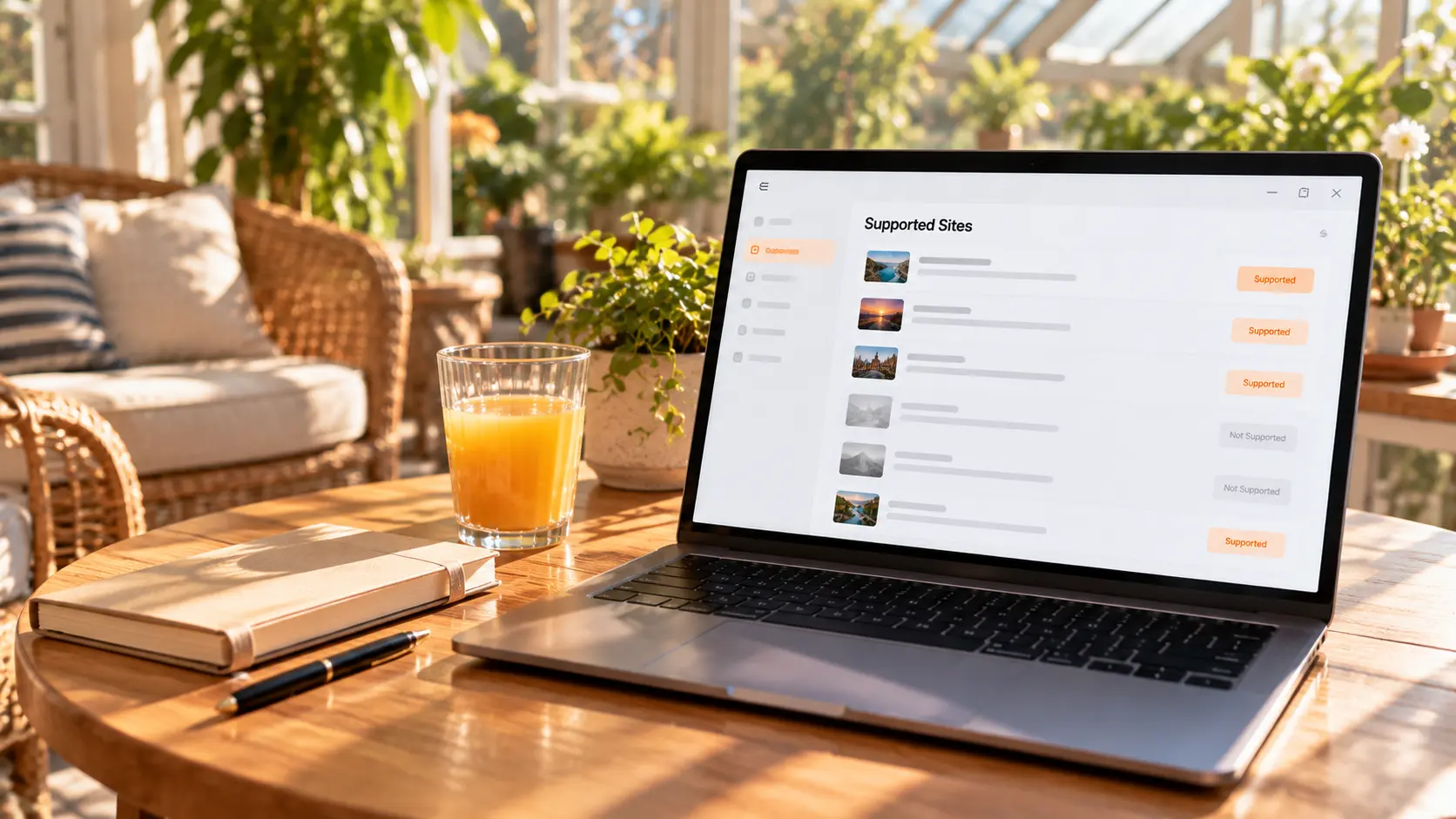
The site-agnostic kind: whatever the page hands over, it takes
This kind of tool holds no preset knowledge about any site, so its universality naturally covers all of them. You open the page and play the video as usual; it listens for media streams appearing during loading and takes whatever the page hands out, with no information required from you about the site. Even a small site that went online yesterday gets a chance, as long as the content plays in the page. The cost comes from the same principle: whatever the page does not hand over, it cannot conjure out of thin air; the limits of extension sniffing get their own breakdown elsewhere. One easily missed contrast: this kind is indifferent to login sessions — you log in, the page still hands over the stream, and it still takes it; the kind that stumbles at the session step is the next one.
The rule-based kind: where per-site adaptation comes from and why it expires
This kind of universality is a list of site rules written into code. Take the open-source engine yt-dlp: the officially maintained support list covers over a thousand sites, each written and updated by the community. The coverage number looks impressive, but every rule is essentially a memory of how some site works right now, and the memory expires the moment the site changes. The official documentation is frank about it: there is no promise that every site on the list works, sites keep changing, and this sometimes breaks support — the list permanently carries over a hundred entries marked as currently broken, waiting for the community to catch up. Interestingly, the engine also keeps a generic extractor inside, which may catch sites that are not on the list; the official docs say this fallback only handles the simplest public direct-link cases. As the piece on engines and GUI tools noted, many graphical programs on the market wrap this kind of engine, and their coverage numbers actually read the rules count, the official support list is honest about it if you want to browse.
Where universality stops: the line is where the content lives
No matter which universality you hold, the three kinds of content below stop both of them — not a weakness of some brand, but the end of the premise that a page must hand over an address before anything can be fetched.
- Content that needs a login session or gets assembled during playback: a bare link carries none of that, and parsing breaks before it starts;
- Encrypted segments and protected content: the stream itself is locked, ordinary parsing cannot reassemble a full file; the layered mechanism gets its own breakdown in the piece on why streaming cannot download;
- Live streams have no finished file to parse, so recording during playback is the way to keep them.
Keep these three in mind and the big numbers on product pages stop creating false hopes: the number reads how many sites got counted, not whether the one clip you want can be saved.
One action to tell which kind of downloader you hold
Telling them apart takes one step: see whether it asks you to paste a link first. If it does, it is a parsing type — universality comes from rules or generic parsing, brisk on public sites, stopped by sessions and protected content. If it does not, and entries appear while the page plays, it is a capture type — zero presumption about sites, wide coverage from birth, and what it gets is decided by the page. Neither road wins overall: parsing types win on format choices and batch tasks, capture types win on save-what-you-see. Figure out which one you hold first, then decide what to ask of it, and your trial time will not be wasted.
Open the page as usual and save: this road is packed into one desktop app
If you prefer the no-link kind of universal, the browser shape turns it into a daily routine. VidBrowser needs no address hunting first; the flow has four steps:
Step 1: Download and install VidBrowser
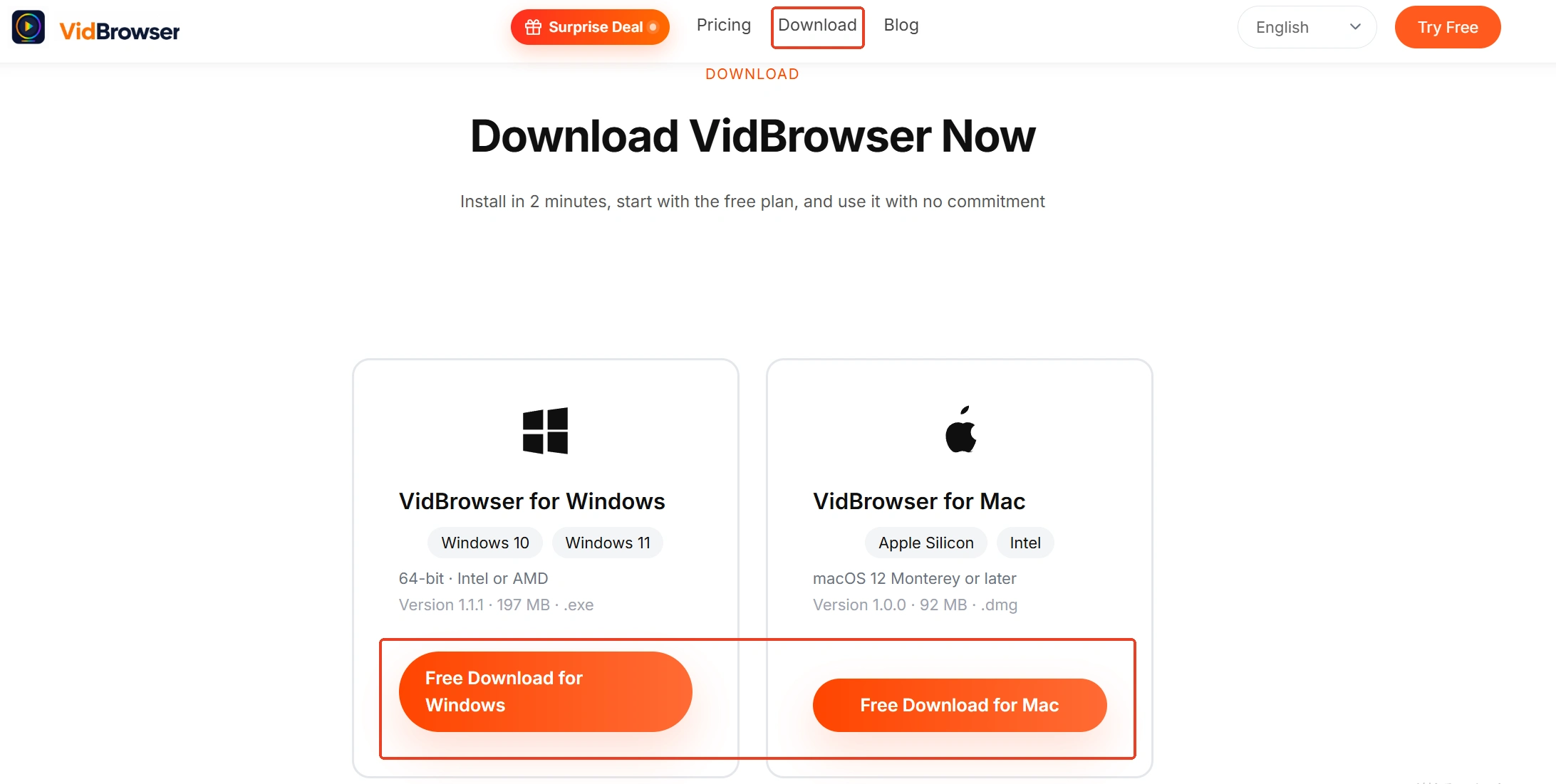
VidBrowser is a desktop video browser for Windows and Mac, made for watching videos, clipping segments and saving them locally, with download and recording built in; installation takes a few minutes.
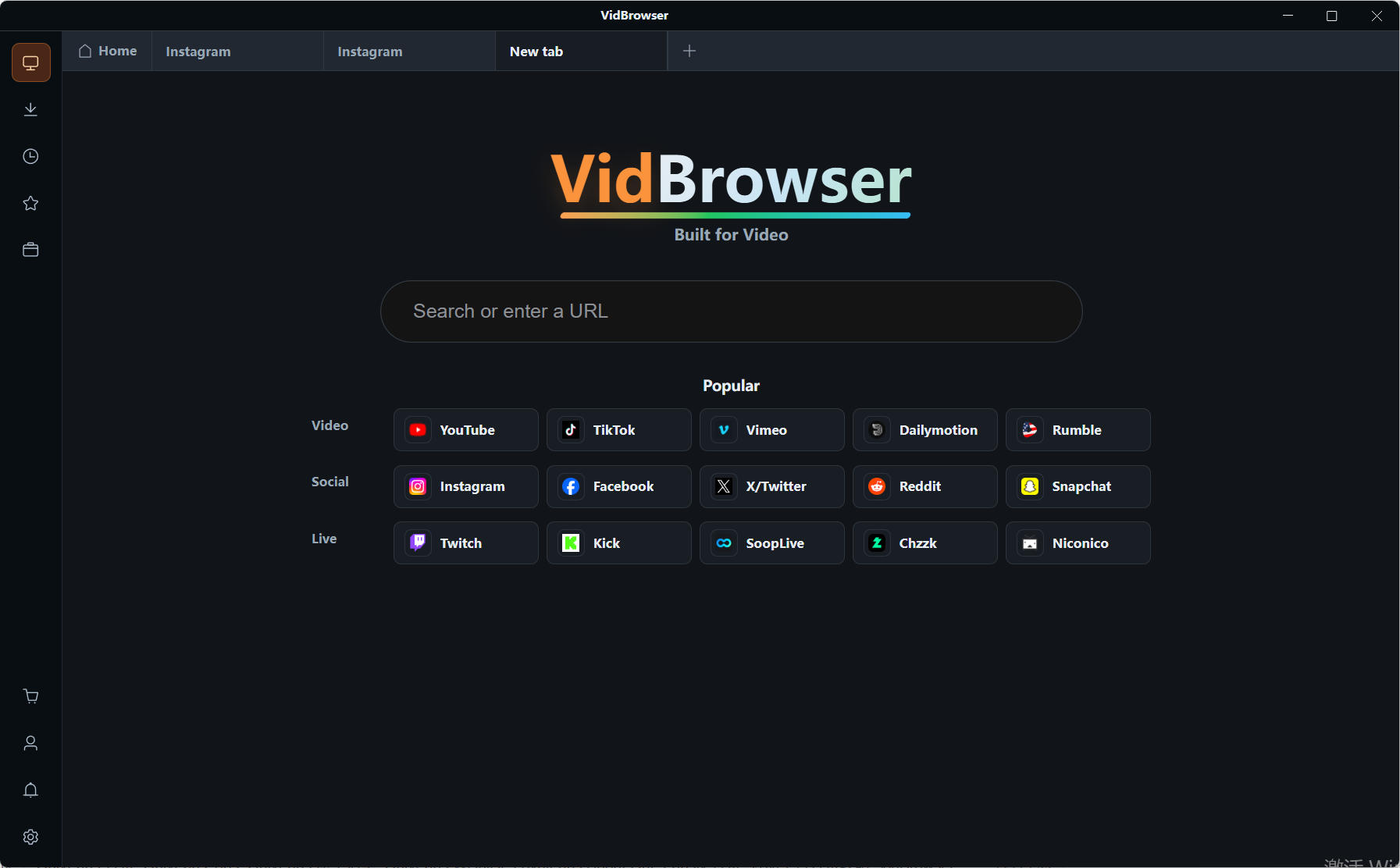
Step 2: Open the page you want to save in VidBrowser and play it as usual
Enter the video page like everyday browsing; log in first on sites that need it, no separate link copying.
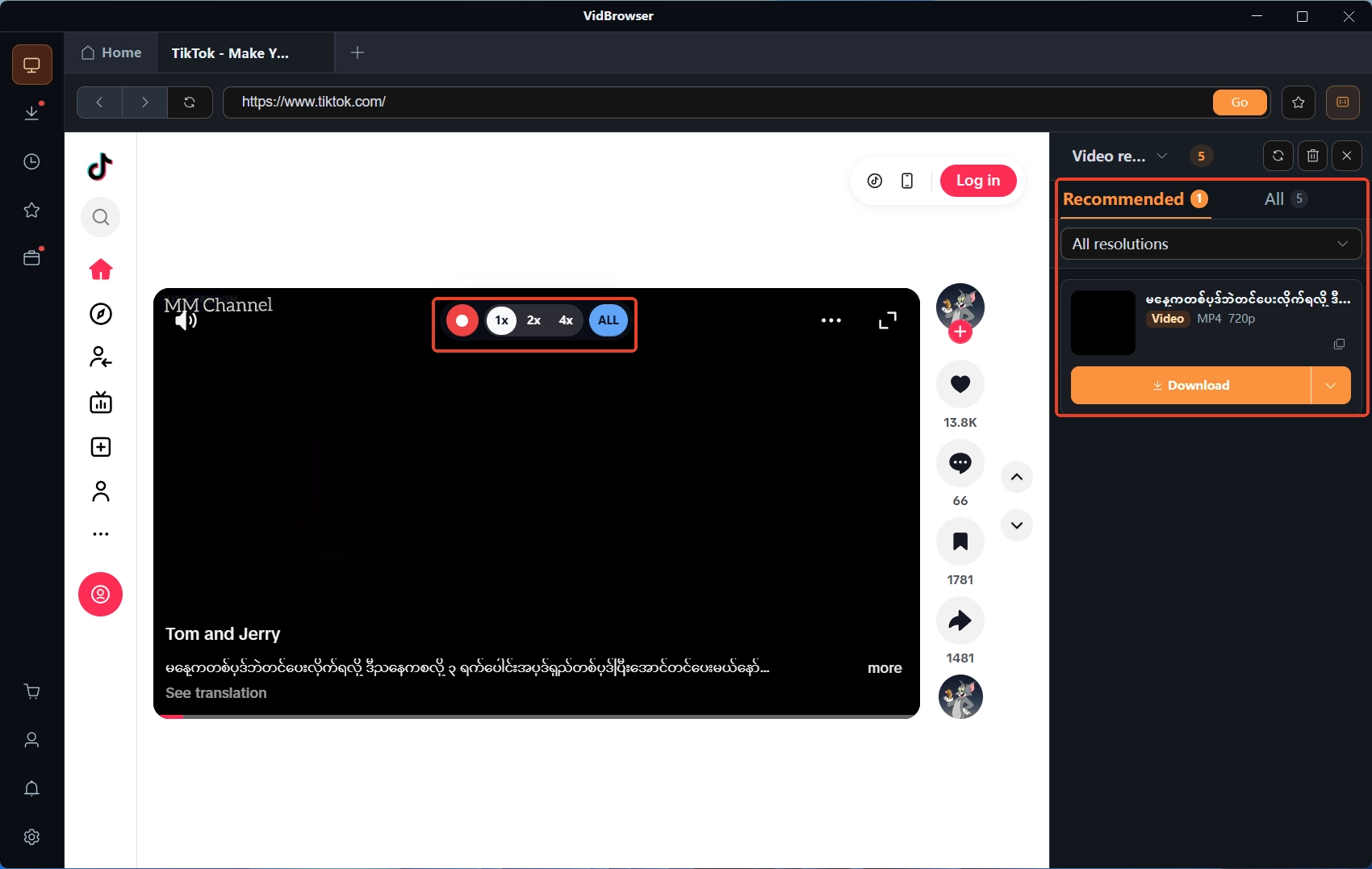
Step 3: Save directly when possible, record first for protected content
For videos that can be saved directly, the Video Library panel on the right lists the entries; tap the orange Download button to store as MP4, or pick a resolution first. For logged-in or protected content, use recording — moving the mouse over the video shows overlay controls; pick a recording speed (1x real-time, or 2x and 4x to finish faster), tap Record All to capture the whole video, and the recording button on the left pauses anytime.
Step 4: Manage files in the download history
The Download History in the left navigation lists all task records, with file names, sizes and statuses at a glance; archive them as you like.
The two kinds of universality do not replace each other: parsing types handle whole-list tasks on public sites, capture types take the see-it-then-keep-it scenes, and many people end up keeping one of each.
FAQ
Is a download tool with more supported sites automatically better
The number is a counting convention, layers away from your actual needs. Your download list has only a few high-frequency sites, and whether they work depends on where the content lives, not the total.
Online download sites vs desktop software: which is more universal
Online sites also start from a pasted public address, so their universality comes from the same place as parsing types; desktop software adds capture and recording, handles a wider range, at the cost of an install.
Why did a site work yesterday but the tool fails today
Most likely the site changed and the old rule expired; the tool needs an update to catch up, and such interruptions are the norm for rule-based tools. If entries do not appear even with the page open, that is a detection-side problem with its own troubleshooting path.


