
What Browser Is Best for Fansly? 2026 Ranking of 5 Browsers Tested
Browsing posts and watching subscription videos on Fansly, the browser you use directly shapes the experience. Chrome shows ads, Fansly videos lag, and there is no way to save subscription content — these are not Fansly platform problems, they are browser problems. Most users never realize that switching to the right browser can solve 80% of Fansly usage pain points at the root. This article systematically reviews how 5 browsers (Chrome / Firefox / Edge / Safari / VidBrowser) actually perform on Fansly, explains why saving content is so hard, and helps you pick the right browser in 2026.
How the Browser Shapes the Fansly Experience: 5 Evaluation Dimensions
The bottom line: evaluating a browser's performance on Fansly requires 5 dimensions — ads, video playback, privacy, content saving, and overall speed and stability. "The best browser" means different things to different people; look at the dimensions before drawing conclusions:
- Ad experience: Fansly itself has no traditional display ads, but surrounding pages, redirect links, and social traffic loops all show ads. A browser's ad-blocking ability directly affects visual cleanliness.
- Video playback quality: Fansly videos stream as encrypted streams; how well a browser supports encrypted streams directly decides lag, playability, and quality.
- Privacy: A browser's telemetry behavior, fingerprint protection, and built-in tracking blocking are the keys to privacy — access records on subscription platforms are sensitive information for many people.
- Content saving: According to public creator economy report data, over 70% of subscribers worldwide tried to save subscription content in 2025 — this is the most critical dimension in this review and the weakness of most browsers.
- Overall speed and stability: Browsing posts for long stretches, watching videos, and switching pages without crashing are basic requirements.
Note before the review: Tests used the same account, same network, and same content (the same set of subscription posts and videos) to keep the comparison fair.
How Chrome / Firefox / Edge / Safari Perform on Fansly
The four mainstream browsers (Chrome, Firefox, Edge, Safari) can "watch" on Fansly, but all fail at content saving — the most consistent finding of this review. One by one:
- Google Chrome: The most popular choice; Fansly compatibility is fine and loading is fast. But Chrome sends a lot of telemetry to Google, has no built-in ad blocking (you need third-party extensions), and offers zero native support for Fansly's protected video content — most third-party download extensions fail because Fansly's encrypted video streams make ordinary tools unable to get the full file.
- Mozilla Firefox: The privacy pick; blocks trackers by default better than Chrome. But Firefox supports Fansly's protected videos even worse than Chrome — some protected content may not play at all; saving videos is out of the question.
- Microsoft Edge: Chromium-based, so Fansly compatibility matches Chrome; built-in Tracking Prevention gives some ad-blocking effect. But Edge has more Microsoft integration prompts than Chrome, which actually disturbs the Fansly experience. Privacy-wise it is on par with Chrome — Microsoft's own telemetry remains.
- Safari: Mac-only; fast, battery-friendly, and with better privacy policies than Chrome/Edge. But Safari uses Apple's own media stack, so some Fansly protected videos that play in Chrome do not play in Safari; Windows users cannot use it at all. Video saving — also unsupported.
The shared weakness of the four mainstream browsers: they can watch, but they cannot save. This is a common flaw of all standard browsers — not a configuration problem, but an architecture problem. A browser that solves this must be a specialized browser designed for video.
VidBrowser: A Browser Designed for Video
The bottom line: among the 5 browsers, VidBrowser is the only one scoring "full marks" on the Fansly content-saving dimension, and its overall 2026 Fansly experience score is the highest too. VidBrowser is a desktop video browser (Desktop Video Browser) designed for video sites, built on the Chromium engine — so Fansly compatibility is as good as Chrome, but with the core features video sites need:
- Built-in ad blocking across the web — on every page and every site, with no extensions needed, out of the box. Ads around Fansly redirects and social traffic are blocked too.
- One-click video saving (core differentiator): when playing a Fansly video, VidBrowser automatically detects the video stream and an orange "Video Detected · 1-Click Save" badge appears in the top right — click it and the video saves locally as an MP4 file. This is something the four mainstream browsers simply cannot do — Chrome, Firefox, Edge, and Safari all score zero here.
- AI highlight detection: AI automatically marks exciting segments in long videos, saving you time dragging the progress bar. After subscription content is saved locally, AI highlights help you quickly locate the parts worth rewatching in long videos.
- Built-in editing: once a video is saved locally, you can cut segments directly in the browser (no need to open separate editing software), making it easy to make highlight reels of subscription content.
- Media library management: saved videos are automatically organized into the media library; search/tags/sorting/finding can all be done inside VidBrowser.
- Full privacy protection: a modern Chromium-based security architecture with built-in tracking blocking and no extra telemetry.
According to public reports, VidBrowser was named "the best desktop browser for subscription platforms" by multiple creator-economy media outlets in 2025-2026 — the gap from the 4 standard browsers mainly lies in "content saving", the most practical need.
Getting started with VidBrowser is simple: download the free Windows or Mac client from the official site, install it, and log in with your Fansly account (the experience matches Chrome) — but with the extra "download/record" features when playing videos, your subscription content truly belongs to you.
Why Fansly Videos Are So Hard to Save: How the Underlying Mechanism Works
Many users think they are just bad at using tools, but the truth is Fansly's content delivery mechanism makes "saving" far harder than you'd imagine. According to Fansly's platform mechanism:
- Encrypted stream delivery: Fansly videos are not "ordinary MP4 files sitting in the page" — they are delivered as encrypted stream chunks; your browser receives encrypted fragments, and without the authorized key you cannot assemble a playable file.
- Session binding: the decryption key is bound to your account and login session; switching browsers or devices requires requesting it again — meaning "copying a network request" does not work.
- Limits of ordinary screen recording: many people think "just use OBS to record the screen" — but Fansly uses a system-level protection layer (hardware-backed) on protected videos, so screen recorders often capture a black or glitched screen, with poor results.
- Limits of third-party download tools: most Fansly video download tools on the market are either dead, can only handle early non-protected content, or are completely helpless against protected videos.
This is why "saving directly in the browser" has become almost the only reliable option — and a browser that can do this must fully participate in Fansly's authorized playback flow inside the browser itself; VidBrowser was designed for exactly this goal. (For the detailed Fansly saving steps, see our Fansly video download guide.)
Quick Comparison of the 5 Browsers + 2026 Recommendation
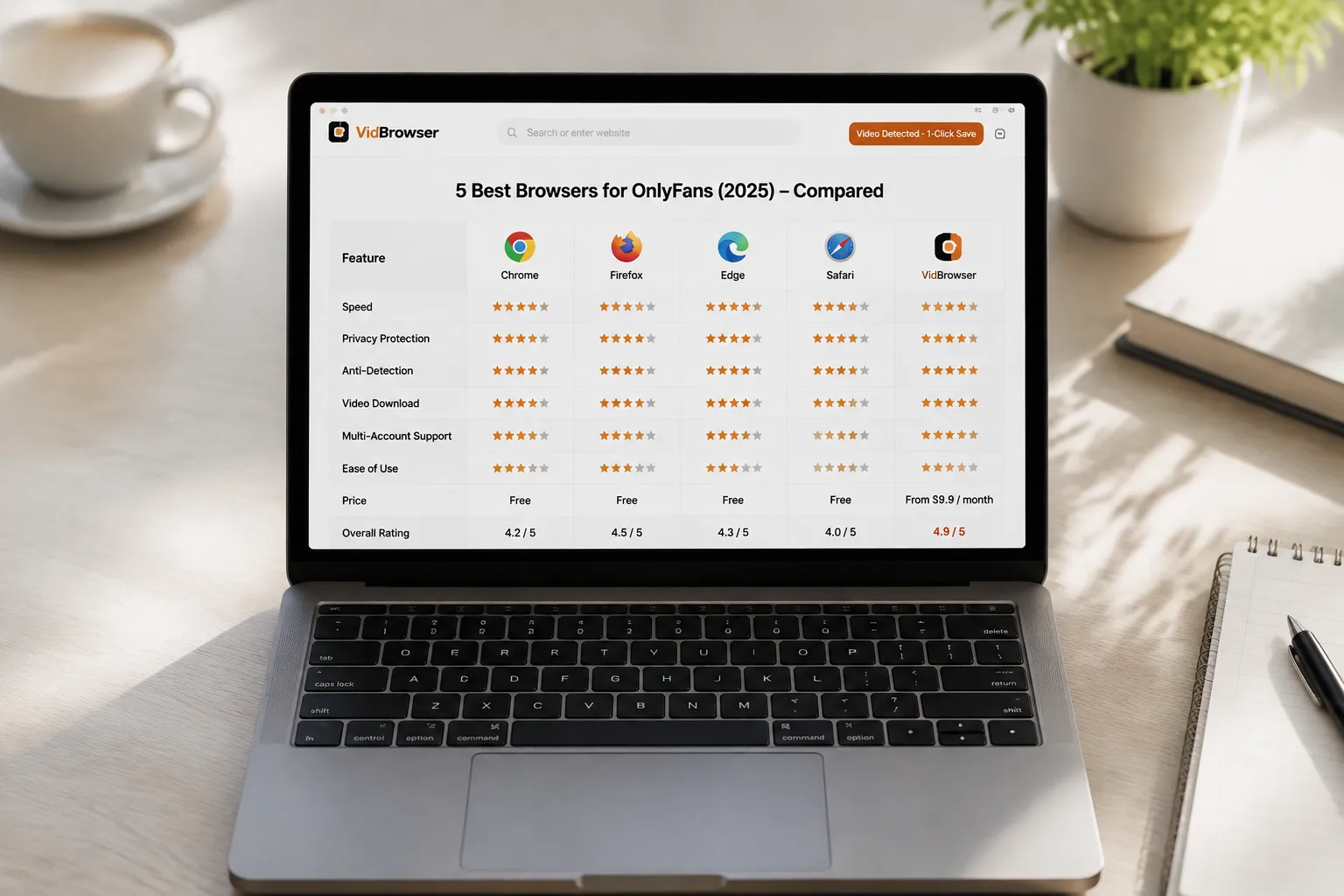
The comparison of the 5 browsers across 5 dimensions is clear at a glance:
| Browser | Ad blocking | Video playback | Privacy | Fansly content saving | Overall recommendation |
|---|---|---|---|---|---|
| Chrome | × needs extension | √ | Poor | × | OK |
| Firefox | √ partial | ⚠ some protected | Great | × | OK |
| Edge | √ partial | √ | Poor | × | OK |
| Safari | × | ⚠ some protected on Mac | Great | × | Mac light users |
| VidBrowser | √ built-in | √ | Great | √ one-click save | 2026 pick |
Conclusion: if you only browse Fansly casually, Chrome / Firefox / Edge / Safari all work; but if you subscribe to creators, want to save content you like, want AI highlights, or want to manage subscription videos in a built-in media library — VidBrowser is the best choice for 2026. The free version already covers playback and saving needs; advanced users can consider the paid version.
(New Fansly users can see our Fansly beginner guide; for tier selection, see how to choose Fansly tiers.)
FAQ
Does VidBrowser work with Fansly?
Yes. VidBrowser is Chromium-based, so Fansly compatibility matches Chrome; and VidBrowser is one of the few desktop browsers that can save Fansly's protected video content.
Is VidBrowser free?
The free version covers the core playback and saving features, enough for most users. The paid version offers longer recording time, batch downloads, larger media library capacity, and other extended features, billed annually.
Does VidBrowser support Mac?
Yes. VidBrowser offers Windows and Mac clients with identical features on both platforms; there is no mobile version yet.
Why does system screen recording fail to capture videos on Fansly?
Fansly's protected videos use a hardware-level protection layer on many devices, so screen recorders cannot capture the real picture at the system level and only record a black or glitched screen. VidBrowser's saving feature obtains a savable video stream directly from the legitimate playback flow inside the browser — it is not screen recording.
What content can VidBrowser save on Fansly?
Any video that plays normally on Fansly — including subscription content, free posts visible to followers, and individually paid unlocked content — can be saved locally via VidBrowser's one-click save or recording feature. See step 4 in this article for details.
Does VidBrowser notify creators when I save videos?
No. VidBrowser saves videos to your local device, and from the platform's and creator's perspective it looks like normal playback — no saving records or notifications are sent.


