Does Fansly Have an Official App? PWA Install and Fake-App Traps
You want to scroll Fansly in bed, search the App Store, and all you find are unknown apps named "Fanly"; then someone online shares a "Fansly APK installer", and after installing it your account is nearly gone. As of 2026, Fansly has no official app — there is no official version on the App Store or Google Play, and the only officially endorsed way to install it is to add the website to your phone's home screen as a web app. The official path is already paved, but lookalike apps and APKs wait right beside it. This article covers the correct installation, how to verify authenticity, and how to save content, all in one place.
Fansly's official position: no official app in the stores, the web app is the real answer
Fansly's official stance is unchanged in 2026: neither of the two big app stores has an official application, and any app published under the Fansly name has nothing to do with the company. The reason is that the content can't pass App Store and Google Play review, so the platform simply never applied for store placement — OnlyFans is in exactly the same situation: even its flagship app dares to be only an all-ages showcase platform, and Fansly doesn't even have that. The official verification rule says it plainly: Fansly exists only on fansly.com, nowhere else.
The officially endorsed "installation" is a web app (PWA) solution: open the official site in your phone's browser, add the page to your home screen, and the icon plus full-screen experience come close to a native app. According to the independent reviewer FanChecked, the Android version of fansly.com even shows an install button right in the feed — the official path is laid right in front of users. The benefits are real too: no app-store review involved, updates follow the website, and store removals or regional restrictions can't touch it.
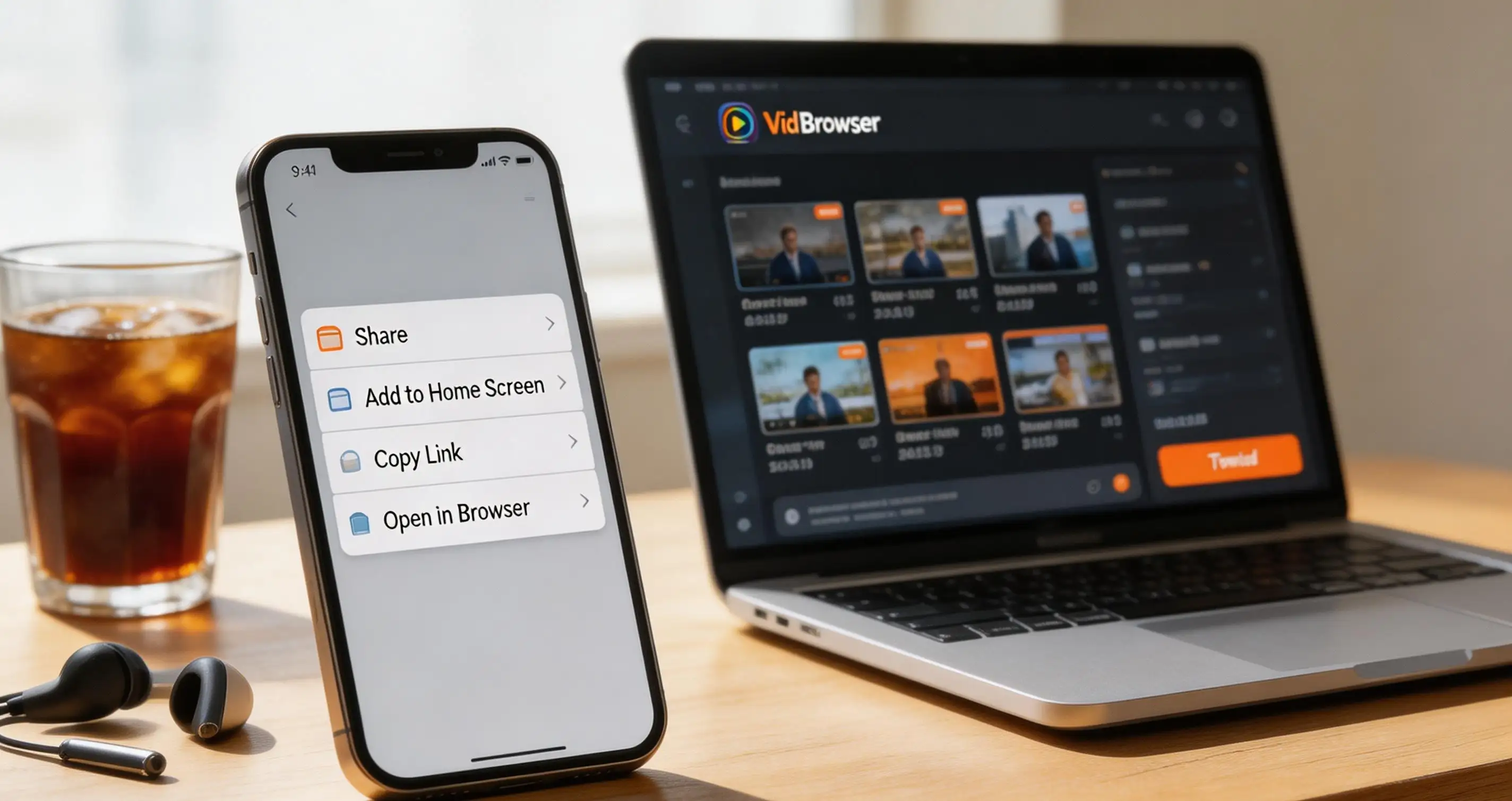
Fansly PWA installation: Android has a built-in button, iPhone goes through Safari
The official installation never leaves fansly.com and needs no third-party tool at all: Android uses the in-site install button, iPhone uses Safari's share menu.
Step 1: check that the web address is fansly.com
Verify before you act: one wrong letter in the address bar is enough, and links coming from search-engine ads or strangers' DMs deserve extra caution. Remember the official rule — Fansly exists only on this domain; anything installed from elsewhere is fake.
Step 2: Android users tap install on the site
After logging in to fansly.com in Chrome, watch for the install prompt button in the feed — one tap finishes the web app installation. If you don't see it, use "Add to Home Screen" in the browser menu; the result is the same.
Step 3: iPhone users add to home screen via Safari
It must be Safari (Chrome on iOS can't invoke this): tap the share button at the bottom, choose "Add to Home Screen" and confirm, and the Fansly icon appears on your desktop.
Two usage notes: the web app relies on your browser login state, so clearing cookies logs you out — just sign in again; update alerts go through the browser's notification permission, so allow notifications in the browser if you want push. It is still a web core after all, less smooth than a native app, but subscribing, DMs, and viewing all work. If you're new to the platform, the Fansly beginner's guide walks through the subscription mechanics and the interface.
Lookalike apps and Fansly APKs: three traps and one verification method
Store apps named "Fanly" and circulating Fansly APKs are not official products; the schemes concentrate on stealing accounts, grabbing card numbers, and planting trojans.
- Lookalike apps: the App Store and Google Play turn up apps with names close to Fanly, all unrelated products — some ride on the name collision for traffic, others build outright phishing pages to collect credentials;
- APK installers: third-party "Fansly APK" files bypass store review, and analyzed samples include ones that phish for account credentials, clone the official checkout page to harvest card numbers, or bundle malware outright — what looks like a bargain costs you your account and payment details;
- Fake "unlock" services: tools claiming to show paid content for free commonly charge an "unlock fee" first and then block you, or use your account to blast spam — and the ban lands on you.
Verification takes three checks: check the domain — once the app is installed, the login page address must be fansly.com; check the source — never touch any APK or any installer sent by DM; check the payment — subscriptions go only through fansly.com's own checkout page, and anything that steps off the site to ask for card details is fake.
Phone set up? To keep subscription content, desktop recording is the steadier route
The web app is fine for viewing, but if you want to keep a copy of your subscribed content for offline viewing, the phone side has no official download button at all — desktop recording is the more reliable path.
Fansly's videos are mostly paid subscription content, the page loads in a special way, ordinary download tools often can't get the complete file, and phone screen recording tends to blur quality or drop midway. The steadier approach is to log in to fansly.com on your computer with VidBrowser, a desktop video browser:
Step 4: save the videos you want by recording
Open the video playback page in VidBrowser, move your mouse over the frame and the recording controls appear as an overlay — choose 1x real time, 2x, or 4x speed, click "Record All" to record from the current position to the end, and the record button on the left starts or pauses anytime; when the playback source allows it, the "Video Library" panel on the right also detects the video, and the orange "Download" button saves it straight to MP4. For content you have permission to view, use this for personal organizing and offline viewing — the full workflow is in the Fansly video download guide.
FAQ
Will Fansly release an official app in the future?
There is no official plan at the moment. Store content policy shows no sign of loosening anytime soon, and Fansly keeps maintaining the web app as its official solution. Rather than waiting for an app, add the official site to your home screen first; if an official app ever launches, the announcement will appear on fansly.com first.
How does the home-screen web app differ from a real app?
It's essentially the web wrapped in an icon: no app store, almost no storage used, updates follow the site. The gaps are offline capability and login dependence — the web app needs a connection for content, and clearing browser data means signing in again. For daily scrolling of your feed and watching videos, you can barely tell the difference.
How do I quickly spot a fake Fansly app on my phone?
Look at three things: whether the login page domain after opening the app is fansly.com; whether it asks for bank card details outside the official checkout page; and whether the store listing has credible developer information. If any one of these looks wrong, uninstall immediately and change your Fansly password.