Fansly Live Streams Disappear When They End? The Right Way to Record While Watching
A creator you follow on Fansly just went live — real-time content with an interactive feel, far livelier than recorded posts. But a stream is live: once it ends, it's gone. Want to rewatch a highlight and find the platform gives viewers no download button; search "Fansly live download" and the tools that come up are either broken or simply don't work on live streams. That's the shared predicament of every Fansly livestream viewer.
This guide covers how to watch Fansly streams, why live content can't be directly saved, and the right way to keep your favorite streams locally in 2026.
What Is a Fansly Stream? A Completely Different Kind of Content from Video Posts
Bottom line: Fansly isn't just a video subscription platform — it has built-in streaming. Creators can go live like broadcasters, subscribed fans enter the room to watch, and saving logic for streams differs completely from normal video posts. Get the difference straight first:
- Video posts (Post): videos creators record and publish in advance, pinned to their feed — fixed content that exists long-term (unless deleted), watchable anytime.
- Live streams (Stream): footage pushed in real time — what you see in the room is happening right now — miss it and it's missed, with rewatching dependent entirely on whether the creator keeps a replay.
For subscribers, streams are often the most valuable part: real-time interaction, improvised content, limited perks that appear only during broadcasts. That's exactly why "keeping a particular stream" matters more than saving posts — and why it's harder.
How to Watch Fansly Streams: Entrances and Go-Live Alerts
The prerequisite for watching is access — most streams are open to current subscribers only, and some creators add extra gates. Key points for watching and not missing out:
- Where to watch: log in and visit the creator's page — if they're live now, the page shows a "LIVE" badge or stream-room entrance; you can also scroll across currently-live creators in your home feed.
- Access rules: most streams are open only to users with active subscriptions — an expired subscription means no entry; some creators set extra conditions for specific streams, whatever the stream room displays applies.
- What goes on air: Fansly streams lean heavily interactive — chat Q&A, performances, gaming sessions, behind-the-scenes glimpses. Real-time and improvised feel is the biggest difference from recorded posts; many creators also run "this-session-only" perk drops during streams — miss it and it's truly gone.
- Turn on alerts, never miss one: enable platform notifications in account settings, or follow the creator's go-live announcements on social platforms — Fansly has no in-site live recommendation feed, so miss the start time and you wait for the next session.
In one line: a valid subscription plus notifications turned on are the two basic moves for never missing a stream. (New to Fansly? See our Fansly beginner guide first — subscriptions and tier picking are covered there.)
Why Live Streams Can't Be Directly Downloaded: Only Recording Keeps Them
This is the most misunderstood point: many people point video download tools at "downloading the stream" and all of them fail — the tools aren't broken, streams simply can't be saved that way. By general streaming-delivery mechanics, live and on-demand files are two different things at their core:
- The nature of a real-time stream: a broadcast arrives as tiny time slices pushed continuously to your screen — until the stream ends, no "complete live file" ever exists on your device. Download tools hunt complete files and naturally have nothing to grab from a real-time stream — which is why most so-called "Fansly live downloaders" online don't work.
- Replays aren't guaranteed either: whether a replay exists after the stream, and how long it stays, is decided by the creator — even when a replay exists, it can quietly vanish while you're busy for a few days. Per many subscribers' actual experiences, thinking "I'll watch the replay in a couple of days" and finding it already gone is extremely common.
- Recording is the only reliable plan: record the picture while watching from the moment playback starts, and by stream's end you're holding a complete file — no waiting for replays, no depending on the creator, fully autonomous throughout.
That's the universal logic of every streaming platform (Twitch and Kick archiving works the same): live content needs recording; only replayed content can be downloaded. (For Twitch archiving ideas, see our Twitch stream archiving guide — same principle.)
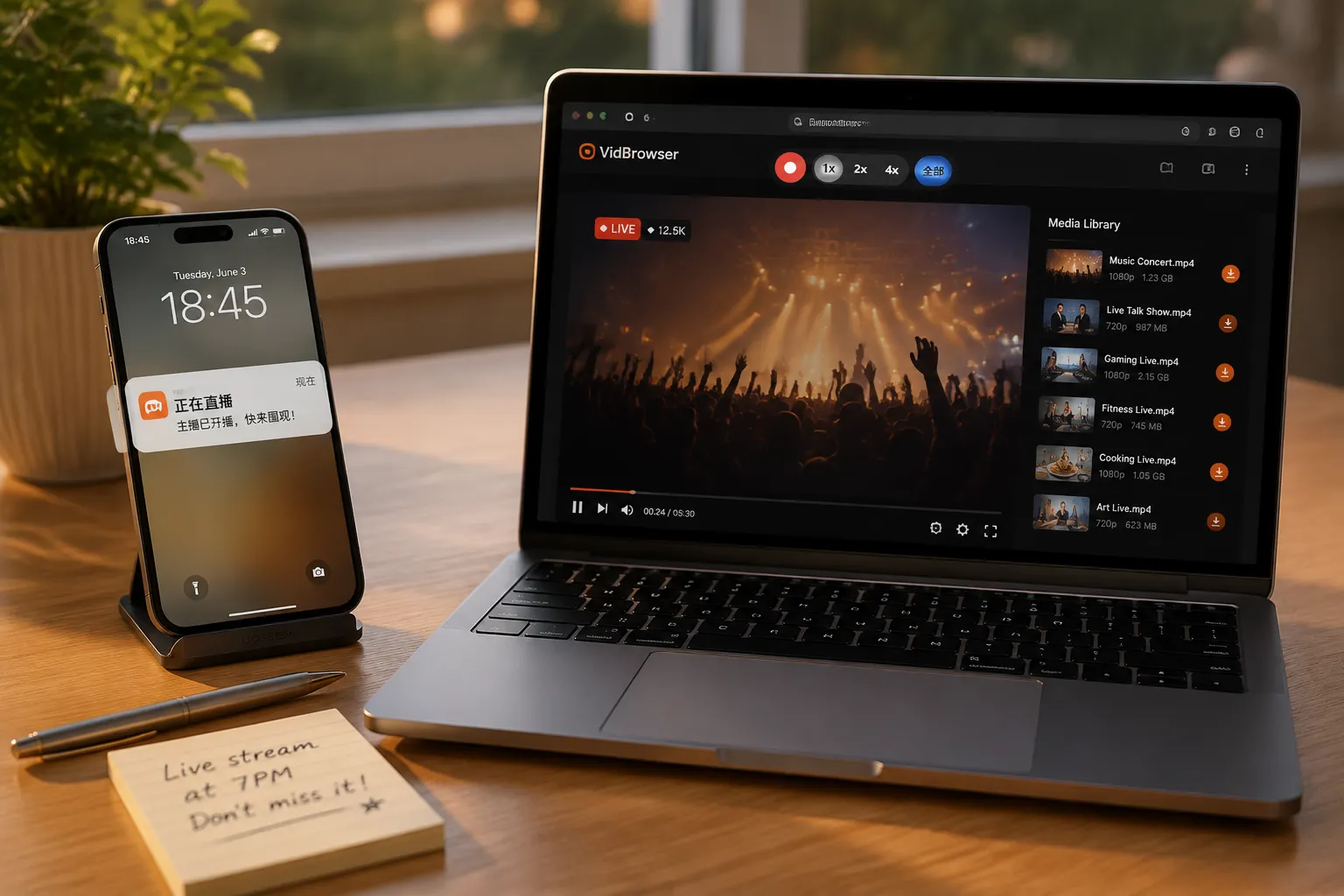
Watch Fansly Streams with VidBrowser and Save Them
VidBrowser puts "watching" and "keeping" in the same browser — watch the stream normally, and the content gets kept along the way. Workflow:
Step 1: Download and install VidBrowser
VidBrowser is a desktop video browser for Windows and Mac — watch streams and videos, capture clips, save locally, with downloading and recording built in. Installation takes minutes.
Step 2: Open Fansly in VidBrowser and log in
Launch VidBrowser, visit fansly.com, log in with your own account. Your existing subscriptions and permissions work exactly as in a normal browser.
Step 3: Enter the stream room or find the target content
Enter the ongoing live room and let it play normally for a few seconds; if you want a previous session's replay or video post, browse the creator's page directly.
Step 4: Replays download directly; live streams use recording
Fansly carries two kinds of content with different saving methods:
- Replays and video posts (VOD): downloadable. After playing a few seconds, the right-side "video library" panel lists detected videos, each with an orange "Download" button — one click saves as MP4 (resolution selectable first).
- Real-time streams: a live stream is a real-time flow and can't be downloaded directly — recording is the way: hover over the video and recording controls appear as an overlay, pick a speed (1x real-time, or 2x/4x to finish faster), click "Record All" to capture the whole session, and the record button on the left starts or pauses at any time.
Step 5: Find the files in the library
After the stream ends (or once replay content is saved), open files from your chosen folder or locate them via VidBrowser's download history. Rewatch offline anytime with VLC, QuickTime, or any player — creator-deleted replays and expired subscriptions don't touch your copy. (Detailed steps for Fansly video/replay downloads are in our Fansly video download guide.)
Before recording long streams, three details are worth noting:
- Set quality in advance: recording keeps what plays — adjust clarity to the tier you want before starting.
- Keep it playing: recording relies on the page actively playing; don't close or refresh the stream room mid-way.
- Check disk space: multi-hour streams make big files; glance at free disk space before recording.
One Bottom Line to Remember
Fansly streams contain visuals, music, and chat that all belong to someone. Saving them for personal offline rewatching and private memories is fine; republishing, reposting, or commercial use is infringement. Keep it for yourself — respect content creators.
FAQ
How long do Fansly stream replays stay up?
Up to the creator. Some keep replays, some delete right after ending — no uniform retention guarantee. So don't count on the replay for important sessions; recording during the broadcast is safest.
Does recording a Fansly stream require staring at the screen the whole time?
No need at all times. Once recording starts, keeping the window playing is enough — recording runs in the background; speed recording (4x) suits finished long replays, while real-time streams follow along at 1x.
Will saving a Fansly stream notify the streamer?
No. VidBrowser saves the stream to your local device; from the platform's and streamer's perspective it's normal viewing — no recording or save records sent, no effect on your account or subscriptions.