
Why Fansly and LoyalFans downloaders fail to save videos properly
Search "Fansly downloader" or "LoyalFans downloader" and you get a long list of tools, yet trying them often ends the same way: either an error, an unplayable file, or the sneakiest case — the progress bar finishes, the file lands on disk, and when you open it, it is a few seconds of blurry footage. The problem usually is not the wrong version; it is the gap between how Fansly and LoyalFans deliver content and what a tool can reach. This piece breaks the failure reasons into layers, gives three quick checks, and one authorized way to keep a copy.
Why these downloaders keep failing: more than one layer
Third-party downloaders fail for more than one reason: the platforms' access policies, how content is delivered, your login state and tool compatibility each block a batch. Start with what the platforms say plainly: the Fansly help center states directly that media on the site cannot be downloaded — purchased content stays on the Media Collection page for replay as long as you are logged in; creator-side docs add that content is stored encrypted on the platform. LoyalFans' terms likewise restrict unauthorized downloading and scraping — being allowed to watch is not the same as allowing a tool to save the content out.
Delivery is another layer: Fansly's playlists are described in the developer API docs as "a list of links that expire quickly", with segment addresses carrying expiry times and signatures; LoyalFans streams video in encrypted segments with playback credentials tied to the login session. A video playing fine does not mean a parsing service outside the authorized flow can stitch a playable file — this general mechanism is unpacked in more detail in the why streaming videos can't be downloaded piece. Which layer is at fault has to be judged from on-page messages and file behavior; one failure proves nothing.
Three faces of fake success and three quick checks
More sneaky than errors is "fake success": the progress bar completes, the file lands, but the content is not the piece you thought it was. Three common faces:
- Empty shell: the extension looks right but the player cannot open it — possibly encrypted data without a key, or a fragment left by an interrupted download.
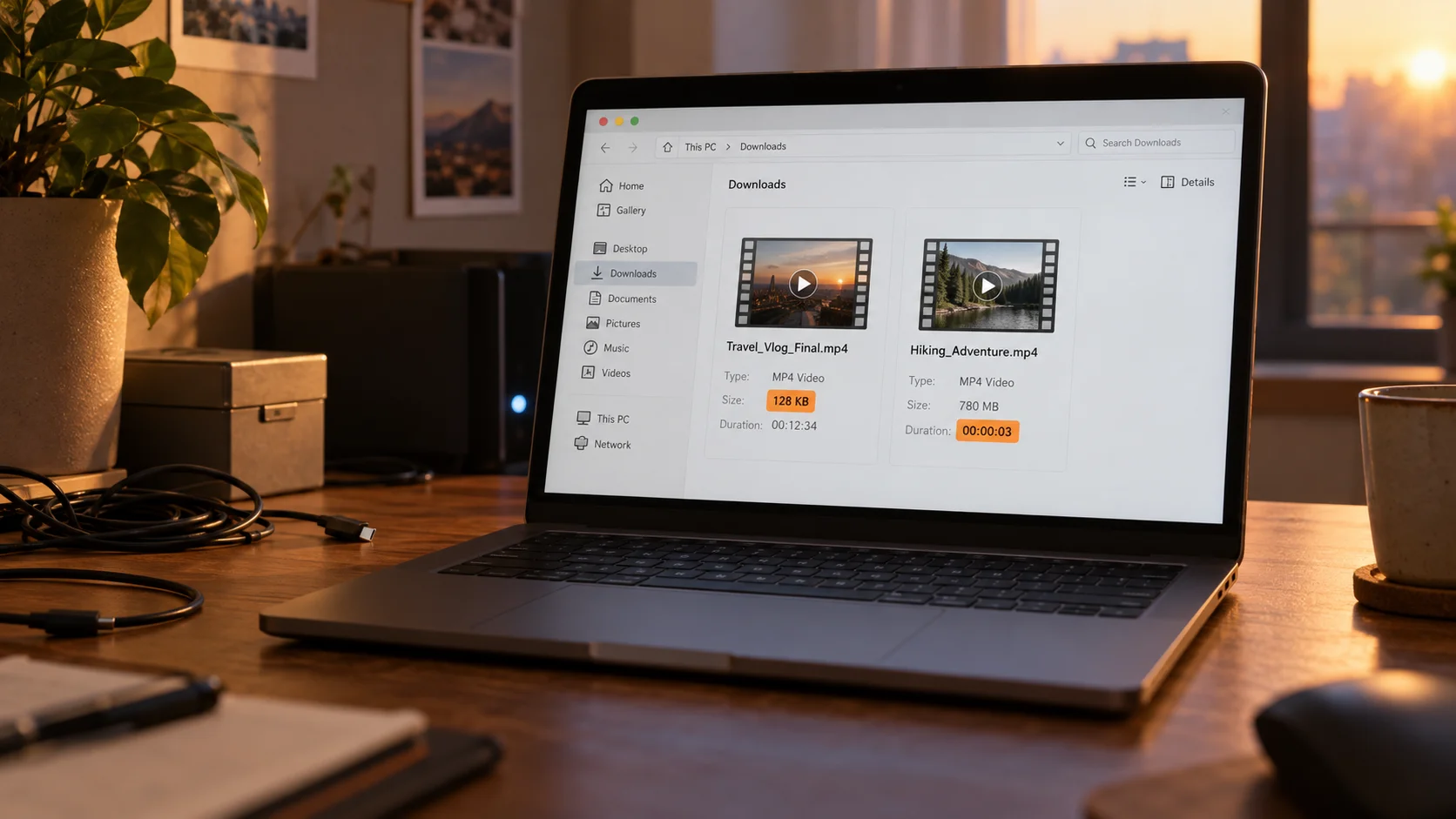
- Preview clip: a few seconds and done, or blurry beyond watching. Plenty of paid content hangs a free preview stream, and the tool cannot tell main feature from trailer.
- Shrunken version: it plays, but shorter by a stretch and a notch lower in quality — probably grabbed a low-bitrate tier.
When a task reports success, do not rush to delete the record — run three quick checks: look at the file size — far below expectations, confirm whether the download completed and the format is right; a small file rarely has one single cause; look at the real duration — open it and check the start, middle and end; a few seconds may be a preview or a task that never finished; look at the playback result — if it will not open, first verify the extension and player compatibility. These checks narrow the scope; when nothing matches, confirm the account has access and the video plays normally, then consider switching tools.
Three checkpoints for judging a downloader's reliability
"Supports Fansly" means it supported it once — not that it supports every page and every type of content right now. When the platform changes its player or its signing rules, a tool can fail silently, and its support list may not follow. Before installing, look at three things:
- Last update time: a long-idle tool deserves a question mark however long its support list; some tools state they do not auto-update and require a manual reinstall for new versions.
- Recent user feedback: whether recent comments mention "login failed" or "saved files won't open" reflects reality better than ratings.
- Whether it asks for your password: never hand a third-party tool your platform password or verification codes; prefer tools that use authorized login and ask for no credentials.
One more layer is often missed: when you are not subscribed, have not unlocked, or the session has expired, the page simply has no stream to take — the tool is not broken; there is nothing to grab. Log in again, unlock the content, then judge what the tool can still do. Phishing patterns and hands-on results for four tool types were sorted in the LoyalFans downloader comparison piece.
The reliable path to saving content within authorization
For long-term keeping, look at authorization first: whether the platform offers a save entry and whether the creator allows it — that comes before any tool. Purchased Fansly content replays anytime in Media Collection; when you need a file outside the site, confirm platform policy and creator permission first — keeping it for personal viewing and re-sharing it are two different things.
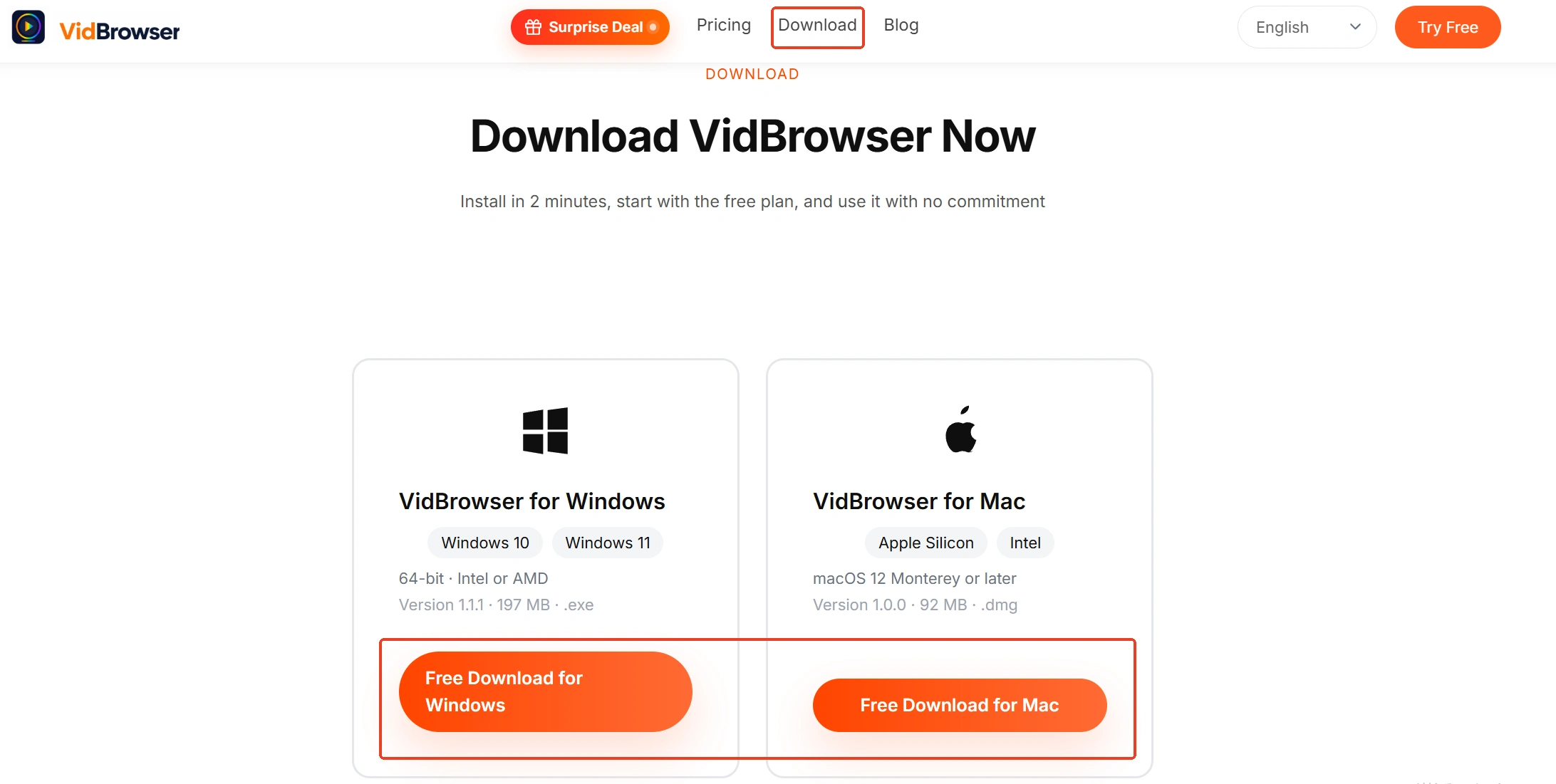
Step 1: Download and install VidBrowser
VidBrowser is a desktop video browser for Windows and Mac to watch videos, trim clips and save them locally, with download and recording built in — installed in minutes.
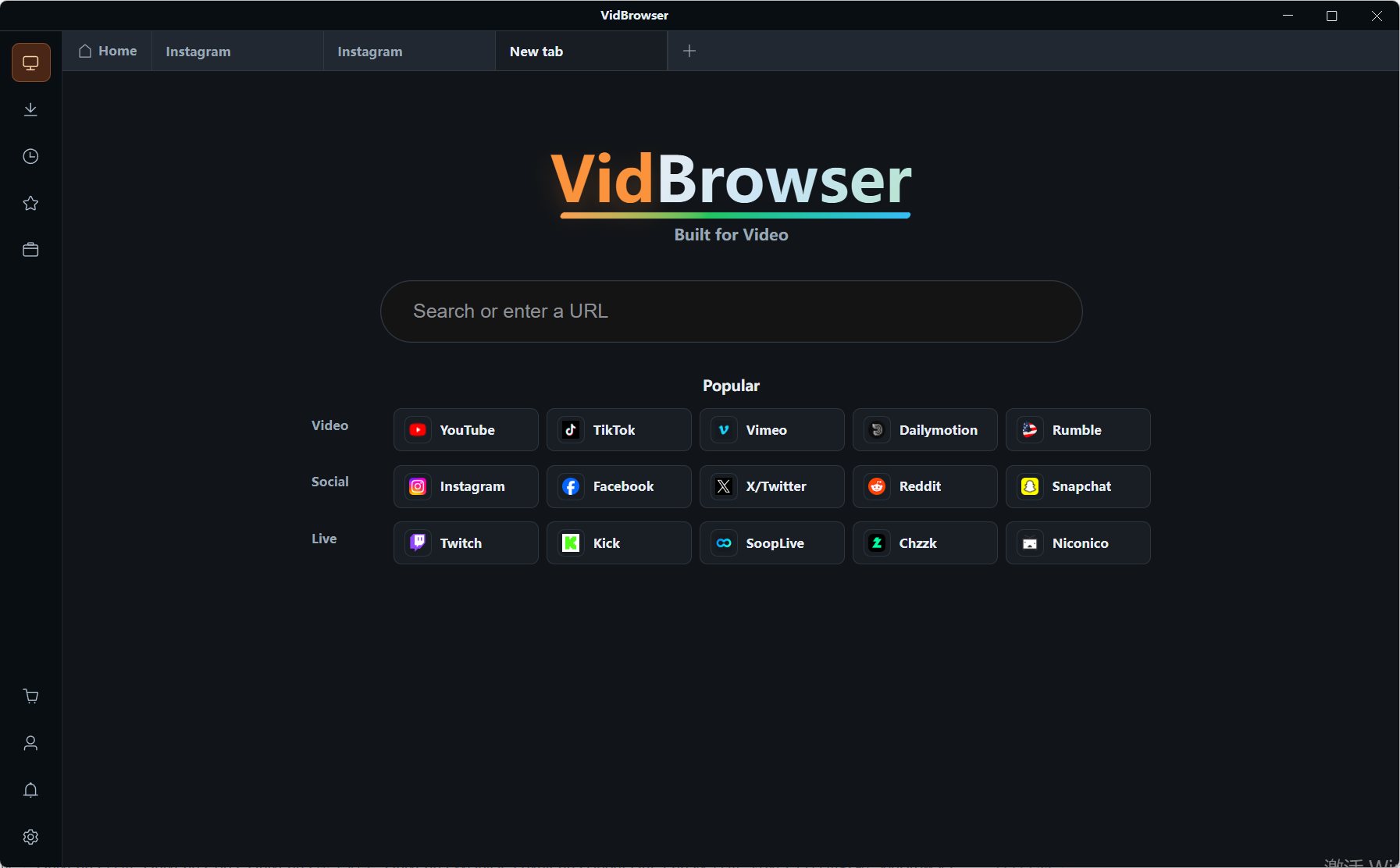
Step 2: Open the platform and log in
Open the platform inside VidBrowser and log in with your own account; subscriptions and purchased content are all there.
Step 3: Play the video you want to keep
Click the video and let it play normally; purchased content is in the media collection.
Step 4: Save with recording (prefer downloading when a save entry exists)
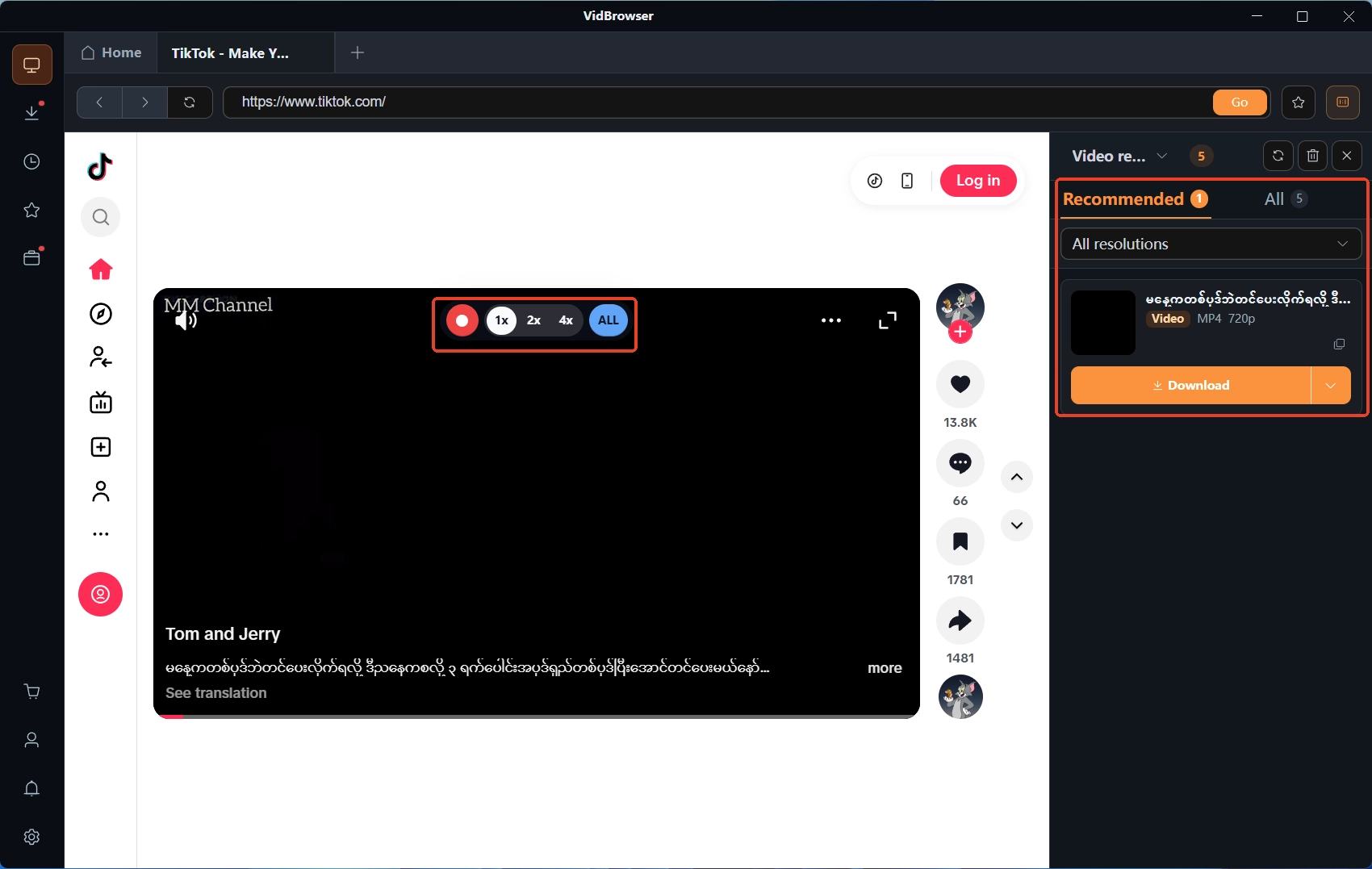
When protected content has no official download entry, recording is the main way to keep a personal copy: move the mouse over the video and the recording controls overlay appears — choose a recording speed (1x real time, 2x or 4x to finish faster), press record-all to record the whole video, and the record button on the left can start or pause at any time. If the page offers a direct download entry, the "video media library" panel on the right also lists items with an orange "download" button — click to save (pick a resolution first if you like), and download records are in the download history on the left. Keep the scope to content you have access to, for personal viewing, not for re-sharing.
FAQ
Can Fansly paid videos be downloaded locally?
The Fansly help center states that purchased media can be rewatched in Media Collection, but saving it off-site through unofficial means is not allowed. For a local copy, first confirm whether the platform offers such a feature and whether the creator authorizes it.
Do these downloaders put my account at risk?
Two layers: credentials — handing your platform password to a tool is a leak risk, so prefer tools with authorized login; terms — scraping generally violates platform terms, and both Fansly and LoyalFans restrict it. A failed tool wastes time; a tool of unknown origin bets your account.
Where is the line for saving content from my own paid subscription?
Paid access does not automatically mean the right to copy, download or redistribute; keeping it for personal viewing and re-uploading or sharing are two different things. The boundaries are laid out in: the legal boundaries of content downloading.


