What you buy on LoyalFans is never a file, it is an access right that expires
On LoyalFans most people have paid several times over: a subscription fee, a video with a price on it, a tip. The paying part is spelled out clearly, while finding what you already bought is something the site never really explains. For fans there is no single purchased-content library: the things you paid for sit in three different places by nature, and how long you can still watch them is not up to you.
LoyalFans has no single purchased-content library, what you bought sits in three places
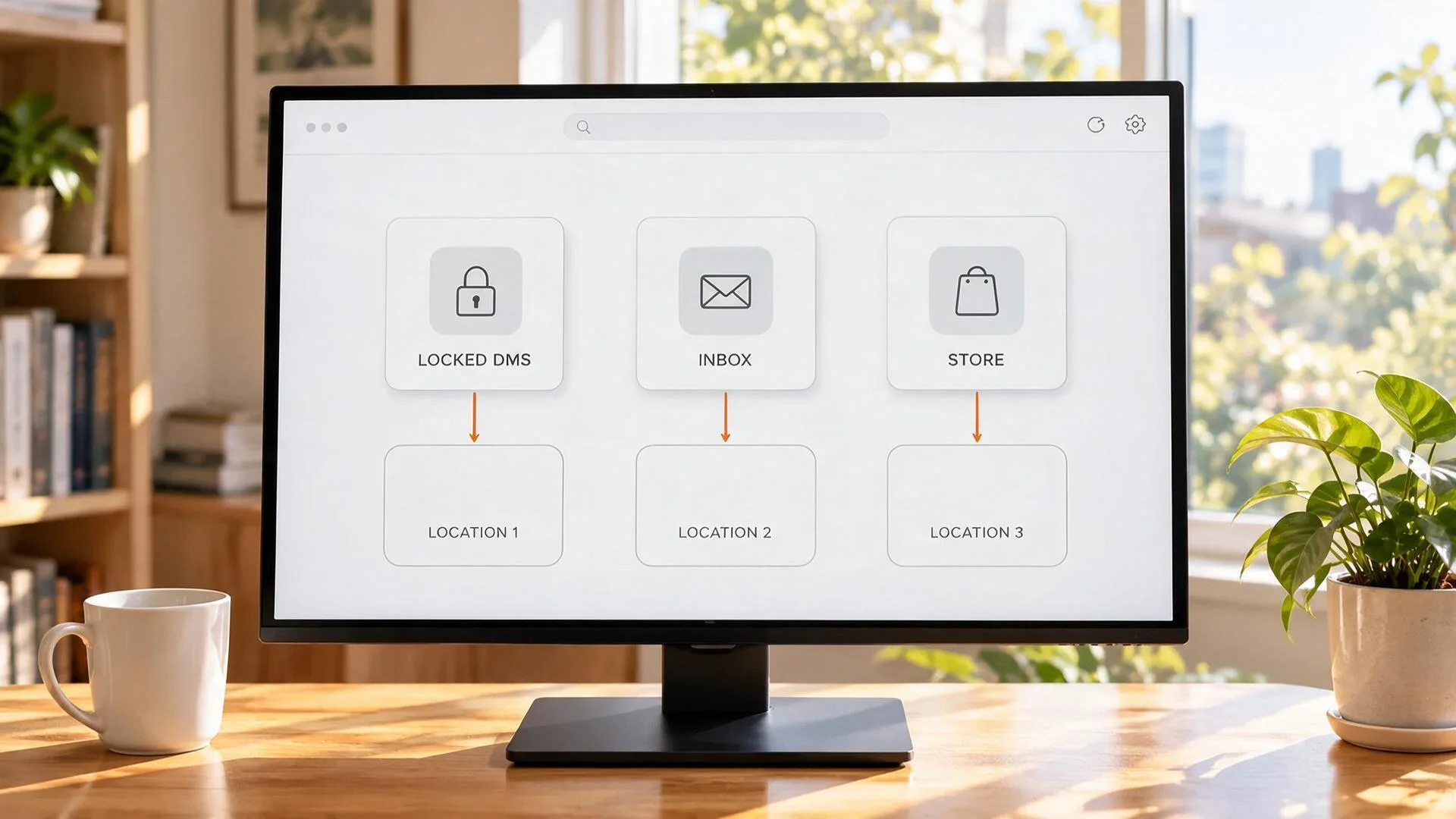
To state the conclusion first: LoyalFans gives fans no central library for purchased content, and the entry point depends on which kind of purchase you made. The three places are:
- Unlocked posts inside the subscription feed: these belong to the subscription tier and you reach them from the creator page feed; when the subscription lapses they lock again;
- Locked cards in your DM thread: photos or videos a creator sent as a paid message, which stay in the chat log once unlocked and take scrolling back to find;
- Single videos bought in the Video Store: the most easily overlooked of the three, it is its own store and what you buy stays on your account.
Search LoyalFans and you will run into the term "Media Cloud", which belongs to the creator side — it is a cloud drive where creators keep their own material and has nothing to do with what you purchased, so do not mix the two up (the differences between the three platforms at the DM entry point are pulled apart in our guide to saving DM videos).
The Video Store: buy one at a time, and the one place with a built-in download switch
The LoyalFans Video Store is the one of the three with a built-in allow-download mechanism. It sits apart from subscriptions: fans, subscribers and visitors can all walk in and buy a single video without subscribing to anyone first.
The key is a switch in the creator backend. When a creator puts a price on a video and turns on Allow Download, a download marker appears on your side for that video — click it and it saves as a file, and the version you get carries no LoyalFans watermark.
A few boundaries are worth remembering:
- Only videos can have downloads enabled, photos have no such option, so a creator could not offer it even if they wanted to;
- the switch only applies to content that has been given a price, and free content never shows it;
- previews in the store run up to 90 seconds (about 500MB) and a single video is capped at 6GB, so do not read "I can preview it" as "I can just take it";
- there is also a cross-creator Global Store entry point that browses more like a public shelf.
For a buyer this changes the order of your actions: open a piece you have already bought and check first whether there is a download marker; if there is, use the platform download itself, and only fall back to recording when there is not. As for whether buying singles or subscribing works out cheaper, our LoyalFans PPV guide has already done the maths.
The truth about re-access: what you get is an access licence, not a file
The terms put this directly: what a fan receives is a non-transferable, non-sublicensable, non-exclusive access licence. The wording used is "a license to access", and it states plainly that it grants the fan no ownership of the content (see LoyalFans official terms).
More importantly, that licence terminates automatically, with no separate notice, in any one of the following situations:
- a payment connected to that purchase fails, is declined or is refunded;
- the creator deletes the content in question, or closes their account;
- you breach the terms of service;
- the content is removed from the creator account, or the creator account is suspended;
- your account is suspended or terminated;
- you close your own account.
The terms also leave one catch-all: the platform may remove any content from a creator account at any time, including paid content, and without giving a reason. So between "I bought it" and "I will always be able to watch it" sits a long list of conditions you do not control.
Subscription lapse, a creator leaving, closing your own account: what each one costs you
Three different reasons for "I cannot watch it any more" and three different outcomes, so the preparation you can do in advance differs too.
- Subscription lapse: this one has a clear timetable. After you cancel, content inside the period you already paid for stays accessible until the expiry date; once it expires and you still want to watch, you have to resubscribe (how to choose a subscription and when to act on saving is covered in more detail in our comparison of free and paid subscriptions);
- A creator leaving or deleting their account: no grace period. When the whole page disappears, the content you paid for in DMs usually goes with it, and under the terms this kind of one-off purchase is not refunded;
- Closing your own account: the most easily overlooked of the three. The terms state that after an account is terminated the platform offers no technical means of getting your content back — "close it now, retrieve it later" is not a route that works.
How to keep what you bought on your own drive: four steps is enough
A subscription fee and a single purchase both buy you access rights, and only the copy that lands on your own disk is truly kept. The process is not complicated:
Step 1: Download and install VidBrowser
Installing one desktop video browser is enough — VidBrowser runs on Windows and Mac, ships with both downloading and recording, and takes a few minutes to set up.
Step 2: Open LoyalFans in VidBrowser and log in
Go to the site from the address bar and log in normally; what you can see of subscriptions and purchases matches an ordinary browser.
Step 3: Find that piece of content the way you always did, and play it
Reach the subscription feed, the DM thread and the Video Store through the same logic the platform uses; a thumbnail carrying a download marker means the creator enabled downloading.
Step 4: Save it with the recording feature (the first choice for protected content)
Most video on LoyalFans is protected and ordinary download tools cannot grab it, so recording is the safer route: move the mouse over the picture and the recording controls overlay appears, with 1x real time plus 2x and 4x to finish faster, "record all" captures the whole thing, and the button on the left starts or pauses at any moment. If that video carries a download marker, the video media library panel on the right also lists the matching entry, where the orange button saves it as MP4 and you can pick a resolution first; either way the file ends up in the download history on the left.
Only save content you have permission to watch, for personal keeping only, and do not redistribute or resell it.
Frequently asked questions
Is there one place on LoyalFans where I can see everything I have bought?
No. LoyalFans offers fans no single purchased-content library, and what you paid for is filed by how you paid: subscription feed, DM thread, Video Store. When you cannot find a particular piece, think back to which kind of purchase it was and then go digging in the matching entry point.
If a creator deletes content, can I still watch the one I bought?
Usually not. The terms state the access licence terminates automatically when the creator deletes the content or closes their account, and this kind of one-off purchase is not refunded. If you want to keep it, save a copy locally while it still opens.
Why can some videos on LoyalFans be downloaded directly?
Because the creator turned on Allow Download for that video in their backend, which makes a download marker show on your side. The option works for videos only, not photos, and the file you get through it carries no platform watermark. For content with no marker you need another approach.