
Is Fansly Worth It? What to Weigh Before You Subscribe (2026)
People typing "is Fansly worth it" into a search engine are usually stuck at the same moment: they have browsed a creator's profile, the subscribe button is right there, and the finger hovers without clicking. Two fears hold them back — spending money that never turns into equivalent content, and impulsively subscribing to three accounts only to discover at month's end that the bill is unbearable.
About the platform itself: according to the Fansly official site, it is operated by US-based Select Media LLC; the official Terms of Service (version effective July 21, 2026) state that creators keep 80% of all earnings, a platform cut in line with the industry. Third-party traffic analytics show that in May 2026 Fansly drew roughly 52.8 million monthly visits, up 8.87% month over month — a mature platform still in its growth phase, not a small site with a high risk of disappearing. So the real answer to "is Fansly worth it" lies not in the platform, but in the creator you subscribe to and in how you subscribe. This article gives you an actionable decision method.
Three Hard Criteria for Whether a Fansly Subscription Is Worth It
Whether a creator is worth subscribing to comes down to three things: posting frequency, content exclusivity, and genuine interaction — hit two of the three and your money is well spent. Spend three minutes on the profile before subscribing:
- Posting frequency: scroll through the creator's posts and content volume over the past 30 days. An account that rarely updates — three or five filler posts a month — is most likely in "semi-retirement" during your subscription too. Skip it no matter how cheap.
- Content exclusivity: check whether the previews on the profile also appear on her X/Twitter or Reddit. If the core content is synced everywhere, the exclusive value of subscribing is limited; the more in-depth content is published only here, the higher the subscription's value.
- Genuine interaction: see whether the creator personally replies in the comments and whether DM services are clearly priced. We covered a method for judging creators who are "Fansly-only" in Why Creators Only Use Fansly — use them together.
Of the three criteria, posting frequency is both the easiest to fake and the easiest to verify — marketing copy can claim "daily updates," but the profile timeline never lies.
Do the Math on Fansly Costs: Subscription Fatigue Is the Biggest Pitfall
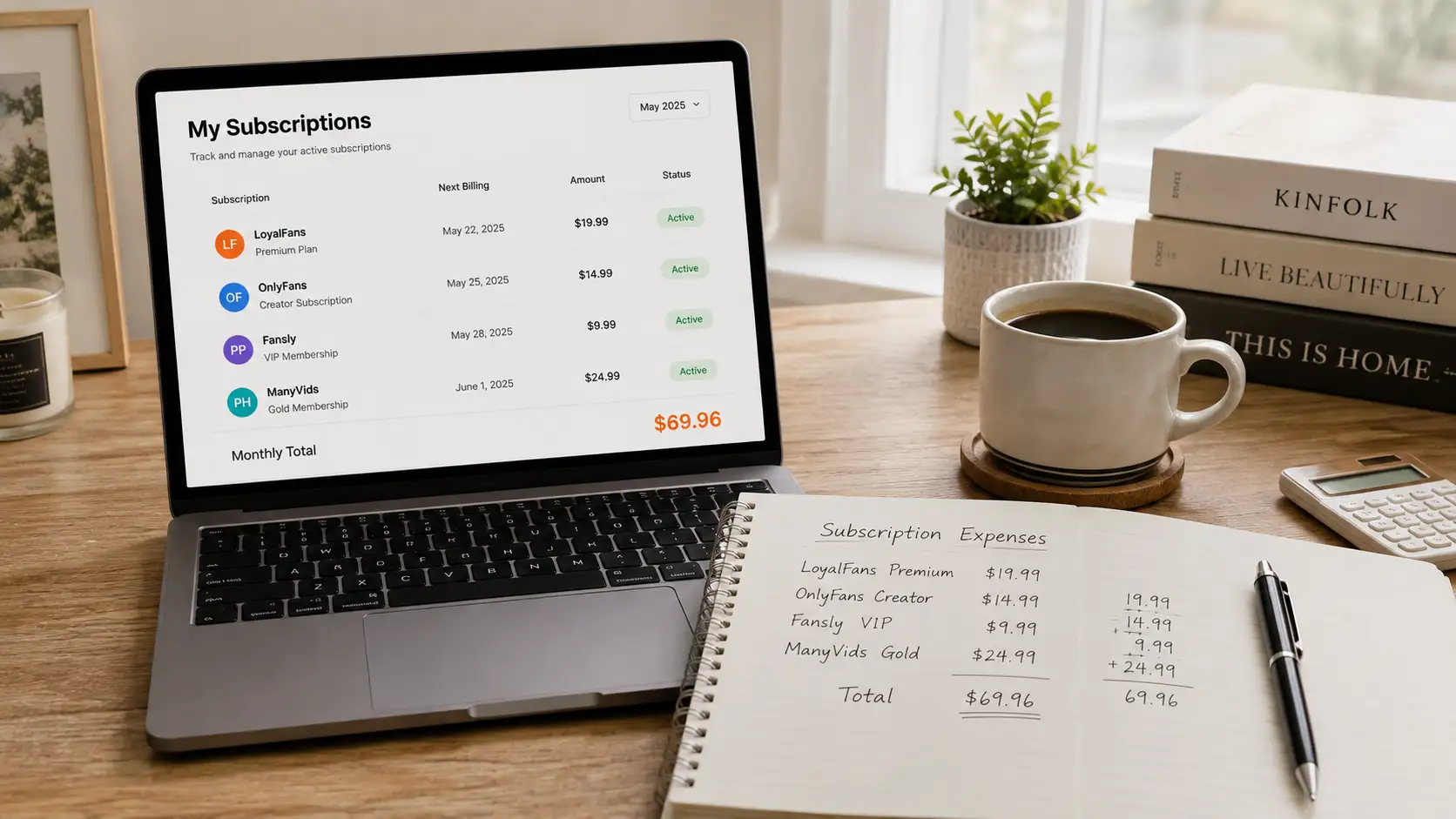
The hidden variable in whether a Fansly subscription is worth it is not the unit price — it is how many creators you subscribe to at once. "Subscription fatigue" makes most people spend hundreds of dollars more every year. Fansly creators set their own tiers, usually around $15; each looks cheap on its own, but stacked together it is another story:
- Subscribe to 1 creator at $10/month and that is $120 a year.
- Subscribe to 3 and it is $360 a year — enough for a mid-range monitor.
- Add the occasional PPV purchase and tips, and actual spending usually runs another 30%–50% above the subscription fees themselves.
So what matters more than "is this account worth it" is a budget cap: set a monthly subscription total (say $30) and pick your favorites within that limit, instead of adding every account you like. To keep costs down, wait for a creator's new-account discount or a free trial (we broke down the difference between the two offers in Fansly Limited-Time Discounts and Free Trials), and for price gaps between tiers see How to Choose Fansly Tiers.
Four Types of People Should Subscribe to Fansly — and Two Types Shouldn't
The same platform is "worth it" for four types of people and pure expense for two — match yourself first, then pay. Worth subscribing:
- The long-term follower: you have creators you genuinely like and are happy to support monthly for steady updates — the fee effectively becomes a "content membership," stable in value.
- The interaction seeker: you care about DMs and custom content; Fansly's multi-tier design turns exactly this into clearly priced services.
- The content collector: you like saving content into your own local library and building it slowly — the subscription period is your "legitimate collection window," and every month produces something you keep.
- The multi-platform comparison shopper: choosing between OF and Fansly, Fansly's on-site discovery is better to browse and works well as your main hub for finding new creators.
Not worth subscribing:
- One-time viewers: if you only occasionally want a single video, check for free previews or a trial link first — a monthly subscription is most likely wasted.
- Believers in "subscribe and get everything": higher tiers do not unlock everything either; PPV content still costs extra — budget-sensitive subscribers get ambushed by the bill.
Save Content During the Subscription Period, So the Value Is Actually Yours
The real value of a subscription equals "the content you actually keep during it," not how many times you clicked in — what sits behind the paywall stops being yours when it expires. Fansly videos are protected, ordinary downloaders cannot grab them, and VidBrowser, a desktop video browser, is the most reliable way to save them:
Step 1: Download and install VidBrowser
VidBrowser is a desktop video browser with built-in download and recording features, supports Windows and Mac, and installs in minutes.
Step 2: Open Fansly in VidBrowser and log in
Visit fansly.com and sign in with your own account; subscription access works exactly as in a regular browser.
Step 3: Play the video you want to save
Open the target video and play a few seconds; VidBrowser automatically detects the video resources on the page.
Step 4: Use the recording feature (first choice for protected content)
Videos on subscription platforms like Fansly are mostly protected, so recording is the most reliable way to save them: move the mouse over the video and the recording controls appear as an overlay — pick a recording speed (1x real-time, or 2x/4x to finish faster), click "Record All" to capture the whole video, and the record button on the left can start or pause at any time. Anything that plays can be recorded.
If a video can be downloaded directly, the "Video Library" panel on the right lists entries with an orange "Download" button; one click saves it as MP4 (you can pick the resolution first).
Step 5: Find the file in the download history
Open the download history via the clock icon in the left navigation, locate files by name or time, and watch offline anytime. Full details are in our Fansly Video Download Guide.
The point of doing this: the local library you build during the subscription period is the only part you still keep after canceling — and that is the final answer to "is it worth it."
When to Unsubscribe: Three Signs of Fading Value
Whether a subscription is worth it is not a one-time judgment but a question you re-check monthly — when these three signs appear, it is time to cancel. Check one by one:
- Updates clearly slowing: the number of posts has fallen off a cliff over the past month, or everything is text updates with no real content.
- Content getting repetitive: new videos closely resemble the ones from three months ago — a "reskin update."
- Active only before renewal: usually absent, then posting heavily two days before the billing date — that is harvesting auto-renewal, and every renewal with such an account is a loss.
Fansly subscriptions can be canceled at any time and will not charge again the next month; the logic matches OnlyFans (for the exact steps see OnlyFans Subscription Cancellation Guide). Build the habit of spending ten minutes at each month's end reviewing your subscription list and replacing accounts that no longer deliver value — that is the complete loop of "worth it": able to subscribe in, and able to cancel out.
FAQ
Fansly or OnlyFans — which one is the better subscription?
It depends on which platform the creators you watch actually post on — where the content lives decides everything. If the same creator is on both, Fansly's multi-tier structure usually offers a lower entry price, while OF's single tier is simpler. The real way to compare is to put both profiles' posting frequency and exclusive content side by side and subscribe where the output is higher.
What is the minimum a Fansly subscription costs per month?
You can start at $0: many creators offer free trial links or free tiers, so you can see part of the content at no cost. Regular subscriptions commonly start around $5/month, set by each creator. It is best to start with a trial or a low tier, verify the content quality, and only then consider upgrading.
Can I still watch videos saved during my subscription after canceling?
Yes. Content saved with VidBrowser — recorded or downloaded — sits on your own computer as local files and remains fully watchable offline after you cancel, unaffected by deletions on the platform side — which is exactly why we recommend saving during the subscription period, not at the last minute before it ends.


