Fanvue purchases expire, and the platform never warns you first
A creator you subscribed to on Fanvue — one day their profile opens and the content is gone, without any notice. How the platform works was covered in the explainer: the Fanvue explainer; here the conclusion comes first, in the terms own wording: what you pay for is not a file, but a license to watch, with an expiry — saving has to happen inside that window. How content disappears and how to save it before it does, in order below.
Fanvue video saving: separate access from ownership
When you pay for content, what you buy is the right to access and watch it, not a file.The official help center answers the question of whether purchased content is yours very directly: No — subscriptions, paid posts and PPV transfer neither ownership nor copyright (clause 10.2).
This is not just the Fanvue position. The help center also cites Chapter 3 of the UK Consumer Rights Act 2015 and Article 16(m) of the EU Consumer Rights Directive: buying digital content is not ownership, and the right of withdrawal after delivery is limited too. How long a license lasts and when it can be revoked is written in the terms.
AI-generated images and messages follow the same rule: buying grants no rights to the content or its output; how to spot AI accounts was broken down in the AI creator spotting guide.
Three lines when content disappears: billing cycle, deletion and account termination
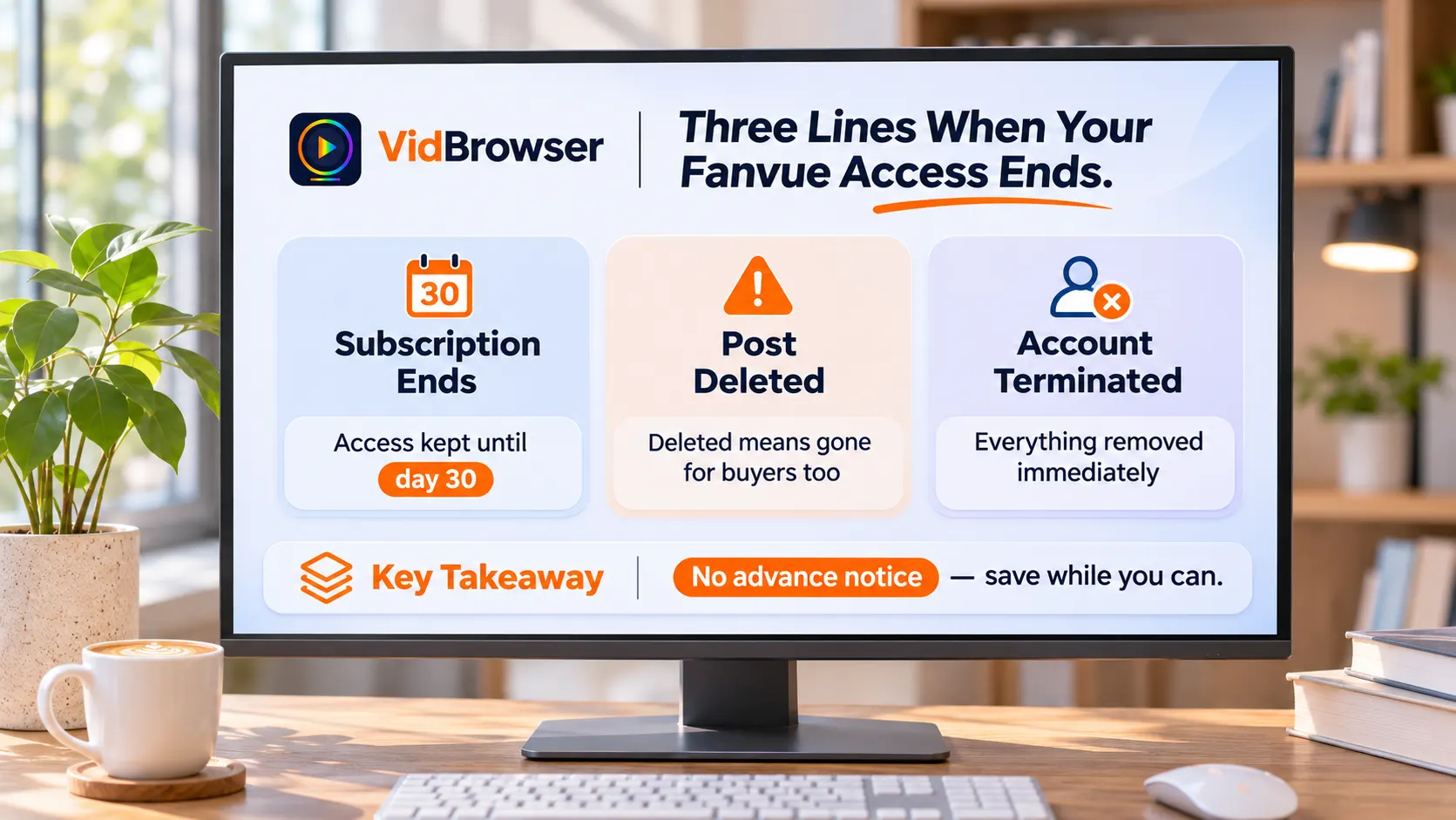
The official help pages split expiry into three cases, with very different consequences.
The first line is subscription expiry. After you cancel, access stays until the current 30-day billing cycle ends. The next charge date is listed on the subscription management page.
The second line is creator deletion. A single post can be removed at any time — even one you paid for as PPV becomes inaccessible once deleted. The official wording leaves no room: creators can remove or change content at any time.
The third line is the most sweeping: account termination. If the creator closes it, gets banned or is removed by the platform, the profile, posts and all related content stop working immediately — subscription content, purchased PPV and DM media vanish together, and message history becomes inaccessible too (clause 16.4).
PPV buyouts are the exception, but one deletion takes them too
Subscriptions and PPV expire differently: PPV is a one-time buyout that keeps access after you cancel, as long as the creator does not delete it.
The boundary of a buyout needs a close look: what you bought is still a license, not a file. If the creator deletes that post, buyers lose access all the same; when the account terminates, everything resets to zero, and how long PPV lasts depends on the creator. Saving details for PPV and DM media were covered in the DM and PPV saving guide.
After expiry: no refund guarantee, but recordings are the evidence the platform itself asks for
Deleted content or a closed account means no refund — but there is one 30-day exception channel. Clause 3.12 states that all payments are non-refundable: payment covers access at the time of purchase, viewing counts as the service being delivered, and deletion is not a refund reason.
The exception is clause 3.17: if you paid but could never access the content before it was removed, contact support@fanvue.com within 30 days to request a review — and the proof material the platform names is precisely screen recordings and screenshots. A personal recording is evidence the platform actively collects.
Billing questions go to the platform first; a bank chargeback costs the account
If a charge looks wrong, go through the platform first — a chargeback without prior contact gets the account permanently banned. (clause 3.13). The official unsubscribe guide bolds the reminder to use the platform channel first.
The three most common causes of billing surprises: canceling right on the renewal date (the charge may already be processing), canceling without finishing (go back to the subscription page and confirm it shows canceled), and misremembering what the charge was for. Self-check first, then contact support.
Save what you want before it expires: a four-step walkthrough
None of the three expiry lines gives advance notice, so save while content still opens. Use VidBrowser in four steps — bought PPV first, then subscription content:
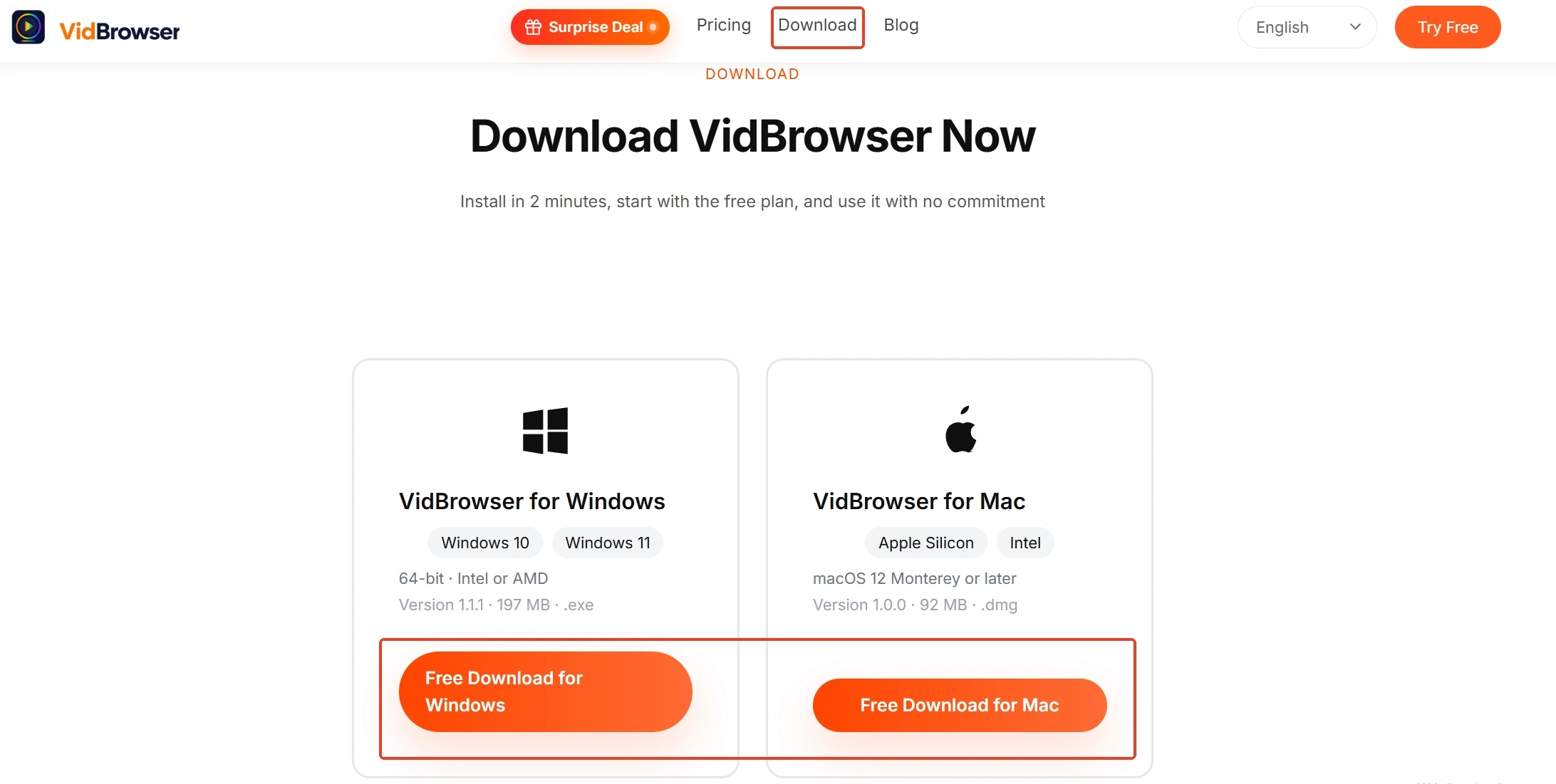
Step 1: Download and install VidBrowser
VidBrowser is a desktop video browser for watching videos on Windows and Mac, grabbing clips and saving them locally, with two built-in features: download and record.
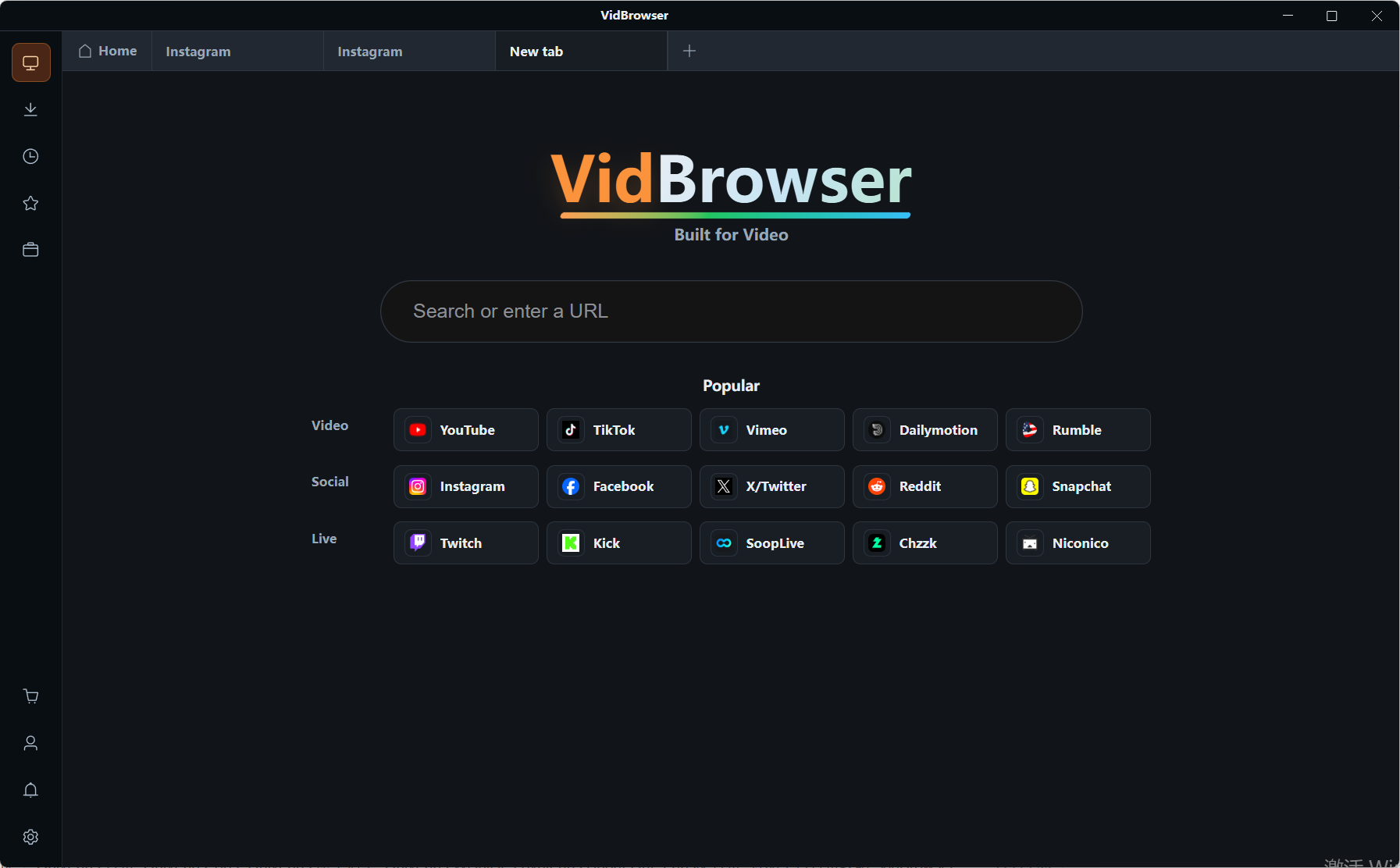
Step 2: Open Fanvue in VidBrowser and log in
Open Fanvue, log in, start with purchased PPV and media bought in DMs, then go back to the profiles of creators you subscribe to; saving stays within content you have permission to view.
Step 3: Sort by expiry risk and work through the list
Subscription content stays watchable inside the billing cycle; accounts with no updates for a long time or odd-looking profiles go first — deletions and closures never announce themselves.
Step 4: Use the record feature (first choice for protected content)
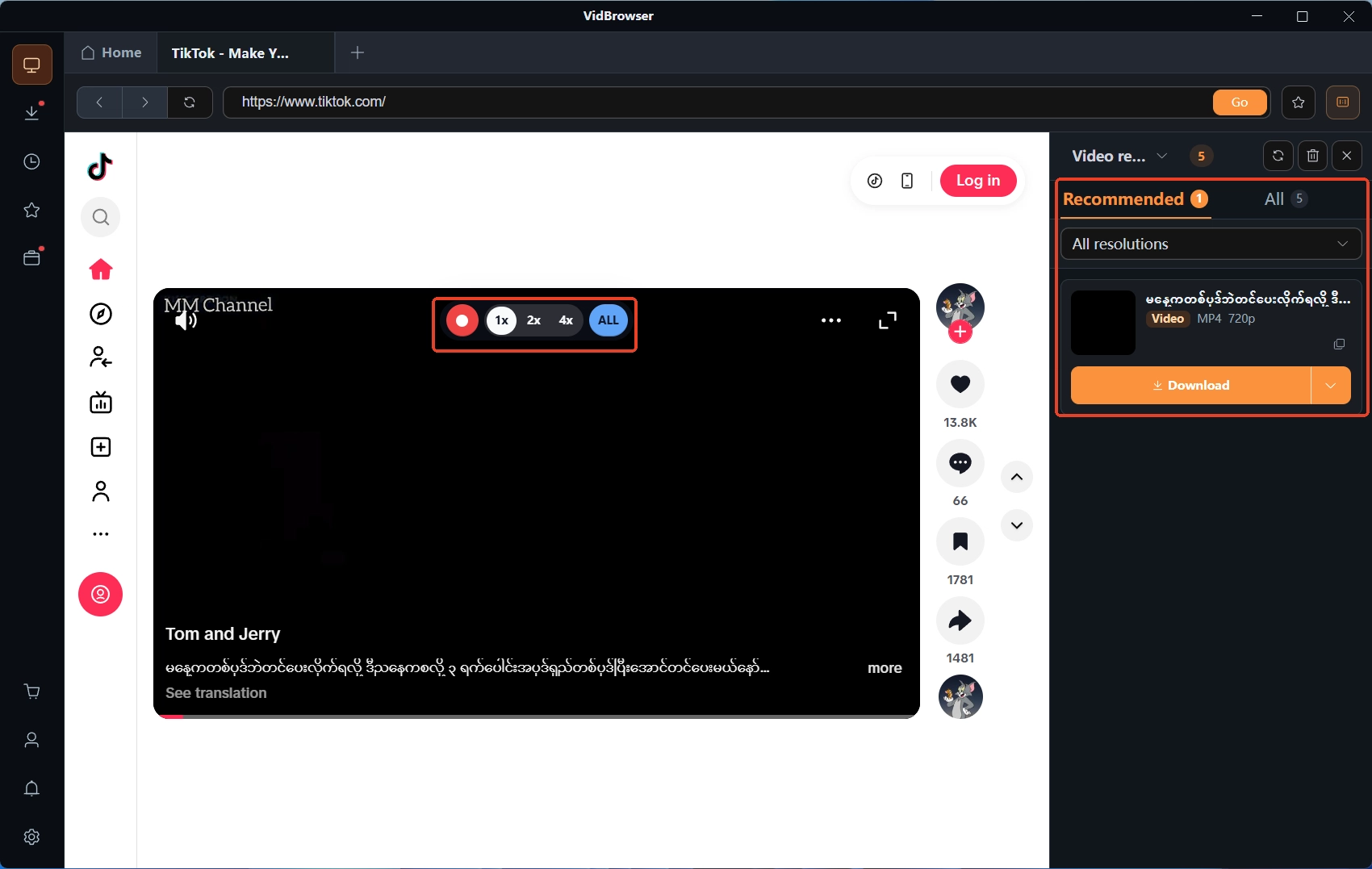
Videos on subscription platforms like Fanvue are mostly copyright-protected and out of reach for ordinary download tools, so the record feature in VidBrowser is the most reliable way to save: the recording controls overlay on the video, speed steps up from 1x real time to 2x and 4x, Full record captures the whole video, and the record button on the left of the screen starts or pauses anytime — anything that plays normally can be kept by recording. If a video can be downloaded directly, the Video Library panel on the right also lists entries with the orange Download button; one click saves it as MP4 (you can pick the resolution first). Files land in the download history in the left navigation.
Bottom line
The logic of paid content on Fanvue is plain: you buy a license, not a file, and it expires with the billing cycle, deletion or account termination — none announced. Two things to remember in practice: billing questions go through the platform first, because a chargeback means losing the account; and record the videos you want while they still play, PPV first.
Common questions
Can you still watch purchased content after canceling?
Two cases: subscription content stays until the current 30-day cycle ends; PPV and other buyout media stay accessible after canceling until the creator deletes them or the account terminates. The charge date and subscription status are on the subscription management page.
Can you get money back when a creator deletes posts or closes the account?
Clause 3.12 says no refunds. If you paid but never got access, submit screen recordings or screenshots within 30 days through the clause 3.17 review channel; the outcome is decided by the platform.
Can you just ask the bank for a chargeback when the amount looks wrong?
Not recommended. A bank chargeback without contacting the platform first triggers the permanent ban in clause 3.13. Check your subscription list yourself, then contact the official support email with transaction details.