Card declined on Patreon? Membership doesn't end the same day — the retry window is longer than you think
A few months into supporting a creator on Patreon, one morning the email arrives: your payment failed, and paid posts no longer open. Your balance is fine and your address unchanged — the problem often isn't on your side, but in Patreon's billing rules.
Run through Patreon's six official causes of payment failure first
Patreon officially sorts payment failures into six categories: insufficient balance, expired card details, incorrect billing information, a bank blocking the charge, a revoked billing agreement (most common with PayPal), and first-time-use issues with a payment method. The six come from the Patreon Help Center; the first four exist at every platform, the last two are the easiest to miss.
- Insufficient balance: not enough available credit for this subscription, or pending transactions holding funds;
- Expired card details: the card number or expiry was updated, and Patreon still holds the old one;
- Incorrect billing details: the name, address or postcode doesn't match your bank's records;
- Bank blocking: your bank flags this cross-border subscription as risky and declines it outright;
- Revoked billing agreement: mostly PayPal — PayPal no longer allows Patreon to charge that source;
- First use of the payment method: card networks or banks run extra verification on newly enabled methods.
The last two aren't money problems; swapping cards won't help. Shared mechanics like card-type checks and address verification are covered in detail in the Fansly payment-failed walkthrough on the site.
Patreon takes PayPal, Apple Pay and Venmo — but no gift cards
Patreon accepts five card brands — Visa, Mastercard, Discover, JCB and Diners Club; the wallets are PayPal, Apple Pay (USD only) and Venmo (US only); American Express and prepaid gift cards are both out of scope.
- Cards: credit and debit cards from those five brands all work, as long as the billing address matches your bank's records;
- PayPal: connected as a wallet; charges draw on the funding source you picked, and a problem there gets declined first;
- Apple Pay: USD only and tied to one device — switching phones can break it;
- Venmo: US users only, it can't pay from balance, and a card must sit behind it;
- Gift cards: officially not accepted, because memberships renew automatically.
Gift cards are the easiest money to waste: a fixed-value, non-reloadable card fails again at renewal. Long-term subscriptions need a card you can top up. Payment methods differ a lot across platforms — the the OnlyFans payment methods guide on the site makes a useful comparison.
Once a PayPal dispute has been filed against Patreon, that channel is closed
If you have ever opened a PayPal dispute over Patreon, paying with PayPal will keep failing afterwards — the dispute revokes Patreon's billing agreement on that funding source.
The official wording: people who previously filed a PayPal dispute for Patreon need to add a new funding source to their wallet to keep using PayPal. That source stays closed to Patreon regardless of how the dispute ends.
Separate your goals before acting: if you only want to understand one month's charge, go through Patreon support first. If a dispute was actually filed, the remedy is adding a new card to the wallet and switching the payment method.
Membership doesn't drop right away: six automatic retries plus a backup method
One failed payment doesn't void membership instantly. Patreon automatically retries up to six times in the month of the failure while sending emails and showing prompts; members-only content stays locked until the debt is settled; only after about thirty days unpaid does it downgrade to a free membership.
Patreon also has a lesser-known feature called a backup payment method: when the primary one fails, it automatically switches to the backup for all subscriptions, and emails you before using it. With several cards, turning this on prevents most forgotten-membership situations.
Where the manual retry lives, and the three bank switches to check
The manual retry path: open Settings from the left navigation, choose Memberships in the top menu, find the creator and tap View details, then change the payment method or edit the failed card.
If the retry still fails, go back to the payment method itself and check three things. The first is the card's three switches — in your banking app confirm that international transactions, secure online transactions and recurring billing are all enabled; many non-US cards ship with them off, and Patreon's subscription charges hit all three. The second is making sure the name, address and postcode your bank has on file are correct. The third: a newly added payment method may need identity verification first — a password, PIN, fingerprint or code — and skipping it fails anyway.
While membership is still active, save what you want to keep
One more thing worth doing once the payment issue is fixed: what Patreon sells is access, not ownership — when a creator deletes posts, reorganizes tiers or shuts the page down, what you've seen disappears.
Most videos on subscription platforms are copyright-protected and ordinary downloaders can't grab them; with VidBrowser saving takes four steps:
Step 1: Download and install VidBrowser
VidBrowser is a desktop video browser for Windows and Mac that plays video, clips segments and saves them locally, with built-in download and record functions. Installation takes a few minutes.

Step 2: Open Patreon inside VidBrowser and sign in
Launch VidBrowser, visit patreon.com and sign in with your account; tier perks work exactly as in a normal browser.
Step 3: Use Record for protected content (the first choice)
Moving the mouse over the video overlays the record controls — pick a recording speed (1x real time, 2x or 4x finishes faster), hit Record All to capture the whole video, and the record button on the left starts or pauses anytime.
Step 4: For directly downloadable videos, use the panel's download button
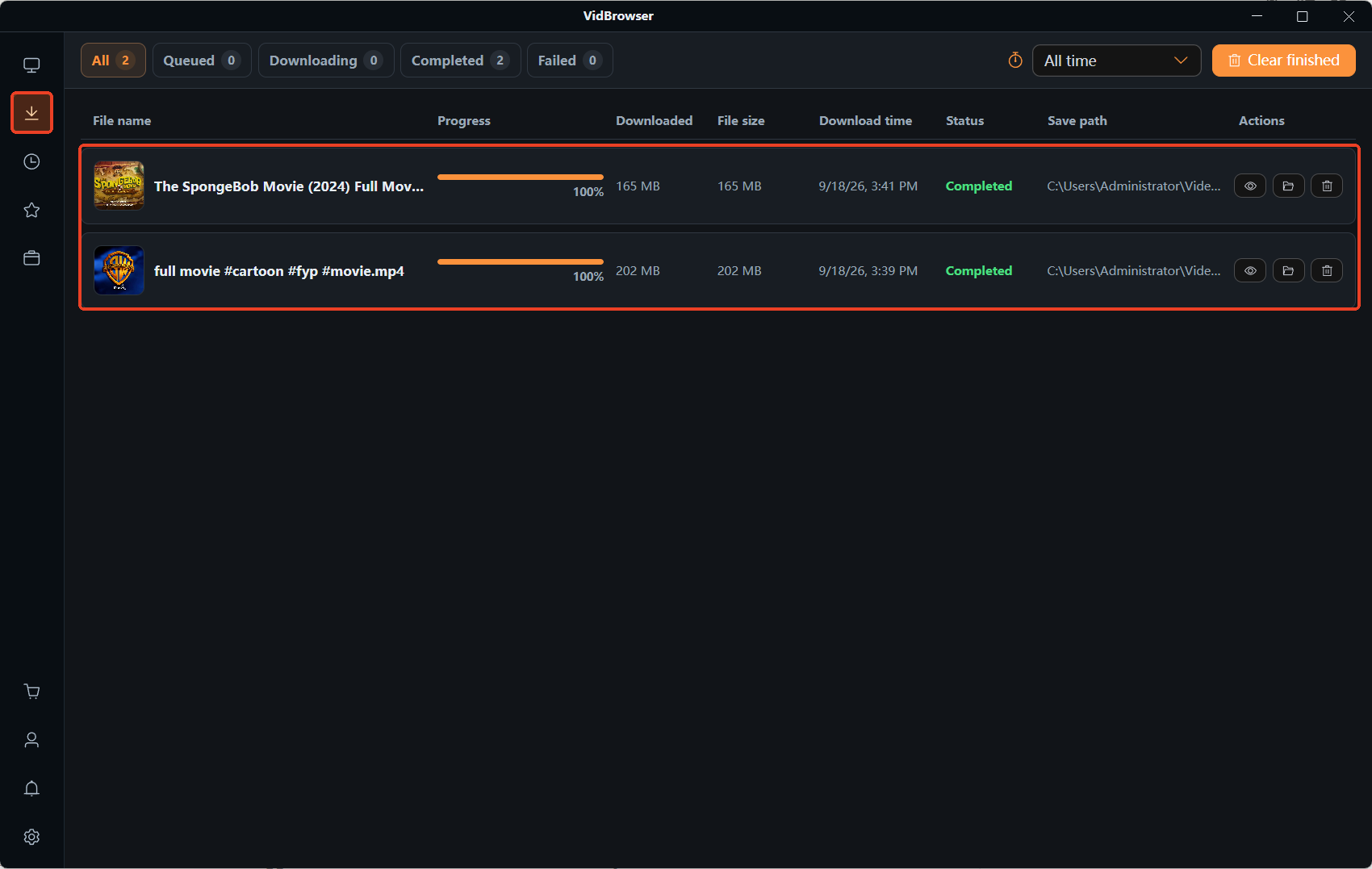
The Video Library panel on the right lists detected videos; choose a resolution and tap the orange Download button to save as MP4, with every download recorded in Download History on the left. Saving is limited to content you are allowed to view and keep for personal collection — the full walkthrough is in the Patreon video download guide on the site.
FAQ
Does Patreon take American Express or gift cards?
Neither. The accepted cards are Visa, Mastercard, Discover, JCB and Diners Club; American Express isn't on the list, and prepaid gift cards are excluded too — memberships renew automatically, so a bank-issued card is required.
After a PayPal dispute with Patreon, can I still pay with PayPal?
You need a new funding source. Filing the dispute revokes Patreon's billing agreement on the original source, which can no longer be used for Patreon — add a new card in your PayPal wallet and switch the payment method.
How long until membership benefits lapse after a failed payment?
Access is restricted the same day, but membership doesn't drop immediately: Patreon retries automatically up to six times that month, and access resumes once the balance is settled; after roughly thirty days unpaid it converts to a free membership.