Free tube sites look watch-anything, but saving crosses three XVideos lines
Free tube sites open with one click and cost nothing, so many people assume anything public is fair game to keep. Reading the XVideos official terms reveals a different logic: content comes from two kinds of sources, the rights chains differ, and the saving boundary follows the chain.
Two kinds of sources on free sites, two very different rights chains
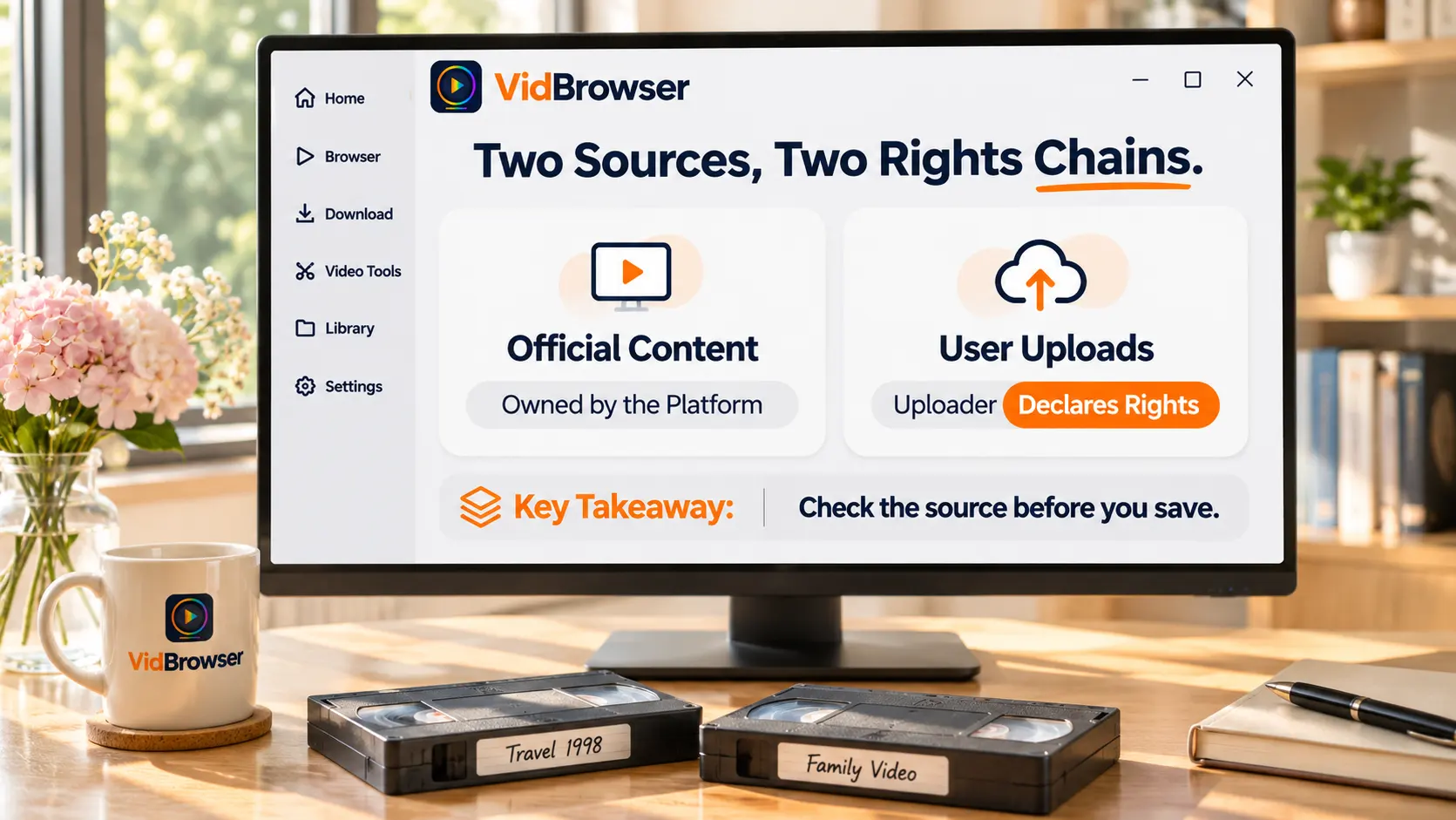
On a free tube site, half the videos belong to the platform and half to the uploader — sort out which one you are watching before saving.Under the XVideos terms of use, the site's material and audiovisual assets are owned by the operator WebGroup and its partners; videos uploaded by users remain the uploader's property, with the platform holding a usage license.
This structure differs fundamentally from subscription platforms. On a subscription site you pay a verified creator, and the terms spell out who owns what and until when. A free site's rights chain is held together by uploader self-declaration: the terms require uploaded content not to infringe copyright, privacy, trademarks or other third-party rights, and real-person material needs written consent plus age documents. A declaration is a promise, not a verification — when it is wrong, stolen content still sits on the site, and the playback page gives no clue whether a video has a clean rights chain.
XVideos official terms: what is allowed and what is banned, spelled out
The terms limit "use" to personal and non-commercial purposes, and bar "copying and distribution" without written consent.Three passages matter most: the site may be used for personal, non-commercial purposes only; without prior written consent, site content may not be copied, redistributed, publicly disseminated or sold; and automated mechanisms such as web crawlers and offline readers may not extract site content.
Read together, the boundary is finer than the words "downloads banned": commercial use, secondary distribution and bulk scraping are the three things the terms call out; a personal, single-file copy that never leaves your device falls in territory the terms do not separately address — for how the risk tiers work, the legal boundaries of subscription downloads sorted them by reach, and the same layering applies here.
Digital fingerprinting and takedowns: where the tracing mechanism sits
Free sites do not watch your downloading; they watch how content circulates — the technical grip is fingerprinting and takedowns.XVideos' official help center states that, under EU copyright law, the platform gives rights holders a free digital fingerprinting service, and registered content is automatically blocked from re-upload. When a video keeps disappearing and reappearing under a new title, that is the fingerprint system intercepting stolen uploads at the source.
The other end of the takedown flow faces uploaders. After a rights holder files a takedown, the platform discloses the complainant's name and contact details to the accused uploader, who has five days to file a counter-notice. The whole mechanism targets the distribution side: people who upload stolen content or redistribute it. The viewing side is anonymous — playback works without an account, and the platform holds no account or payment records to pin down an ordinary viewer.
Hence the key dividing line of this piece: the risk is not in "watching" or "saving", it is in "what you do after saving".Anonymous viewing and personal offline keeping sit in the lowest risk tier; once a file is re-uploaded, posted to a group or turned into traffic bait, it enters the working range of fingerprinting and takedowns. Age verification is another recent gate on free sites; the subscription-platform age verification primer covers that mechanism, so it is not repeated here.
Keeping a copy from a free site adds one more gate than subscription platforms
The difference between free and subscription sites in keeping copies is not technical difficulty — it is how reliable the rights chain is.Subscription platforms run on verification and a paid loop, so the chain is complete; free sites are the opposite: technically almost unguarded, public videos fall to ordinary tools, but the rights chain rests on uploader self-discipline, and the copy you keep may itself be stolen goods.
That gate has two practical effects. One is expectation: a low risk tier for personal keeping does not mean the content is "clean" — when the true rights holder asserts claims, distribution links are targeted first, but a kept copy of stolen content is still not licensed material. The other is handling: content whose source you cannot vouch for should all the more never enter secondary distribution. Pornhub is the most thoroughly reformed of the free sites; its verification system and saving boundary are covered separately in the Pornhub download guide.
A practical four-step walkthrough for saving free-site videos
Free sites are public videos, so the saving path runs opposite to subscription platforms: download first, record as fallback. For the entry point see VidBrowser's video downloader page.
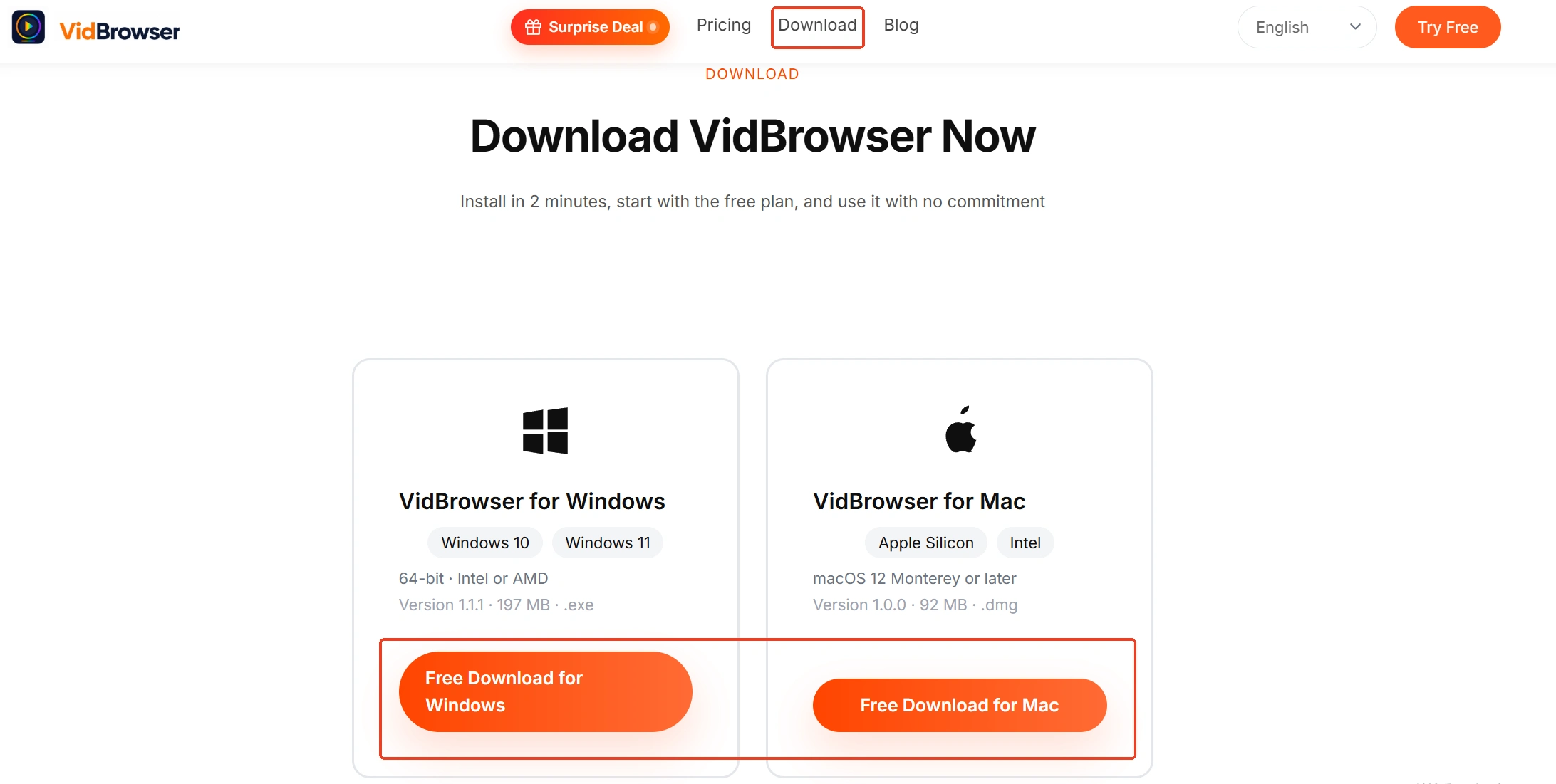
Step 1: Download and install VidBrowser
VidBrowser is a desktop video browser built for watching video, cutting clips and saving locally on Windows and Mac, with downloading and recording built in.
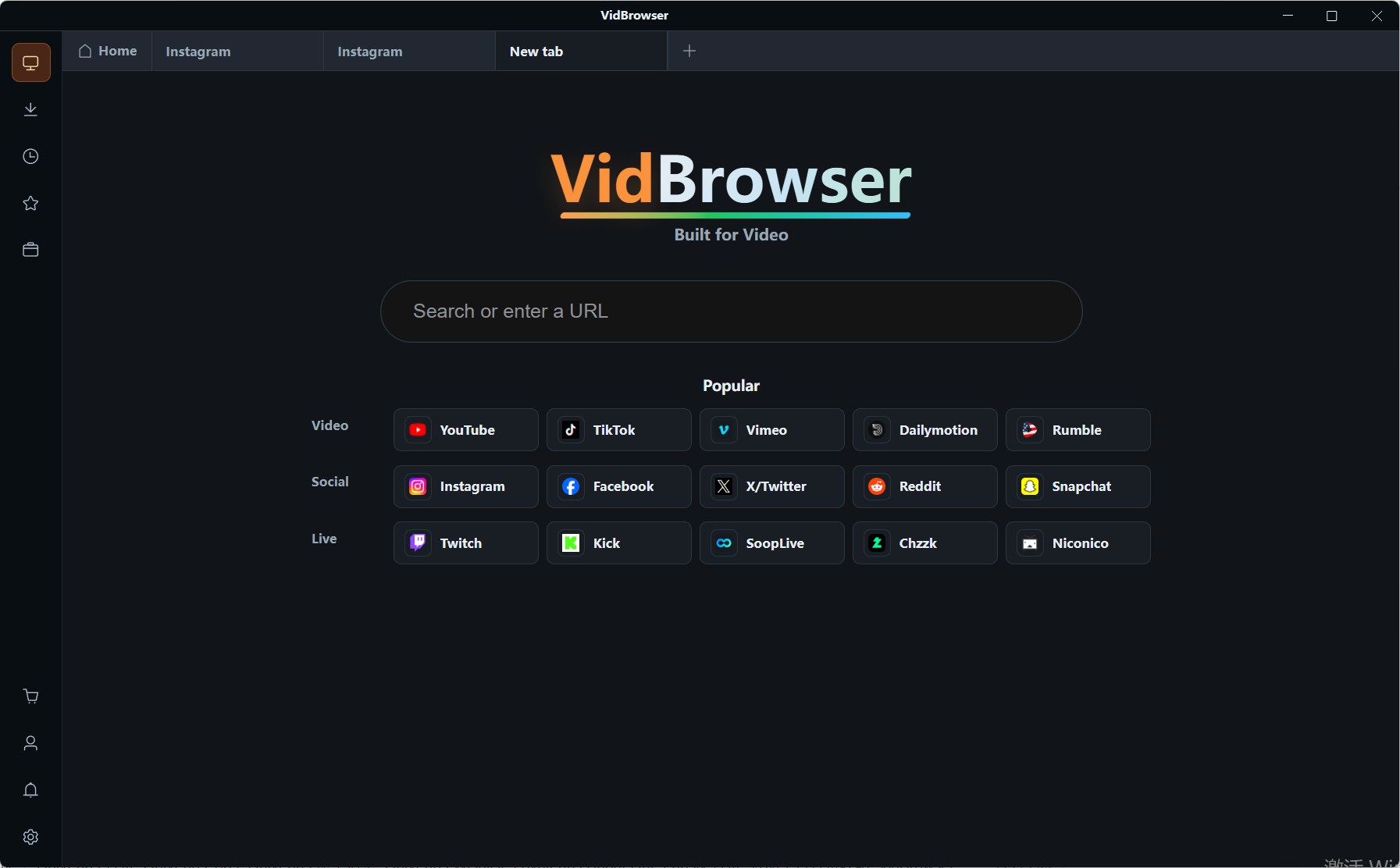
Step 2: Open the free site and play the video
Open XVideos or another free site in VidBrowser's embedded browser and play the video you want. Ad slots often hold elements that look like download buttons — clicking one mostly lands you on ads or funnel pages; the real saving entry lives in the tool panel next to the player.
Step 3: Check the entries in the video library
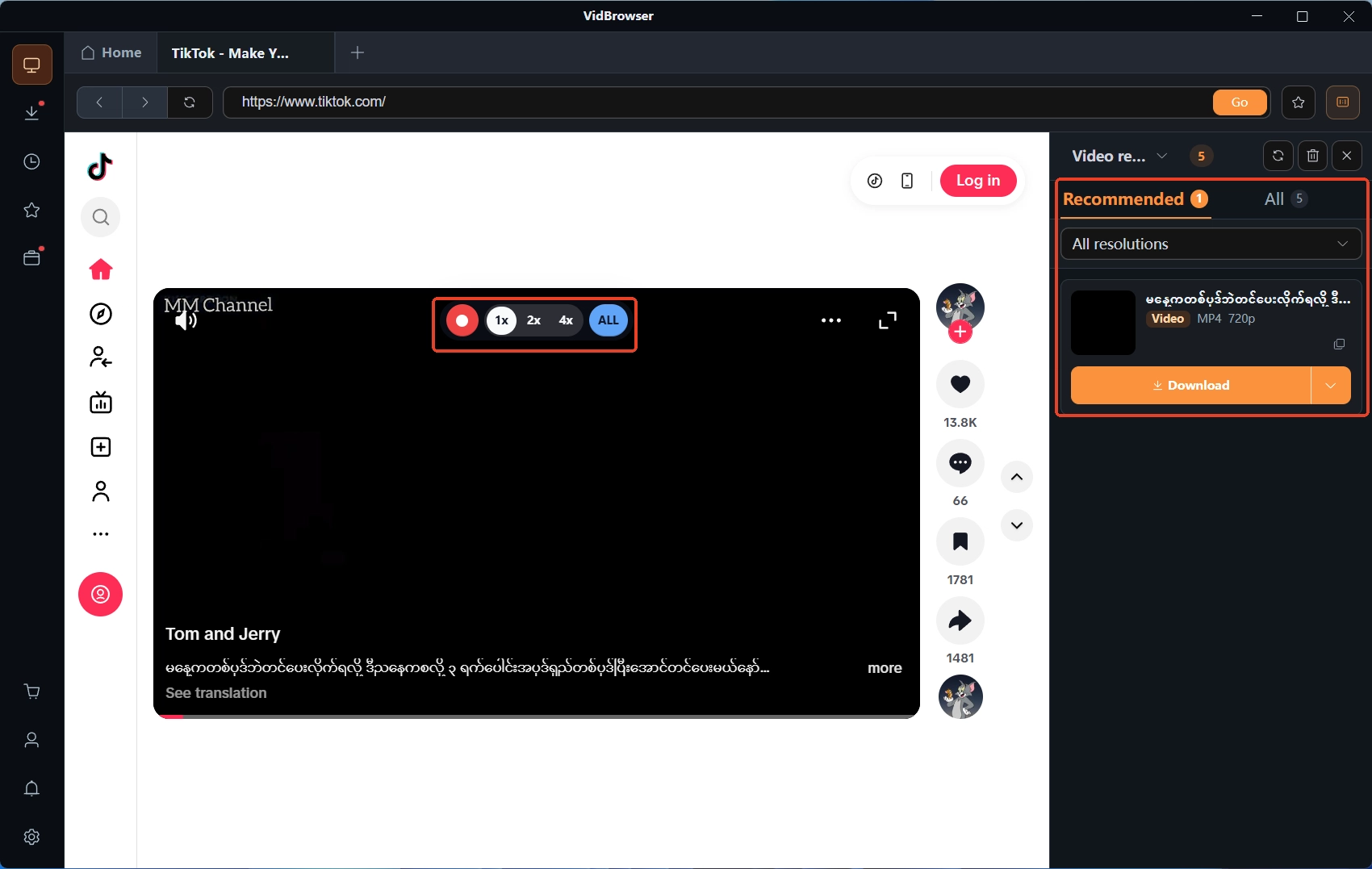
While playing, the "Video Library" panel on the right lists detected entries. Confirm the quality tier with the resolution filter before saving; free-site files are mostly platform transcodes, and the tier decides actual sharpness.
Step 4: Download first, record as fallback
Entries with the orange "Download" button save as MP4 in one click; for entries that cannot be downloaded (such as embedded external streams), hovering the mouse over the video overlays the recording controls — pick a recording speed (1x real time, 2x or 4x to finish faster), hit "Record All" to start, and the button on the left pauses anytime. Tasks are logged in the download history in the left navigation.
In closing
The saving boundary of free sites compresses into three lines: on rights, the whole system rests on uploader self-declaration, so look twice at the source before saving; on terms, personal and non-commercial use is the allowed zone, while commercial use, secondary distribution and bulk scraping are the named bans; on enforcement, fingerprints and takedowns watch the distribution side, and anonymous viewing with personal offline keeping sits in the lowest tier. Save it locally while it is online, keep it to yourself after saving, and the boundary stays in your own hands.
FAQ
Whose copyright does a saved free-site video infringe?
It depends on that video's rights chain. Official content belongs to the platform; user uploads belong to the uploader. If the video itself was stolen, the true rights holder is the original copyright owner — personal keeping sits in the lowest risk tier, but at secondary distribution the injured party is the true rights holder, which is exactly the layer fingerprints and takedowns target.
The terms do not flat-out ban downloads — are tools fine then?
The terms ban commercial-purpose downloading, copying and redistribution without consent, and automated bulk extraction via crawlers or offline readers. An ordinary single-file save is outside those three zones, so the terms-level risk stays in the lowest tier — this is terms-level analysis, not legal advice; confirm local rules yourself.
Can I post a saved free-site video to groups or other platforms?
No. Leaving your device is distribution to others, which escalates from a terms breach to infringement against the rights holder, and puts the file inside the fingerprint and takedown range; the uploader side adds a counter-notice process, so the accountability chain is complete. To share, send the platform link rather than the file — the safer route.