How to Download YouTube Members-Only Videos: Access and Expiry Rules
You’ve found a YouTube members-only video you want to save for later, but there is no Download button in sight. Even if the video plays through your channel membership, that does not automatically mean YouTube will let you download it.
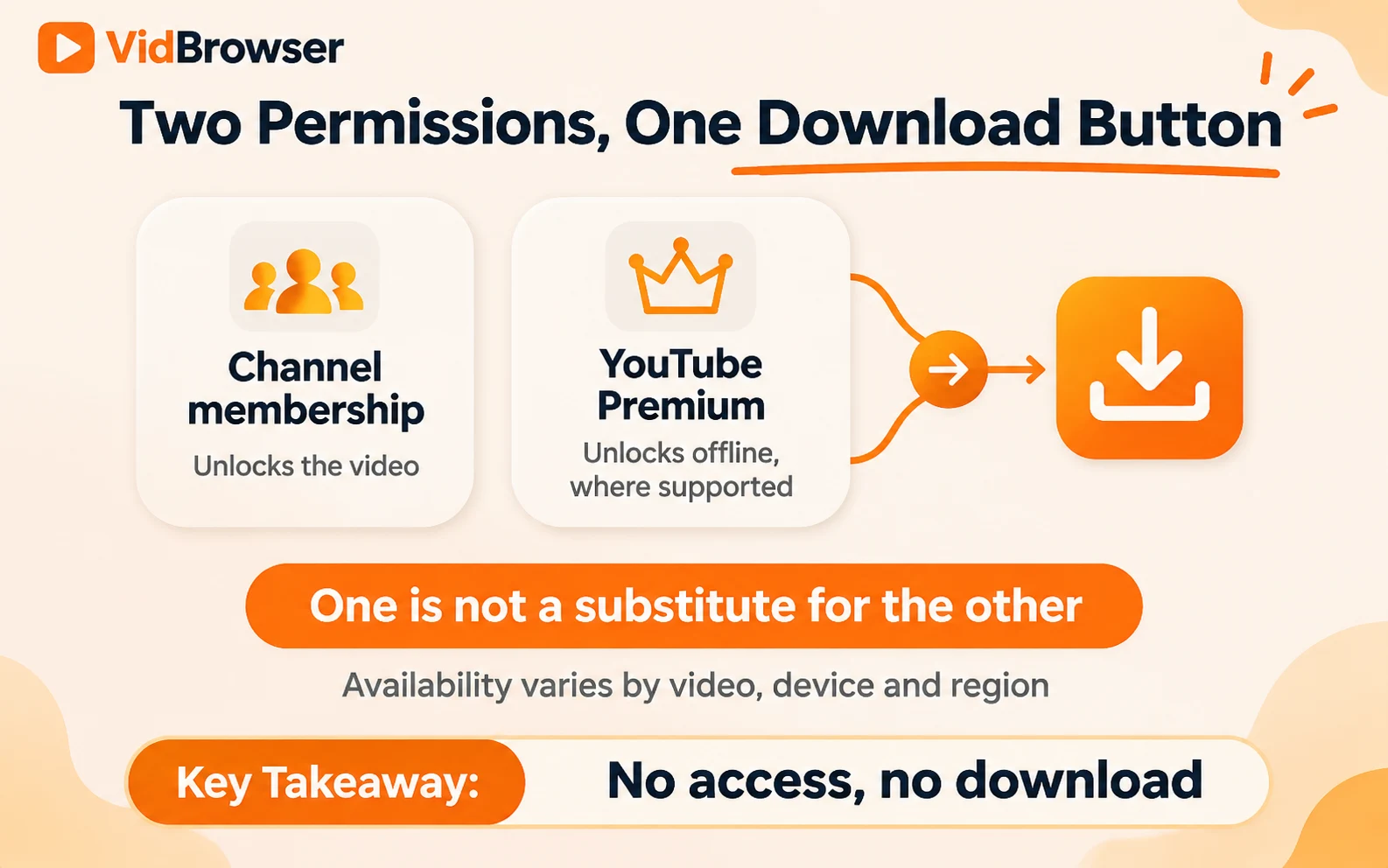
That is because YouTube channel memberships and YouTube Premium serve different purposes. A channel membership unlocks exclusive videos from a creator, while Premium may allow you to download eligible videos for offline viewing inside YouTube. Neither one gives you a permanent video file that you can freely move between devices.
Before trying another downloader, check which access you already have and what YouTube allows. Here is how the official download option works, when offline access expires, and what you can do if you need a separate local copy of content you are authorized to save.
Quick answer: You need the correct channel membership to watch a members-only video. YouTube Premium may let you download eligible videos for offline viewing, but it does not unlock members-only content.
Can You Download YouTube Members-Only Videos?
Yes, but only when your account has the necessary access and the video supports downloading.
A YouTube membership video download depends on two separate permissions:
- Your channel membership must include the video.
- YouTube must make the official Download option available to your account.
A free channel subscription is not the same as a paid membership. YouTube Premium is also separate from channel membership, so paying for Premium does not automatically unlock videos reserved for a creator’s paying members.
| Account status | Can watch the members-only video? | Can use YouTube’s official Download option? |
|---|---|---|
| Correct channel membership only | Yes | Not through Premium unless Premium is also active |
| YouTube Premium only | No | No, because the video remains restricted |
| Correct membership and Premium | Yes | Possibly, if Download appears |
| Wrong membership level | No | No |
| No channel membership | No | No |
| Video later becomes public | Yes | Possibly, if offline downloading is available |
YouTube explains that anyone may see the title or thumbnail of a members-only video, but only members at the appropriate level can watch it.
How to Download a Membership Video from YouTube Officially
YouTube’s own Download feature is the simplest option when you only want to watch a video without an internet connection. It keeps the download inside YouTube and does not require you to provide account information to another service.
Step 1: Confirm That the Video Plays
Sign in with the Google account that holds the channel membership, then open the video and let it begin playing.
If YouTube asks you to join the channel or select a different membership level, the account does not currently have the access required for that video. Resolve the membership issue before checking for a download option.
Step 2: Check Your YouTube Premium Status
Channel membership and YouTube Premium are separate purchases. The channel membership grants access to the creator’s exclusive content, while Premium provides YouTube’s official offline feature in supported locations.
Having one does not include the other.
Step 3: Select Download Below the Video
If the video is eligible for offline playback, a Download button will appear below the player. Select it, choose an available quality, and wait for the download to finish.
Not every members-only video is guaranteed to have this option. Availability may depend on the video, account, device, location, and current YouTube rules.
Step 4: Check the Downloads Section
On a mobile device, open your profile or Library and select Downloads. On a supported desktop browser, use the Downloads entry in YouTube’s navigation.
YouTube’s official workflow keeps the video in its Downloads section. It does not provide an option to export the download as an ordinary MP4 file.
Open the downloaded video once before a flight or long trip so you can confirm that it works with the current account and device.
If you have already downloaded an ordinary Premium video but cannot find it, see where YouTube Premium offline videos are stored.
When Does a YouTube Membership Video Download Expire?
YouTube says downloaded videos can generally be played offline for up to 29 days before the device must reconnect. In some countries and regions, the offline period may be limited to 48 hours.
When the device reconnects, YouTube checks whether the account still has access and whether the video remains available for offline playback. If the video is no longer eligible, it may be removed during the next synchronization. YouTube explains the current offline limits in its Premium download guidance.
The 29-day limit does not mean that canceling a channel membership gives you another 29 days of guaranteed access. Membership access and offline verification are separate conditions.
You Cancel the Channel Membership
Canceling a channel membership normally stops the next recurring payment rather than ending access immediately. YouTube states that you can continue using the creator’s perks until the end of the current billing cycle.
Once that period ends, you should expect access to members-only videos to end. An existing offline download may also stop working when YouTube next checks the account.
You Move to a Lower Membership Level
Some creators reserve particular videos for higher membership levels. If you downgrade, YouTube normally keeps the original level active until the next billing date.
After the lower level takes effect, videos restricted to the previous tier may no longer play. Before downloading a video for a trip, check that it is included in the level you will have when you plan to watch it.
The Creator Changes or Removes the Video
A creator can delete a video, move it to another membership level, or make it public later. These changes can affect both streaming and offline availability.
If the video becomes public, the channel membership is no longer required to stream it. You may still need Premium if you want to use YouTube’s official offline feature.
The Channel Ends Its Membership Program
If a channel terminates or loses access to the membership feature, membership payments and access to perks may end immediately. YouTube may then send affected members information about requesting a refund. YouTube’s billing guidance explains how canceled, paused, and terminated memberships affect access.
Save Authorized Videos with VidBrowser
YouTube’s official Download option is usually sufficient when you only need temporary offline playback. A local file may be more useful when the video is your own upload, the creator has given you permission, or you otherwise have the right to keep a copy.
VidBrowser combines a browser, video detection, downloading, recording, and file history in one desktop application. It does not provide channel membership access, so your Google account must already be able to play the video.
Permission reminder: YouTube’s terms restrict downloading unless the service expressly permits it or the relevant rights holder has granted permission. Use VidBrowser only for videos you own or are authorized to save. Review YouTube’s current terms before downloading content.
Step 1: Download and Install VidBrowser
Download VidBrowser for Windows or Mac, run the installer, and open the application.
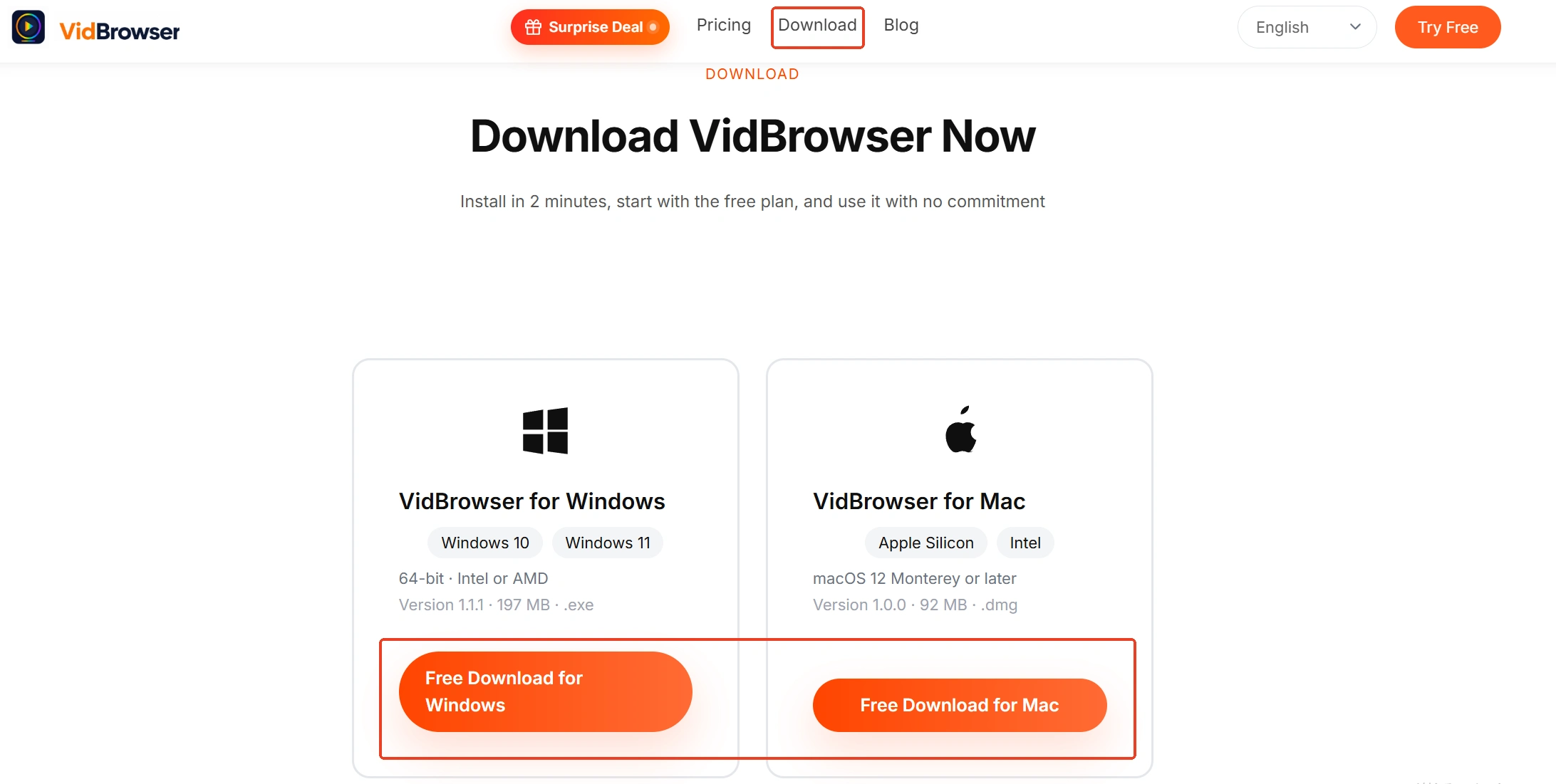 Select the appropriate Windows or Mac installer from the official VidBrowser download page.
Step 2: Open YouTube Inside VidBrowser
Enter youtube.com in the address bar and sign in with the account that holds the relevant channel membership. Open the video and confirm that it plays before checking the available saving options.
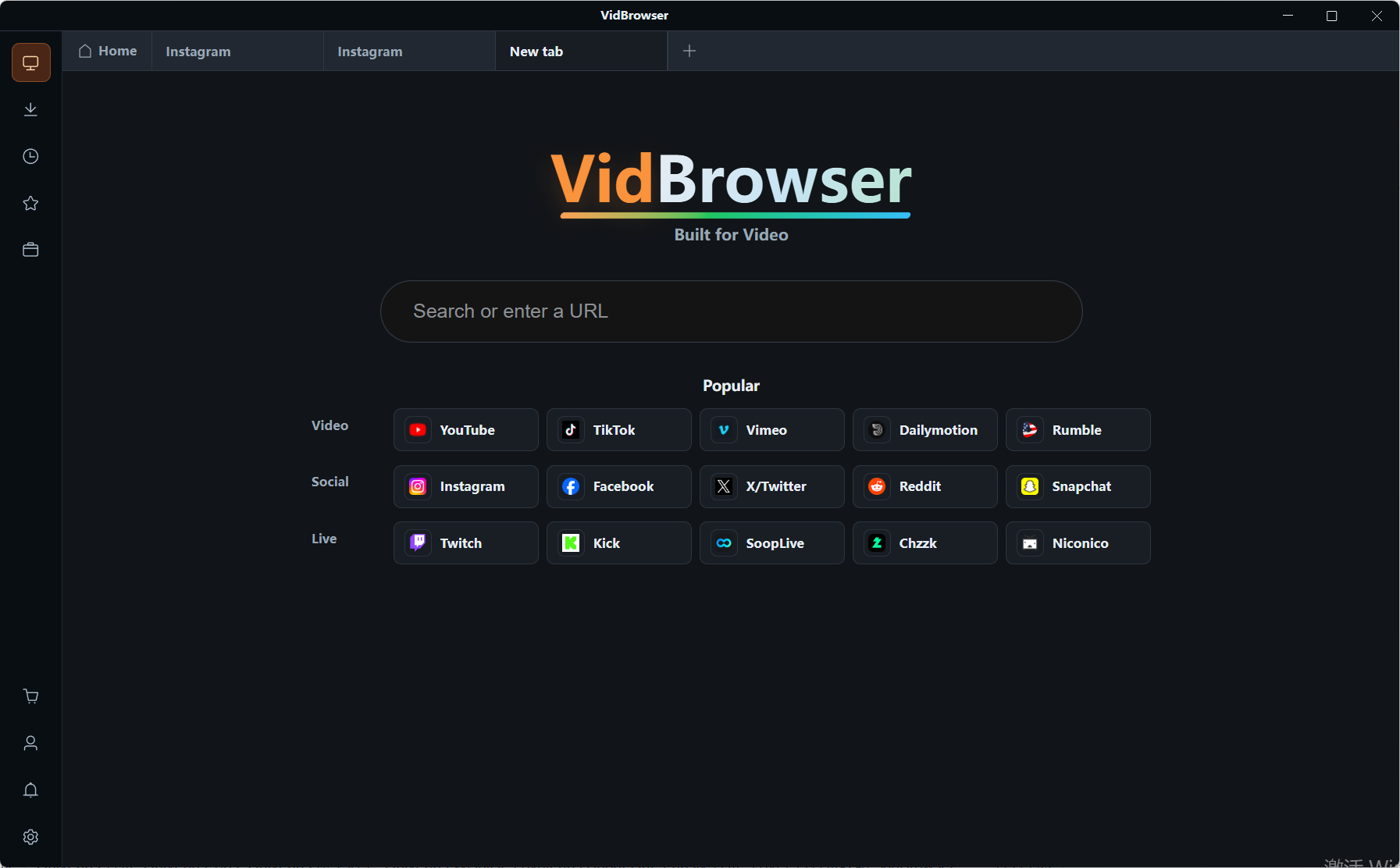 YouTube opens directly in VidBrowser, so you do not need to paste your Google password into a separate downloader website.
Step 3: Play the Video and Check the Available Options
When VidBrowser detects a supported media resource, it appears in the Video Media Library on the right with an orange Download button. If several versions are available, select a resolution before saving.
If direct downloading is unavailable and you have permission to record the content, move the pointer over the video to check whether recording controls are available. The controls include 1x, 2x, and 4x recording speeds, along with Record All for capturing the full video.
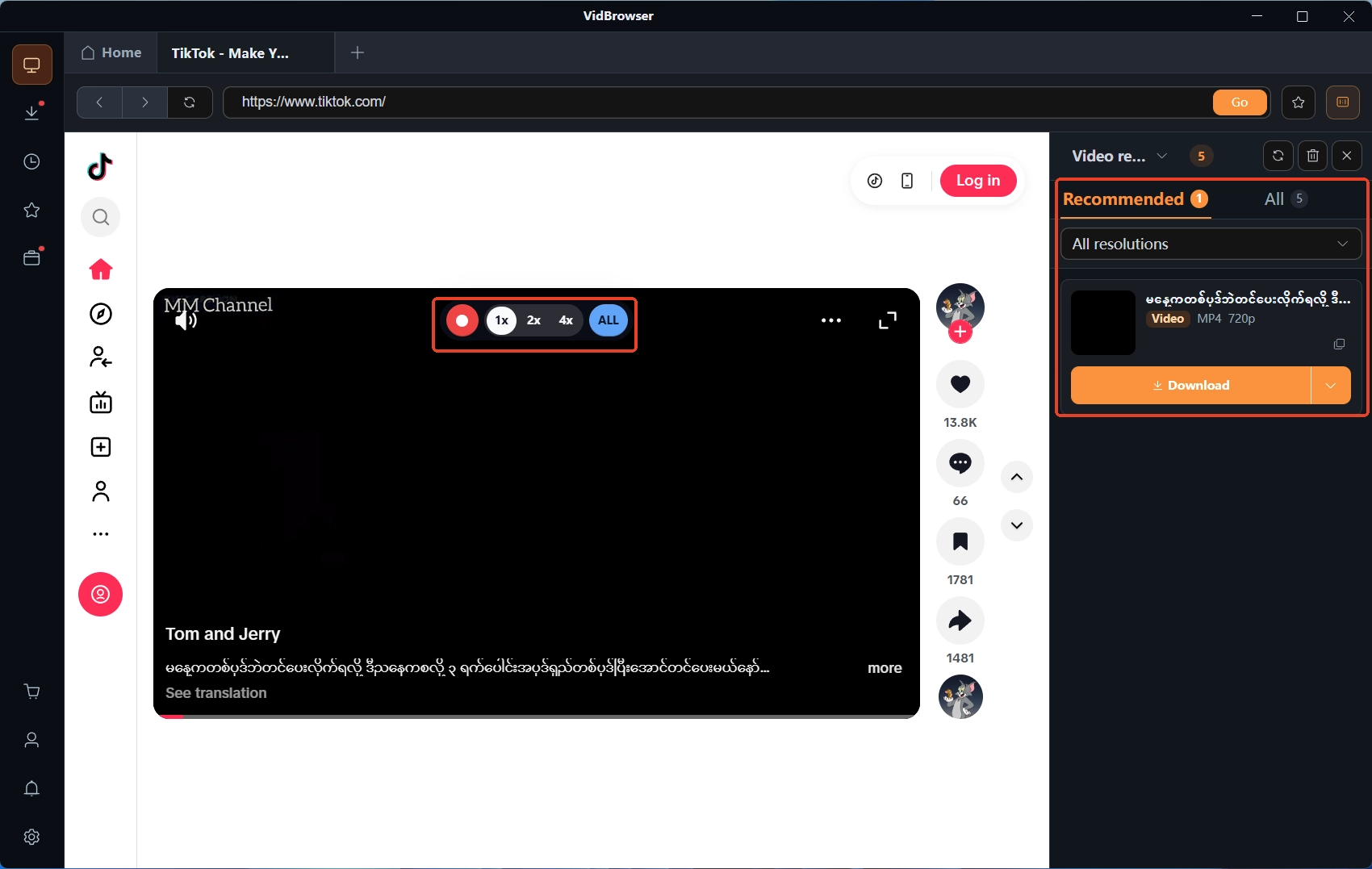
Available formats, resolutions, and recording options depend on the page, media format, source quality, and your authorized access.
Step 4: Find the Saved File in Download History
Open the download history from the left sidebar. Each task shows its filename, progress, file size, completion time, status, and save location. Use the folder action to open the location of a completed file.
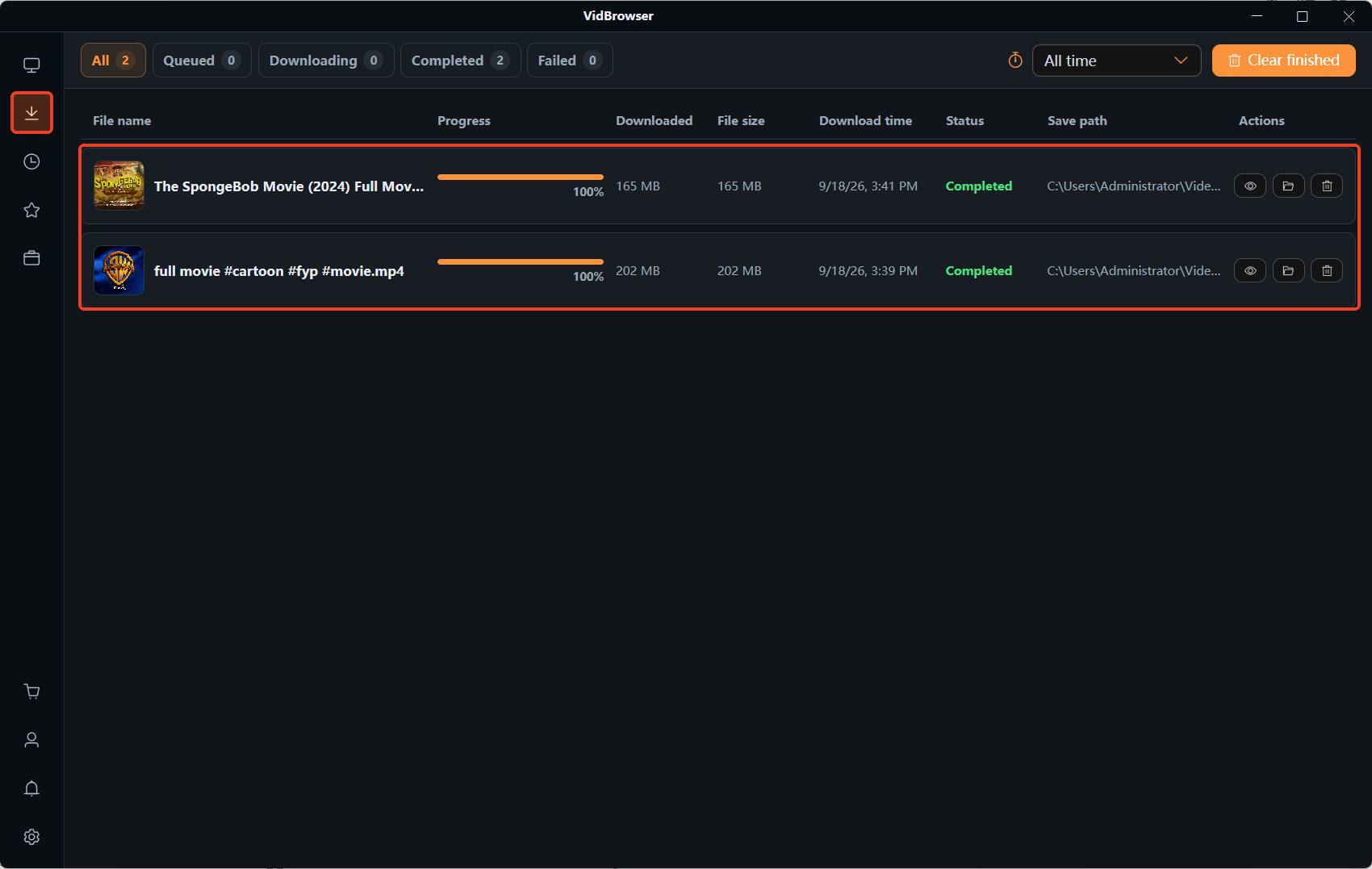
Download history shows where completed files were saved and whether a task succeeded or failed.
Why Is the Download Button Missing?
If the video plays but you cannot download it through YouTube, check these conditions before trying the same link elsewhere.
You Are Signed In to the Wrong Account
The account watching the video must hold the correct channel membership. YouTube’s official offline downloads are also associated with the account used to add them.
Switching to another Google account can make both the video and its download appear unavailable.
Your Membership Level Does Not Include the Video
A creator can restrict different videos to different membership levels. Having a basic membership does not guarantee access to every exclusive upload on the channel.
Open the channel’s membership page and check which level includes the video.
You Have a Channel Membership but Not YouTube Premium
The channel membership lets you watch eligible exclusive videos. It does not automatically include YouTube’s official offline feature.
The Video Does Not Support Official Downloads
Even if the account has both subscriptions, the Download button may not appear on every video. This can be a limitation of the video, account, device, or location rather than a billing problem.
The Membership Has Ended
Visit youtube.com/paid_memberships and check the final date of the billing cycle. If the membership has expired, renewing the appropriate level may be necessary before the video can play again.
The Creator Changed the Video’s Availability
A deleted video, a new membership-level requirement, or a change in channel benefits can affect both streaming and offline playback.
Can You Download a Members-Only Video Without Membership?
No. You must have the required channel membership before your account can access the video. A download tool cannot give the account permission that it does not already have.
YouTube Premium does not change this because Premium and channel memberships are separate. A service that promises to unlock a members-only video without the required membership should be treated with caution.
If you do not want to join the channel, you can:
- wait to see whether the creator later makes the video public;
- check the creator’s official website or social accounts for a public version;
- ask whether the video can be purchased separately;
- look for an official promotional membership link from the creator.
Do not give an unknown downloader your Google password or upload browser cookies to gain access. Those details can expose the account rather than unlock the video safely.
Frequently Asked Questions
Can I Download a YouTube Membership Video for Free?
A free downloader cannot replace the paid membership needed to access a restricted video. If the video is your own or the creator has allowed you to save it, you can check whether VidBrowser detects an available media resource, but support depends on the page and video.
Does YouTube Premium Include Channel Memberships?
No. Premium provides platform-level benefits, while a channel membership supports an individual creator and unlocks that creator’s selected perks.
Can YouTube Premium Download Members-Only Videos?
Premium may provide the Download button after the correct channel membership has unlocked the video. Premium alone cannot open members-only content.
Can yt-dlp Download a YouTube Membership Video?
It does not grant channel access. Restricted videos still require valid account authorization, and the download can fail even when the video plays in a browser. Avoid sending browser cookies or account credentials to an unknown website.
Why Did a Downloaded Members-Only Video Stop Playing?
Common causes include an expired channel membership, the wrong signed-in account, a membership-level change, a removed video, or an overdue offline availability check. Reconnect and verify the account before downloading the video again.
Will the Video Remain Available After I Cancel?
You normally keep membership benefits until the current billing period ends. After that, do not expect an offline copy to remain playable when YouTube checks the account again.
Can I Transfer an Official YouTube Download to Another Device?
YouTube’s official workflow does not provide an MP4 export option. On another device, sign in with the eligible account and download the video again if it remains available.
Choose the Option That Matches Your Goal
If you only need to watch a members-only video offline, YouTube’s official Download feature is the simplest option when it is available. Remember that offline access remains tied to the account and the video’s continued availability.
If you own the video or have permission to keep a local copy, VidBrowser offers another desktop workflow for checking supported media, downloading available resources, and managing saved files.
Whichever method you choose, make sure you have the necessary access and permission before saving the video.