ByClick works by auto-detection; pick an alternative by how you hand over videos
Most people searching for a ByClick Downloader alternative arrive pushed by one specific annoyance: they do not want it running in the background all the time, they are switching computers, or the kind of content they download has changed and the tool in hand no longer fits. Yet after reading ten alternative roundups and memorizing every feature table, the choice still feels unsettled — because those tables compare specs, and not one of them asks: how do you prefer to hand a video to a tool. ByClick happens to be a tool that made its name exactly at this layer, so it is the right place to start.
To be fair: the auto-detection in ByClick is genuinely convenient — copy a link, or open a page that is playing a video, and it pops up a download prompt on its own; pick the format and the download starts, no pasting required.This article compares the act of handing a video to a tool itself, and touches on no company's content policies or pricing; which one fits is decided in the end by your habits.
ByClick's auto-detection removes the pasting step
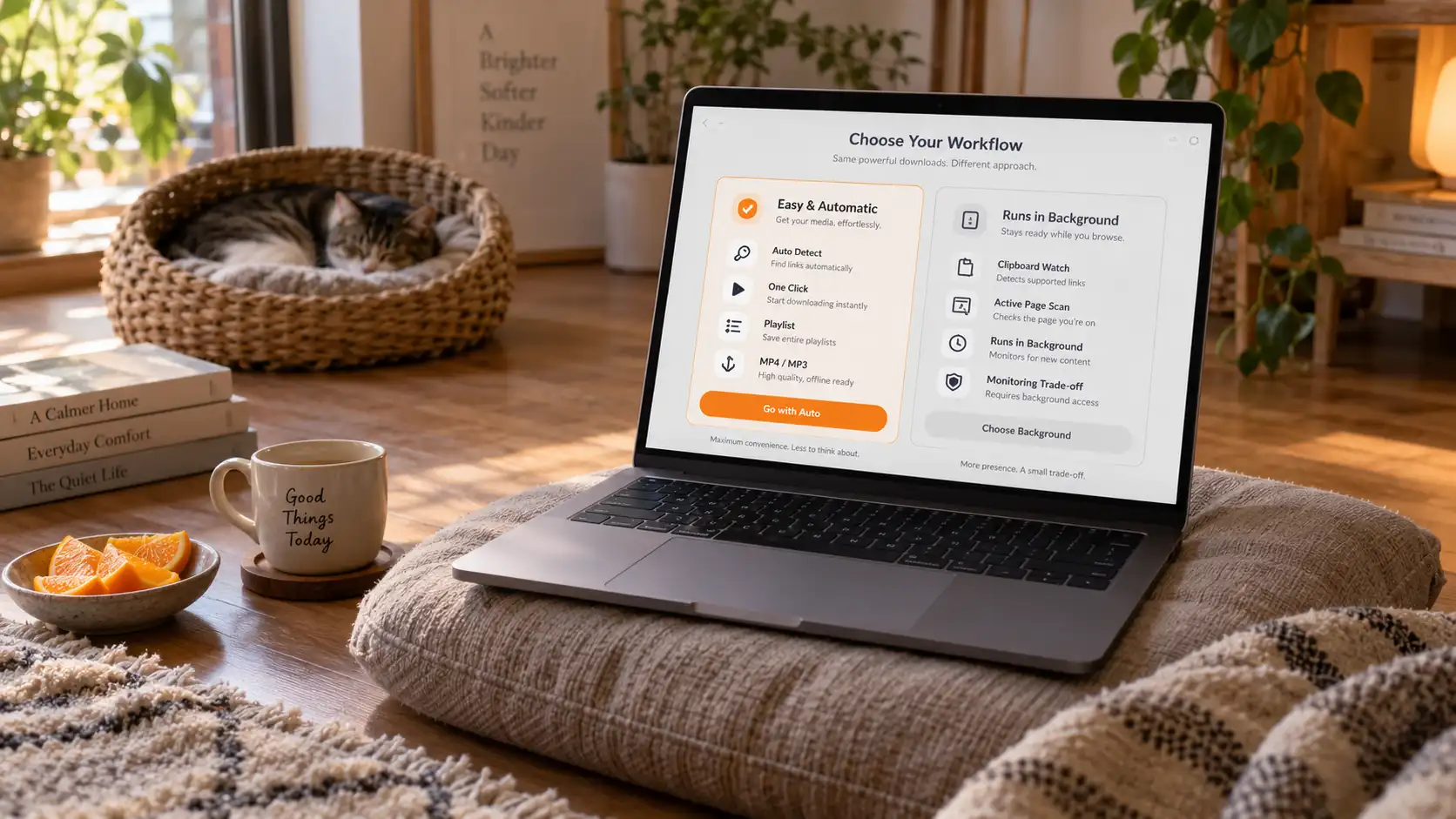
By the official site's own description, ByClick is built around turning downloading into a default action.You browse and copy as usual; when it detects a video link, a prompt appears — choose MP4 or MP3, include a whole playlist, all with one click in that popup, and it can also detect the video currently playing on the page. Add playlist, channel and Instagram profile packaging in one go, quality options up to 8K, plus an audio conversion kit — the official site calls this combination One click download mode, and hands-off is indeed its most complete selling point.
The other side of that convenience is presence: to watch the clipboard and the playing page, it has to stay resident in the background. People who do not mind find it handy; people who do mind start looking for an alternative over exactly this one thing — not because it works poorly, but because being watched does not feel right. The disagreement starts here, and the alternative should be chosen from here too.
Auto-detection watches links; match an alternative by input style
However diligent the popup is, what it receives is still that one link, and what lives behind the link decides whether the route works at all.Public videos resolve from a single address; pages that require login have an official sign-in route; as for protected content on subscription platforms, the parsing layer simply cannot get in — that is a boundary of the form, the same for every tool. Where that boundary sits is covered thoroughly in the article on needing an address you can hand over.
One more thing is easy to overlook: a popup saying a downloadable resource is here does not mean you have the right to keep this particular copy. Before downloading, check the platform boundary as usual, and hold off on anything you are unsure about — that has nothing to do with which tool you use and everything to do with where the content comes from. By the way, another input route is a browser extension: it reads the stream the page hands out and can reach even less than a popup can; the mechanics and limits of extension-type tools are covered on this site.
Once you are clear about how you hand over videos, the alternatives come down to three matching choices.If you prefer pasting links yourself and download only occasionally: an online or desktop paste-type tool is enough, the free tier is mostly sufficient, and there is no reason to install resident software just to skip one paste. If you download often, dislike manual steps, and your content is mostly public videos: an auto-detection type like ByClick is where it pays off, saving you dozens of copy-pastes a day. And for subscription platforms and live replays, the input style is not even a variable — the file was never inside the link you hand over, so the save-while-watching route is the one that fits.
On the needs side there is a finer breakdown by what to save, how much, and for what purpose, written up in the article on choosing a video download tool; this piece covers the other half it did not — the interaction-habit layer.
Download and recording work together; save while watching without handing over links
The VidBrowser route removes the link hand-over entirely: you are already watching inside its built-in browser, and you handle what you want to save on the spot.Steps below:
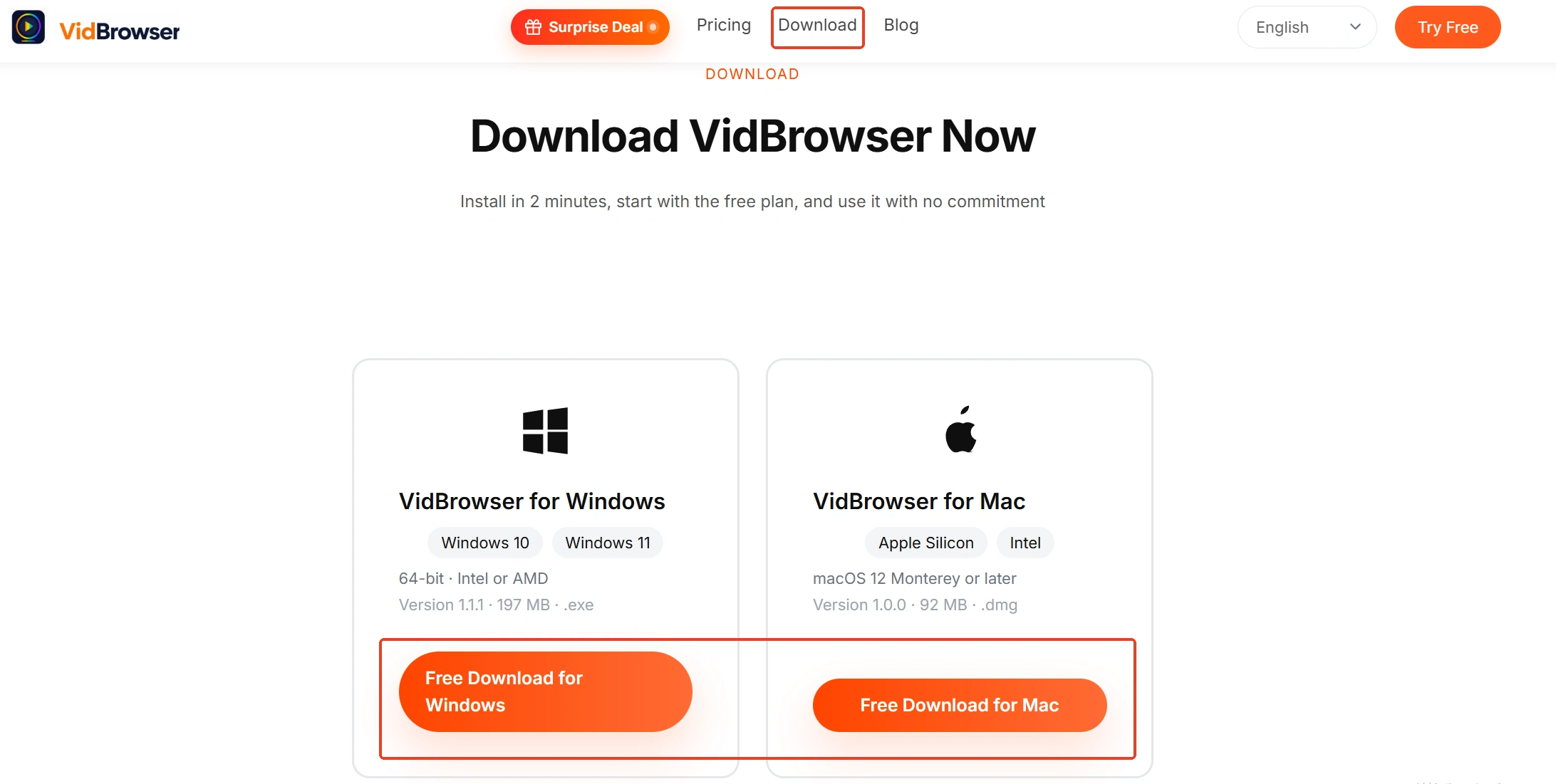
Step 1: Download and install VidBrowser
Visit the VidBrowser website, download the version for Windows or Mac and finish the installation in a few minutes.
Step 2: Open the video page in the built-in browser
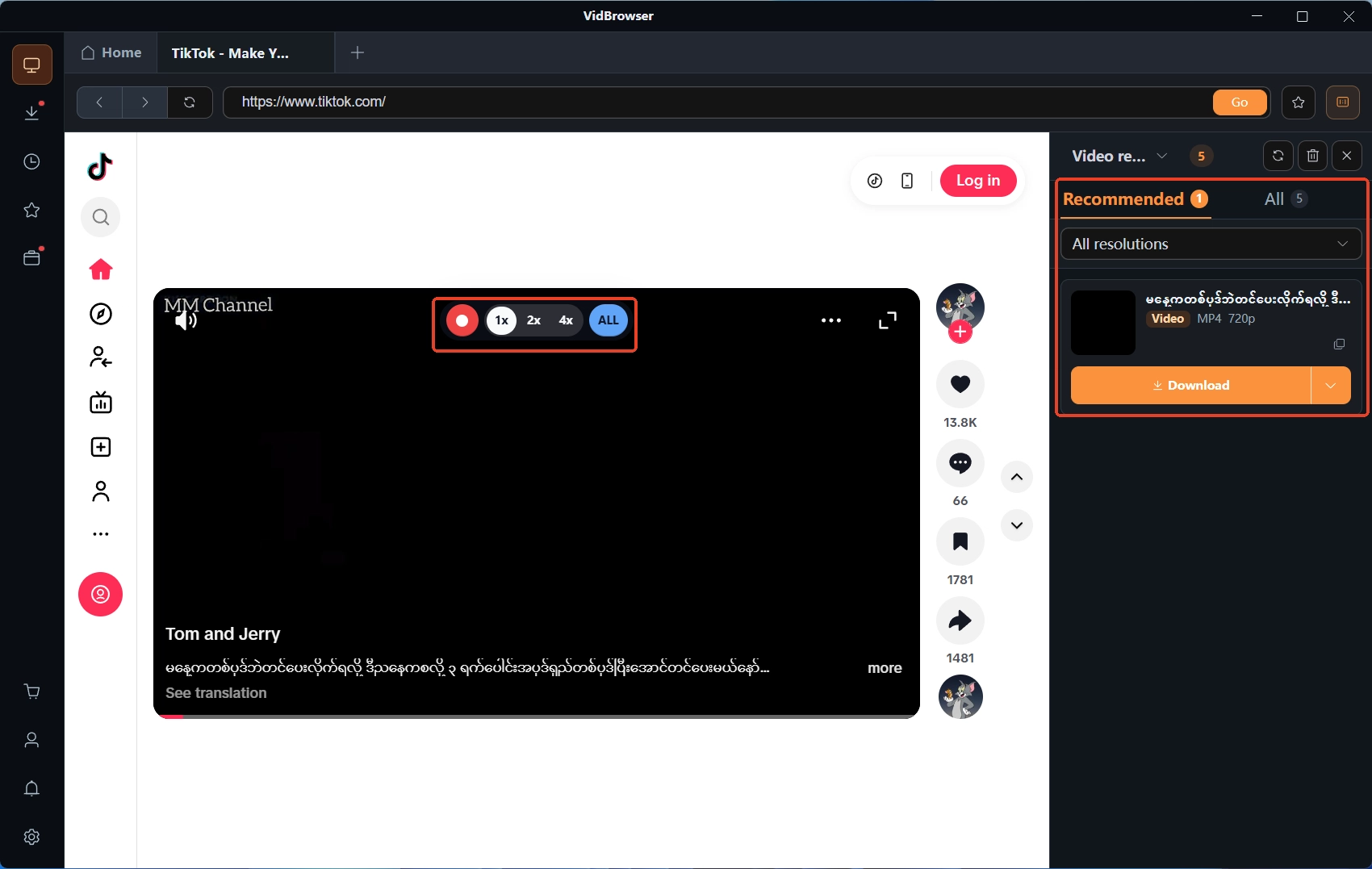
Sign in and play as usual; the video library on the right lists the items detected on the current page, with nothing to copy.
Step 3: Save what downloads directly; switch to recording for protected content
For public videos, click the orange download button next to the item; you can pick a level in the resolution filter first. For protected content on subscription platforms, move the mouse over the playing frame and the recording controls appear — choose a recording speed (1x real time, or 2x / 4x to finish faster), click record-all to capture the whole thing, and the recording button on the left can start or pause at any time.
Step 4: Check the download history
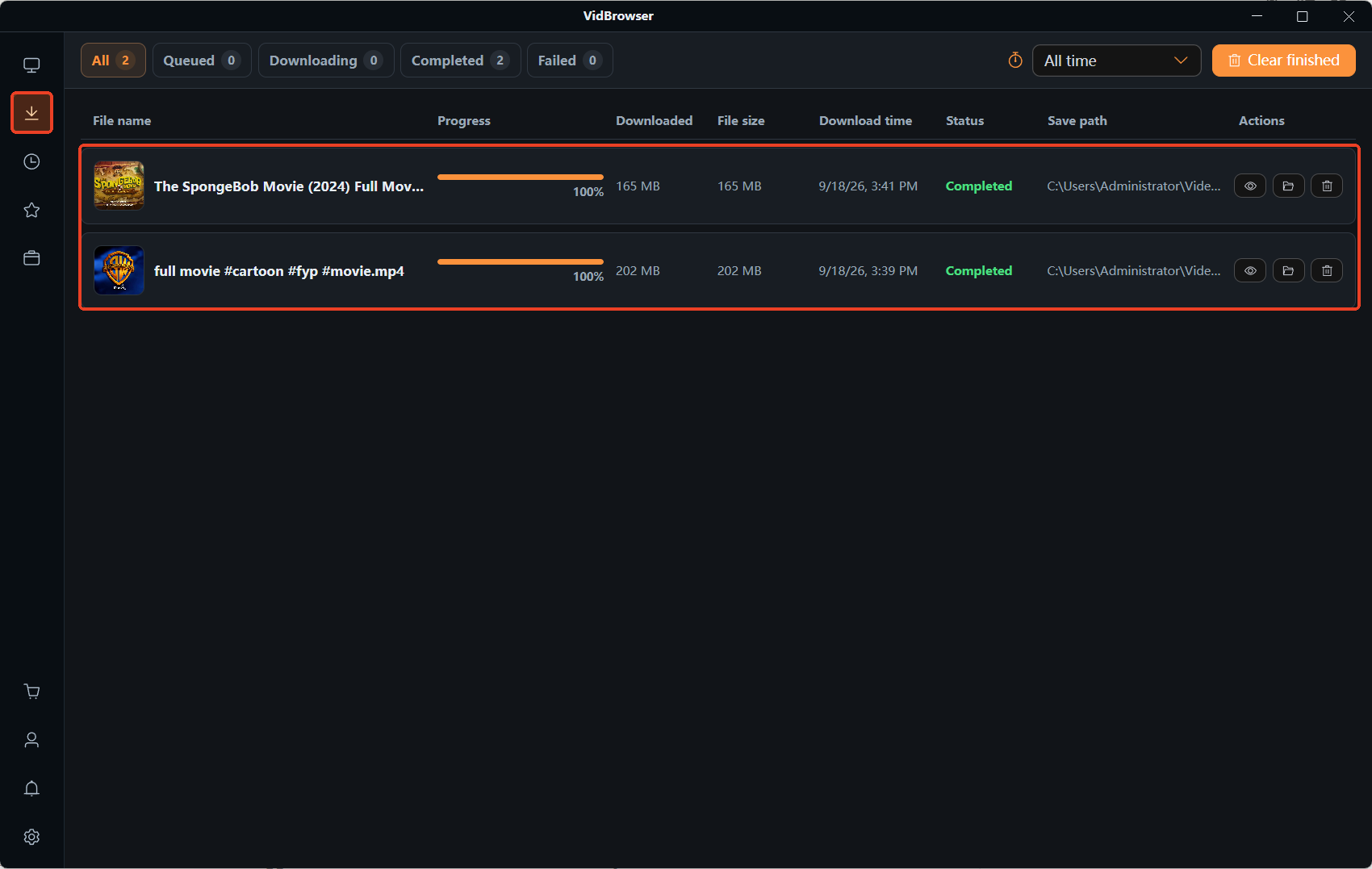
The clock icon in the left navigation opens the download history: file names, statuses and save locations at a glance, so nothing slips through even with many tasks.
This route has no clipboard to monitor and no popup to interrupt you — because the act of handing anything to a tool never existed in the first place.
FAQ
Is the free tier of ByClick Downloader enough?
The official site offers a free tier; batch downloading and higher quality levels belong to the upgraded capability, and the exact limits follow the official current description. For saving a few public videos now and then, the free tier is mostly enough; if you download often and pack whole lists, think about your own rhythm first.
Does auto-detection run in the background all the time?
To monitor the clipboard and the playing page, this kind of tool needs to keep running in the background — that is the premise of its convenience, not a malfunction. If residency bothers you, choose a saving method that does not rely on monitoring.
Can ByClick download protected content?
Protected content on subscription platforms mostly cannot be reached by the parsing layer — a boundary of the tool form, not of one particular product. If such content plays normally, keeping a copy with the recording function is the steadier path; Step 3 in the previous section covers exactly that.