A Repost Holds No Video Copy: One Deletion Breaks the Whole Chain
Tap repost on a good video, come back a few days later, and the original post is gone — the repost in your hands is, most likely, left with nothing.This is the easiest thing to misjudge on X (Twitter): many people treat reposts as bookmarks, but a repost never copies anything from start to finish. A quote is the opposite — an independent new post that stays on the timeline after the original is deleted, though whether its video still plays depends on how the quoter attached it.
Reposts and quotes are two different objects; their fate after deletion diverges the moment you share
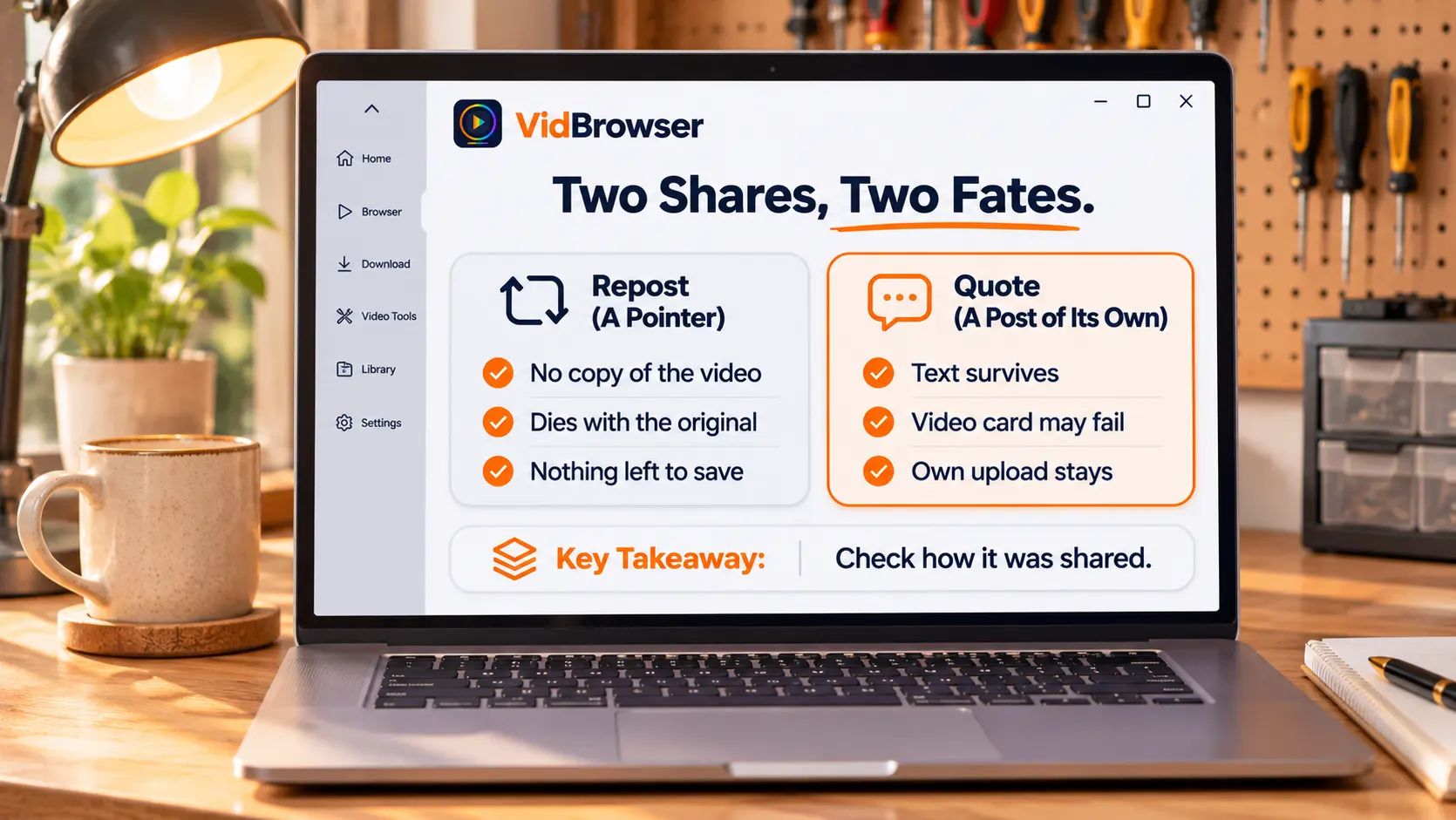
The difference between repost and quote is not button placement but data structure: a repost is a pointer, a quote is a new post.A repost on the timeline has no body text and no video file — just a reference marker pointing at the original, displaying wherever the original is. A quote post is an entirely new post: the quoter writes their own text and the original is embedded as a card, two posts with separate data.
Normally you cannot see the impact; the moment the original is deleted it becomes obvious: what the pointer points to is gone, so the repost goes empty; the new post is your own, and its text still displays. So the answer to "does the repost survive when the original is deleted" was written the moment you hit share.
A repost lives exactly as long as the original: X states deletions remove them together
X's official Help Center has one unambiguous line about deletion: "Reposts of the deleted post will also be removed" — all reposts of a deleted post are removed from both web and app.A repost's lifespan is identical to the original's: deletion, account deactivation, account suspension — any scenario that makes the original disappear takes the repost chain down with it.
The counterintuitive part: the reposter is also on the losing side — third-party write-ups of the official position put it bluntly: after the author deletes the post, your repost is no longer available. Reposting was just a public tap of "I want people to see this too", not moving the content into your own account. Do not expect anyone on the repost chain to keep the video for you — there is no video copy anywhere on that chain.
Quote posts are independent: text survives, and the video card depends on how it was quoted
The official text pulls quotes out of the deletion scope as well: when others quote your post with their own commentary, those posts are not removed — a quote post belongs to the quoter.But "the post is still there" and "the video still plays" are two different things; what matters is how the quoter attached it at the time:
- Plain quote (quote with commentary): the video sits in a card pointing at the original; after deletion the embed becomes a gray "this post is unavailable" placeholder — third-party tool circles describe this scenario in remarkably consistent terms. The quoter's text remains; the quoted video mostly fails to load.
- Quote with the video re-attached: the video is uploaded independently with the quote post, belonging to the quoter's own media; deleting the original does not affect it. Such a post looks like a quote but actually carries its own copy.
When you hit a gray box inside a quote post, do not pronounce it dead yet: check whether it is a dead card or a video the quoter attached themselves. The former points to a gone original; the latter is a fully independent post, and saving it is no different from saving any regular post. This matches the reasoning in the FAQ of how to save Reddit videos: if the video on the chain still loads normally, what you download is whatever is currently accessible — provided that chain is still alive.
Three kinds of leftovers, and the usable window is narrower than you think
After the original is deleted, three kinds of leftovers exist on and off the platform, and their reliability varies widely.The official page states two blunt facts: once a post is deleted, its content, metadata and analytics are no longer public on X; posts may be cached or reposted by third-party websites, apps or search engines, and X is unable to remove copies outside its own platform.
- Third-party caches and re-uploads: the part the platform admits it cannot touch, scattered off-site; finding them is a search problem, not a download problem — cached versions often keep only text snapshots, and the video may not follow.
- Quote posts: as broken down above, text is reliable; the video depends on how it was quoted.
- Local files saved by people who watched in time: the most certain of the three, but it belongs to those who acted before the deletion — if the window was missed, this one is not for you.
The full disappearance checklist on the content side (suspension, 30-day deactivation, protected accounts, region blocks) was broken down in why X video links expire; this post will not repeat it. An expired signature and content-side removal are two different matters — mixing them up wastes troubleshooting time.
Judgments aside, actually keeping the video requires the original to still be up
None of the three leftovers can be counted on; certainty comes from the moment you act.X is a public platform and serves videos as direct MP4 links, so saving means downloading first; the universal downloader page is at VidBrowser's video downloader page. Walkthrough:
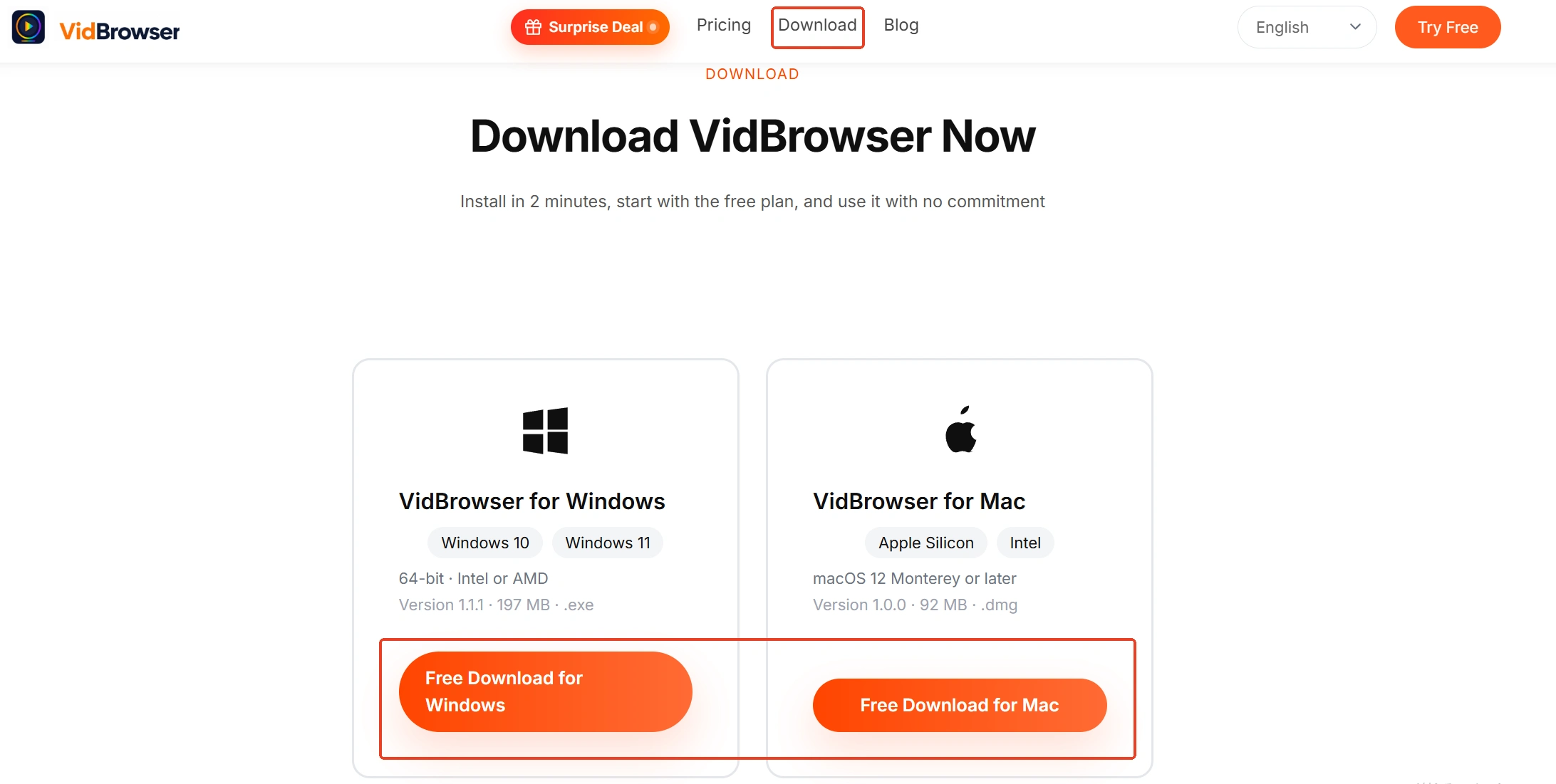
Step 1: Download and install VidBrowser
VidBrowser is a desktop video browser with built-in download and record functions, available for Windows and Mac.
Step 2: Open X in VidBrowser and log in
Type x.com in the address bar and log in, then open the post containing the target video — the original or a quote carrying its own video both work; as long as the page loads, you have a chance.

Step 3: Save it with the download function
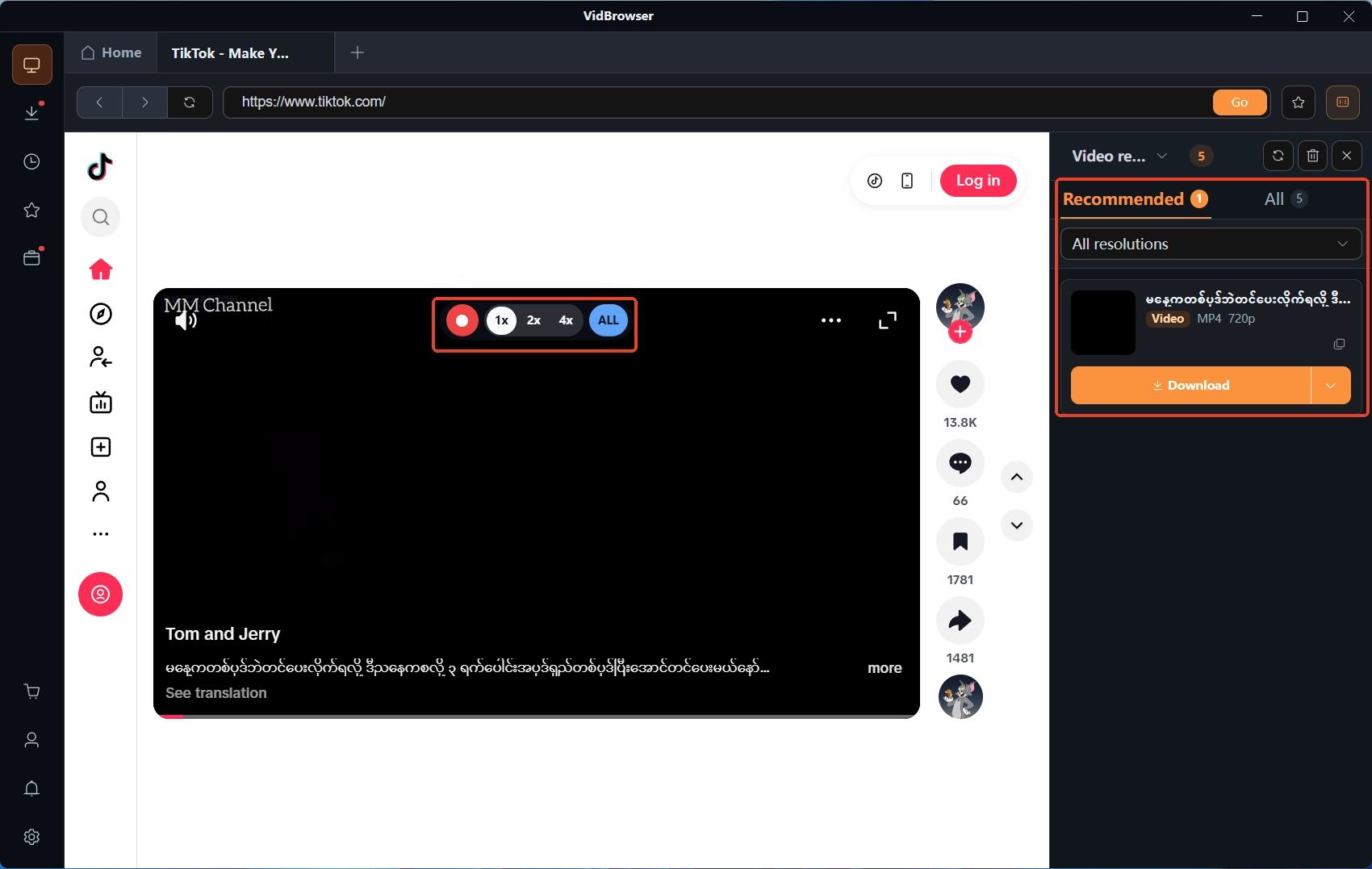
While playing, the "Video Library" panel on the right lists detected video entries, each with an orange "Download" button; pick the resolution in the filter dropdown first, then click — the file lands as MP4, and records are viewable under the clock icon on the left.
Step 4: Use recording as the fallback when download is unavailable
In cases where the panel shows no entry (such as live streams), moving the mouse over the video overlays recording controls: choose a recording speed (1x real time, 2x or 4x finishes faster), click "Record All" to capture the whole video, and the record button on the left pauses anytime.
The boundary stays the same: keeping a personal offline copy of a video on a public platform is fine; re-uploading, redistributing or commercial use crosses the line. The full saving walkthrough is in how to save X (Twitter) videos.
Closing
One line to close: a repost is a pointer — delete the original and the whole chain goes empty; a quote is an independent post, reliable in text, with its video decided by how it was quoted; third-party caches are luck. There is one reliable move — the moment you see it, while the original is still up, get the video onto your own drive.
FAQ
After the original is deleted, can the reposter still see the video?
No. The official text states that reposts of a deleted post are removed as well, so the repost on the reposter's profile disappears outright. A repost never copied anything — it was a public gesture, not a personal archive.
Can the video inside a dead quote card be recovered separately?
A plain quote card points at the original; once the original is deleted the card will not load, and there is no recovery path inside the platform. Two things to try: whether the quoter or the author re-posted the content elsewhere; third-party archives — snapshots often keep only page text, and the video may not be in them. Neither path is promising, so do not expect much from "recover deleted video" tools.
Why can deleted tweets still be found through search engines?
The official line that "X is unable to remove copies outside its platform" is the answer: caches on third-party websites, apps and search engines are beyond X's control, and deletion cleans up its own platform alone. Snapshots update over time, but they usually hold text and screenshots; whether the video itself is there depends on what the snapshot captured at the time.