Video Grabber: Three Tools Behind One Search
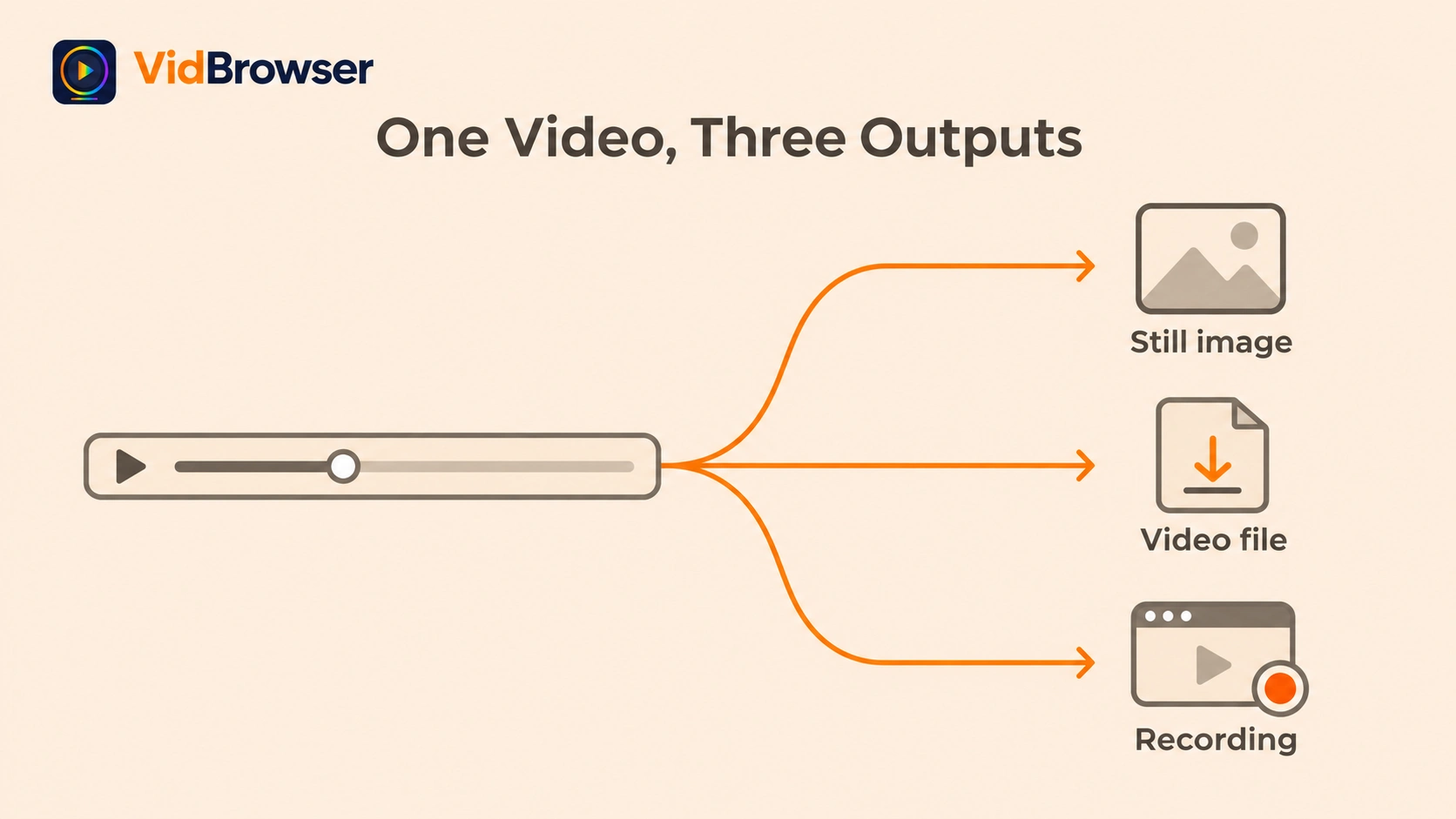
A video grabber can mean three unrelated tools, and they share very little beyond the name. One lifts a still image off a video, one turns a pasted link into a file, and one records the picture as it plays. Pick the wrong kind and you install something that can't do the job.
Start with the outcome you want, then find the tool built for it. That one habit avoids most of the installs that end in an empty folder.
Quick answer: Pick the output before the tool. A still image, a playable file, and a recording come from three different paths, and no single grabber covers all three.
Video Grabber Tools Fall Into Three Jobs
A video grabber takes something out of a video. What it takes decides which tool can do the job.
| Frame grabber | File grabber | Playback grabber | |
|---|---|---|---|
| What you get | One still image | A playable video file | A recording of what played |
| How it works | Reads a frame or a thumbnail file | Parses the link and saves a stream | Captures the picture as it plays |
| Where it helps | Covers, previews, one good shot | A clip you own or may keep | Live streams and pages with no file |
| Where it stops | Low-res tiers and black bars | Time caps and quality downgrades | Runs only while the video runs |
Check the last row before you install anything. A frame tool can't hand you a file. A downloader has nothing to fetch on a page that never exposes a stream. Each of the three jobs has its own ceiling. Most failed searches come from picking the wrong row.
Grabbing a Still Frame Is Its Own Job
A frame grabber takes one image off the timeline. The size you get depends on the file the site serves.
YouTube stores thumbnails as separate files at several sizes, so a frame tool reads those files and never decodes the whole video it points to. That's quick. The largest public thumbnail still isn't a frame at the source resolution. Look for the 1280×720 tier before you call an image HD. Smaller tiers arrive with black bars and less detail. See how YouTube thumbnail files are layered. It shows which tier to ask for and where the low-resolution versions sit.
A different case starts with a file you already have. Want one frame at a precise second from your own clip? A local extractor does that. It doesn't call a website. The video frame extractor runs on your machine. It won't reach into a page you can only watch. Keep the two apart. A frame from a site and a frame from your own file start in different places. They need different tools.
Grabbing a File Means Taking What the Site Offers
A file grabber reads a watch URL. It returns whatever stream the site makes available. That isn't always the quality you saw in the player.
Most 1080p and 4K video arrives in two tracks, one holding the picture and one holding the sound. A converter on someone else's server may join them for free, or it may not. The menu often stops at a pre-merged 720p version. Search for youtube video grabber 1080p and you'll find tools that promise the number. Many deliver the lower tier. See saving high-resolution YouTube video. It explains which versions exist. A regular account can't see some of them.
Length is the other ceiling. Online grabbers keep each conversion active while it runs, and a full hour ties up far more of their capacity than a short clip. You'll see a cap message, not a damaged file. At least you know what happened. A queue of short files often finishes when one long file stalls. Split the work if the source allows it.
Some grabs fail because the link is dead, not because the tool is weak. The page plays but the button does nothing? Check the downloader that won't start. It separates a page problem from a file problem.
Grabbing What Is Playing Has No Finished File to Fetch
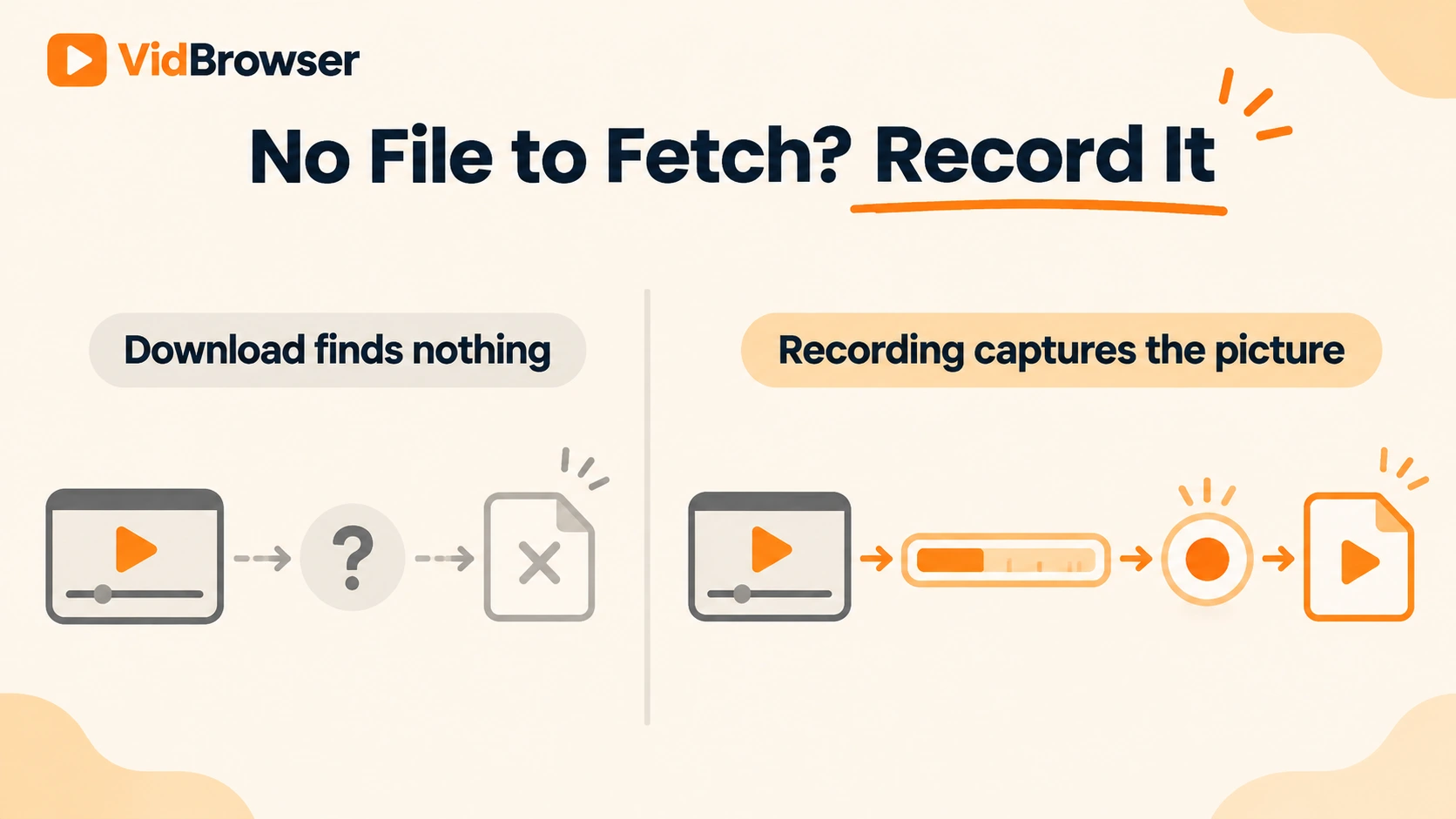
A playback grabber records the picture as it reaches your screen. That's the only route when a page offers no file.
A live stream has no ending, so no completed file exists for a server to fetch. A page that plays video inside its own player puts a grabber in the same spot. Recording works from what you see, so it doesn't need a download link. The trade-off is time. You sit through the video as it plays, even at a faster speed.
That distinction matters more than the format label. Why some streams resist a simple download covers the player side. The black-screen problem during screen recording explains why a generic recorder comes home empty-handed. A video-browser approach works from the detected media instead of the visible window.
The Grabber Cannot Supply a Permission You Lack
Access and permission are two separate checks, and changing tools doesn't pass either one.
A grabber can only work with what your account can already open, so a members-only video or a rented film stays that way whatever tool you try. No tool name changes it. A service that offers to unlock a restricted video is asking for credentials. It doesn't have any right to hold them.
The second check is what you may keep. YouTube's terms allow downloading only where the service permits it. The fair use index helps you judge where keeping a copy turns into sharing it. Your own uploads and public-domain clips are a different case. So is Creative Commons work within its terms. A commercial release someone else owns isn't.
Permission check: A grabber never supplies a subscription or a right to keep a copy. Only save video you own or have clear permission to keep.
One Window to Save, Download, or Record
A desktop video browser covers all three jobs. It works from the page, not a pasted link.
VidBrowser keeps the browser, detector, downloader, and recorder together in a single window. You open the video, play it, and choose what to do with it there. No link goes to a third-party site. No server sets a free-tier ceiling on your file.
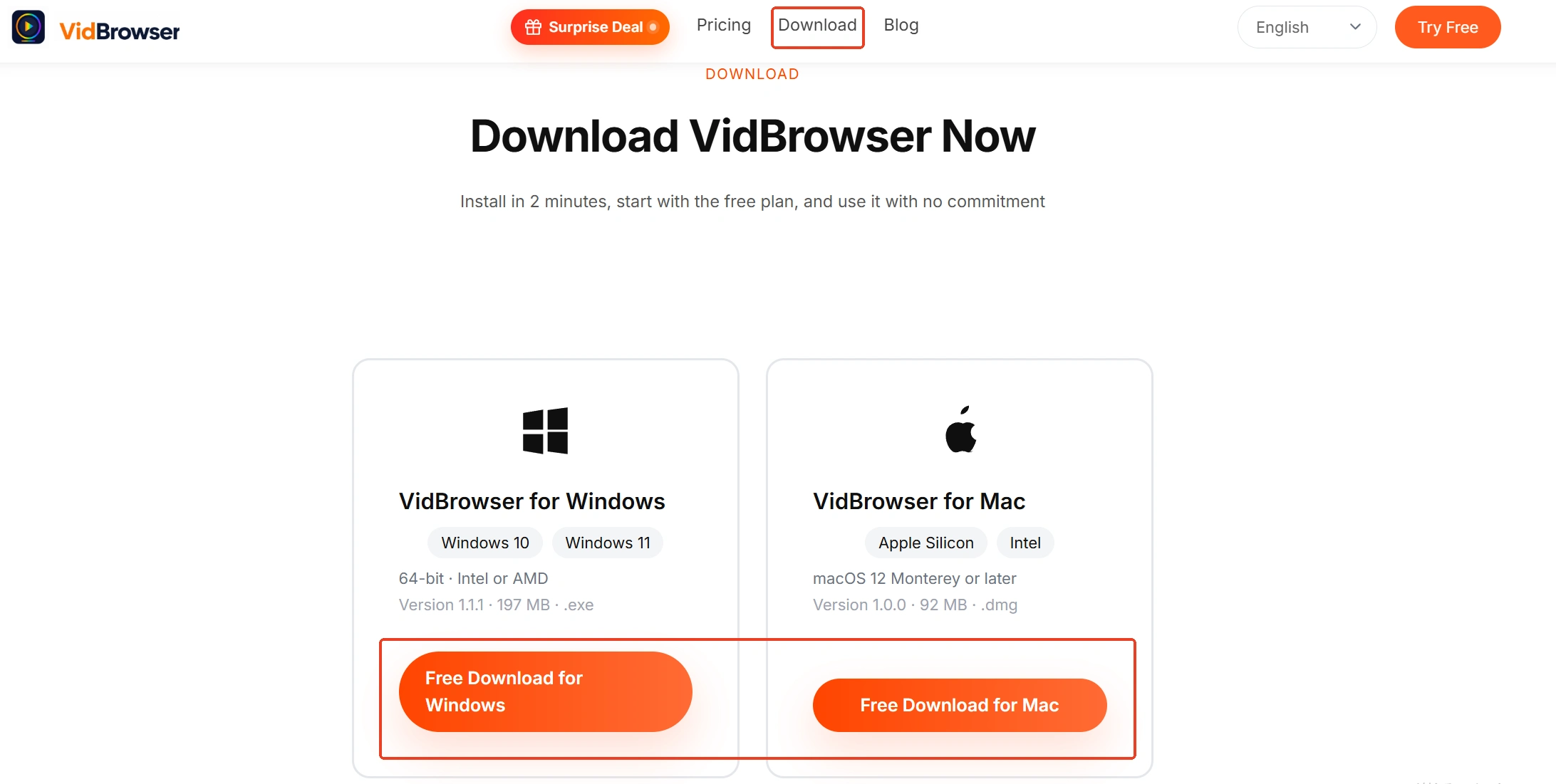 Install the Windows or Mac build before you open the video you want to keep.
-
Keep a still. Save the clip locally, then extract a frame from that file.
-
Keep the file. Click the orange Download next to the detected item and pick a resolution.
-
Keep the playback. Hover over the picture, choose 1x, 2x or 4x, select Record All for the full video, then start or pause with the button on the left.
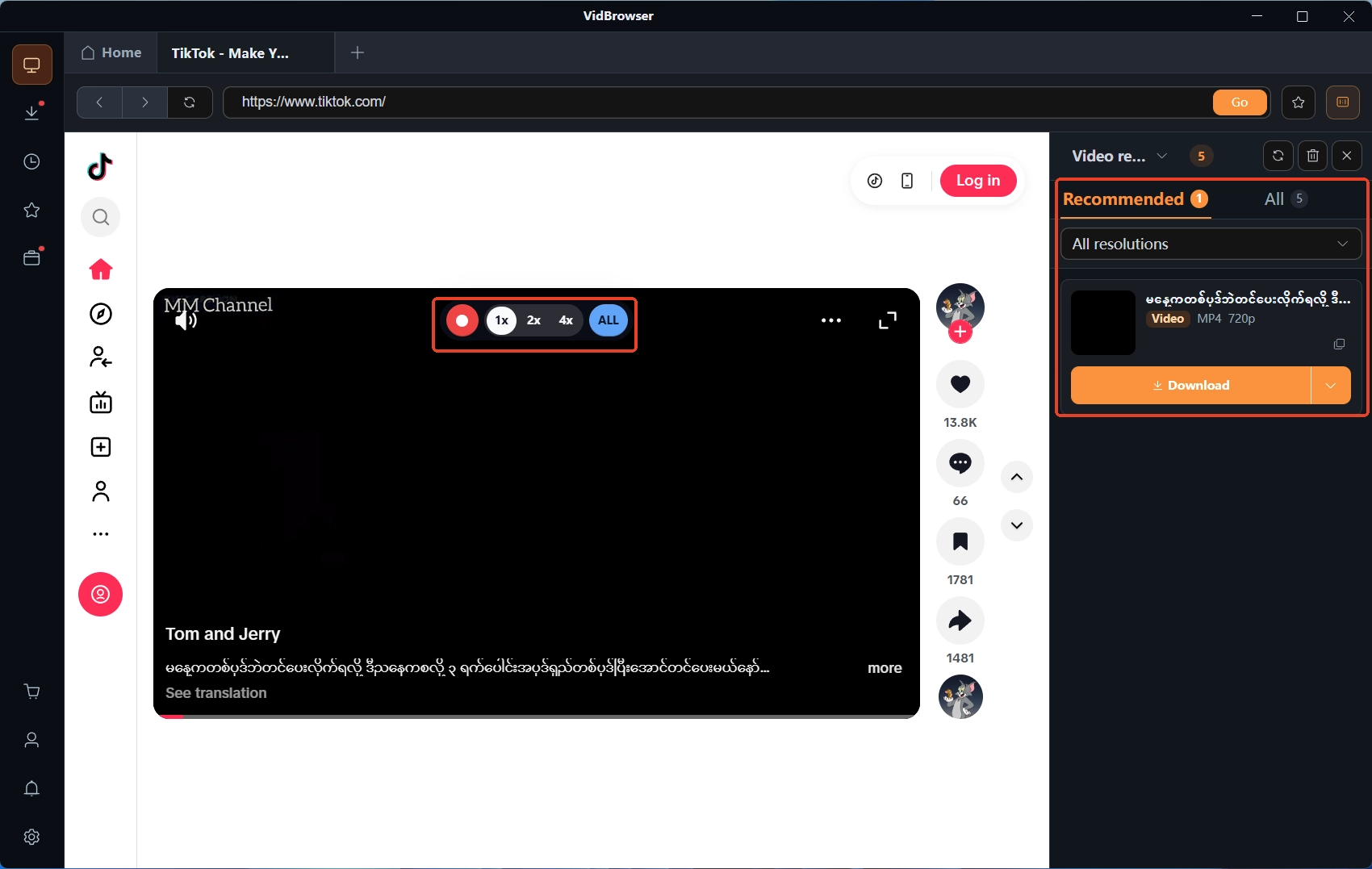 Download and recording sit side by side, so the same page gives you a file or a recording.
-
Find the result. Open download history from the left sidebar for the name, size, time, and save location.
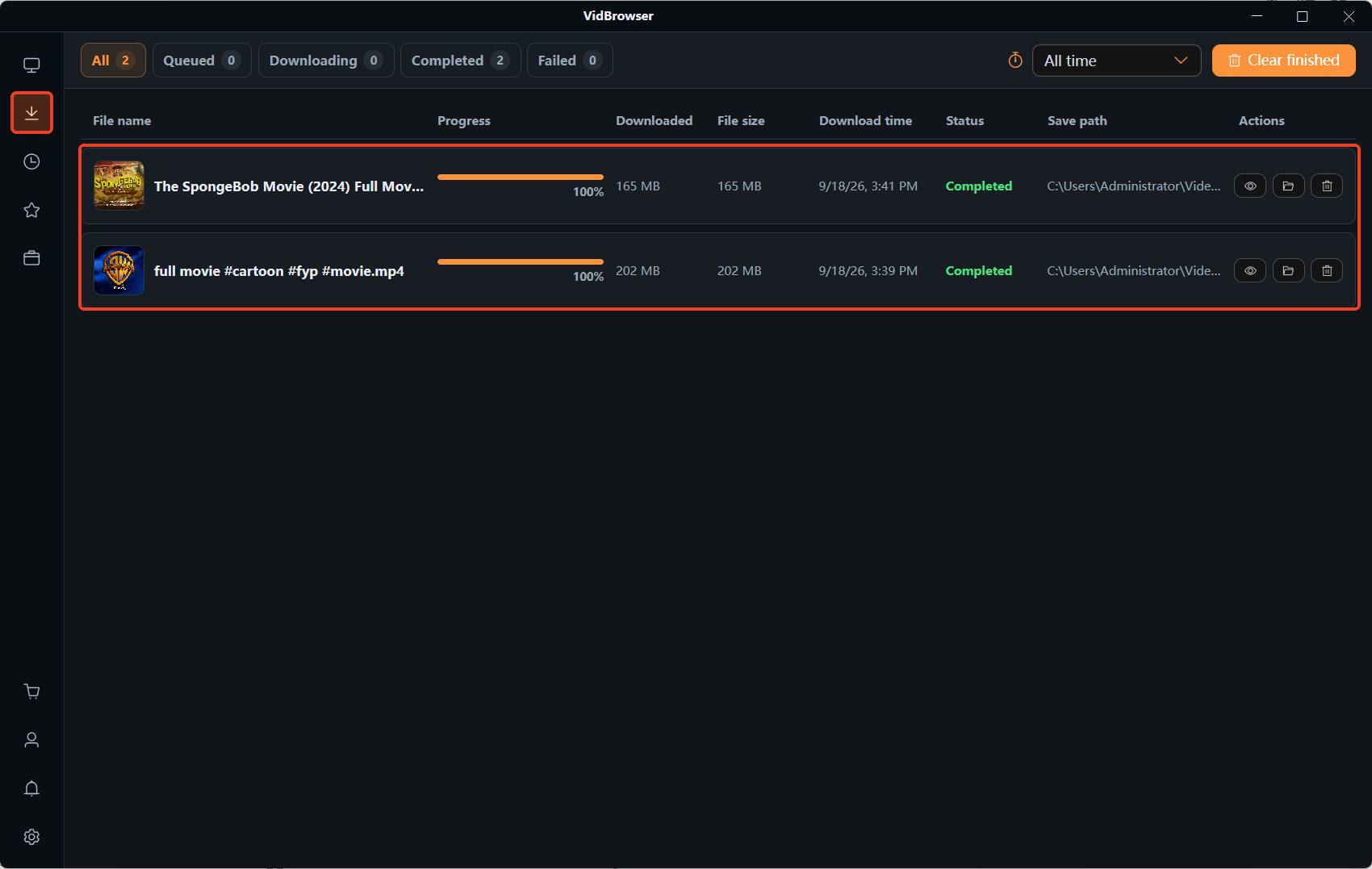 Download history shows where each finished file landed and whether the job succeeded.
Formats and recording options follow the page and the source quality. The panel shows what's actually there. There's no fixed list. The video downloader category guide compares this setup with browser tools and extensions. Use it to see where each one sits.
Name the Job Before You Name the Tool
The word "grabber" is too broad to guide a choice, but the thing you want to keep isn't.
A still, a file, and a recording come from different paths. They fail for different reasons. Pick the row you're in, check its ceiling, then look at tools. You'll try fewer tools. The ones you try will fit the job.
Frequently Asked Questions
Is a video grabber the same as a video downloader?
Not always. A downloader gives you a video file. A grabber may give you a still or a recording. Read the output column first.
Can a video grabber get YouTube video at 1080p?
When a 1080p stream is available and your account can open it, a desktop tool saves it, while online grabbers often cap the output at a pre-merged lower tier. Joining separate audio and video tracks costs processing time. Check the option the tool actually offers for that video.
Why did my grabber stop working on a site that used to work?
The site changed how it serves the stream or the link expired, since player updates and short-lived download URLs both break tools that depend on a fixed pattern. A page problem and a file problem need different fixes.
Can I use a grabber on members-only or rented video?
Only when your account already has access and you've got permission to keep a copy. No tool replaces the subscription. None should ask for your password.
Does recording count as downloading?
No. Recording captures the picture as it plays. It takes real time, even at a faster speed. Downloading saves a stream the site makes available. Both need the same permission check first.